
4G+ AIRSPOT 520 Wi-Fi érintőképernyővel
Nem találtunk tárgyakat.
Nem találtunk tárgyakat.
Minden kérdés
4G+ AIRSPOT 520 Wi-Fi érintőképernyővel
Nem találtunk tárgyakat.
Nem találtunk tárgyakat.
Hogyan állíthatom vissza az útválasztót a gyári beállításokra? (Reset gomb)
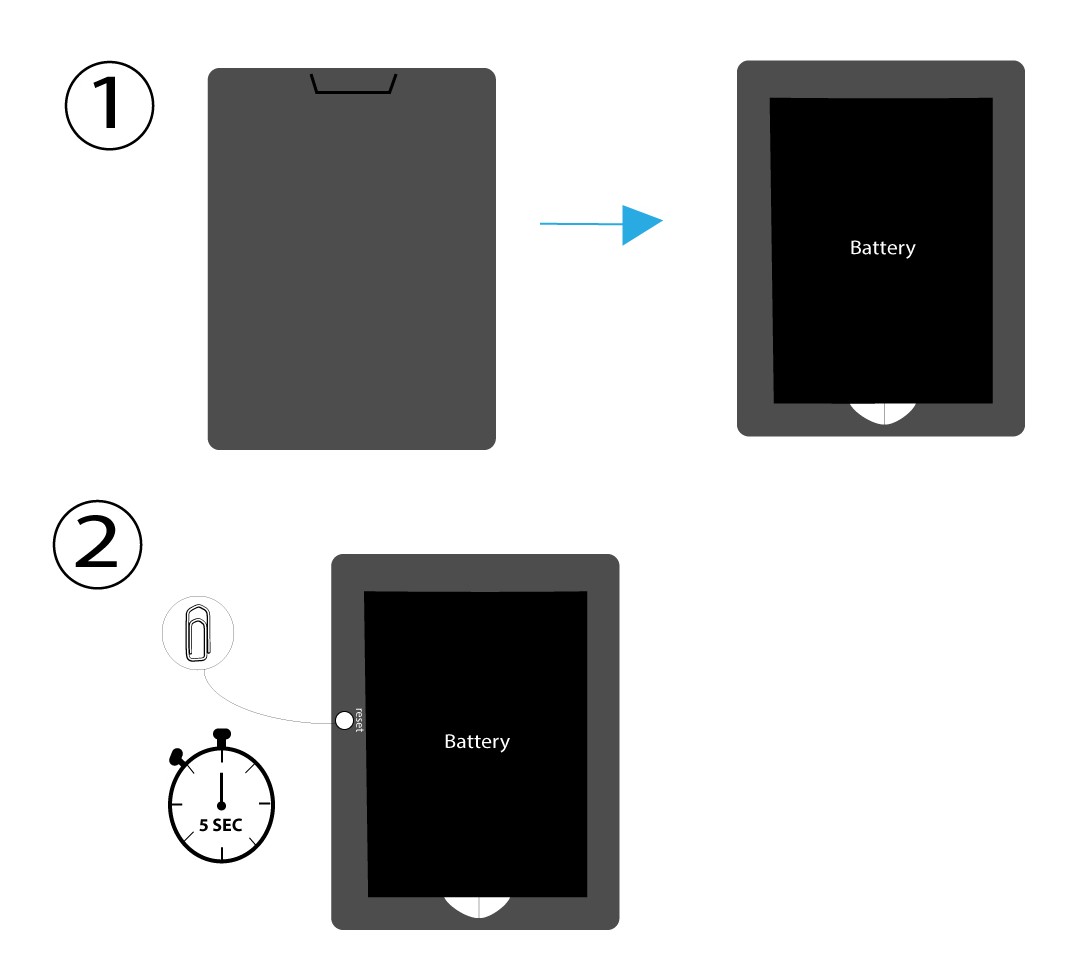
1. ESET: Visszaállítási gomb
Ehhez vegye le a router hátulján található fedelet, majd egy gemkapoccsal nyomja meg a RESET gombot 5 másodpercig.
2. ESET: Gyári beállítások visszaállítása a webes felhasználói felületen
1. Gyári beállításokvisszaállítása a webes felhasználói felületen
Kérjük, kövesse az itt felsorolt lépéseket a webes felhasználói felülethez való csatlakozáshoz: Hogyan érhetem el a webes felhasználói felületet?
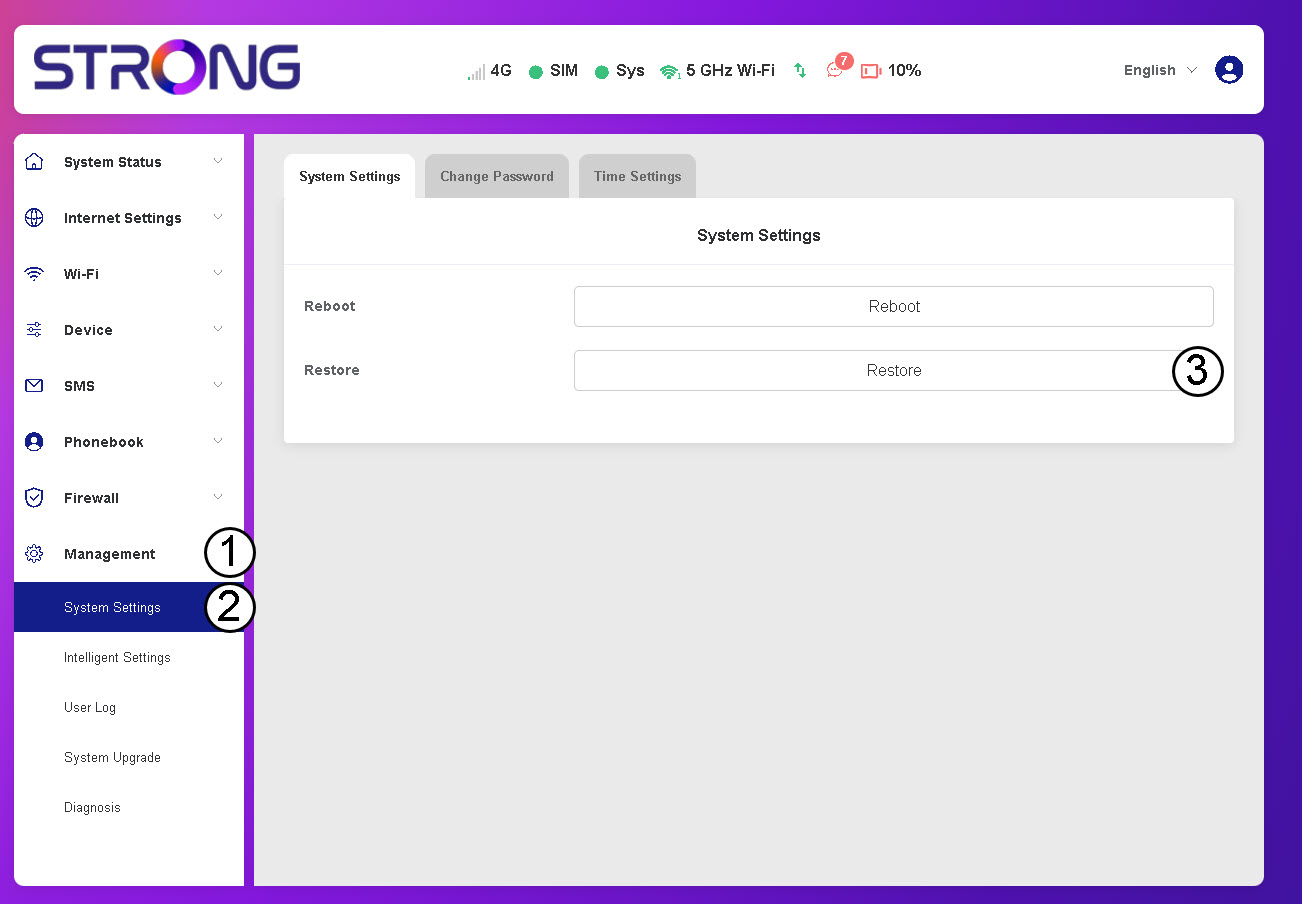
2. Lépjenaz „Visszaállítás” menüpontra
Kattintson a „Kezelés”, majd a „Rendszerbeállítások” és a„Visszaállítás” menüpontokra.
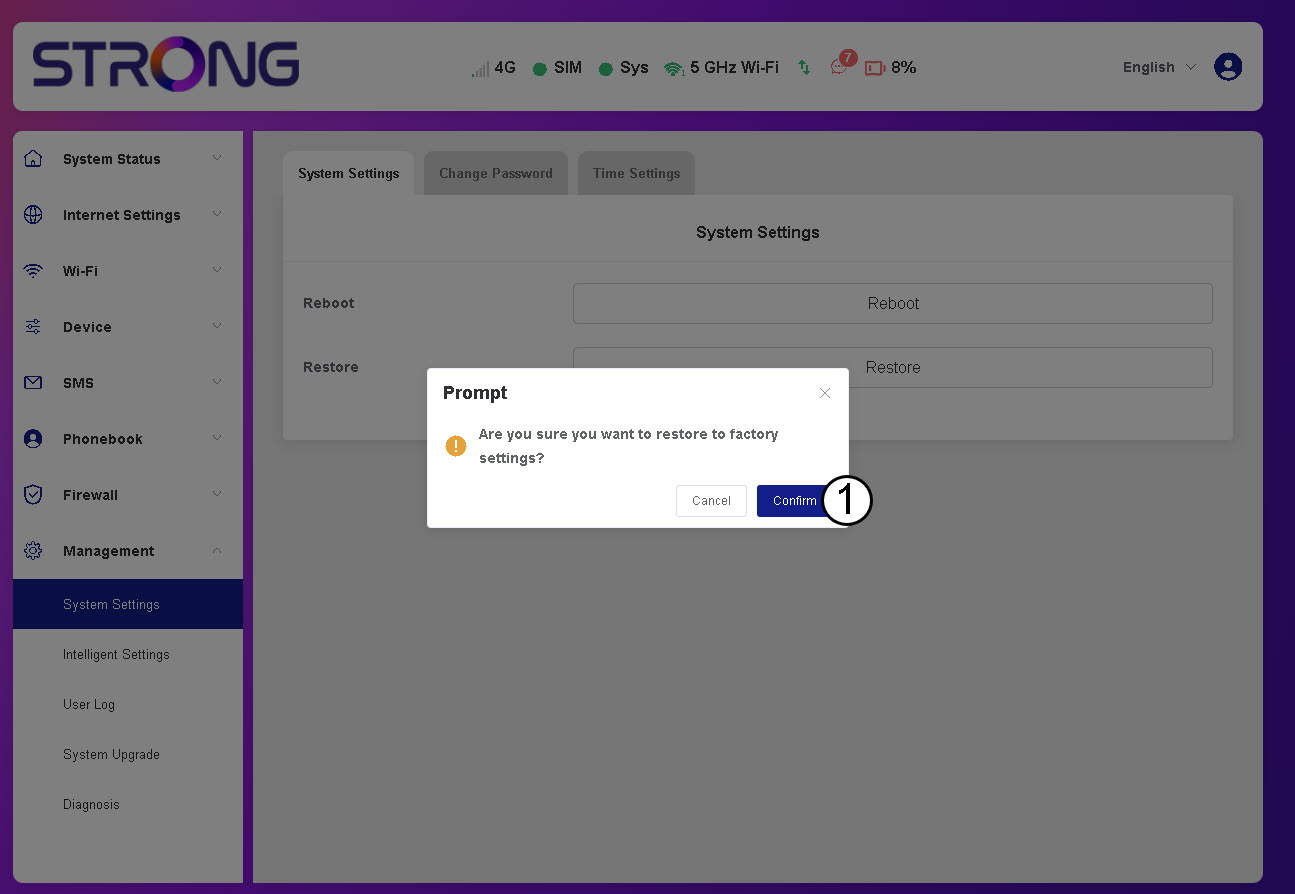
3. Kattintson a„Megerősítés” gombra
4. Várjameg, amíg az útválasztó újraindul
Kérjük, várjon! A folyamat befejezése után az útválasztó kikapcsol, majd újra bekapcsol.
3. ESET: Visszaállítási gomb