4G AIRHOME 310 levehető 4G antennákkal
Minden kérdés
4G AIRHOME 310 levehető 4G antennákkal
Hogyan állíthatom vissza a routeremet a gyári beállításokra?
Előfordulhat, hogy a készülék nem működik megfelelően, és nincs internet-hozzáférésed. Ebben az esetben azt javasoljuk, hogy állítsd vissza a készüléket a gyári beállításokra, majd szükség esetén frissítsd újra a firmware-t.
Kétféleképpen teheted meg ezt: visszaállíthatod a készüléket a reset gomb megnyomásával, vagy a webes felhasználói felületen keresztül.
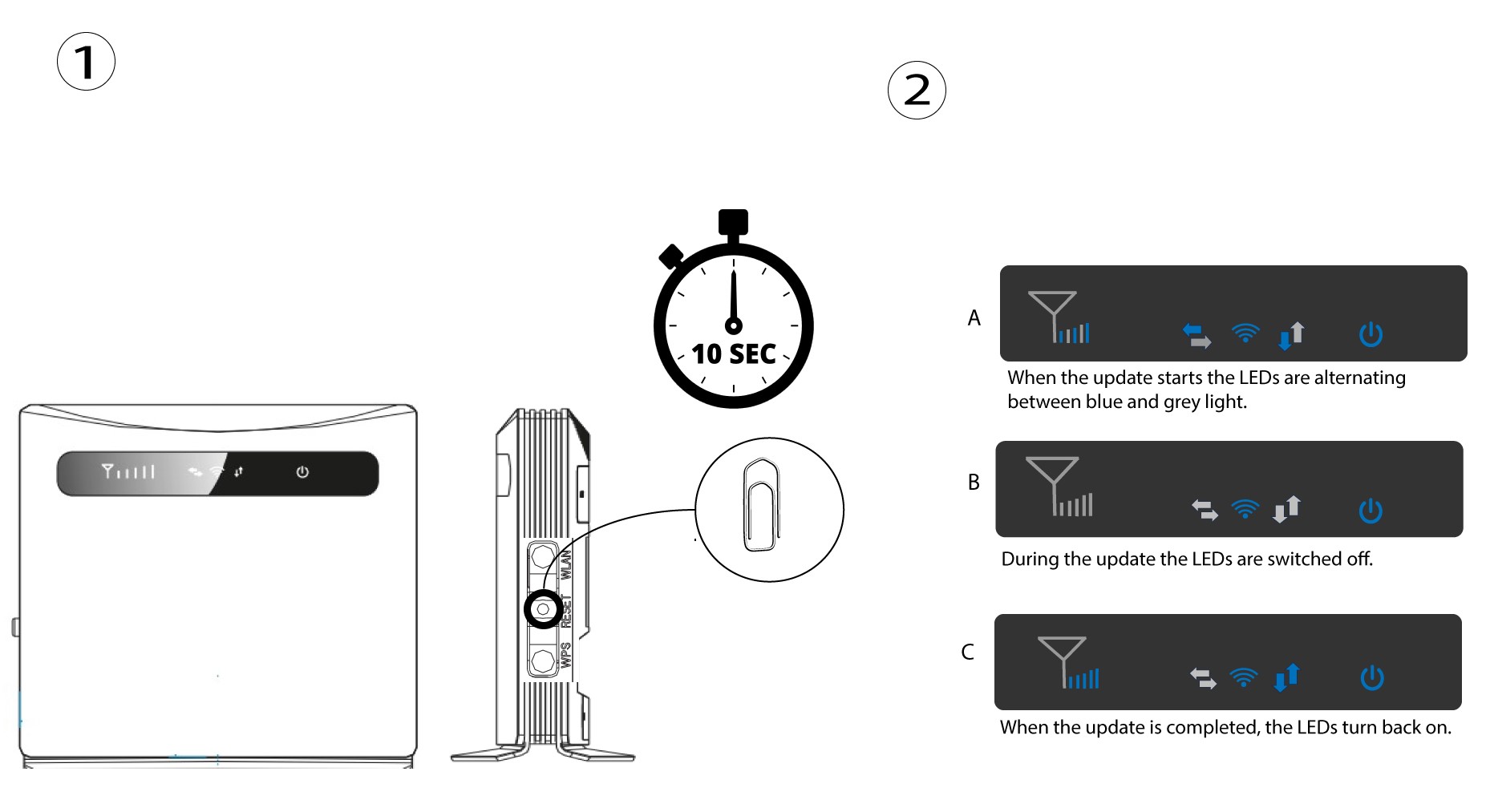
1. ESET: Visszaállítási gomb.
Ehhez dugjon be egy gemkapcsot a nyílásba, hogy megnyomja a visszaállítási gombot. Tartsa lenyomva a visszaállítási gombot 10 másodpercig. A LED-ek switch kialszanak, majd újra kigyulladnak.
1.2. eset: visszaállítás a webes felhasználói felületen
Csatlakoznia kell a készüléke Wi-Fi-hálózatához, majd kövesse az alábbi eljárásban leírt lépéseket:

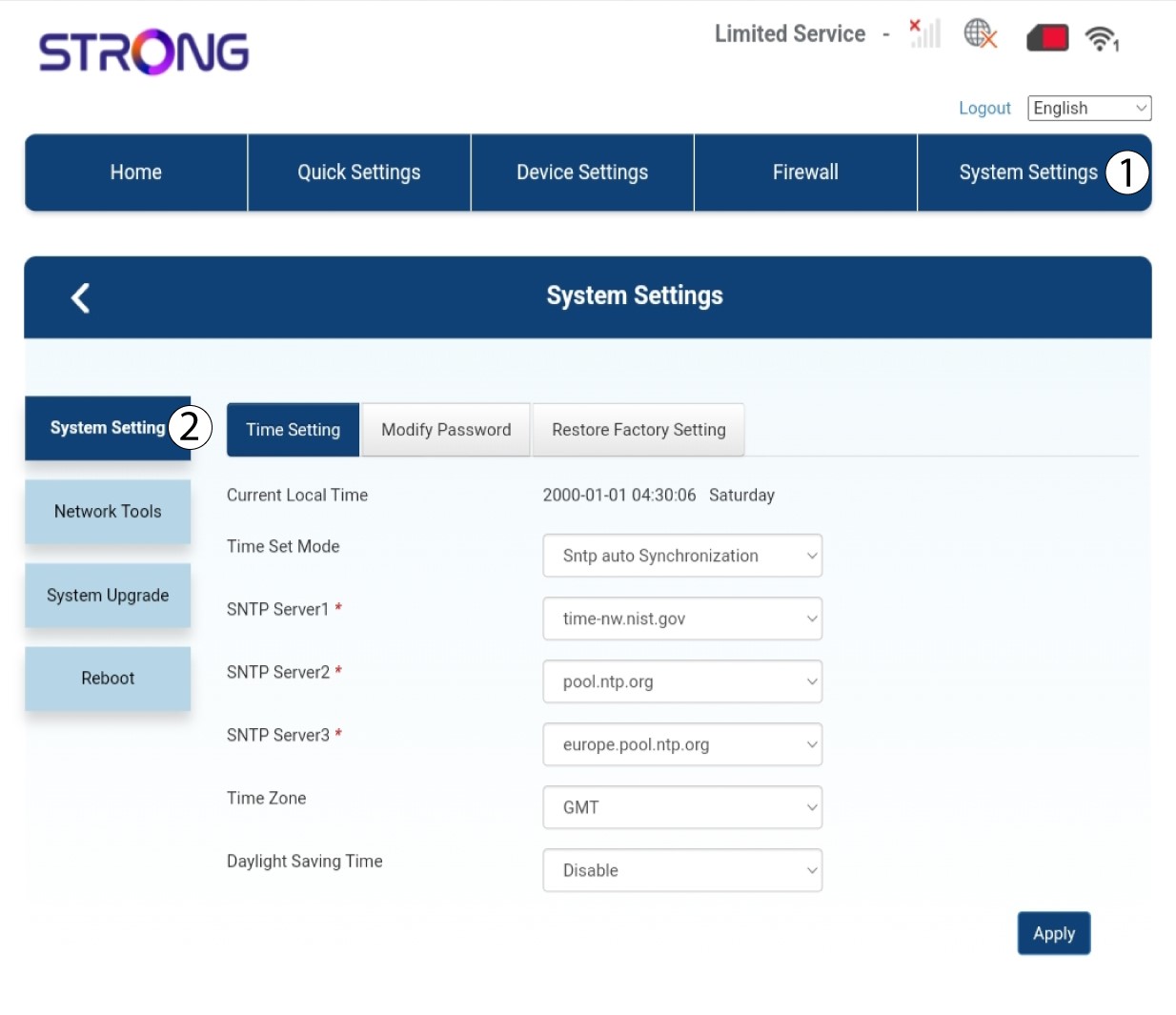
2. Rendszerbeállítások
Ezután kattintson a „Rendszerbeállítások” gombra, majd válassza ki a „Rendszerbeállítás” menüpontot.
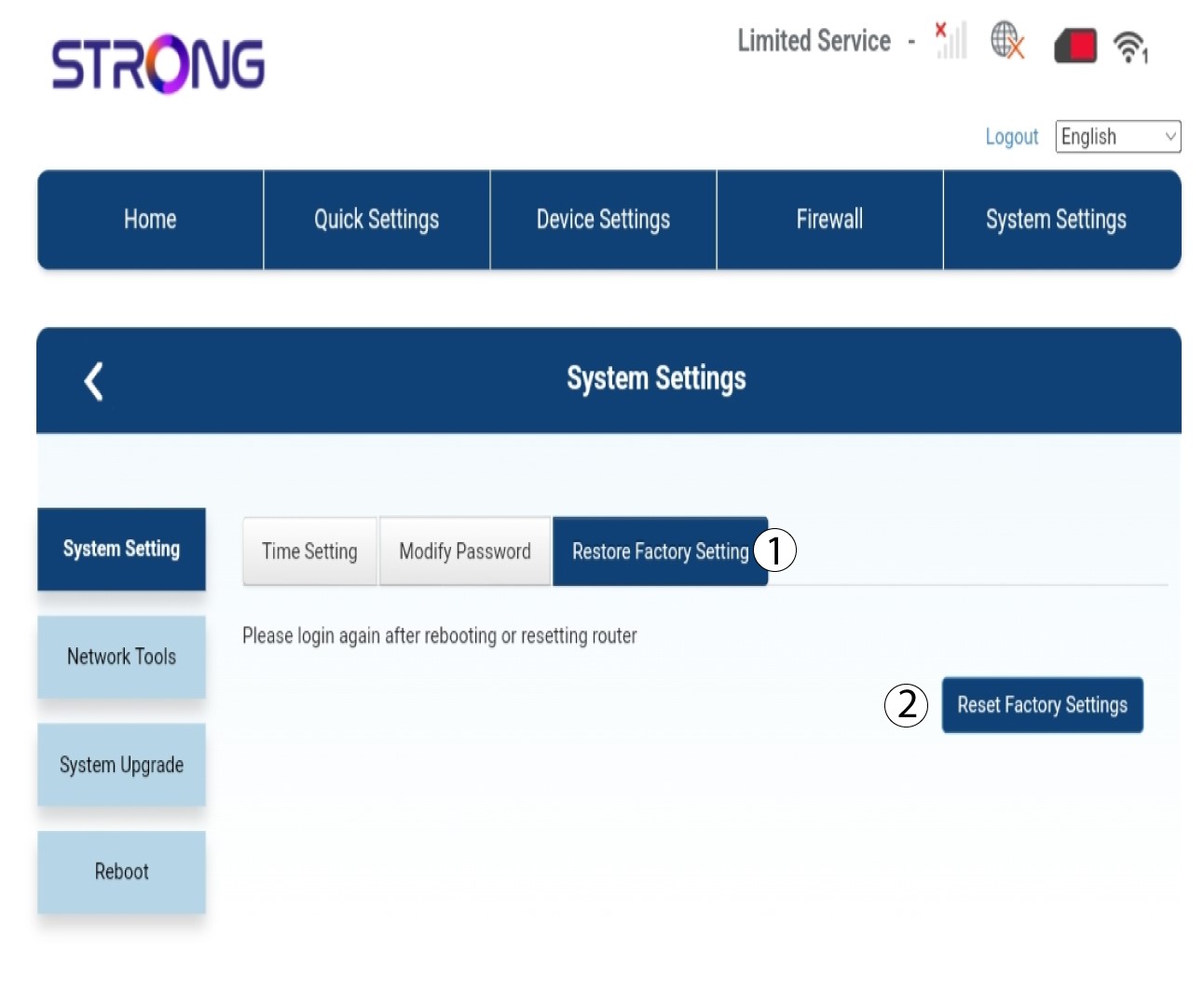
3. Gyári beállítások visszaállítása
Kattintson a „Gyári beállítások visszaállítása” gombra, majd a „Gyári beállítások visszaállítása” gombra
4.Felugró üzenet
A megjelenő felugró ablakban kattintson az „Igen” gombra.
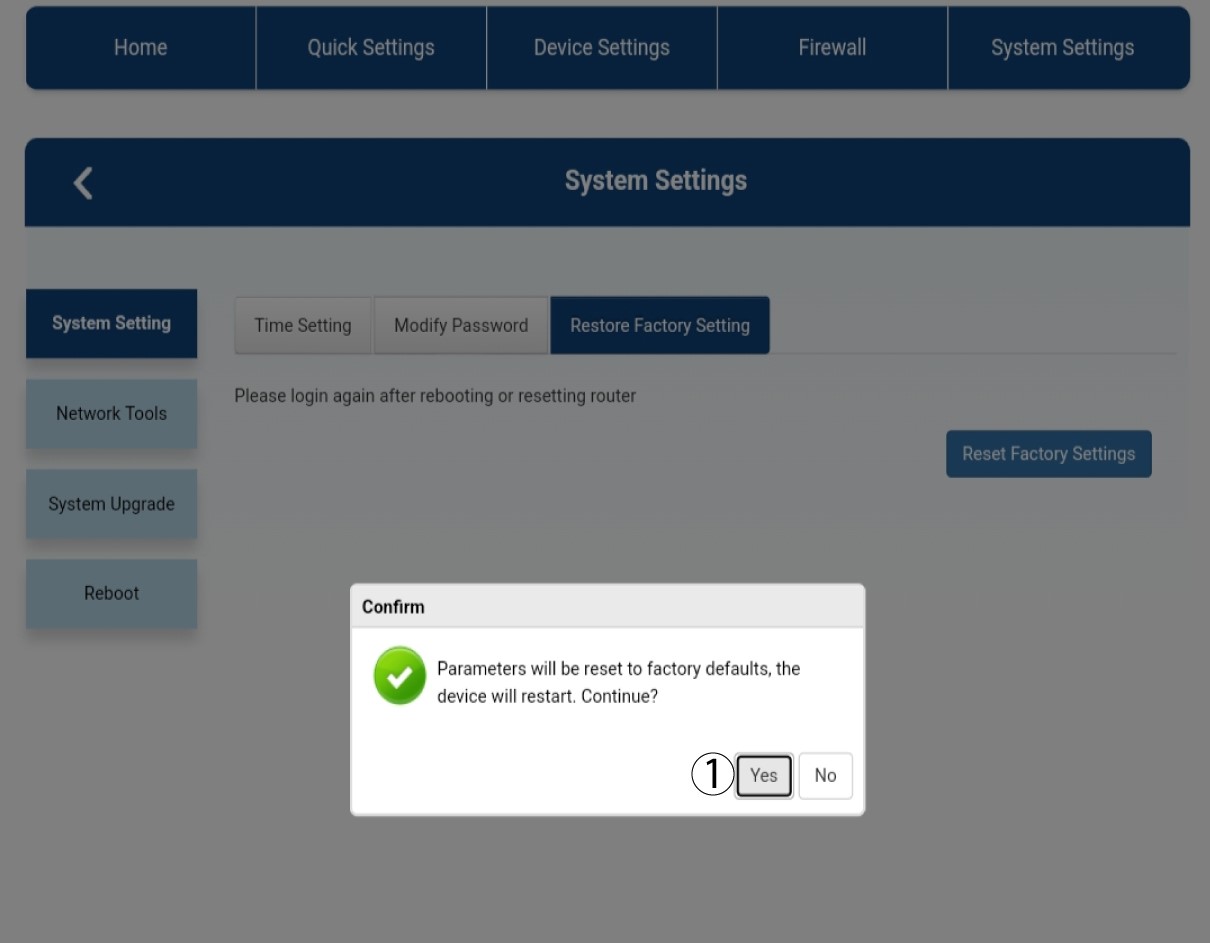
5. Várja meg, amíg a folyamat befejeződik
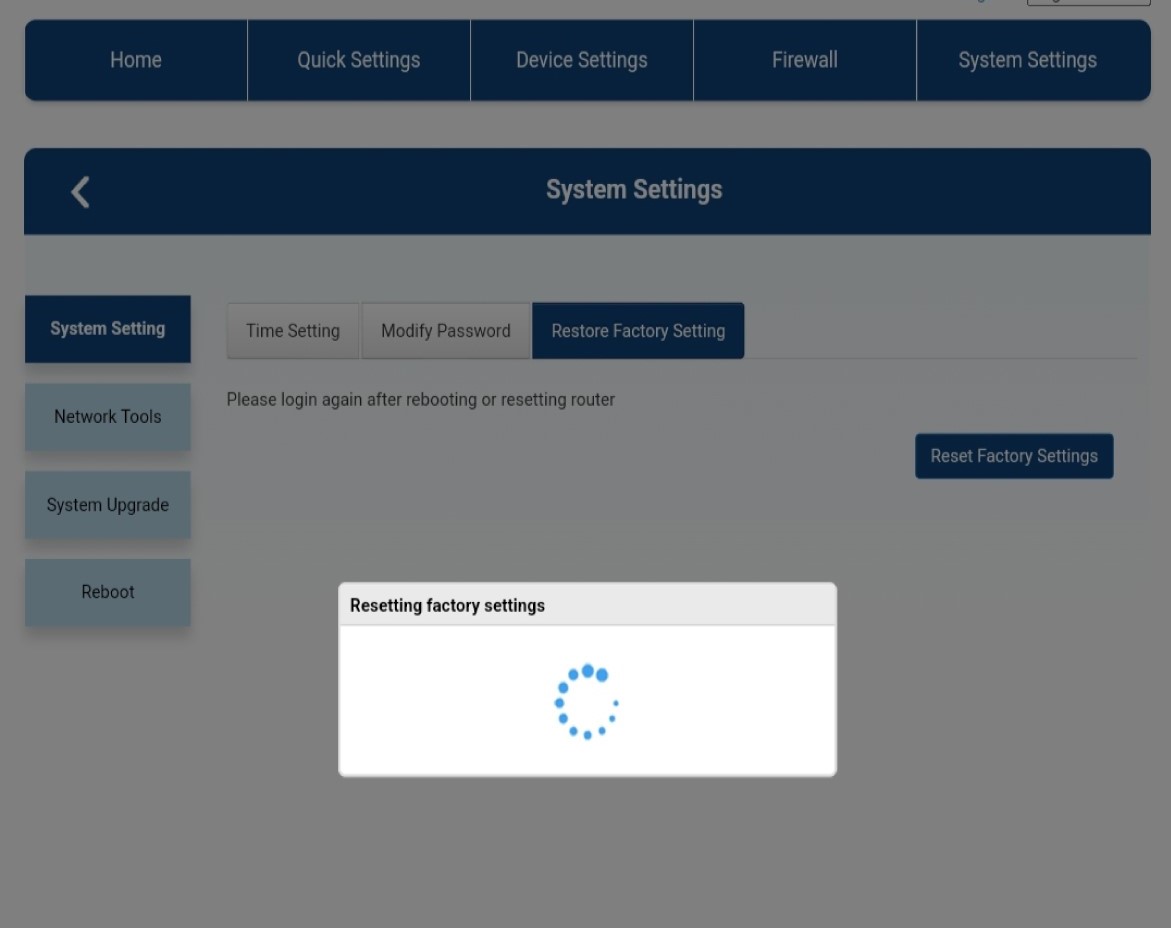
Amíg a készülék gyári beállításokra áll vissza, megjelenik egy új felugró ablak.