Nem találtunk tárgyakat.
Nem találtunk tárgyakat.
2K+ SMART HOME kamera
Minden kérdés
Nem találtunk tárgyakat.
Nem találtunk tárgyakat.
2K+ SMART HOME kamera
Hogyan használhatom a felhőszolgáltatásokat a próbaidőszak lejárta után?
A felhőszolgáltatások 30 napos próbaidőszakának letelte után regisztrálhat, hogy egy évre igénybe vehesse ezt a szolgáltatást.
1. Beállítások megnyitása
Kattintson a „Beállítások” gombra

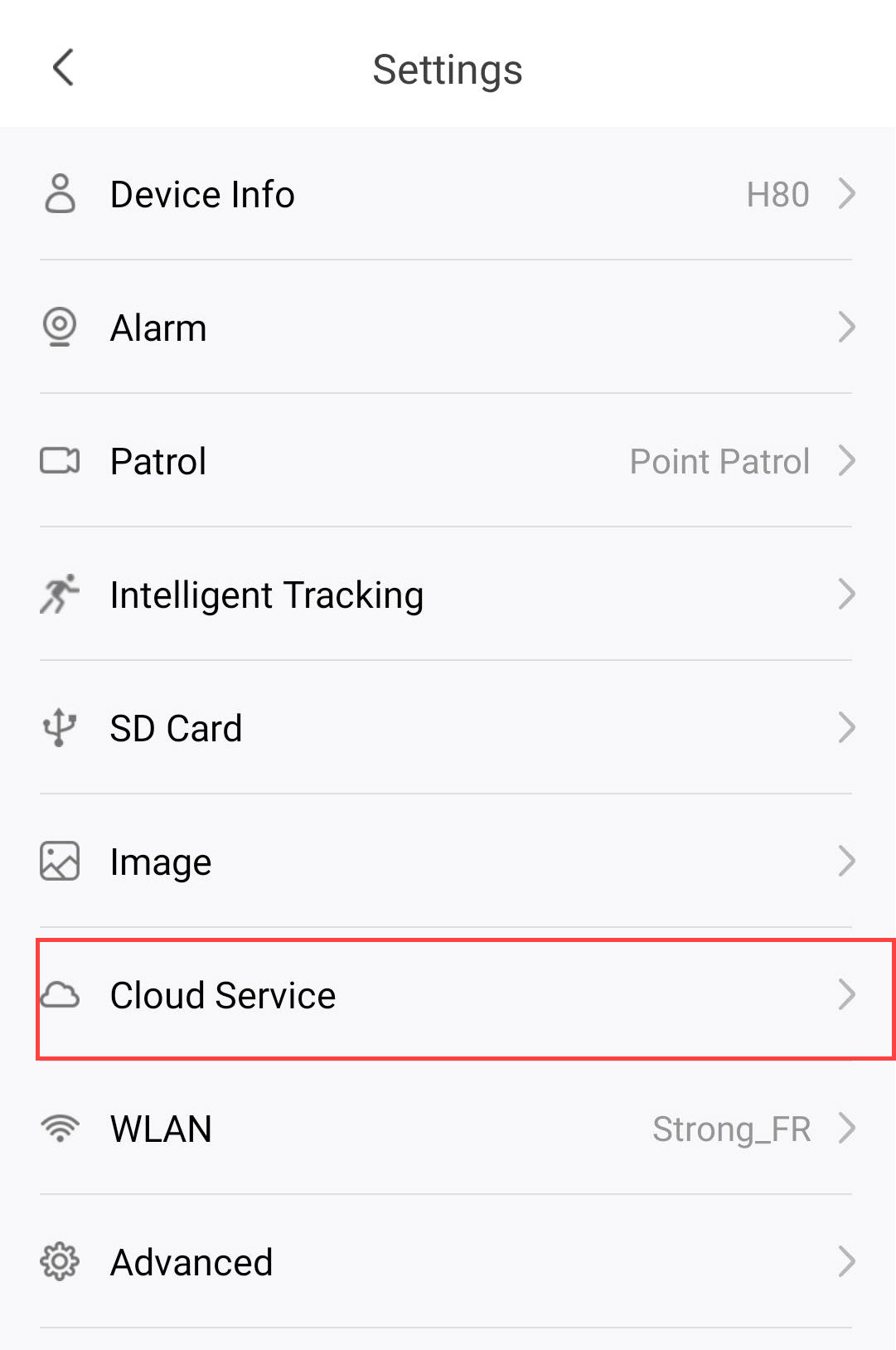
2.A felhőszolgáltatások beállításainak megnyitása
Kattintson a „Felhőszolgáltatások” elemre.
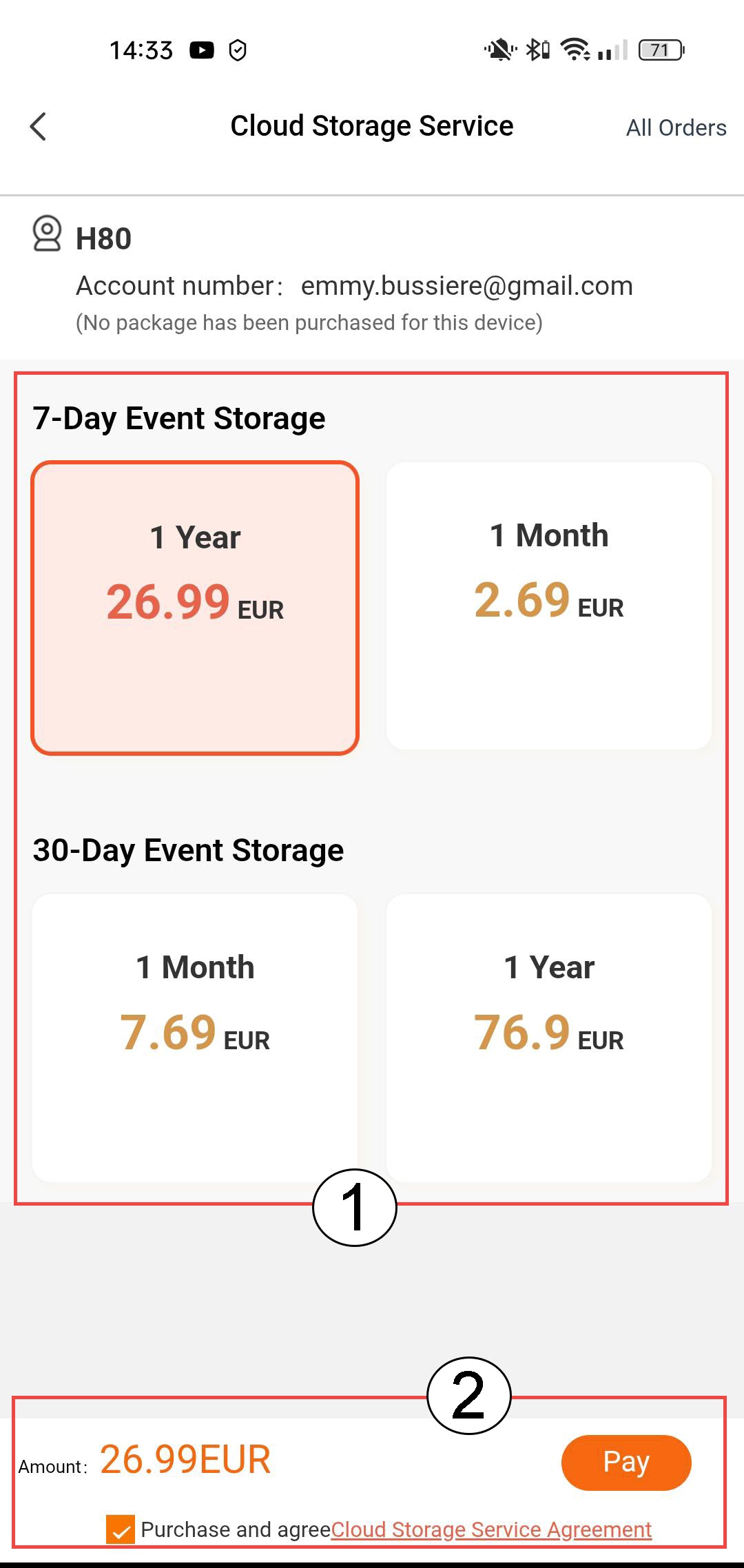
3. Válassza az„Eseménytárolás és előfizetés” lehetőséget
Választhat a 7 napos eseménytárolás (az események 7 napig maradnak rögzítve) és a 30 napos eseménytárolás (az események 30 napig maradnak rögzítve) között. A kiválasztott időszak letelte után a felvételek automatikusan törlődnek. A „Fizetés” gombra kattintás előtt ki kell választania az előfizetési időszakot: havi vagy éves.
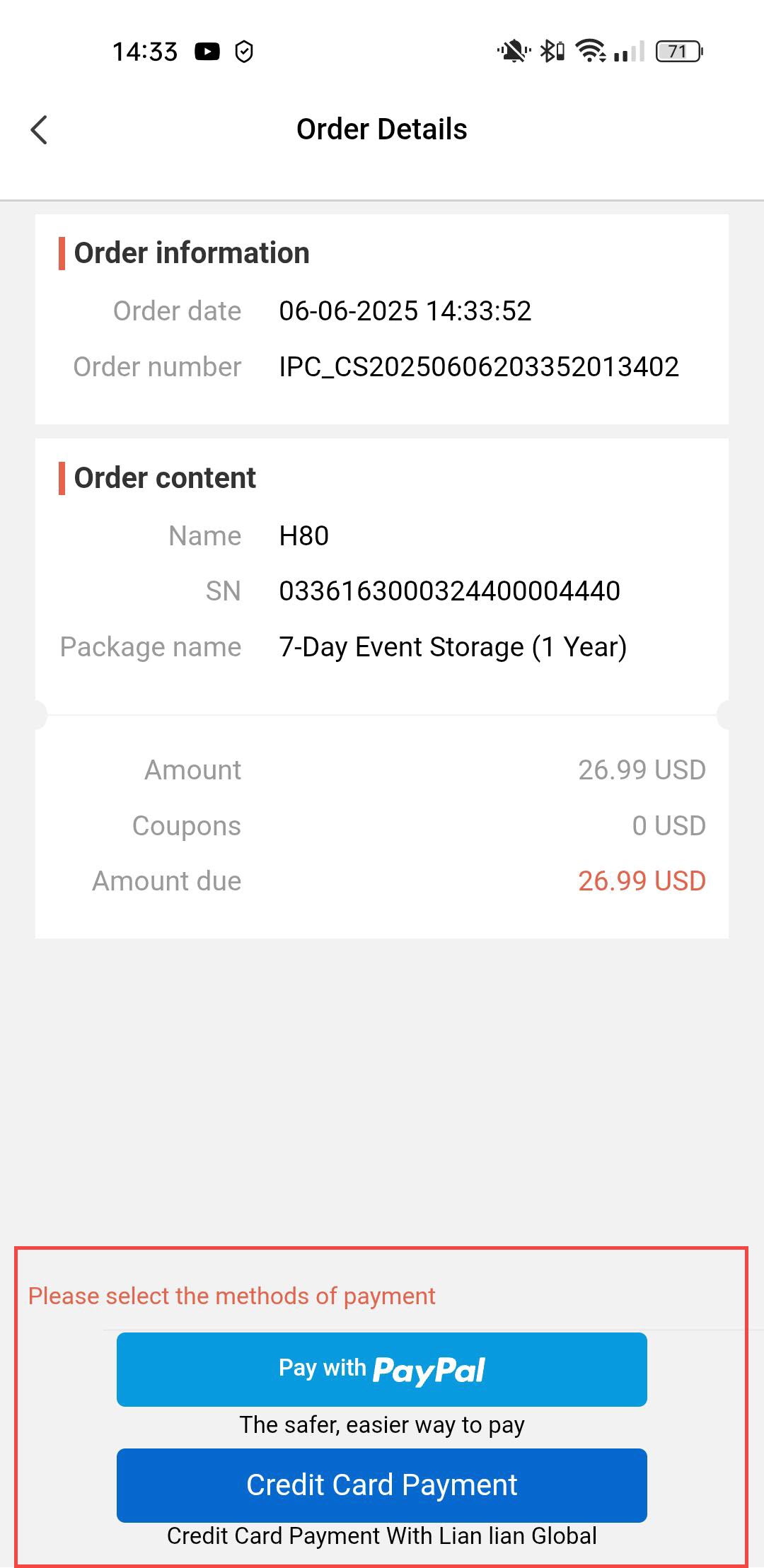
4. Fizetési mód kiválasztása
Ezután válassza ki a fizetési módot.
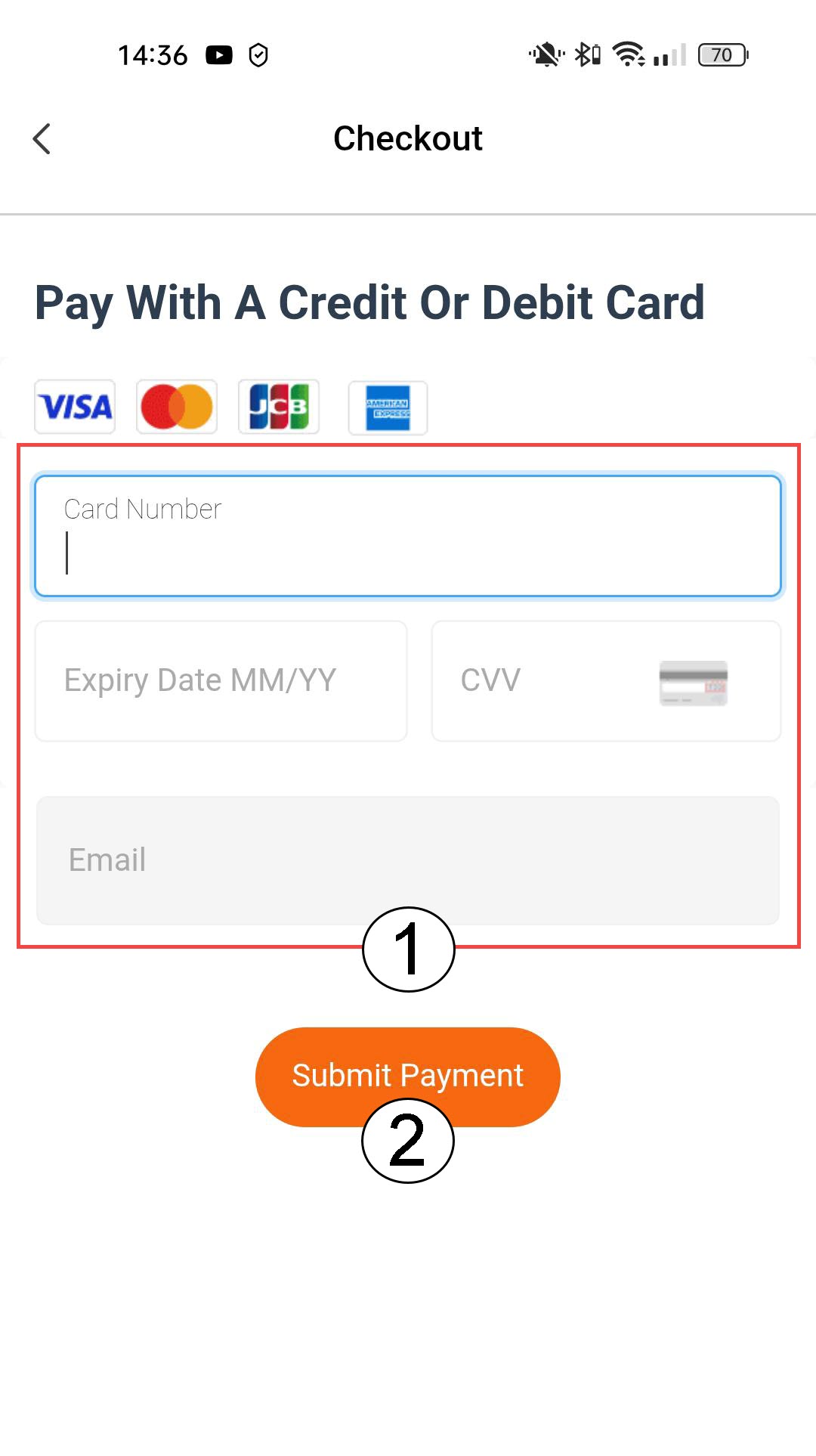
5. Adja mega fizetési adatokat, majd erősítse meg
Vagy megadhatja a hitelkártyája adatait, mielőtt a „Fizetés elküldése” gombra kattintana
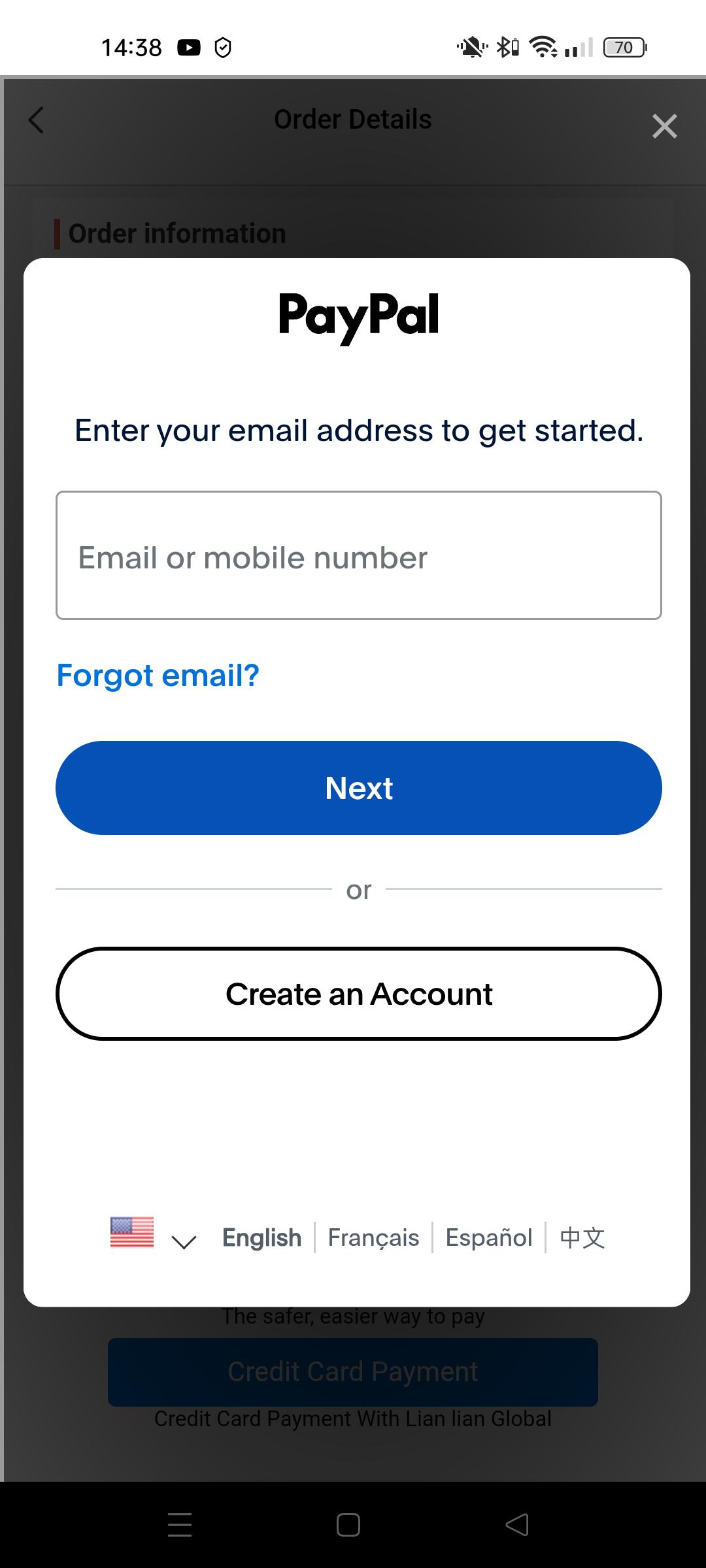
6. Adja mega PayPal-adatait
Vagy adja meg a PayPal-fiókjának adatait. Ezután kövesse a képernyőn megjelenő utasításokat.