
ATRIA Wi-Fi 5 Mesh 2100 UK add-on)
Nem találtunk tárgyakat.
Nem találtunk tárgyakat.
Minden kérdés
ATRIA Wi-Fi 5 Mesh 2100 UK add-on)
Nem találtunk tárgyakat.
Nem találtunk tárgyakat.
Elfelejtettem az „ Mesh ” hálózatom Wi-Fi jelszavát. Hogyan tudom megkeresni?
1. Alapértelmezettbejelentkezési adatok
Az alapértelmezett Wi-Fi-jelszó a készülék alján található; ha azonban már megváltoztatta, előfordulhat, hogy vissza kell állítania a „ Mesh 2100” készüléket a gyári alapbeállításokra.
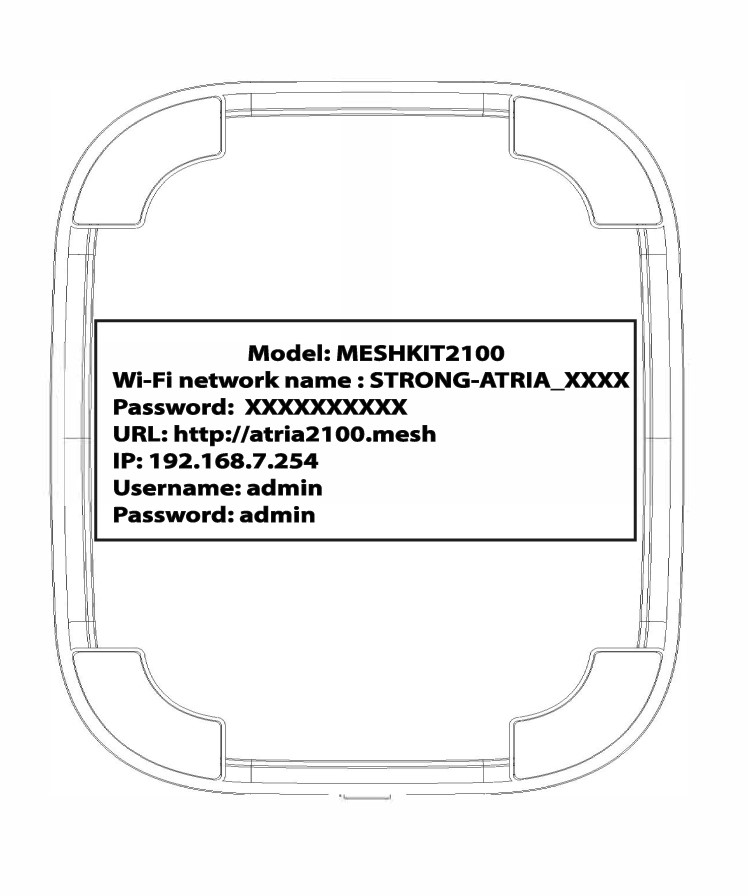
1. ESET: A Wi-Fi-hálózat adatainak megtekintése a webes felhasználói felületen
A webes felhasználói felülethez való csatlakozáshoz kérjük, kövesse az alábbi útmutatást: Hogyan érhetem el a webes felhasználói felületet?
1WLAN
Kattintson a „WLAN” és a „WLAN 2,4G” elemre. Ezután kattintson a PSK mező melletti szem ikonra.

2. Írjale az új információkat
Írd le a jelszót egy papírlapra.
2. ESET: A Wi-Fi-hálózat adatainak megtekintése az alkalmazásban
A webes felhasználói felülethez való csatlakozáshoz kérjük, kövesse az alábbi útmutatást: Hogyan használjam az Atria „ Mesh ” alkalmazást?
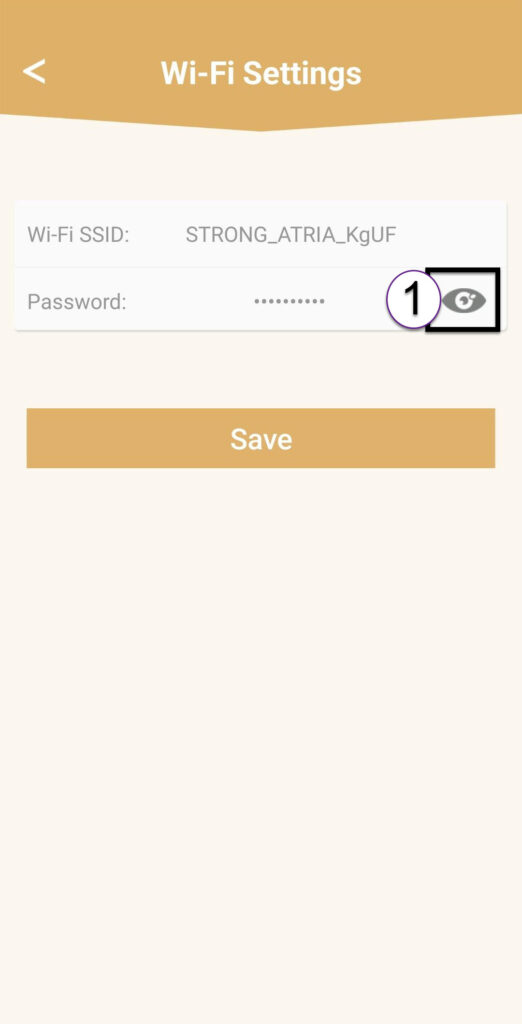
1. Wi-Fi-beállítások
Ezután kattintson a „Wi-Fi beállítások” elemre.

2Password
Kattintson a szem ikonra a jelszó megjelenítéséhez.
3. Írjale az új információkat
Írd le a jelszót egy papírlapra.