Wi-Fi 4G+ AIRSPOT 520 con touchscreen
Nessun articolo trovato.
Nessun articolo trovato.
Tutte le domande
Wi-Fi 4G+ AIRSPOT 520 con touchscreen
Nessun articolo trovato.
Nessun articolo trovato.
Come si modificano l'SSID (nome della rete Wi-Fi) e la password Wi-Fi? (Schermata Mi-Fi)
Puoi modificare le informazioni relative alla rete Wi-Fi dalla schermata del tuo Mi-Fi.
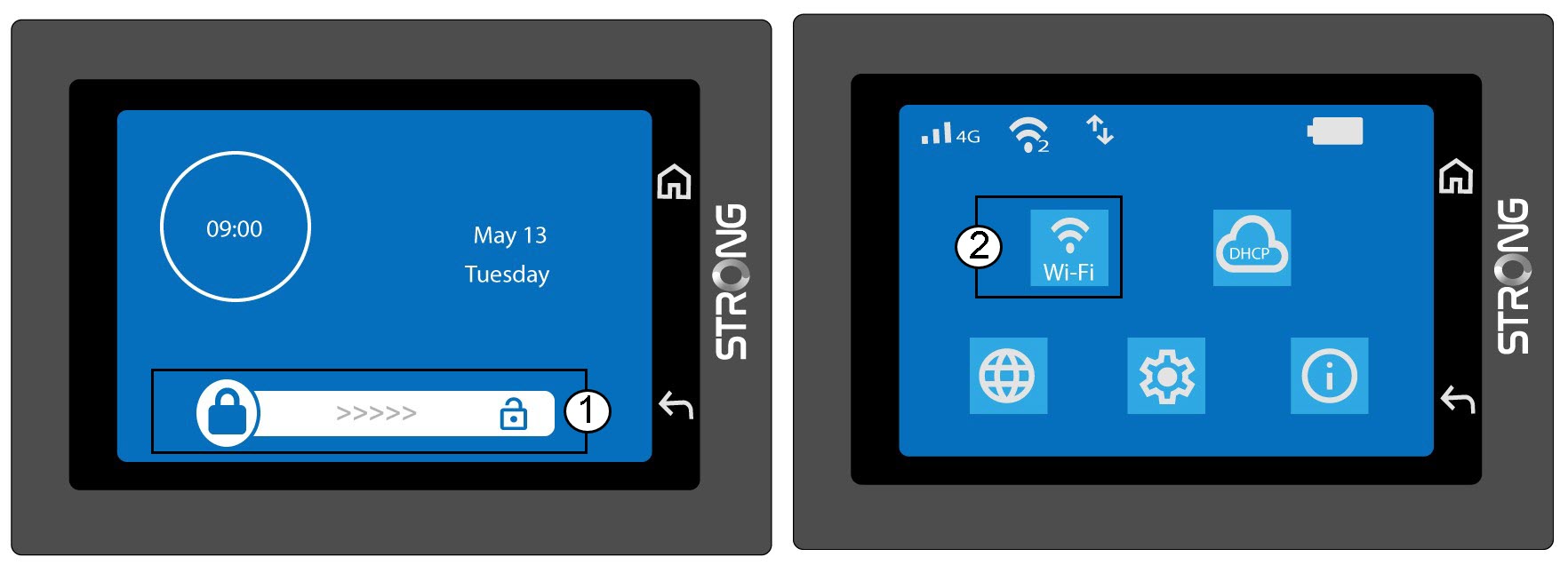
1. Accedialle impostazioni Wi-Fi
Sblocca lo schermo e clicca sull'icona del Wi-Fi.
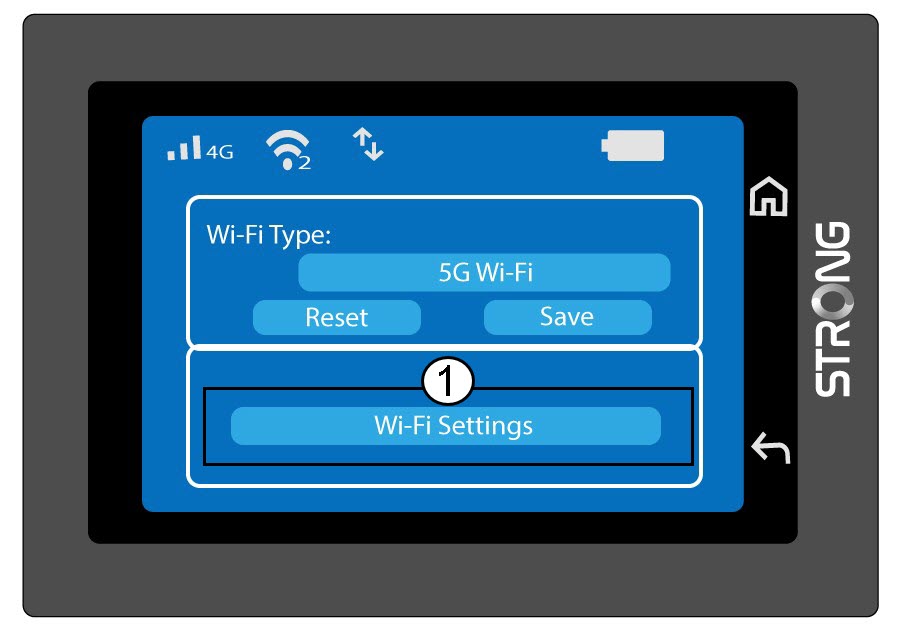
2. Configurazione della rete Wi-Fi aperta
Fai clic su "Impostazioni Wi-Fi".
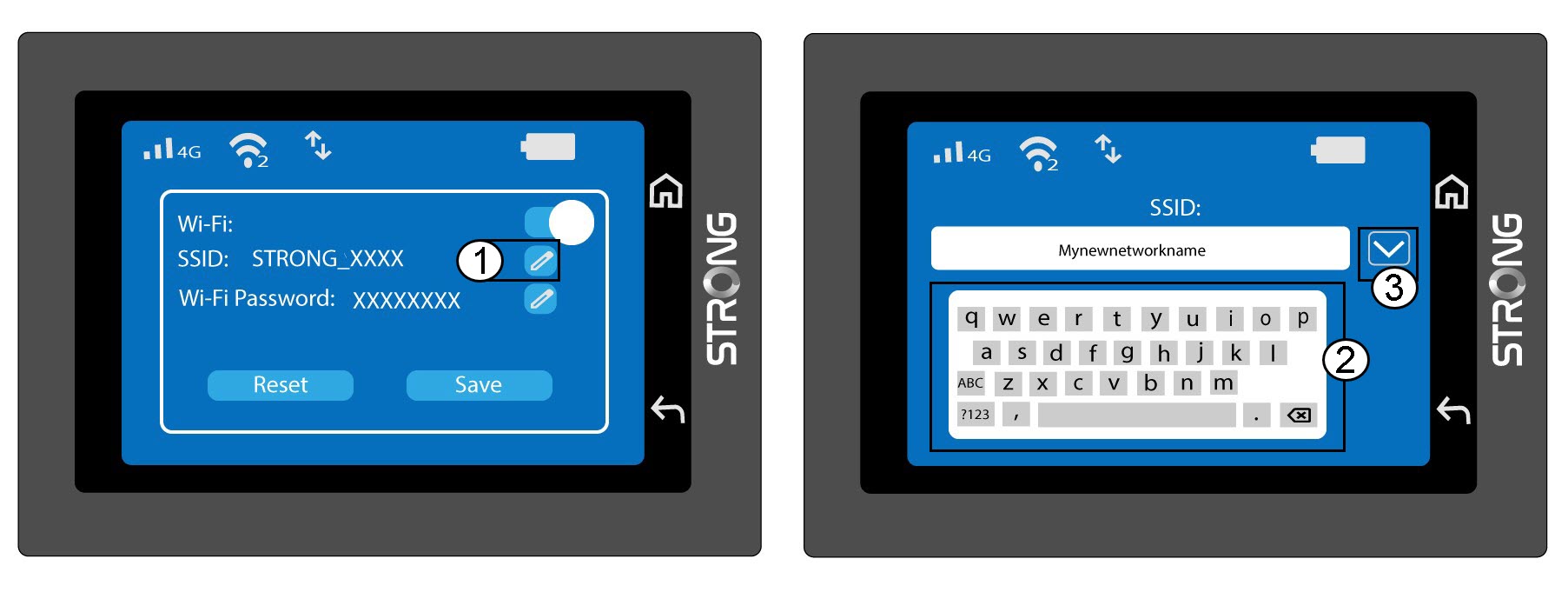
3. Modificadel nome della rete (SSID)
Fai clic sull'icona a forma di penna accanto al nome della rete Wi-Fi, inserisci il nuovo nome e premi (V) per confermare.
4. Modificadella password Wi-Fi
Fai clic sull'icona a forma di penna accanto alla password Wi-Fi, inserisci la nuova password e premi (V) per confermare.
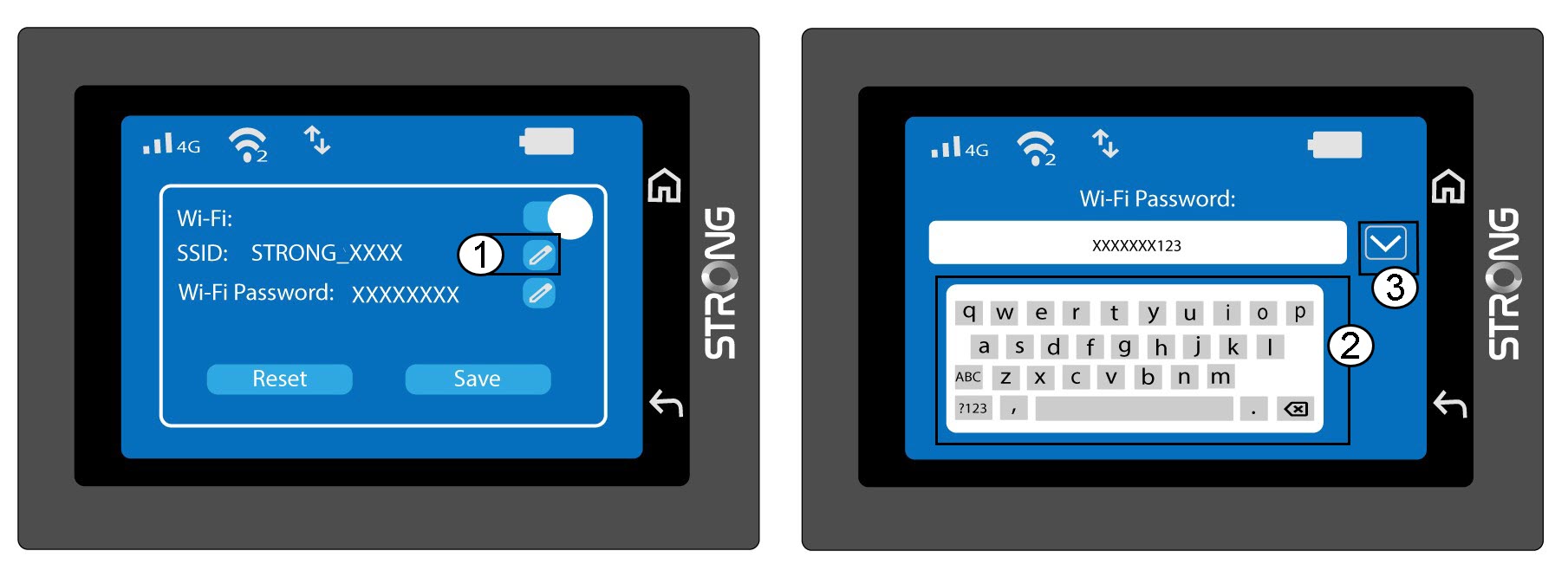
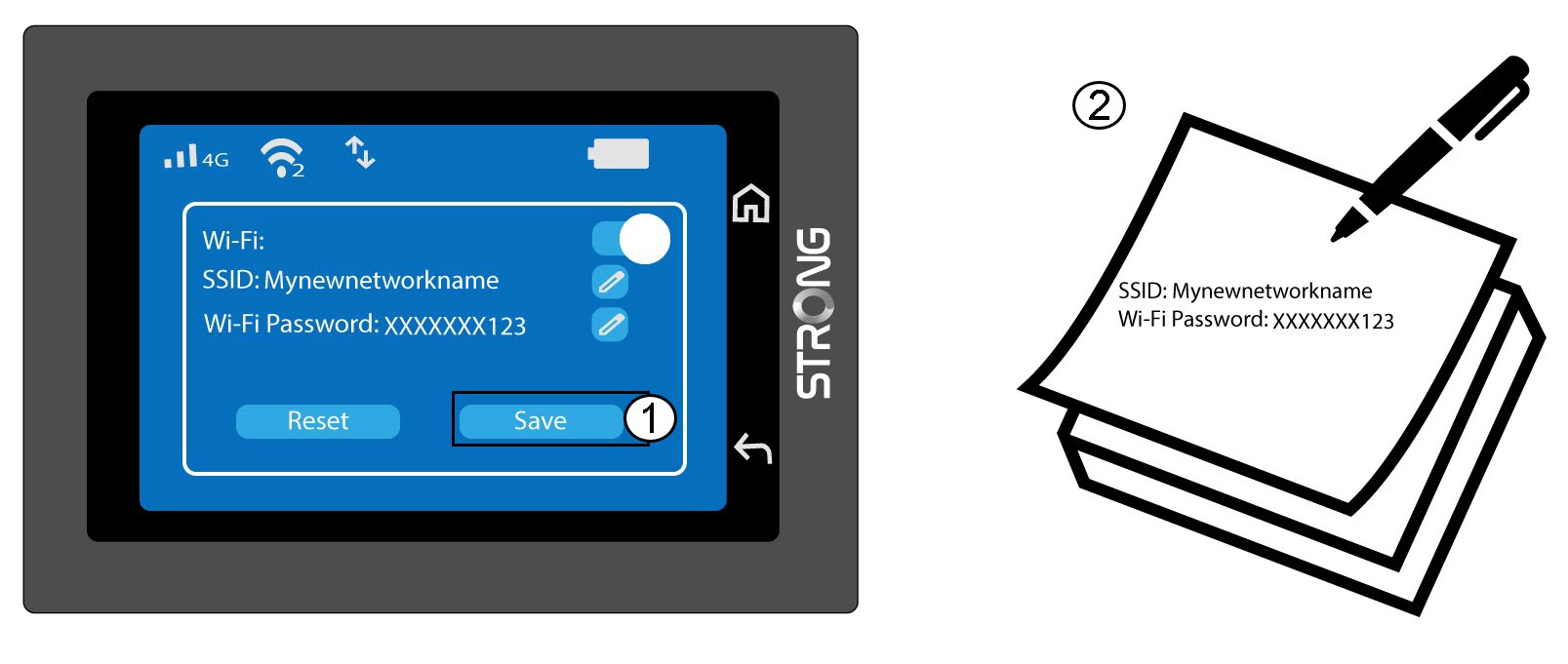
5. Salvale modifiche
Fai clic su “Salva” e prendi nota del nuovo nome di rete e della nuova password per riferimento futuro.