
Router 4G AIRHOME 200 Mini con antenne 4G rimovibili
Tutte le domande
Router 4G AIRHOME 200 Mini con antenne 4G rimovibili
Come si modificano l'SSID (nome della rete Wi-Fi) e la password Wi-Fi? (Impostazioni rapide)
Nell'interfaccia utente web, sono disponibili due modi per modificare l'SSID (nome della rete Wi-Fi) e la password Wi-Fi del router:
• Tramite le Impostazioni rapide
• Oppure tramite le Impostazioni Wi-Fi.
1. Accedereall'interfaccia utente web
Seguire questa procedura per accedere all'interfaccia utente web:
2 Impostazioni rapide
Per farlo, clicca su “Impostazioni rapide ” nella barra in alto.

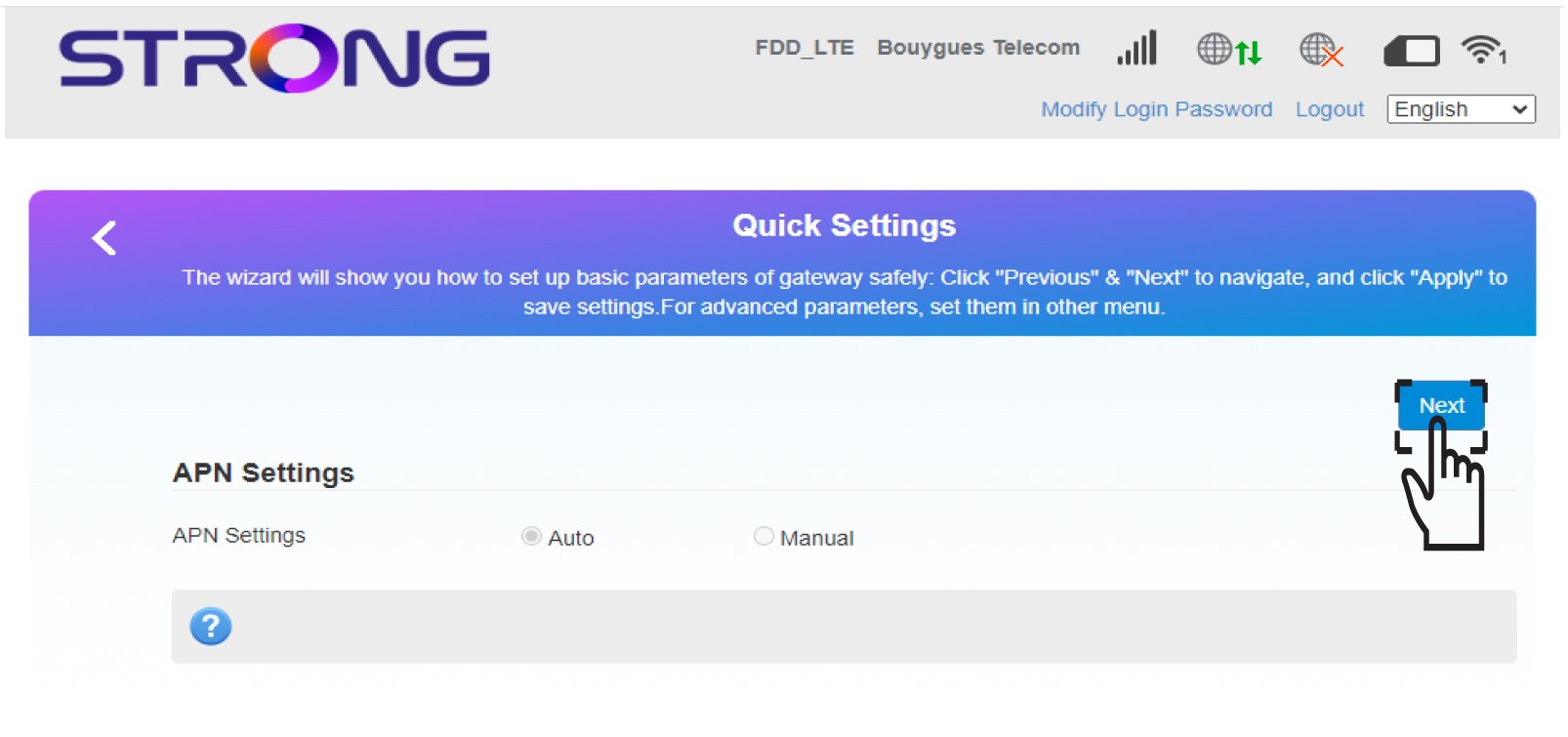
3 Impostazioni APN
Fare clic su Avanti.
4. Inserisciil nome della nuova rete Wi-Fi
Inserisci il nome della nuova rete e fai clic su Avanti.

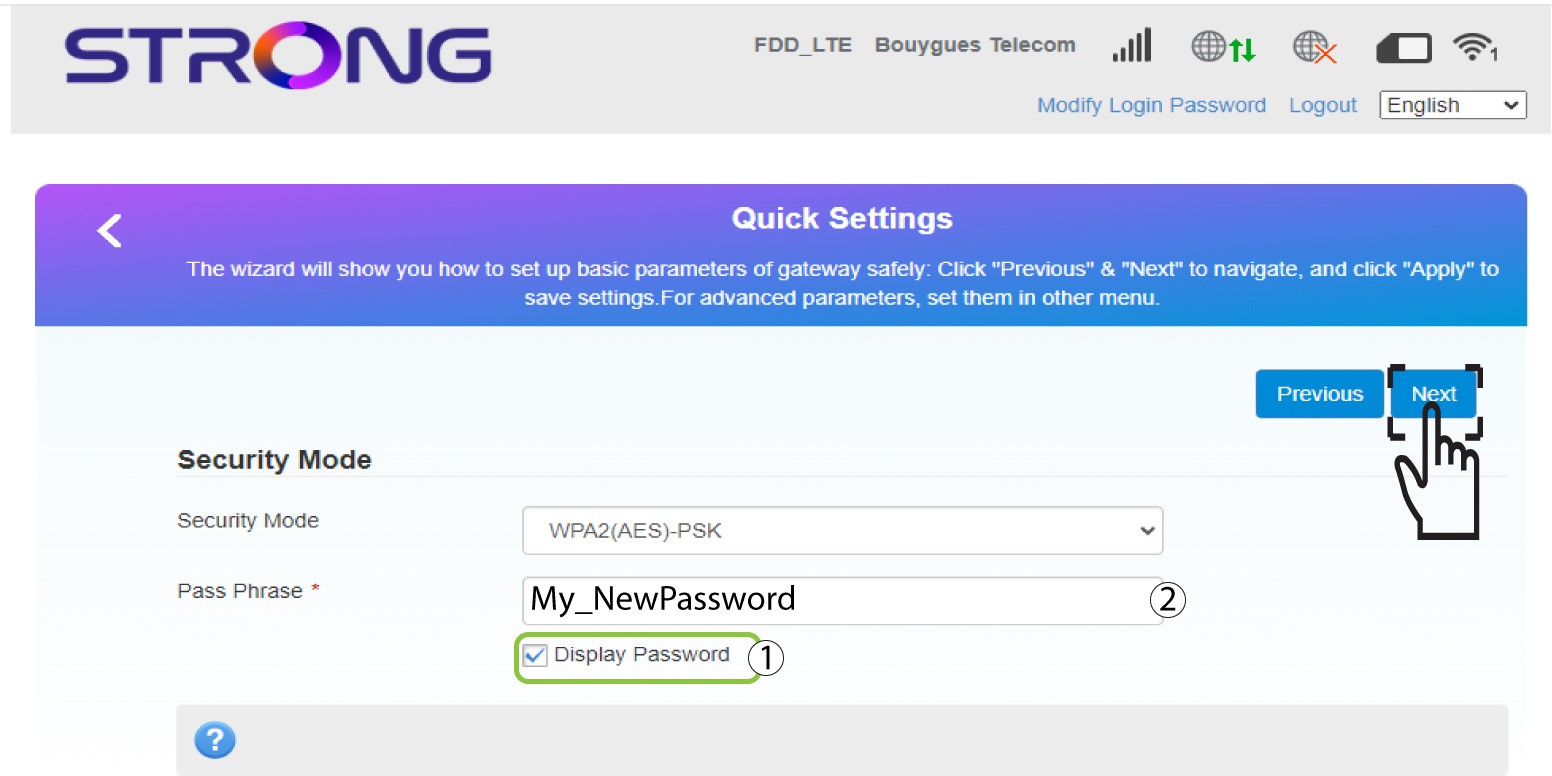
5. Inseriscila nuova password Wi-Fi
Fare clic su " Mostra password " e inserire la nuova password per la rete Wi-Fi, quindi fare clic su "Avanti".
6. Salvale modifiche
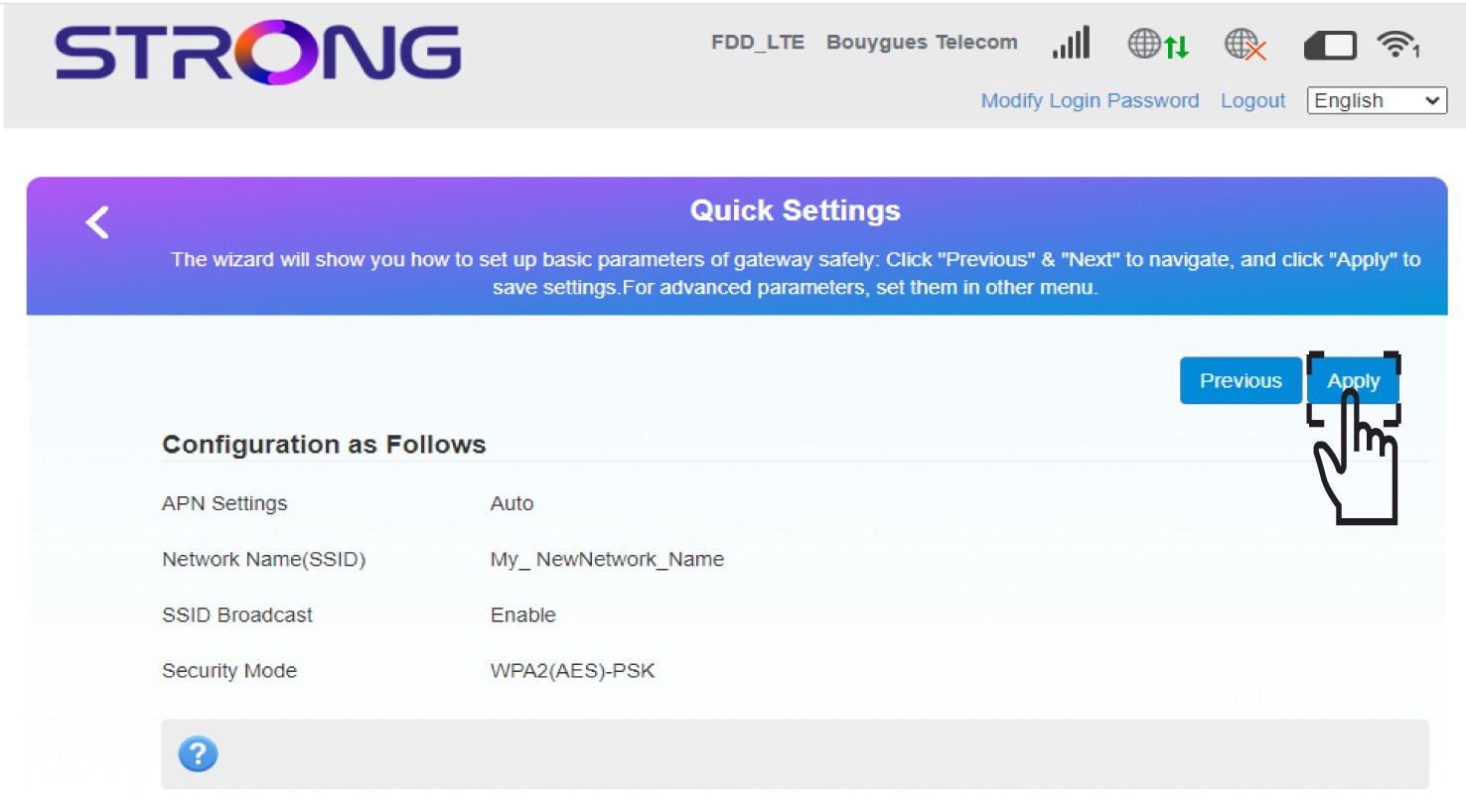
Fai clic su " Applica " per salvare le modifiche.
7. Inseriscile nuove informazioni di rete
Annota le nuove informazioni di rete su un foglio di carta.
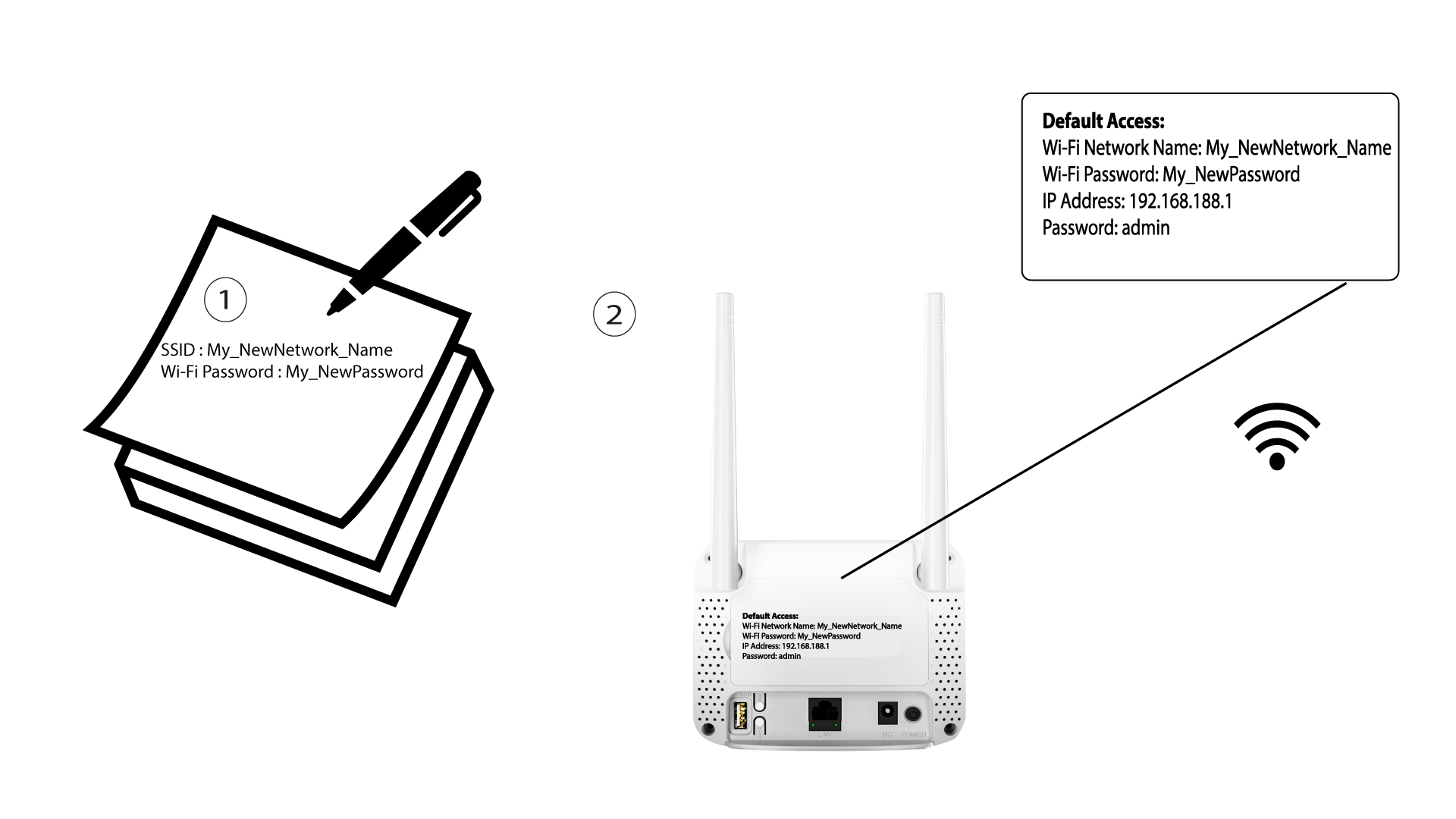

Dopo aver modificato le impostazioni della rete Wi-Fi, tutti i dispositivi connessi alla rete verranno disconnessi automaticamente.