
ATRIA Mesh add-on 1200 UK
Nessun articolo trovato.
Nessun articolo trovato.
Tutte le domande
ATRIA Mesh add-on 1200 UK
Nessun articolo trovato.
Nessun articolo trovato.
Come posso configurare la mia rete Wi-Fi mesh (Caso 1: pulsante WPS)
Per configurare la rete “ Mesh ”, fare riferimento alla Guida rapida all’installazione (QIG) disponibile nella sezione “ box ” del prodotto.
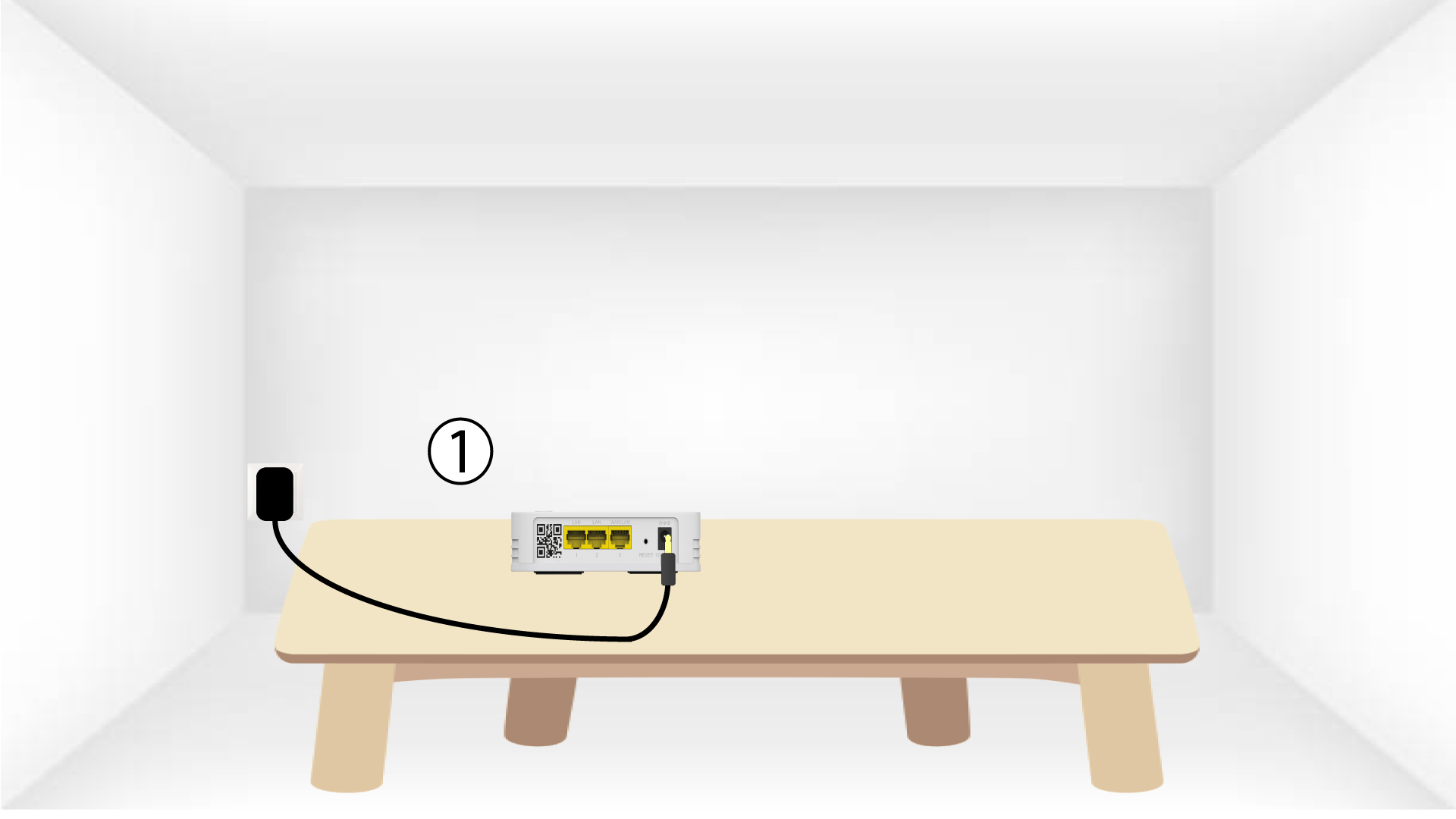
1.Collegare il dispositivo
Per accendere l'unità " mesh " è necessario collegarla alla presa di corrente (il dispositivo non dispone di un pulsante di accensione) e collegarla al modem tramite un cavo RJ45 (
).

2Attenderedurante la configurazione
A questo punto, è necessario attendere qualche minuto affinché il dispositivo si configuri automaticamente.
3Collegareil secondo dispositivo
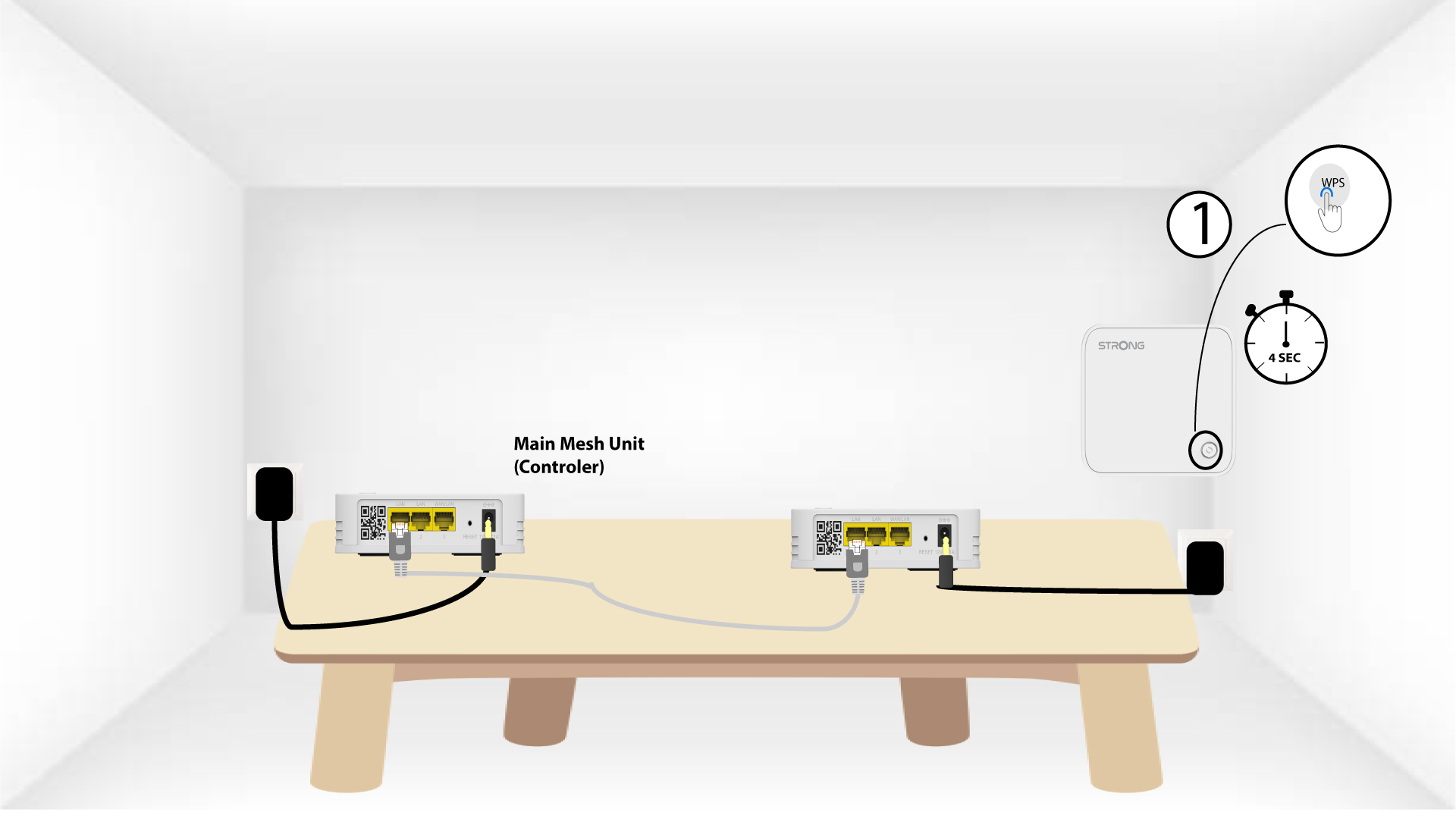
È necessario collegare la seconda unità mesh .
4. Attivareil WPS sul dispositivo principale mesh
Premere il pulsante WPS per almeno 4 secondi sull’unità Mesh collegata al modem/router.
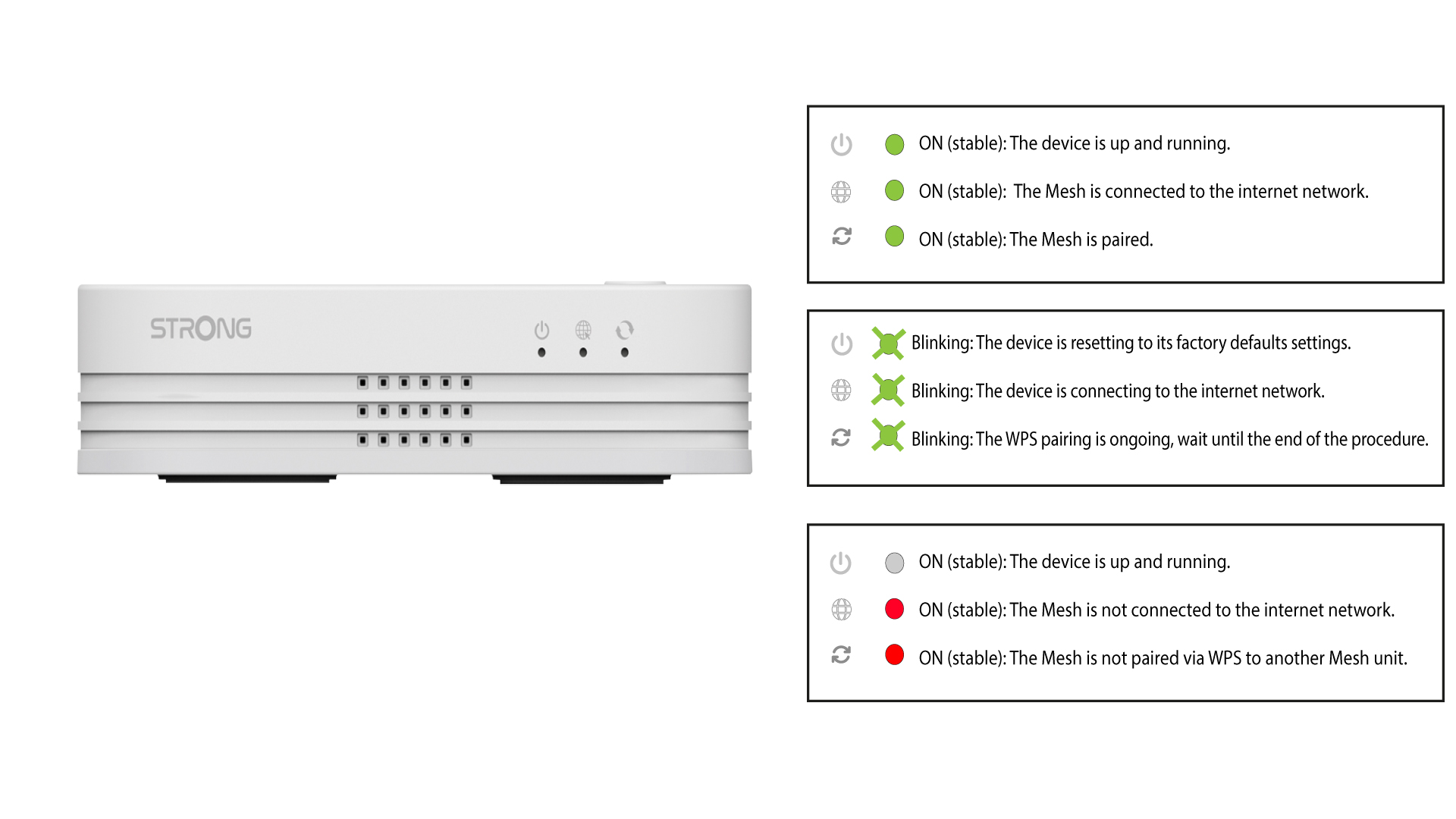
Dopo l’attivazione del WPS, il LED lampeggerà in verde.
5. Attivareil WPS sul secondo mesh
Premere il pulsante WPS per almeno 4 secondi sulla seconda unità Mesh .
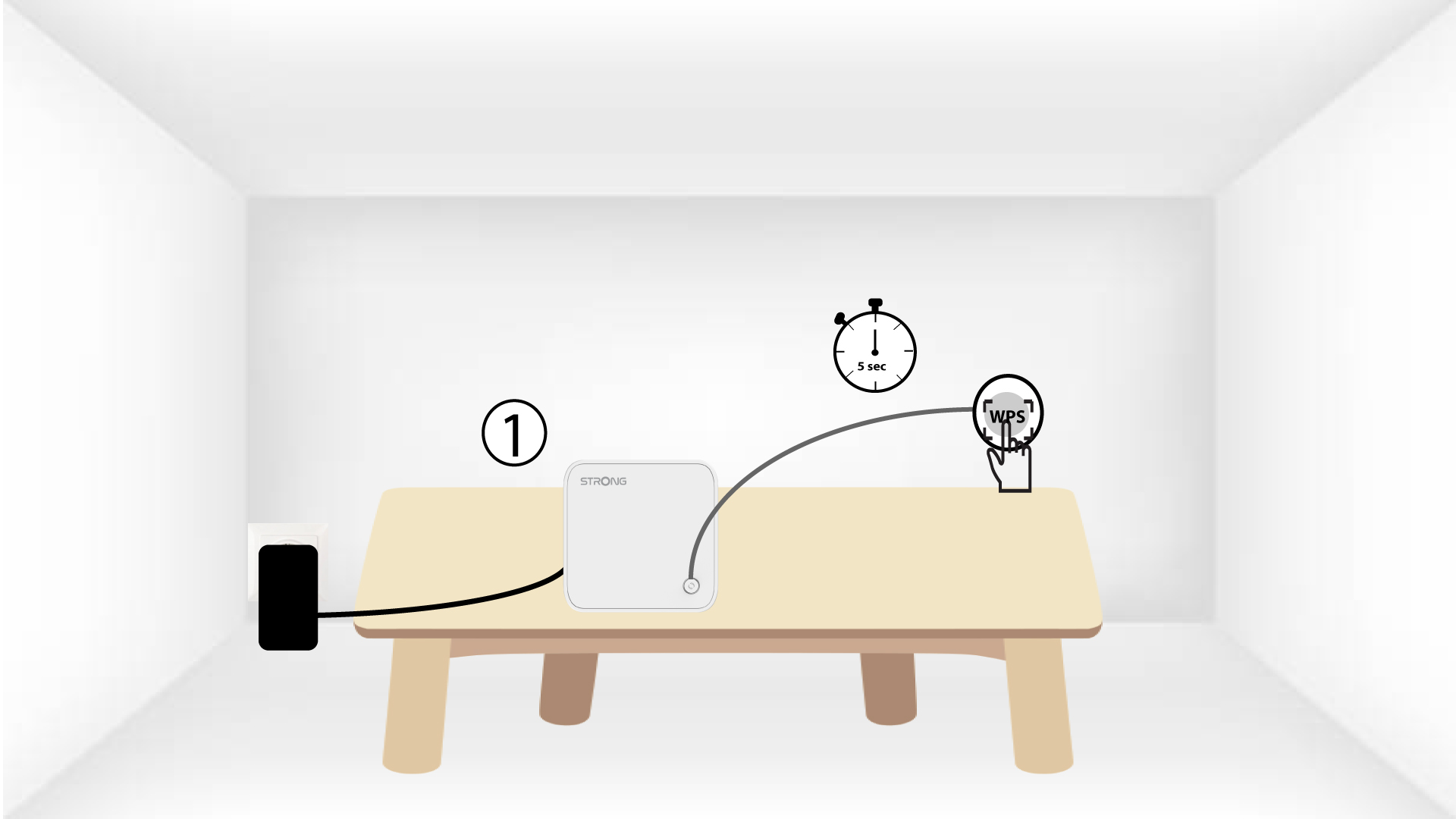
6 dispositiviin fase di accoppiamento
Lorem ipsum dolor sit amet, consectetur adipisicing elit. Nessuno ignora infatti che i doveri sono un'opzione tra i doveri.