AIRHOME 710 4G+ con antenne 4G+ rimovibili
Tutte le domande
AIRHOME 710 4G+ con antenne 4G+ rimovibili
Come si inserisce il codice PIN della SIM?
1. Connettitialla rete Wi-Fi del tuo router
Per inserire il codice PIN della SIM, è necessario connettersi all'interfaccia utente web. A tal fine, inserire nel dispositivo l'SSID (nome della rete Wi-Fi) e la password Wi-Fi del router.

2. Accedereall'indirizzo IP dell'interfaccia utente web
A questo punto, inserisci nel browser il seguente indirizzo IP: 192.168.188.1

3. Trovale tue credenziali per l'interfaccia utente web
Si prega di consultare l'etichetta del prodotto situata sul retro del dispositivo per trovare il nome utente e la password.

4. Inseriscile tue credenziali
È necessario inserire il nome utente e la password. Quindi, fare clic su "Accedi".

5. Vaial menu delle connessioni
Quando ti connetti all'interfaccia utente web per la prima volta, verrà visualizzato un messaggio di avviso che ti invita a inserire il codice PIN facendo clic sul pulsante di connessione.

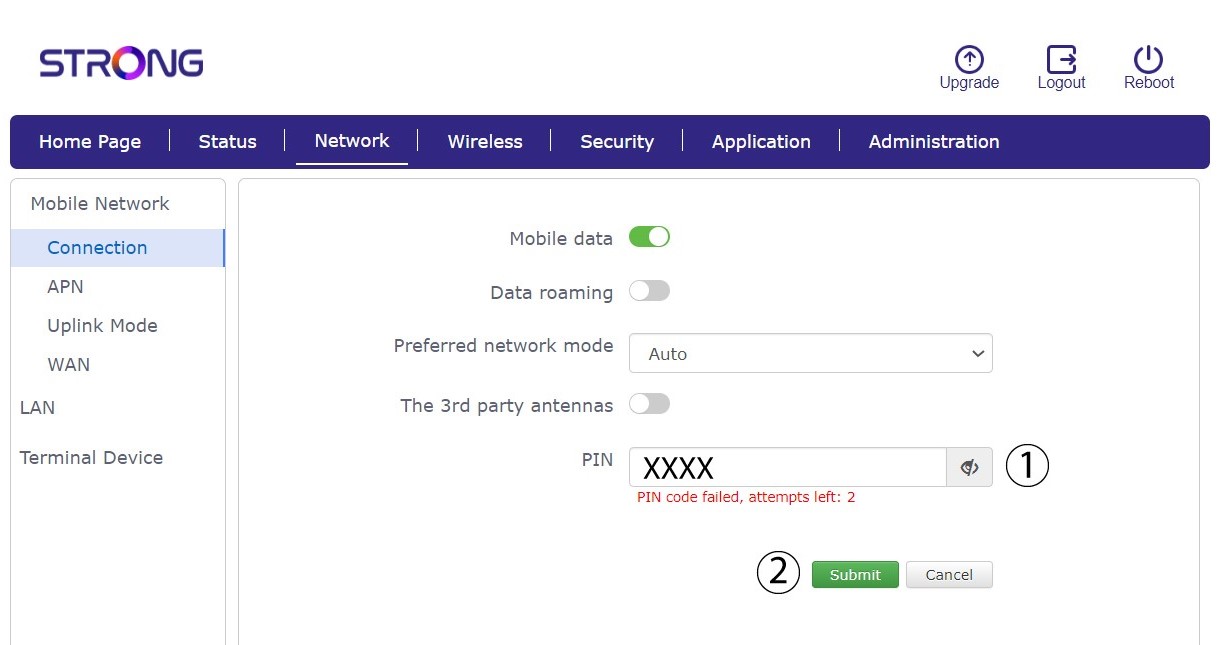
6. Inserisciil codice PIN della tua scheda SIM
Inserisci il tuo codice PIN nell'apposito campo e clicca su "Invia".
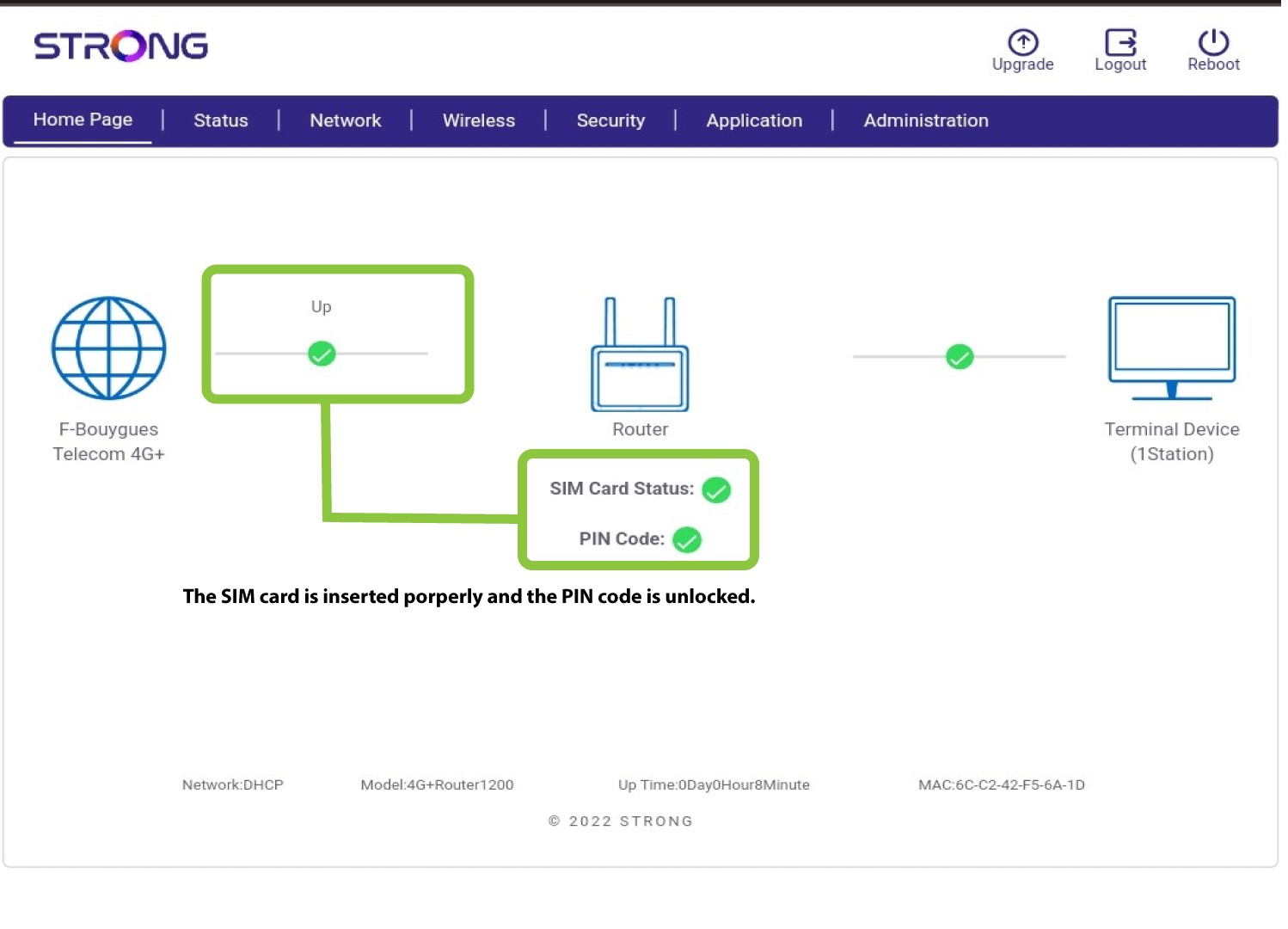
La scheda SIM 7è sbloccata
La scheda SIM è sbloccata e la relativa icona ora diventa verde, con il nome della rete accanto.