Wi-Fi 4G AIRSPOT 220 con display
Tutte le domande
Wi-Fi 4G AIRSPOT 220 con display
Come faccio a ripristinare le impostazioni di fabbrica del mio router?
A volte può capitare che il dispositivo non funzioni correttamente e che non si abbia accesso a Internet. In tal caso, consigliamo di ripristinare le impostazioni di fabbrica del dispositivo e, se necessario, di aggiornare nuovamente il firmware.
Ci sono due modi per farlo: puoi ripristinare il dispositivo premendo il pulsante di reset oppure tramite l'interfaccia utente web.
CASO 1: Pulsante di reset.
Per farlo, rimuovere il coperchio sul lato posteriore del router e premere il pulsante RESET per 2 secondi con una graffetta.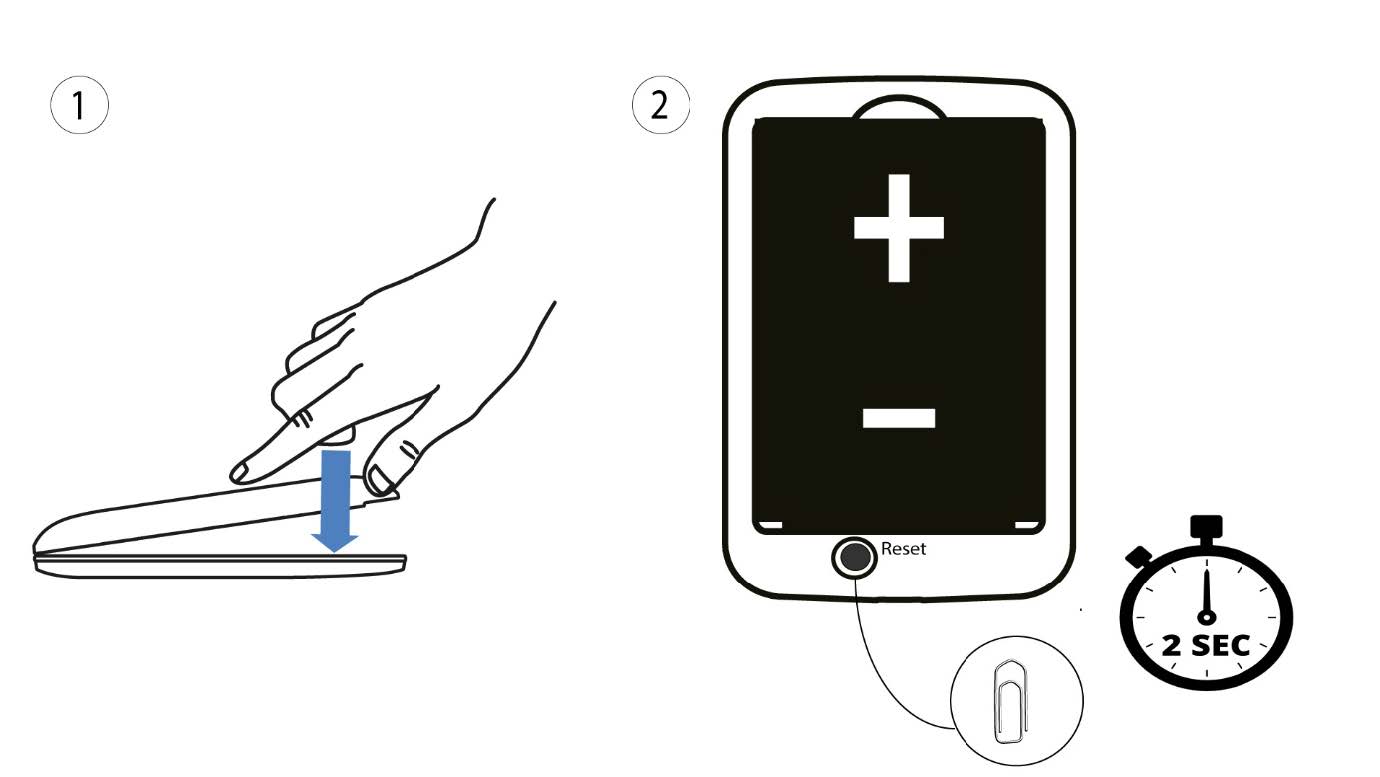
1 Caso2: ripristino nell'interfaccia utente web
1. È necessario connettersi alla rete Wi-Fi del proprio dispositivo.

2. Accedereall'indirizzo IP dell'interfaccia utente web
A questo punto, digita nel browser il seguente indirizzo IP: 192.168.188.1.

3Accedi
È necessario inserire la password.

4 Impostazioni
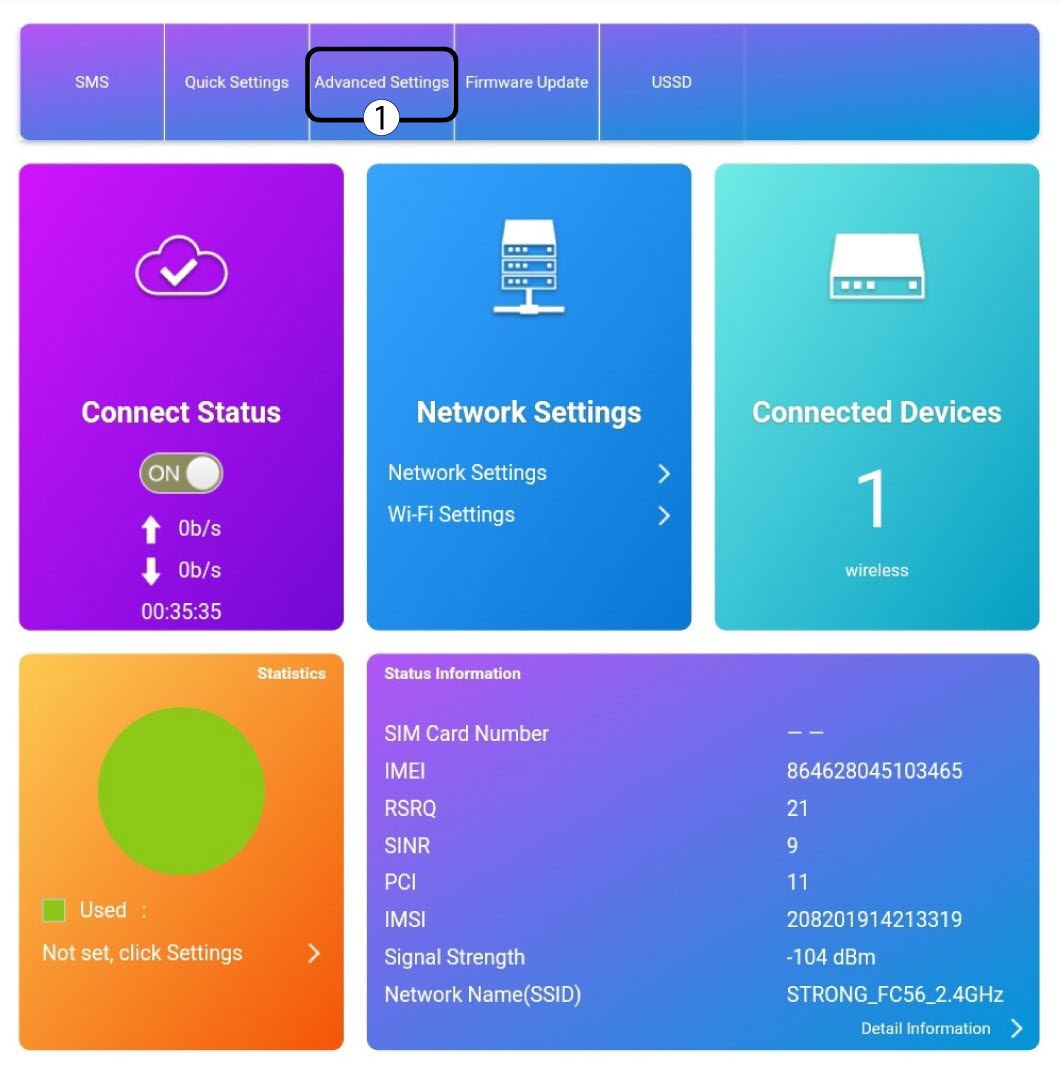
Quindi, fai clic su “Impostazioni avanzate”.
5. Ripristinodelle impostazioni di fabbrica
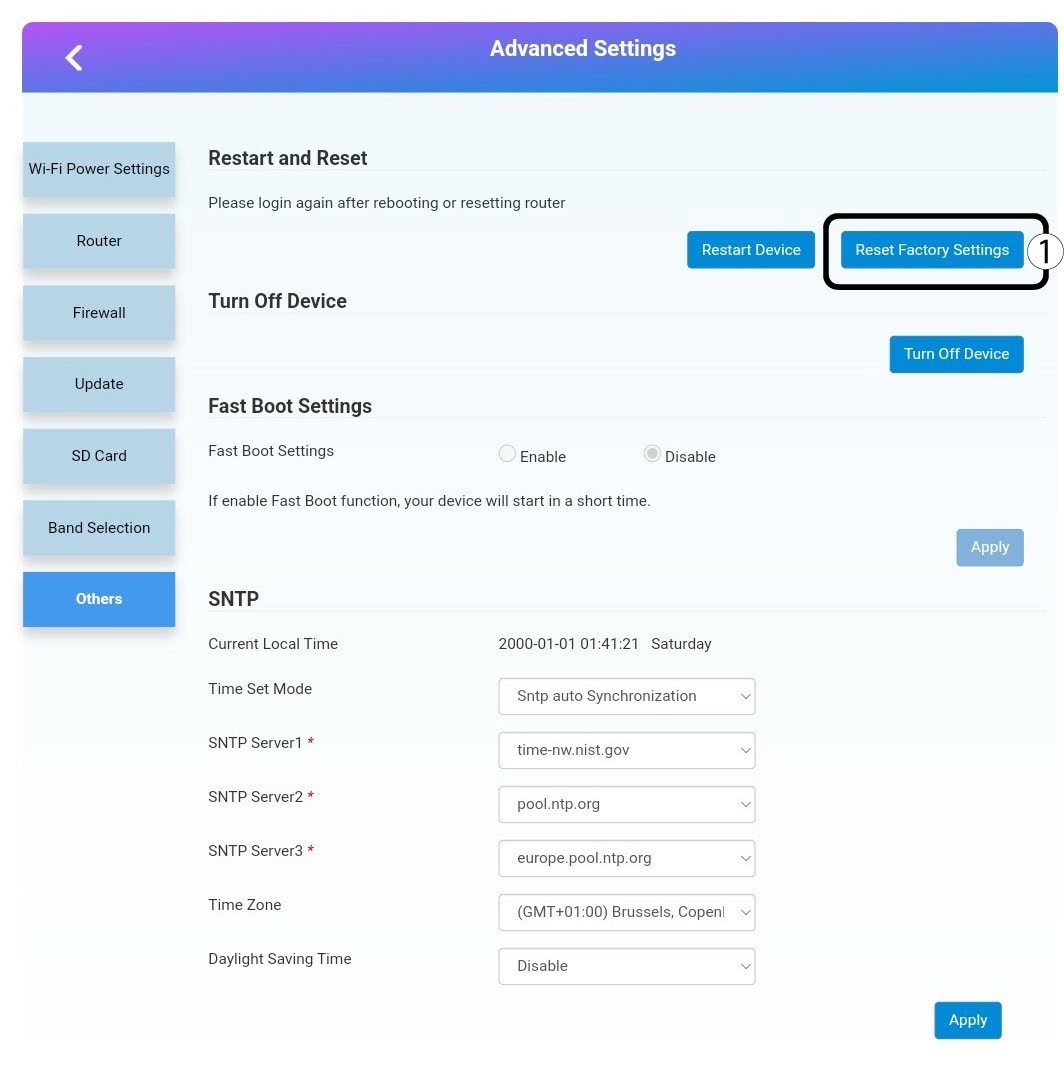
Fai clic su " Altro". Nella sezione " Riavvio e ripristino ", fai clic su "Ripristina impostazioni di fabbrica".
6. Conferma
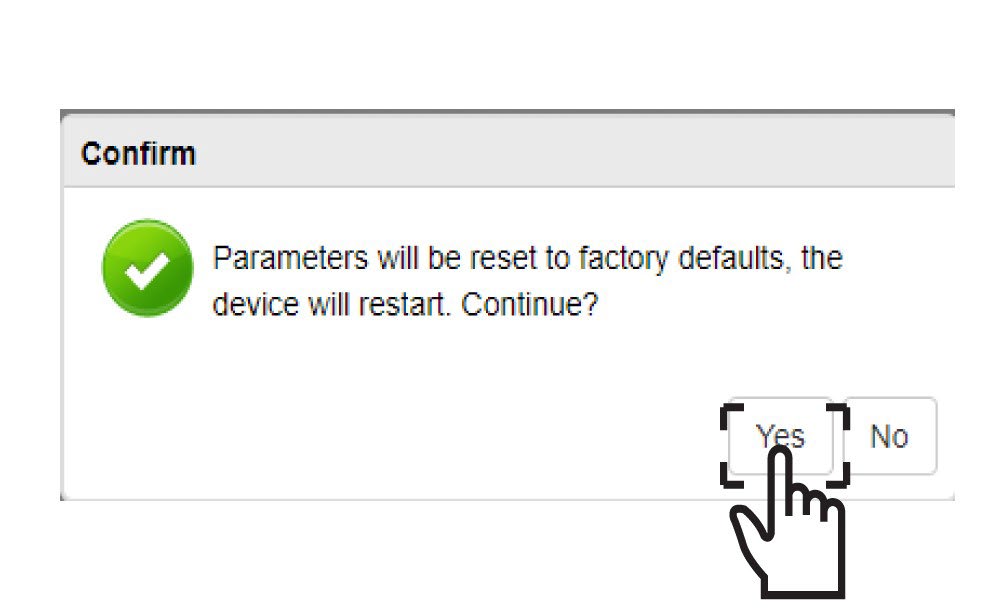
Fai clic suSÌ nel messaggio a comparsa.