Mesh Wi-Fi 5 ATRIA 1200 (add-on)
Tutte le domande
Mesh Wi-Fi 5 ATRIA 1200 (add-on)
Come devo configurare la mia rete " Mesh " per ottimizzare la mia rete Wi-Fi?
Per ottimizzare la copertura, è consigliabile installare l’ mesh nel punto in cui si riscontrano problemi di copertura, in modo da coprire l’area più ampia possibile all’interno della propria abitazione. Assicurarsi che le unità mesh non siano collocate in una stanza in cui sia presente una parete portante, poiché maggiore è lo spessore della parete, maggiori sono le difficoltà del segnale Wi-Fi ad attraversarla.
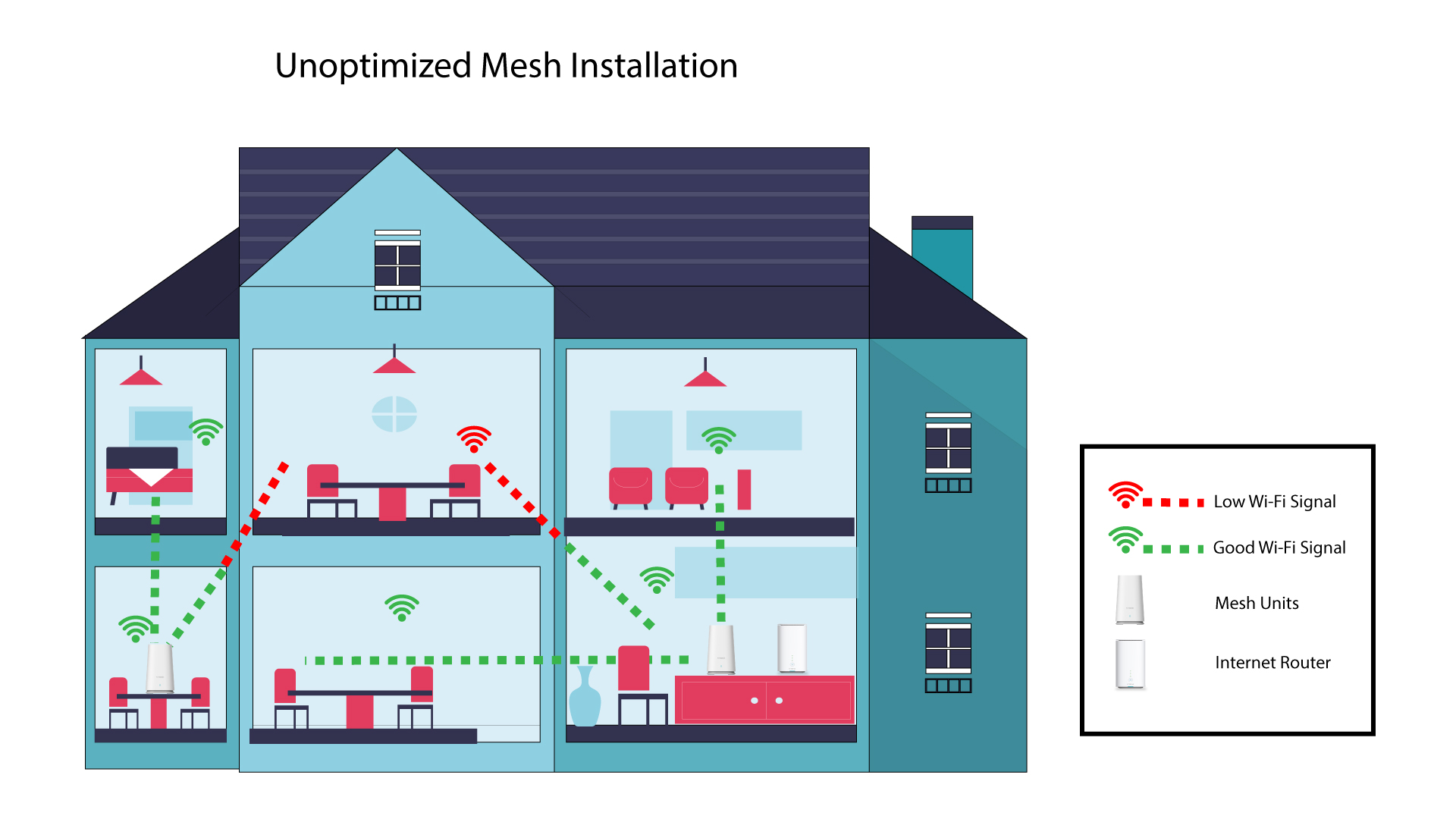
Lo schema seguente mostra la copertura Wi-Fi all’interno di un’abitazione in cui i nodi mesh non sono posizionati nelle zone giuste della casa per garantire una copertura adeguata.
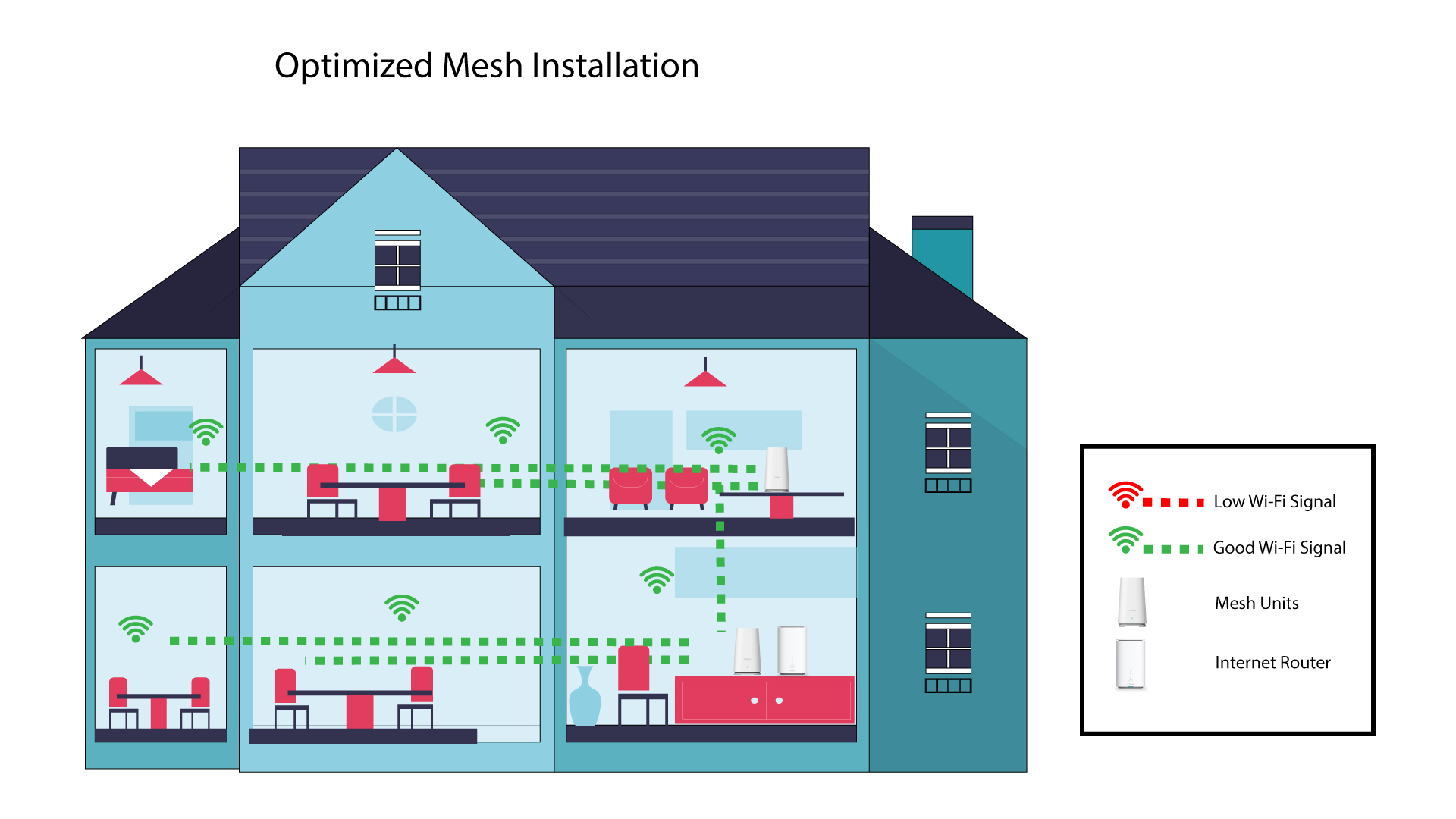
Lo schema seguente mostra la copertura Wi-Fi all'interno di un'abitazione in cui i nodi " mesh " sono posizionati nella zona destra della casa in modo da garantire una copertura adeguata.
1. Scarical'app
Scarica l’app “ Mesh ” di Atria.
2. Connettitialla rete Wi-Fi del mesh
Connettiti alla rete Wi-Fi del tuo dispositivo mesh .

3. Connettitiall'app
Inserisci il nome utente e la password prima di fare clic su "Accedi".

4La miarete
Clicca su "La mia rete"

5 Stato della rete diMesh
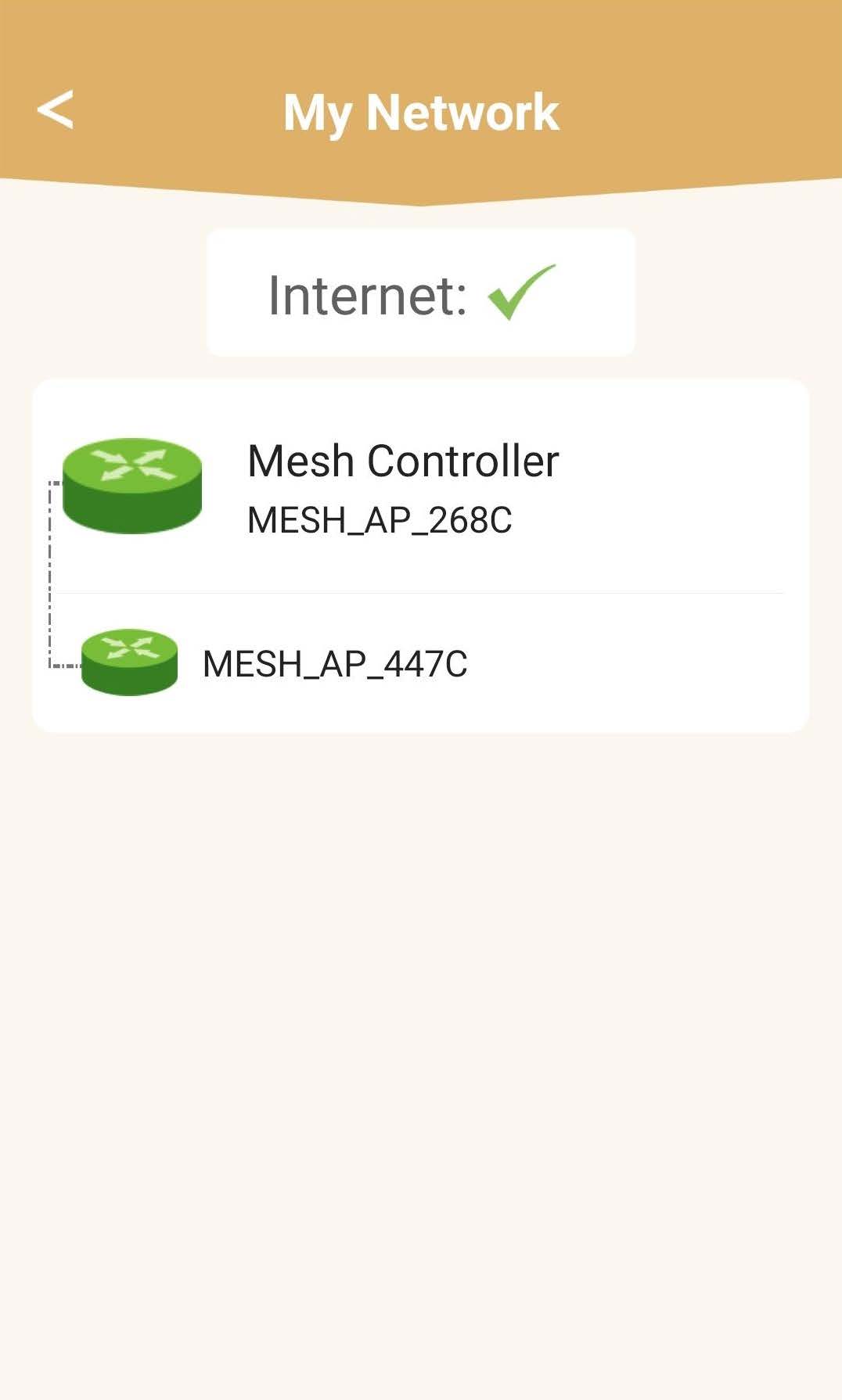
Potrai visualizzare lo stato della copertura fornita dai tuoi dispositivi mesh .
Si prega di notare che quando le unità mesh vengono visualizzate in grigio, la copertura offerta dall'unità non è sufficiente. In questo caso, è necessario modificare la posizione dell'unità mesh .
Se le unità mesh sono visualizzate in verde, significa che funzionano correttamente e garantiscono una copertura sufficiente.