
Powerline 500 Duo | POWERL500DUO
Tutte le domande
Powerline 500 Duo | POWERL500DUO
Come configurare i nuovi prodotti " powerline " con il livello di sicurezza 2 sulla rete " powerline " già esistente?
Si prega di notare che, se si desidera aggiungere più di un nuovo prodotto powerline , ciascun prodotto deve essere configurato uno dopo l’altro seguendo la stessa procedura, e non contemporaneamente. In genere, gli adattatori powerline vengono accoppiati in coppie; pertanto, se è necessario aggiungere nuovi prodotti powerline alla propria rete configurata con il livello di sicurezza 2, è necessario seguire i passaggi riportati di seguito.
Vedi altre domande frequenti1. Collegareil nuovo dispositivo a una presa di corrente
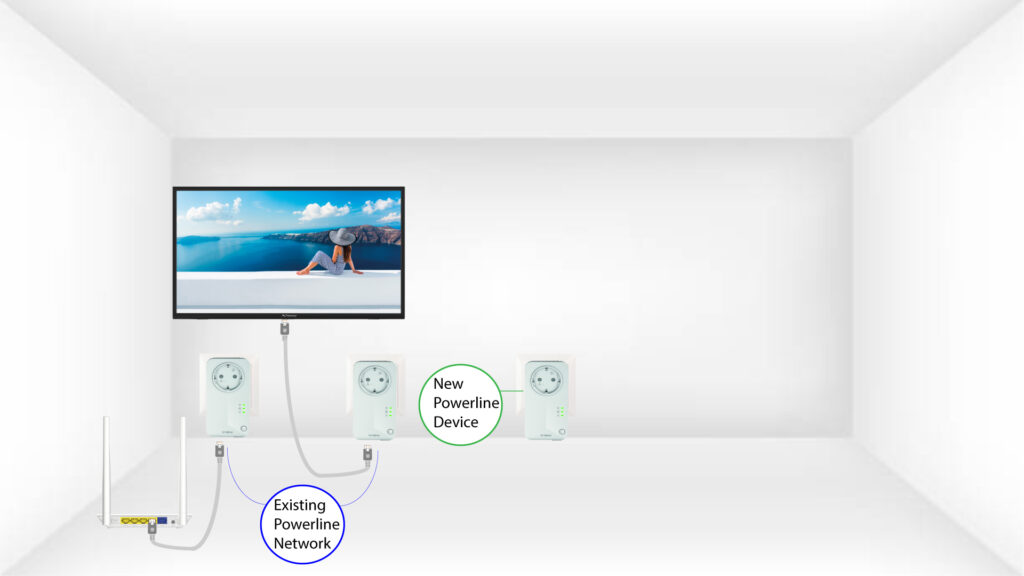
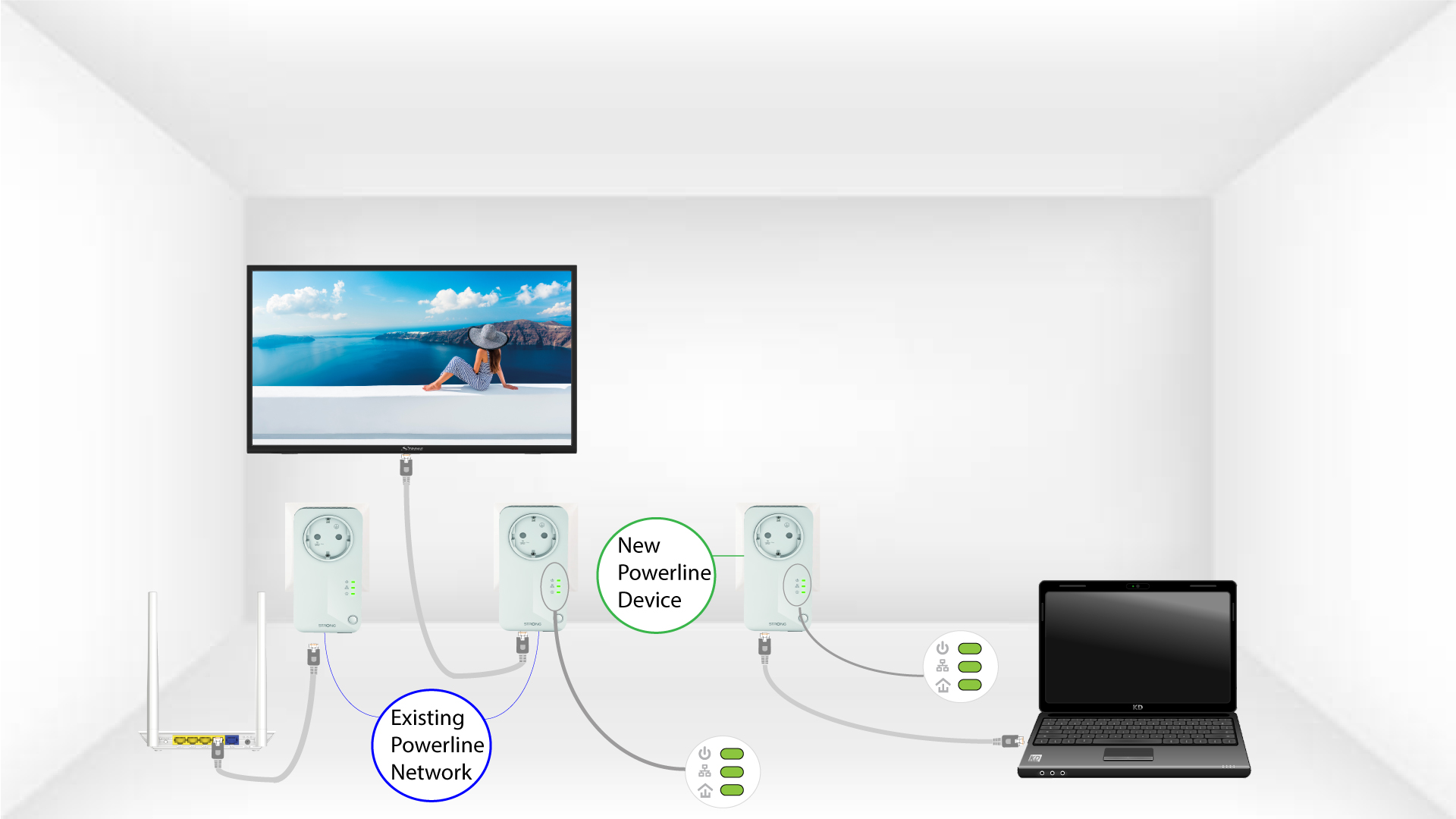
Collegare i dispositivi aggiuntivi a una presa di corrente.
2. Collegareil nuovo dispositivo a un router
Collegare il dispositivo a un router/gateway Internet tramite connettore RJ45.

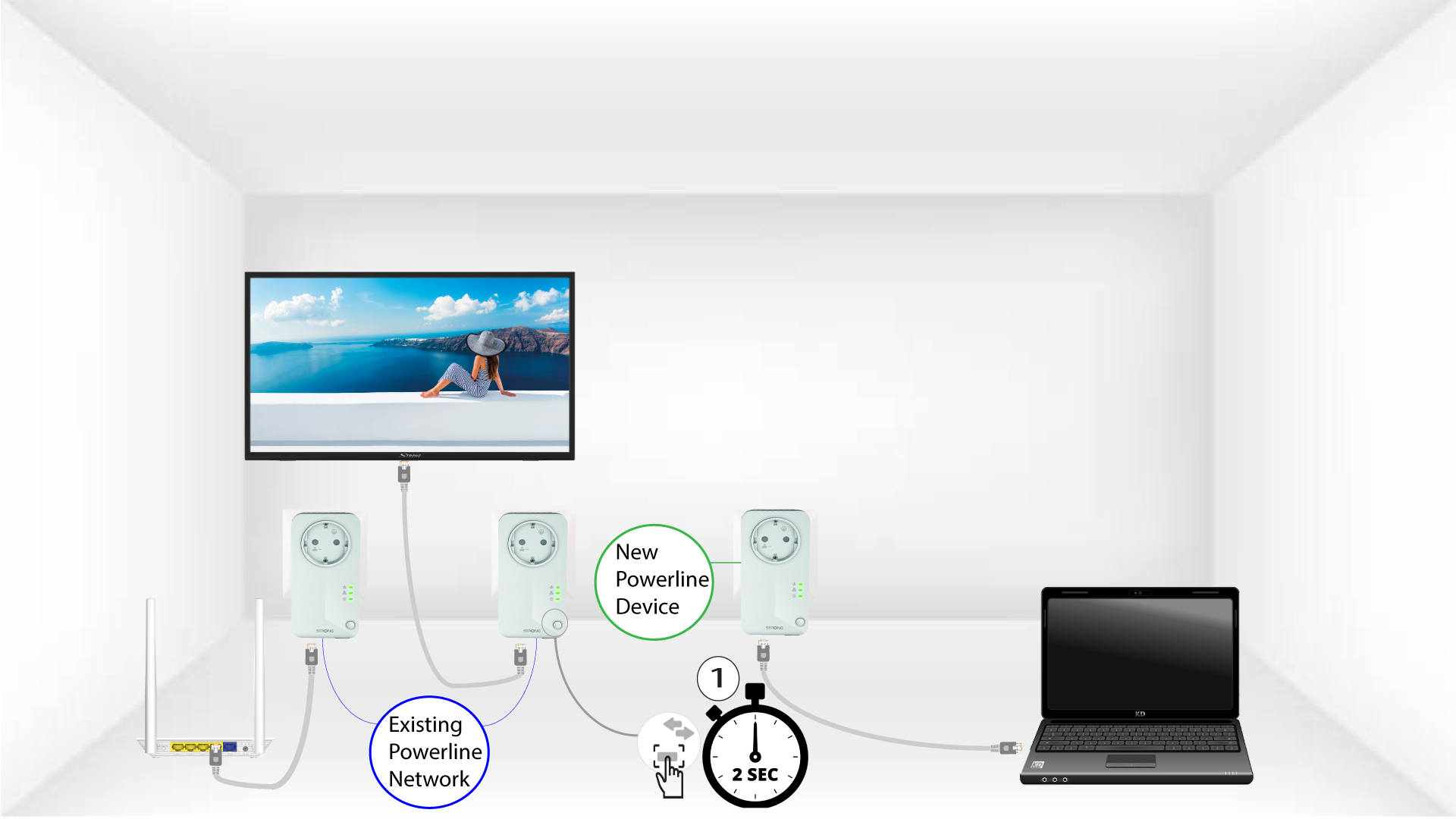
3Premereil pulsante "pair" di un adattatore già presente
Premere il pulsante “PAIR” su uno dei dispositivi già presenti nella rete per due secondi.
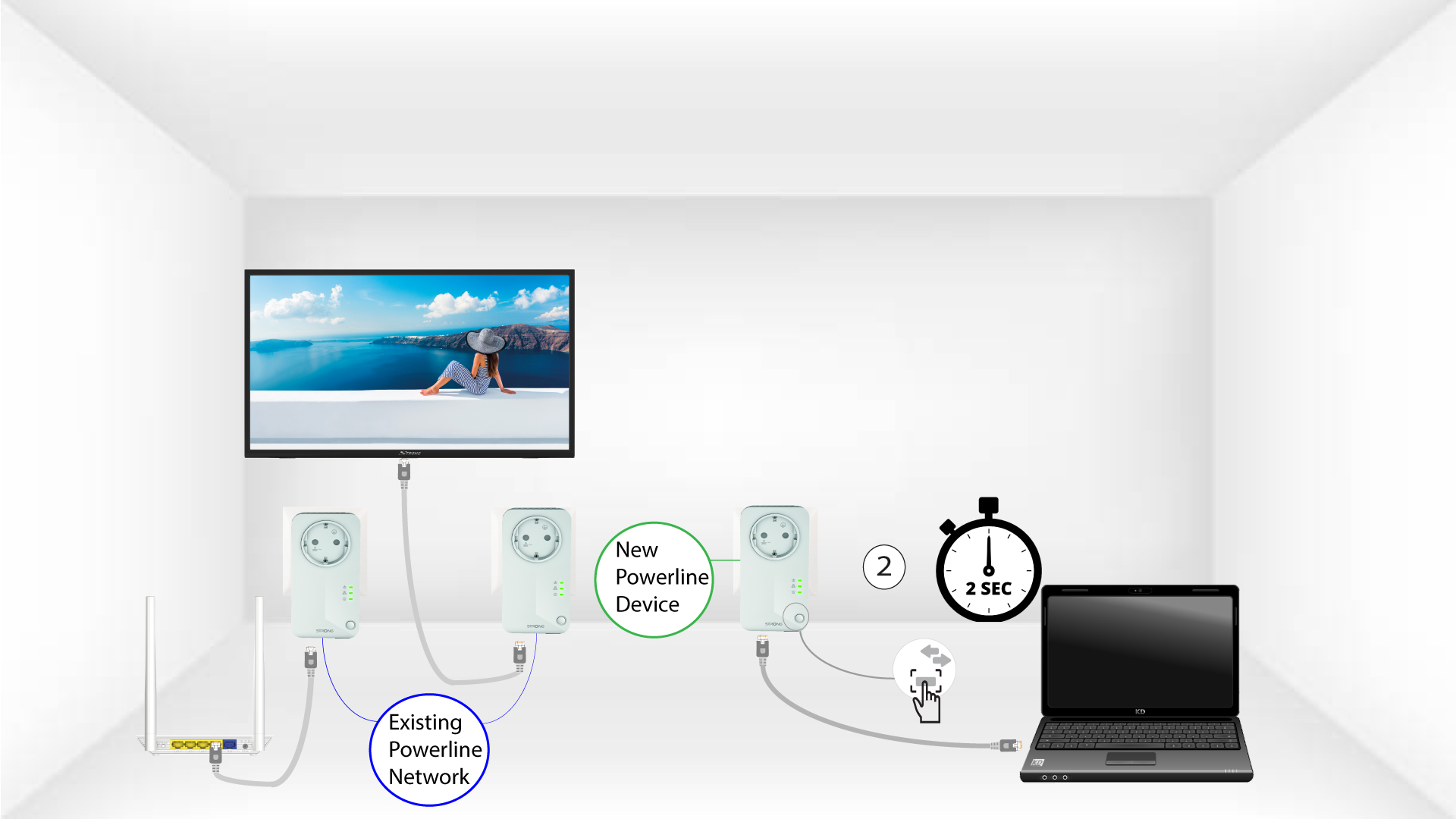
4Premereil pulsante di accoppiamento del nuovo adattatore
Quindi, premi il pulsante “PAIR” del nuovo dispositivo per due secondi per aggiungerlo alla rete. Hai fino a due minuti di tempo per premere il pulsante.
5. Il LED "Home" lampeggia
Il LED "Home" sui dispositivi dovrebbe iniziare a lampeggiare in verde.
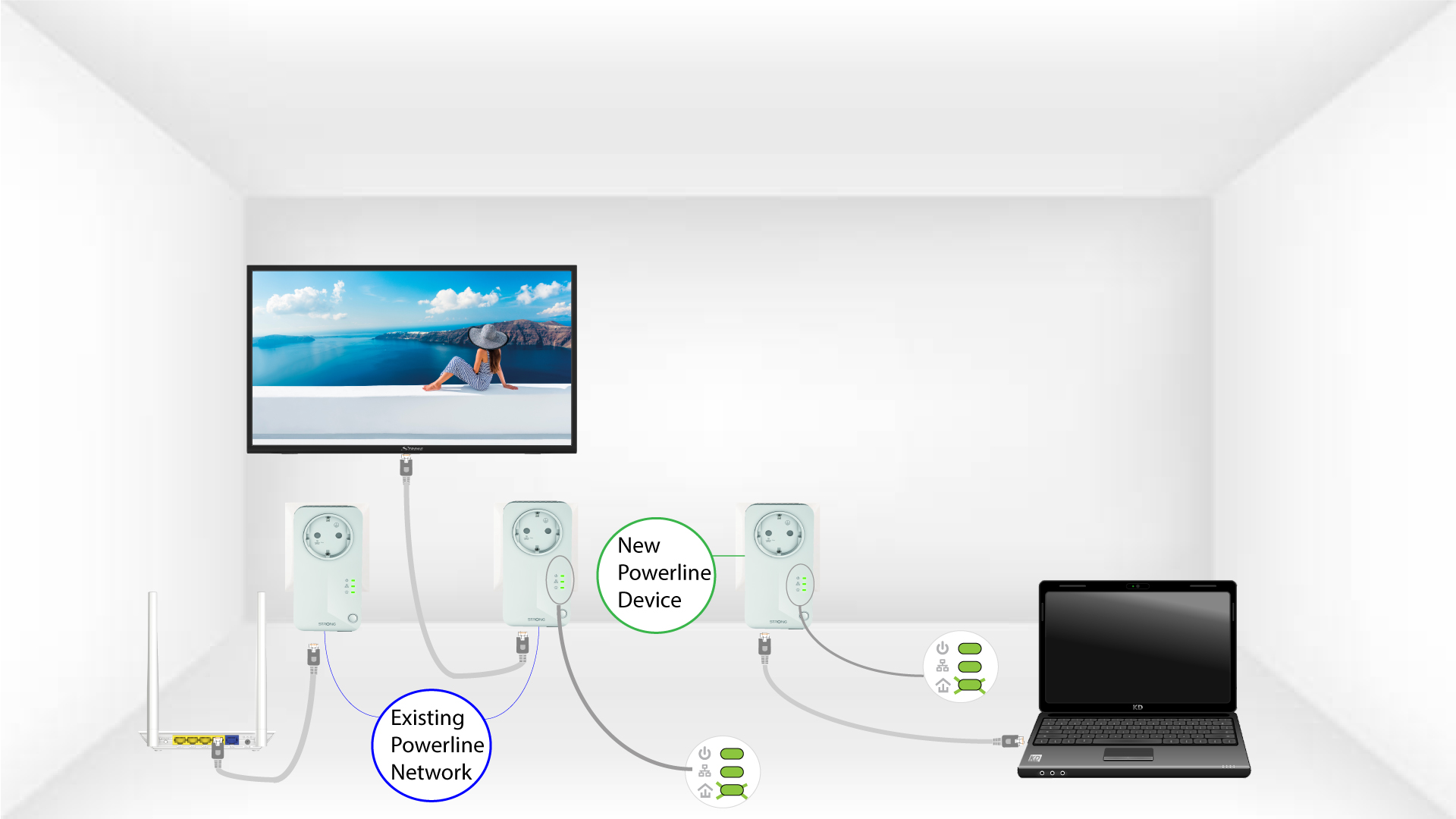
6 Ilnuovo adattatore è stato accoppiato
Dopo aver aggiunto il nuovo dispositivo, i LED "Home" dovrebbero essere verdi su entrambi i dispositivi.
7Lachiave di crittografia è stata impostata
La tua nuova chiave di crittografia univoca è stata impostata sul dispositivo che hai appena configurato.
