
Repeater Dual Band 750 V2
Nessun articolo trovato.
Nessun articolo trovato.
Tutte le domande
Repeater Dual Band 750 V2
Nessun articolo trovato.
Nessun articolo trovato.
Non riesco ad accedere all'interfaccia utente web (http://strong.ap750) dopo aver configurato il mio repeater, perché?

ATTENZIONE: È normale che non sia possibile connettersi all'interfaccia utente web dopo la configurazione, poiché le informazioni di connessione sono state modificate. Infatti, al termine della configurazione vengono create due reti Wi-Fi. Per accedere all'interfaccia utente web è necessario connettersi a una di queste reti.
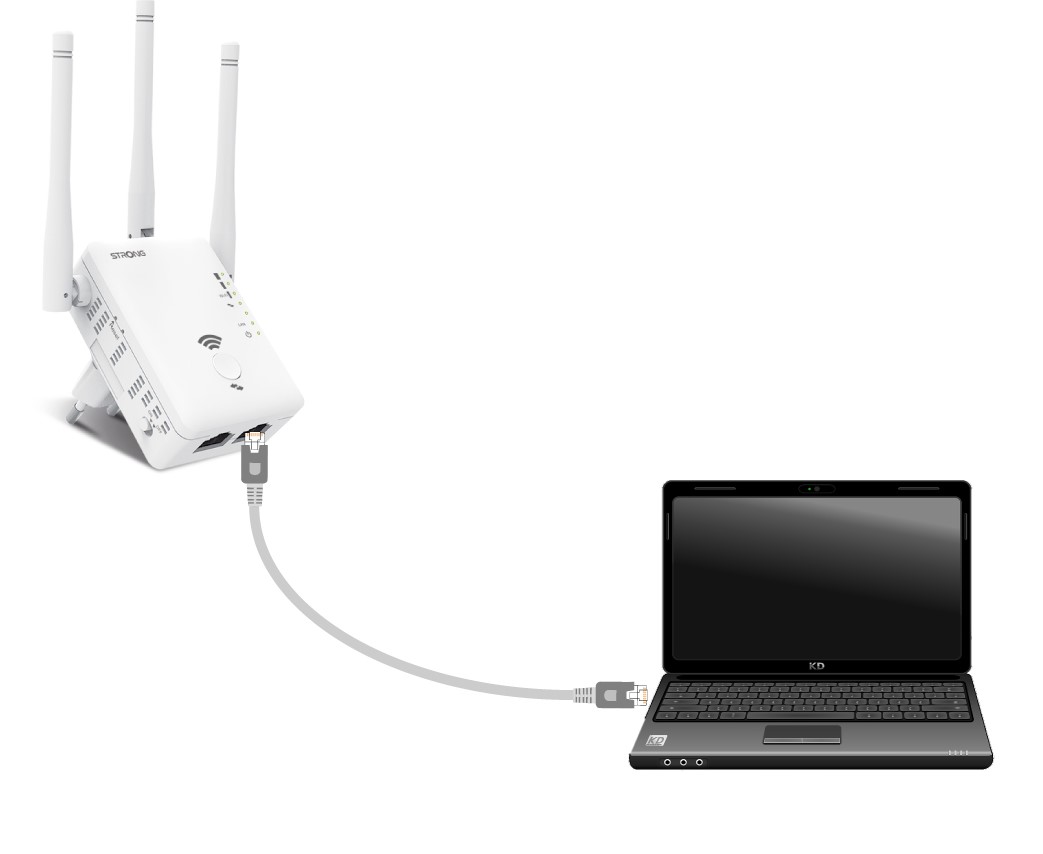
1. Collegail router con un cavo RJ45
Collega il tuo repeater a un computer tramite un cavo RJ45.
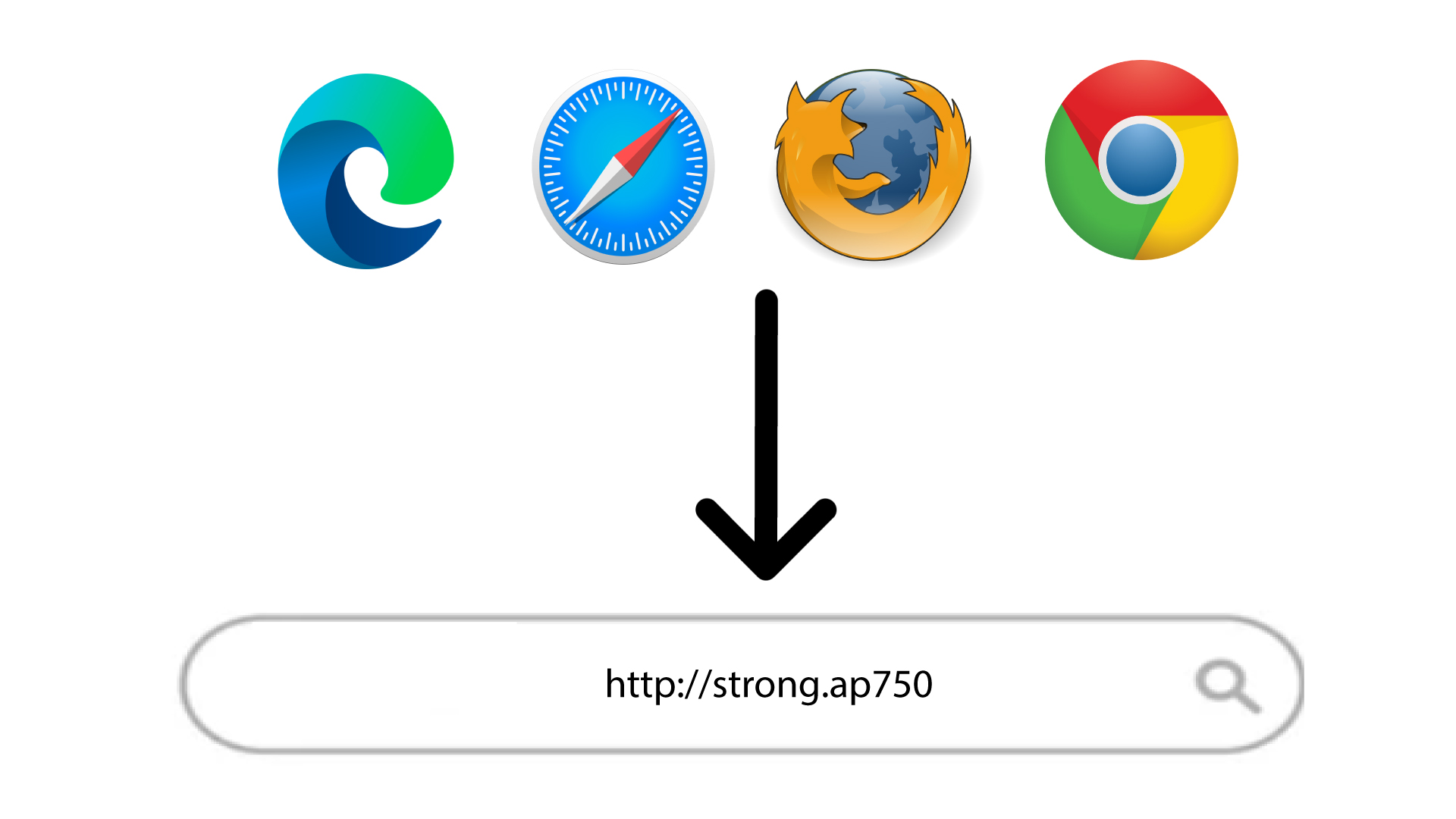
2. Accedereall'URL dell'interfaccia utente web
Digita l'URL nel browser.
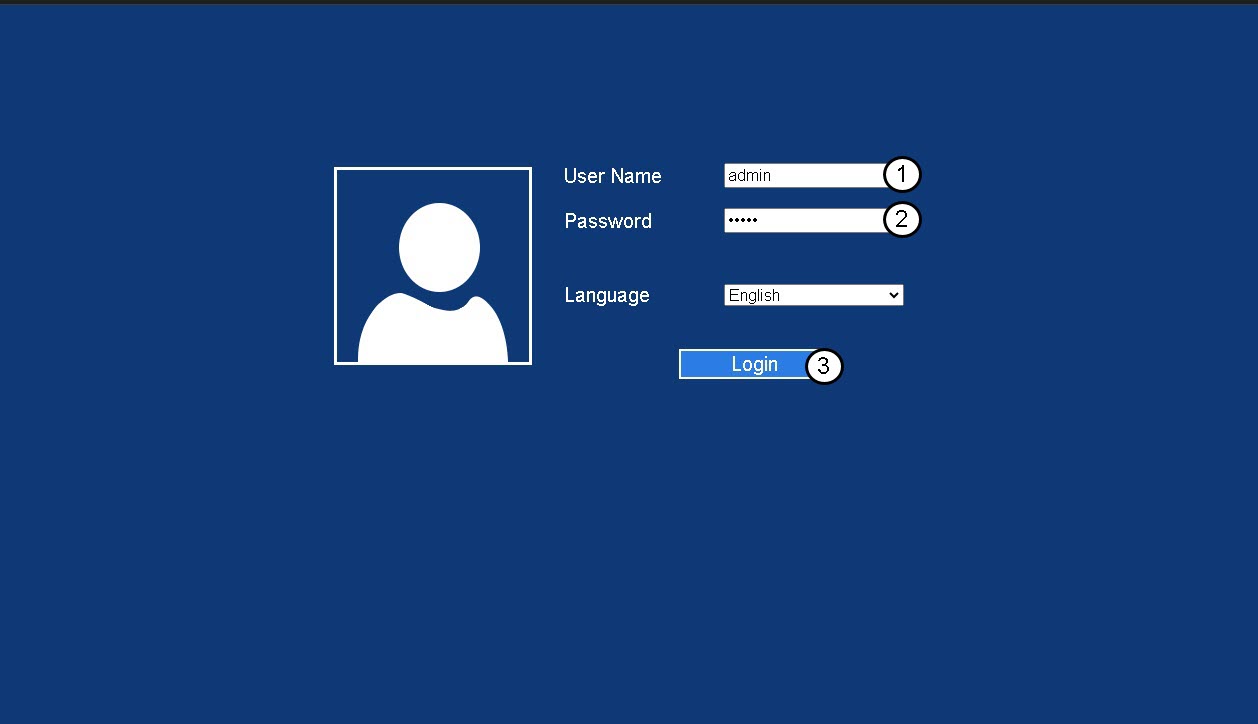
3Pagina di accesso
Inserisci la tua password di amministratore e clicca su " Accedi".
4. Individual'indirizzo IP del router
Nelle informazioni sul dispositivo, cerca l'indirizzo IP del repeater
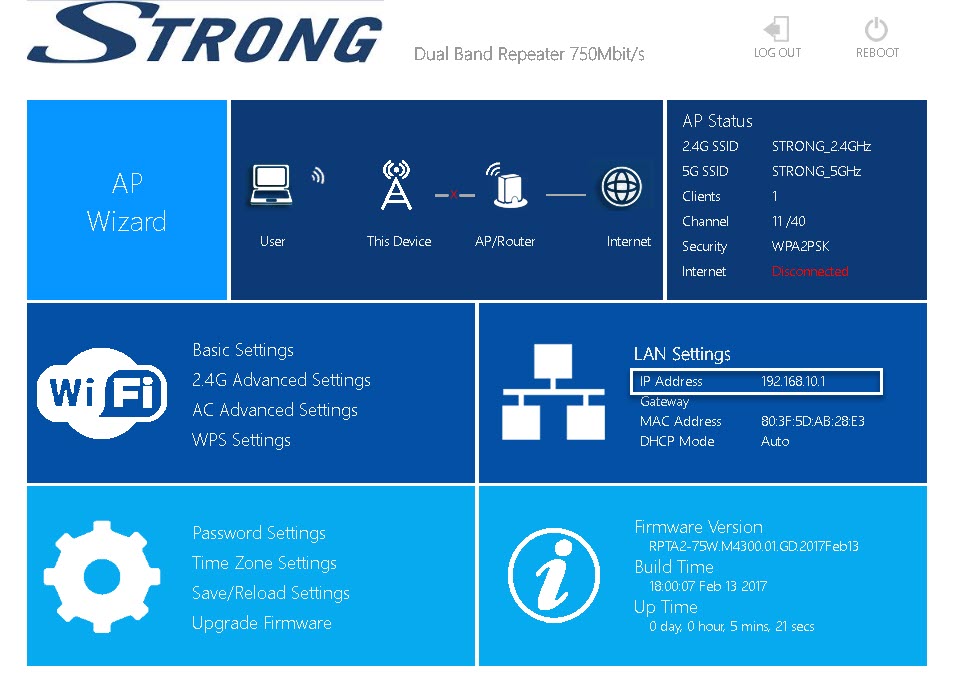
SUGGERIMENTO: L'indirizzo IP del tuo repeater cambia una volta configurato sul router Wi-Fi.