
Powerline 1000 Duo Wi-Fi FR V2
Tutte le domande
Powerline 1000 Duo Wi-Fi FR V2
Non ho accesso a Internet e/o il LED dell'icona "home" non si accende.
È necessario ripristinare le impostazioni di fabbrica degli adattatori. Per farlo, seguire la procedura riportata di seguito.
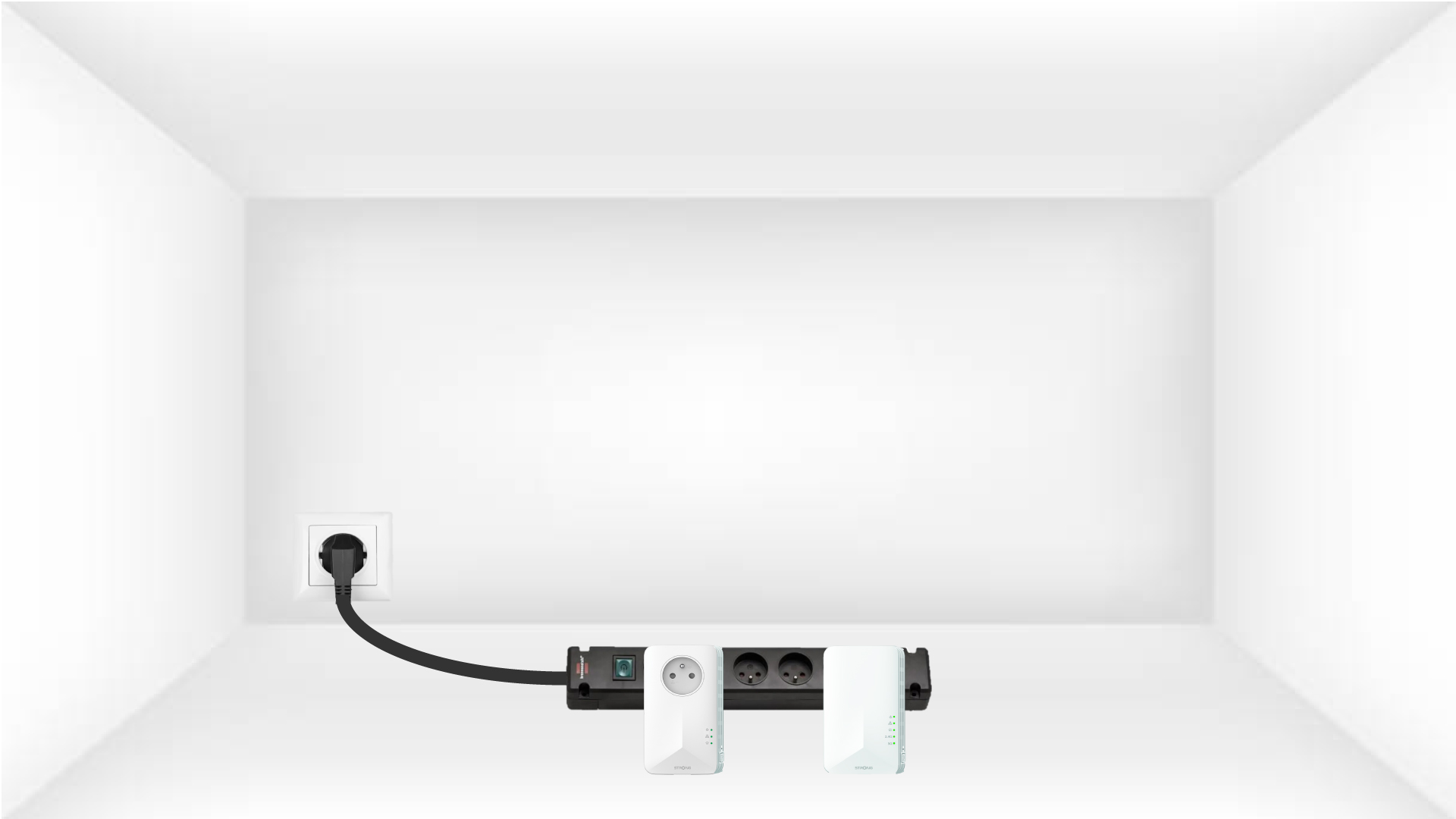
1. Collegaregli adattatori a una ciabatta
Collegare gli adattatori uno dopo l'altro a una presa multipla.
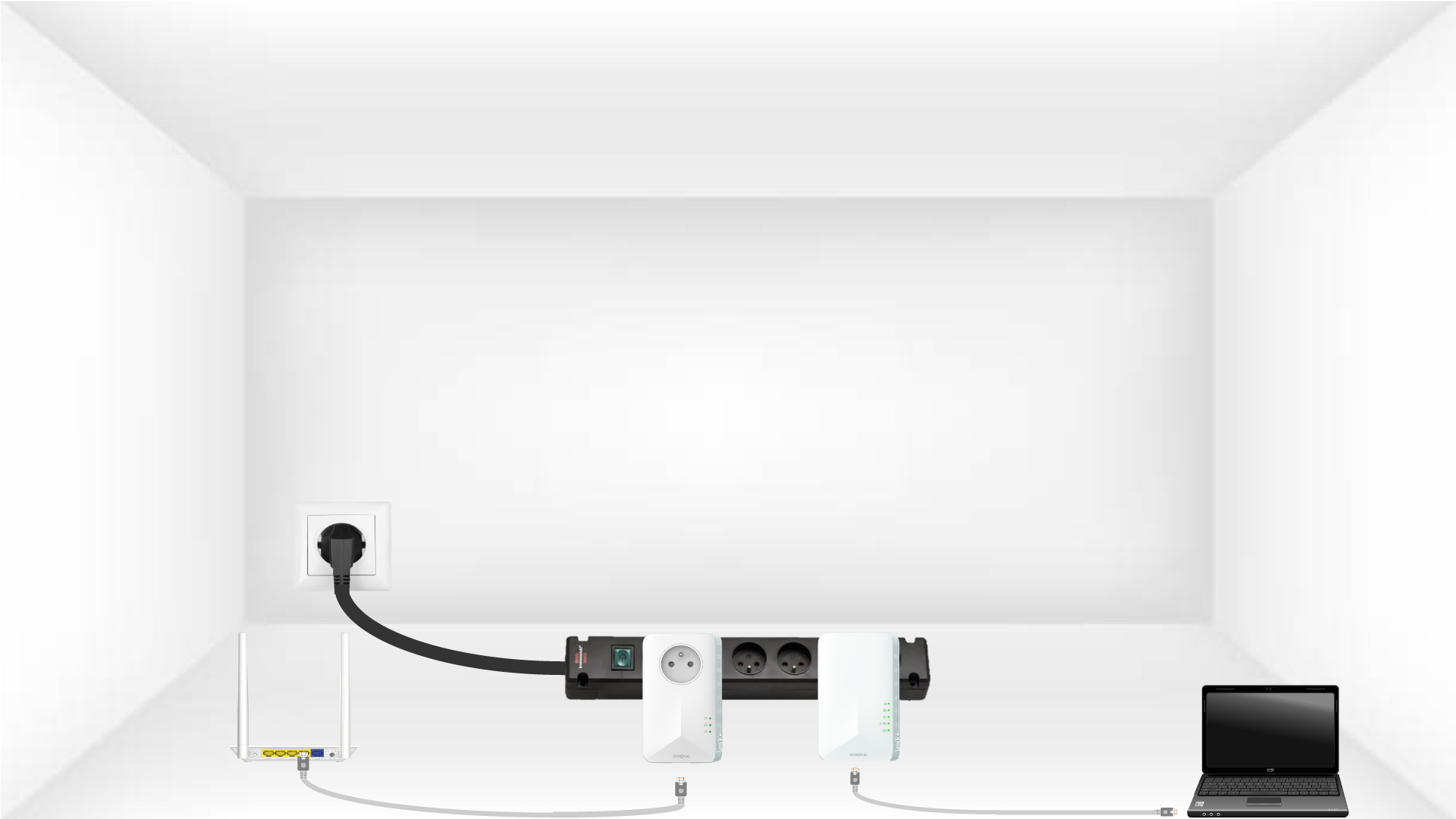
2. Collegaregli adattatori a Internet
Collegare ciascun adattatore a un dispositivo funzionante (router/gateway Internet, Android box, Smart TV, computer, ecc.) tramite un cavo Ethernet. Deve esserci una comunicazione tra i dispositivi, altrimenti l'adattatore passerà automaticamente in modalità standby.
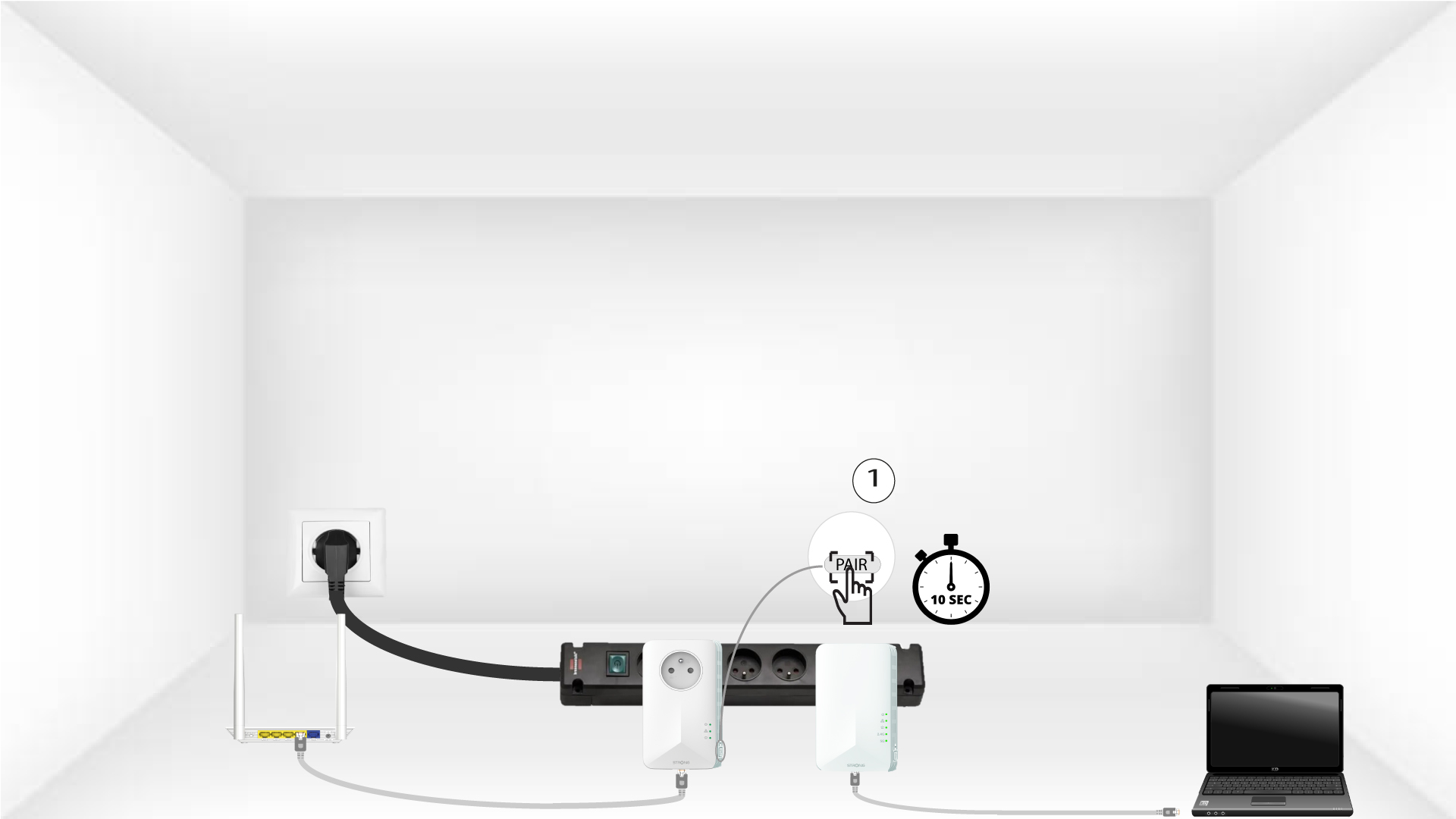
3Premereil pulsante "Pair" (primo adattatore)
Una volta inserito l'adattatore e collegato alla rete Ethernet, è sufficiente premere il pulsante “PAIR” situato sul lato destro del dispositivo per 10 secondi.
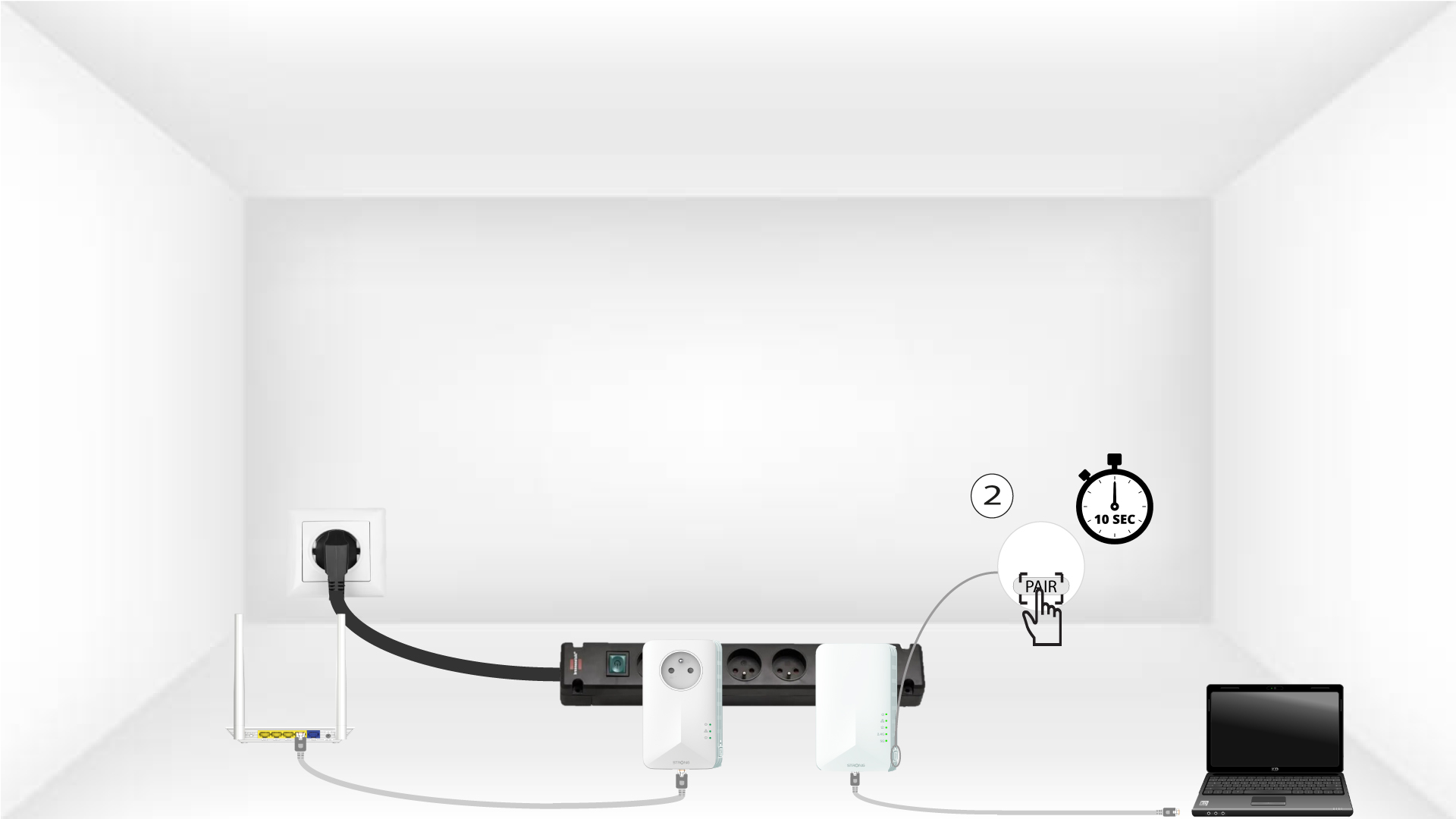
4Premereil pulsante "Pair" (secondo adattatore)
Premere il pulsante “PAIR” situato sul lato destro del secondo dispositivo per 10 secondi. Si hanno a disposizione fino a due minuti per eseguire l'operazione.
5.La spia LED "Home" lampeggia
I LED della casa dovrebbero iniziare a lampeggiare.
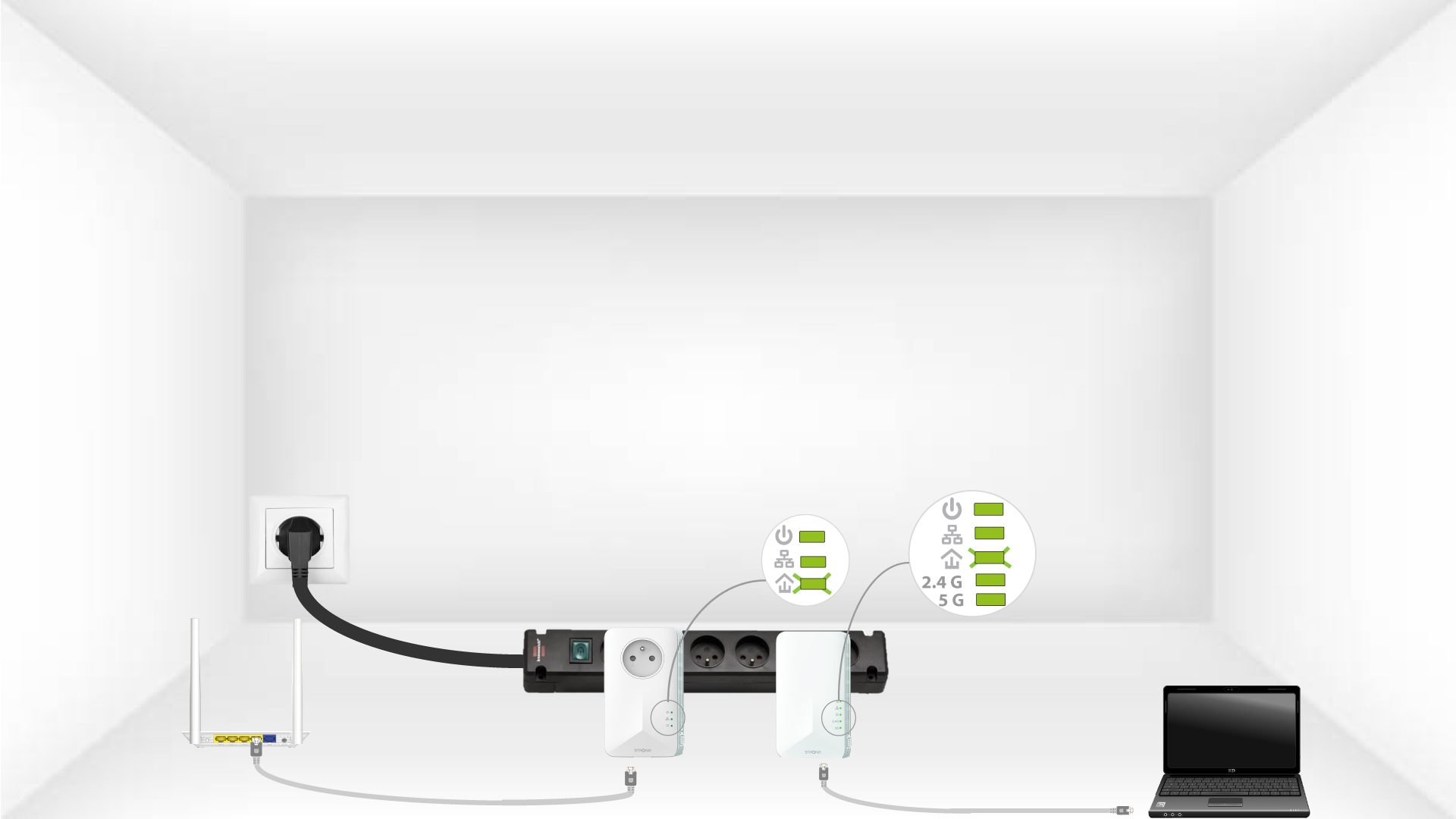
6 Gli adattatorivengono resettati
Al termine delle operazioni, tutti i LED devono essere verdi.
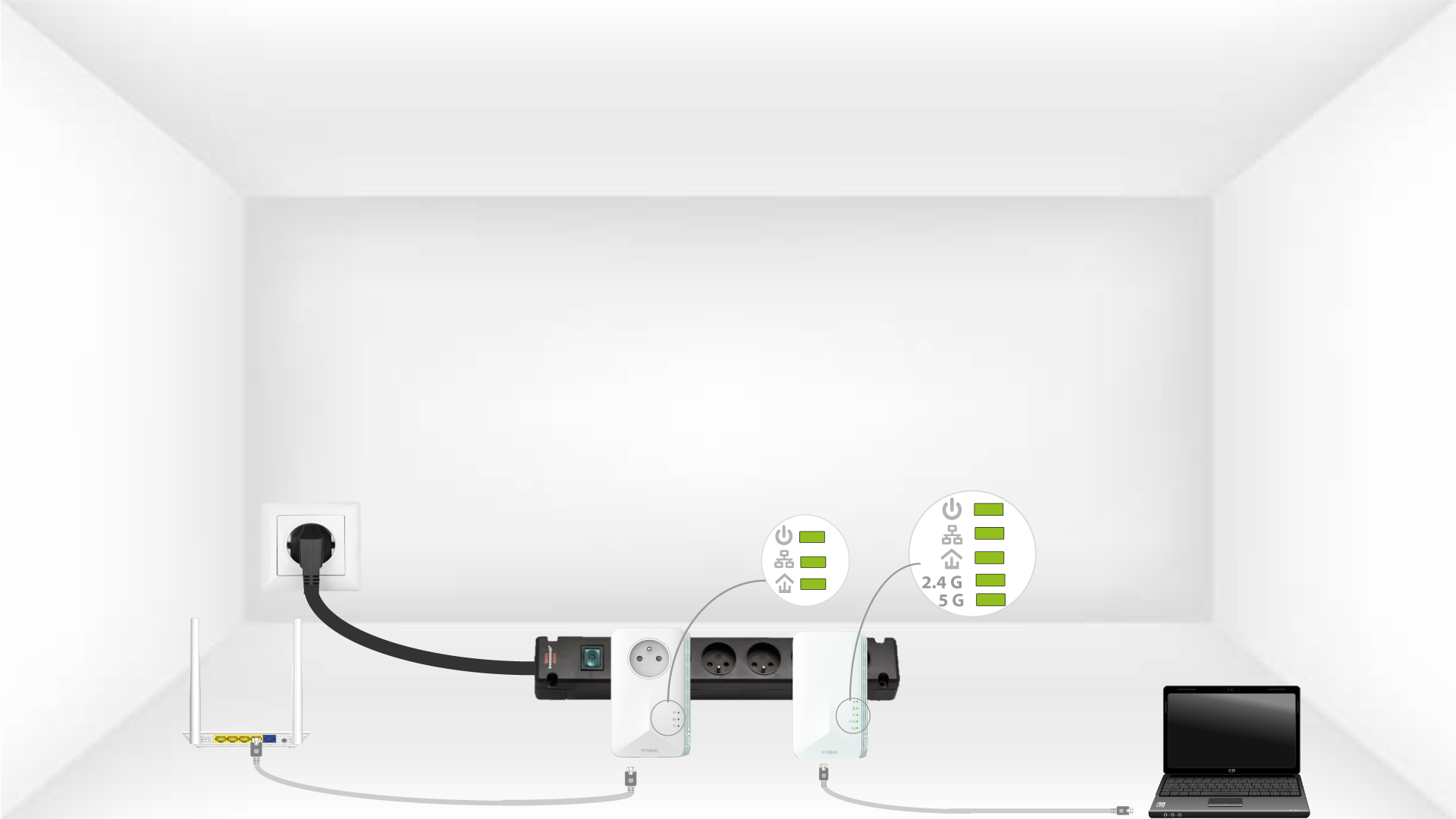
Ripetere la stessa operazione per un terzo powerline. È possibile collegare fino a otto Powerline 1000 allo stesso impianto elettrico.
Dopo aver resettato tutti i dispositivi, è possibile collocarli nella stanza in cui servono.