
PLW600MDUO
Nessun articolo trovato.
Nessun articolo trovato.
Tutte le domande
PLW600MDUO
Nessun articolo trovato.
Nessun articolo trovato.
Come configurare il livello di sicurezza 2 sui prodotti powerline ?
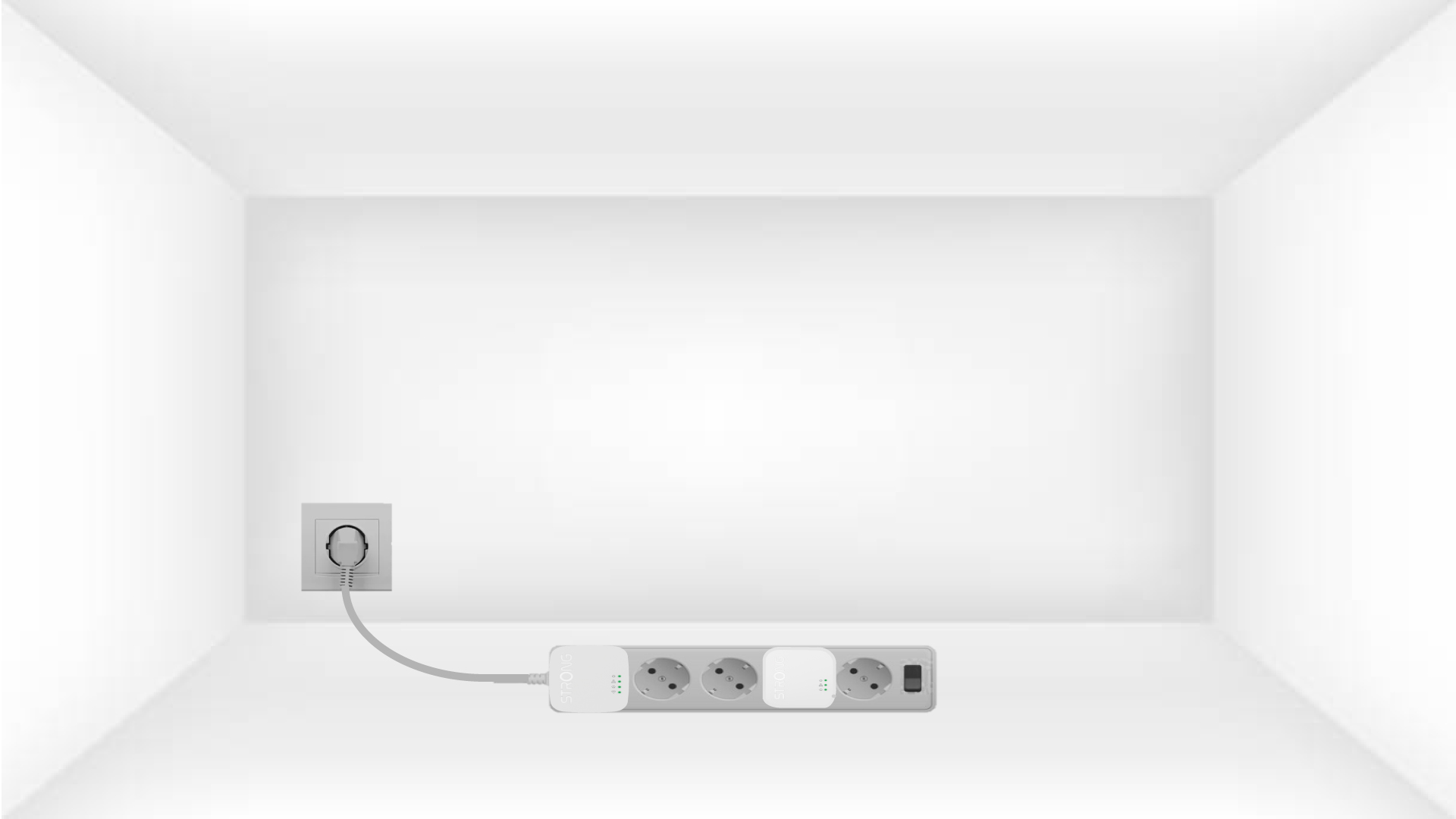
1. Collegaregli adattatori a una ciabatta
Take a power strip and plug all the powerline adapters into it.
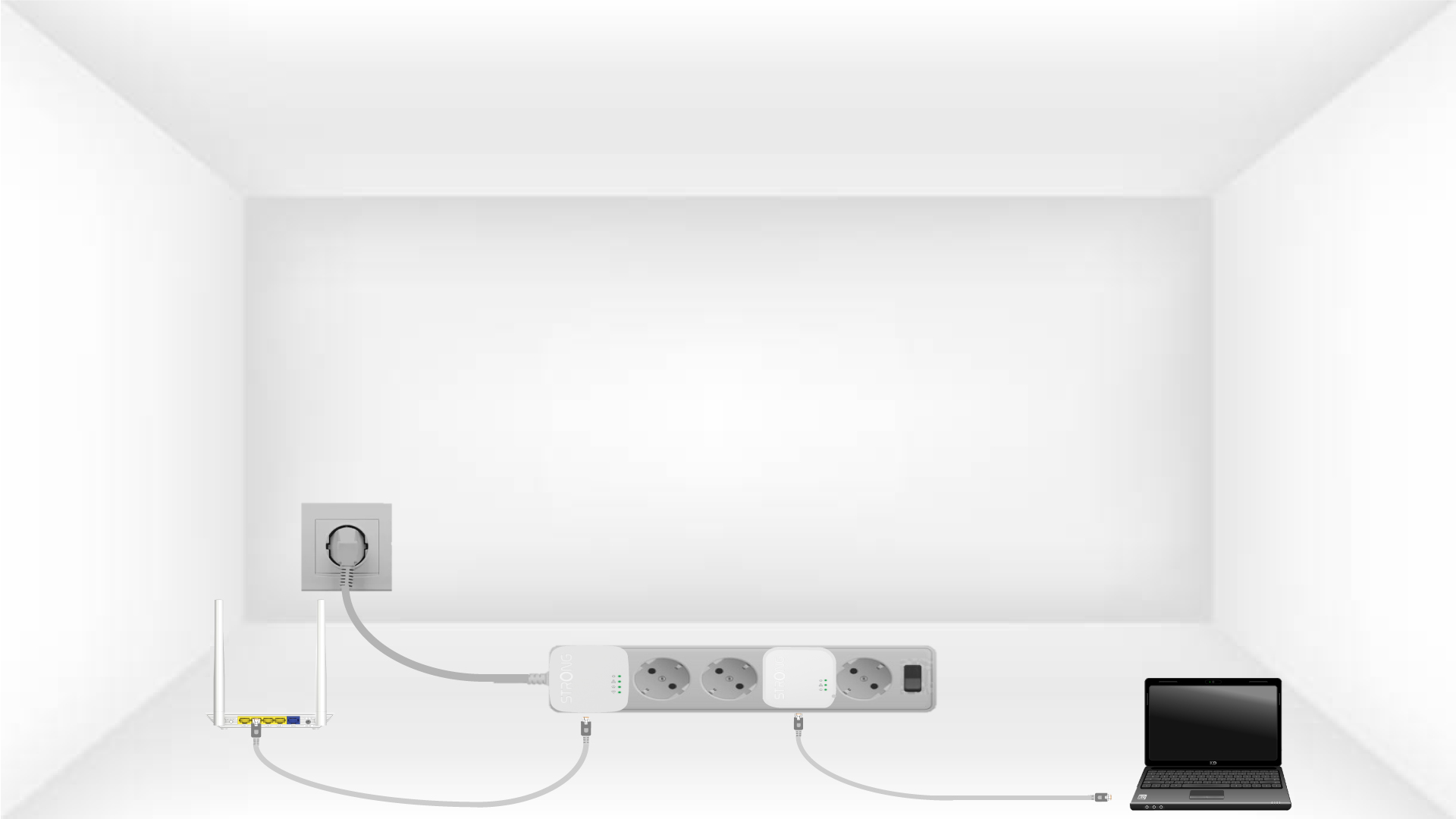
2. Collegaregli adattatori a Internet
Connect one of the powerline adapters to the Internet gateway/router with an RJ45 cable.
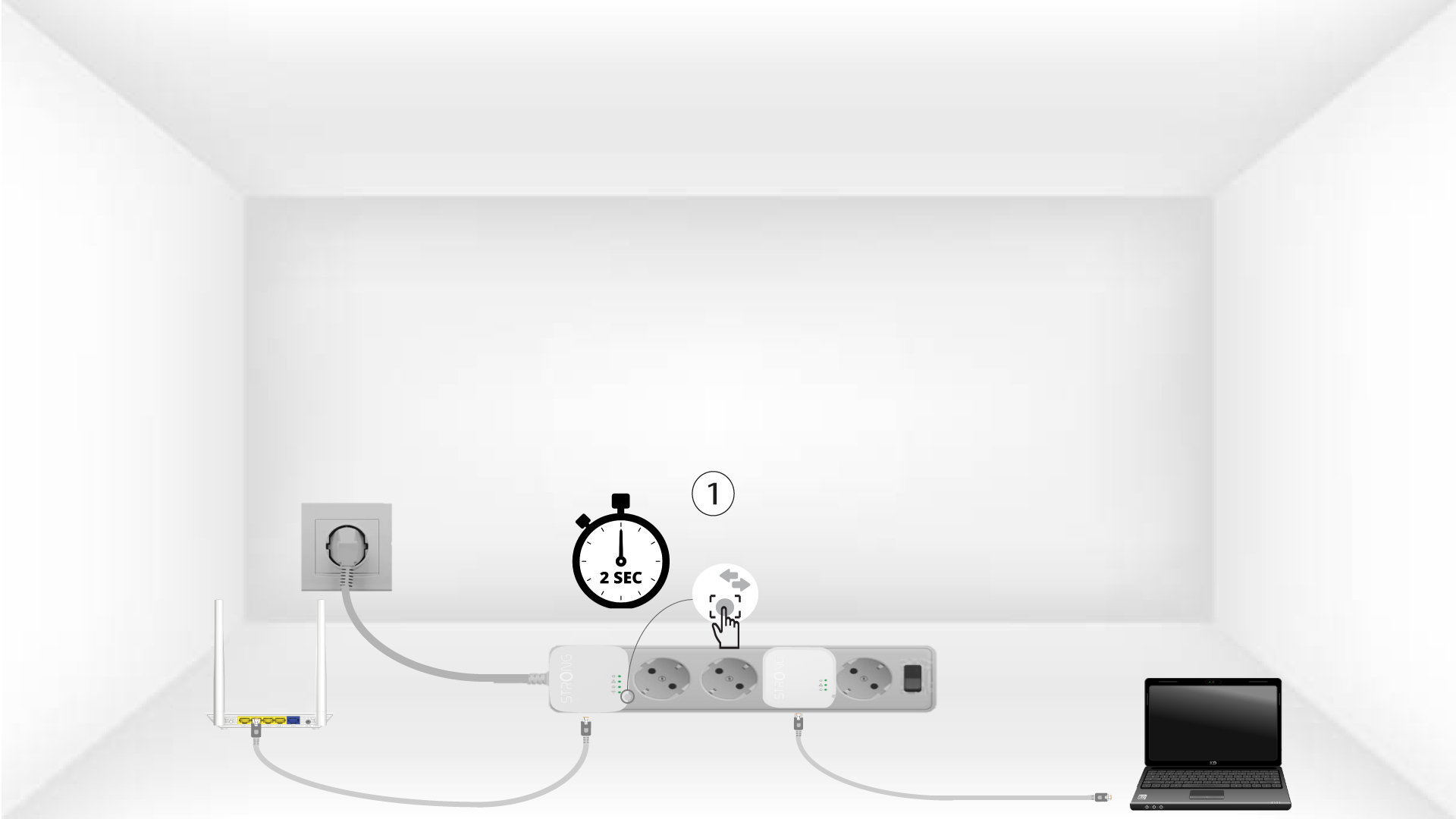
3Premereil pulsante "Connetti e proteggi" (primo dispositivo)
Press the Connect & Secure button on the first device for 2 seconds.
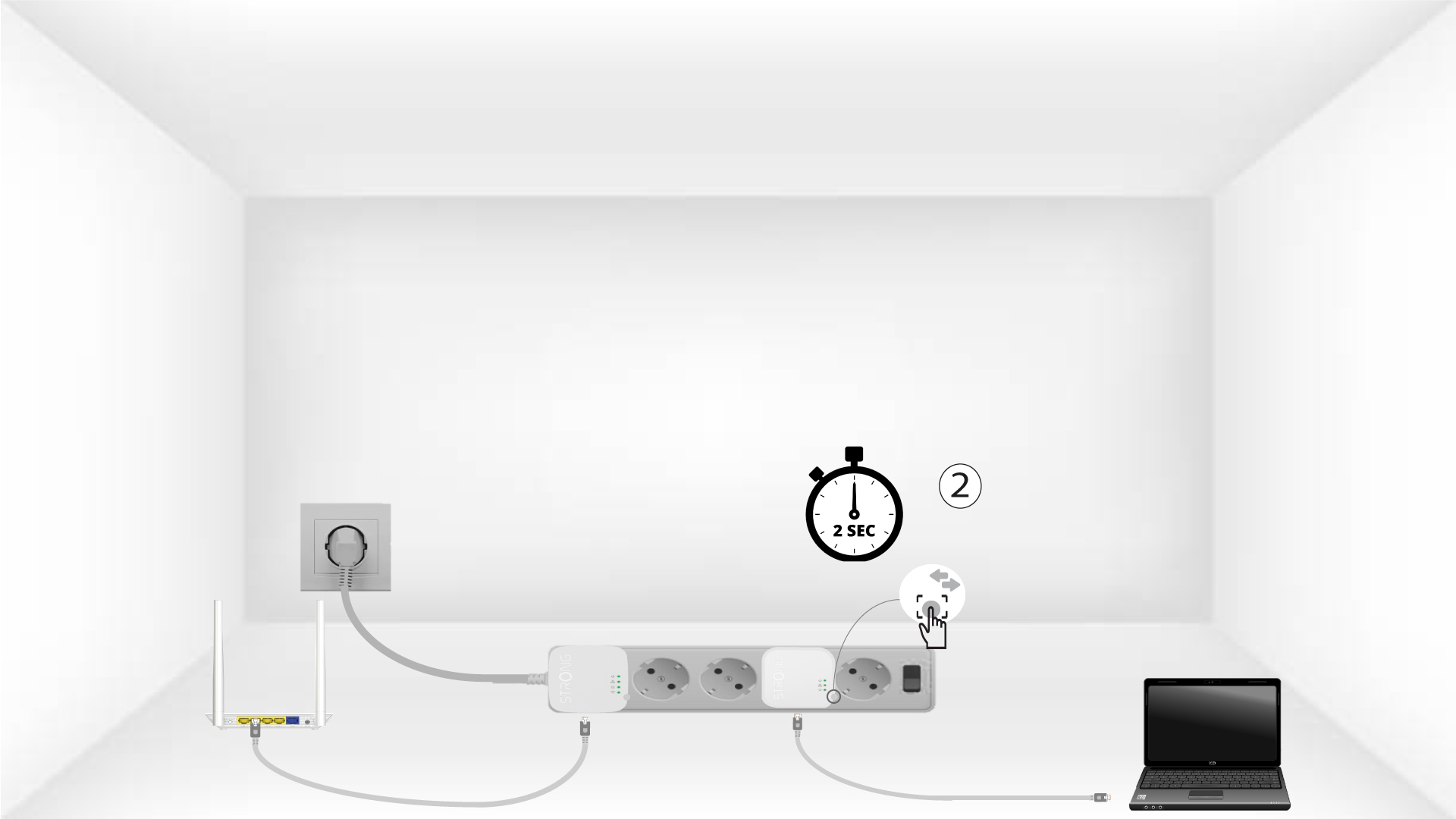
4Premereil pulsante "Connetti e proteggi" (secondo dispositivo)
Press the Connect & Secure button on the second device for 2 seconds. You have up to two minutes to do it.
5The home LED blinks
The home LED should blink on both devices.
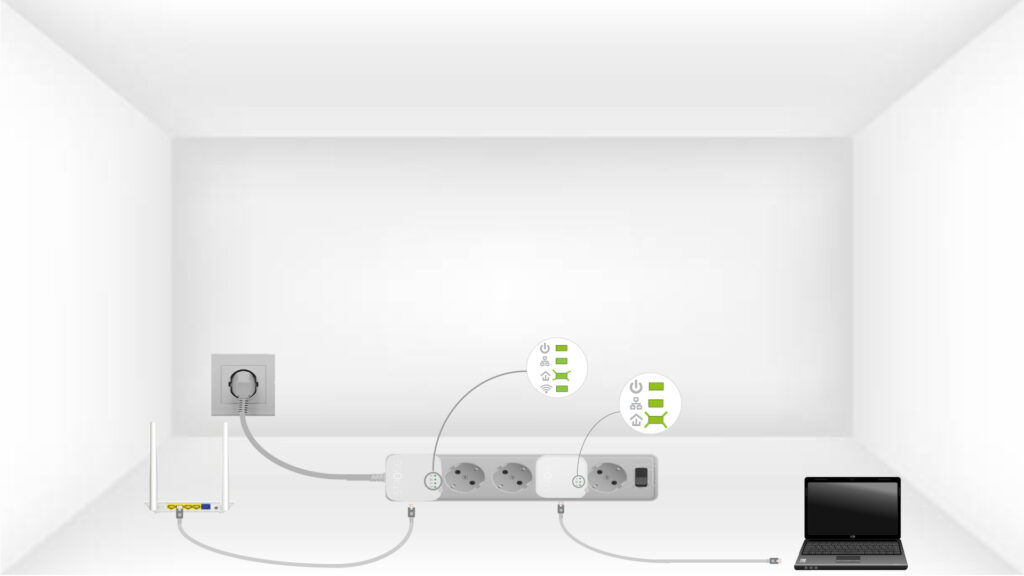
6Lachiave di crittografia è stata impostata
La tua chiave di crittografia univoca è ora impostata e tutti i LED dei dispositivi dovrebbero essere verdi.
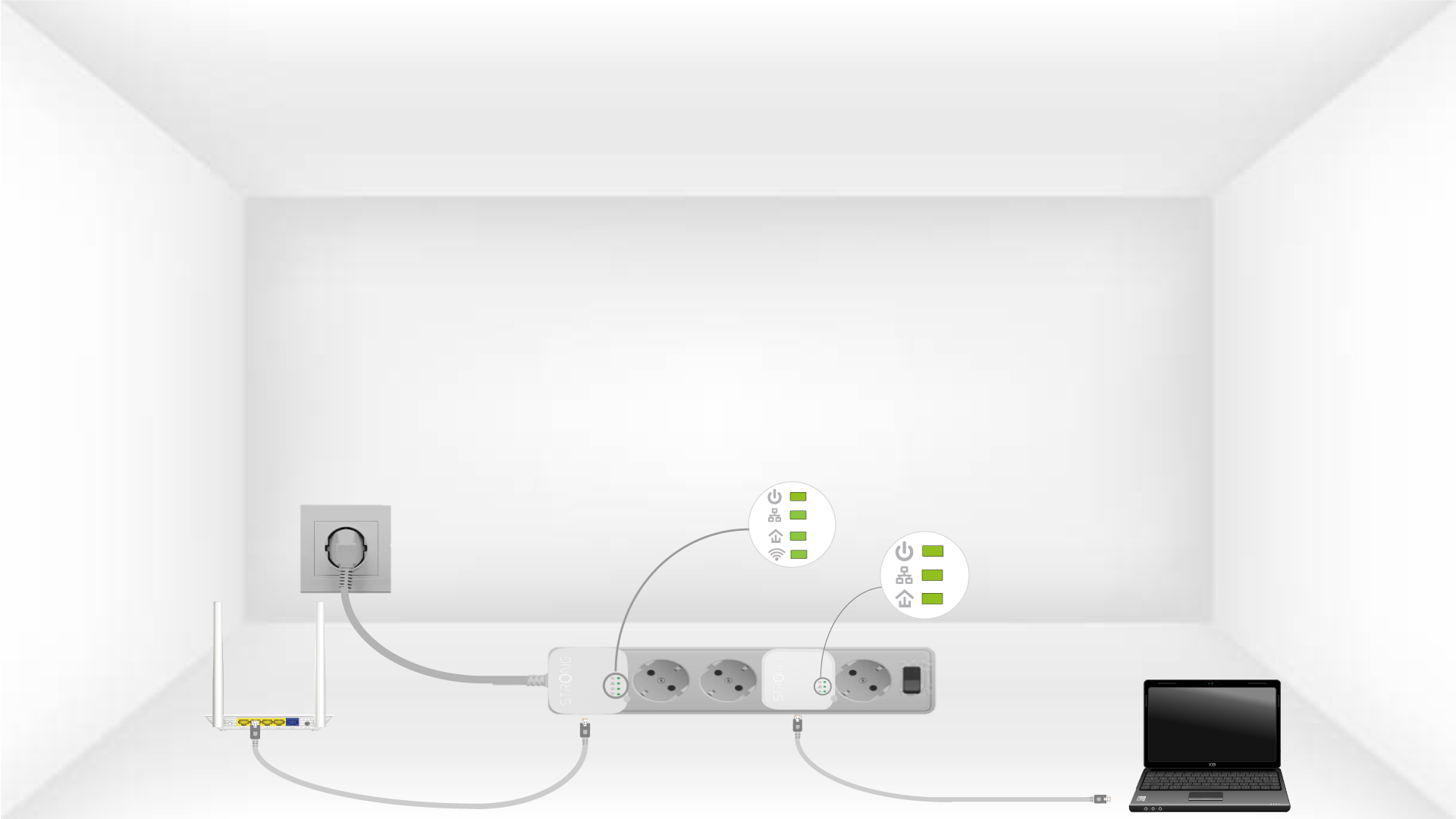
Now, install the adapters in the rooms where you need them. We strongly recommend not plugging the adapters into a power strip.