
Powerline 1000 Duo Wi-Fi FR V2
Alle vragen
Powerline 1000 Duo Wi-Fi FR V2
Hoe kan ik de SSID-naam en het wachtwoord van het Wi-Fi-netwerk van de Powerline 1000 wijzigen?
1. Maakverbinding met het wifi-netwerk ‘ powerline ’
Maak verbinding met het wifi-netwerk van de Powerline 1000.
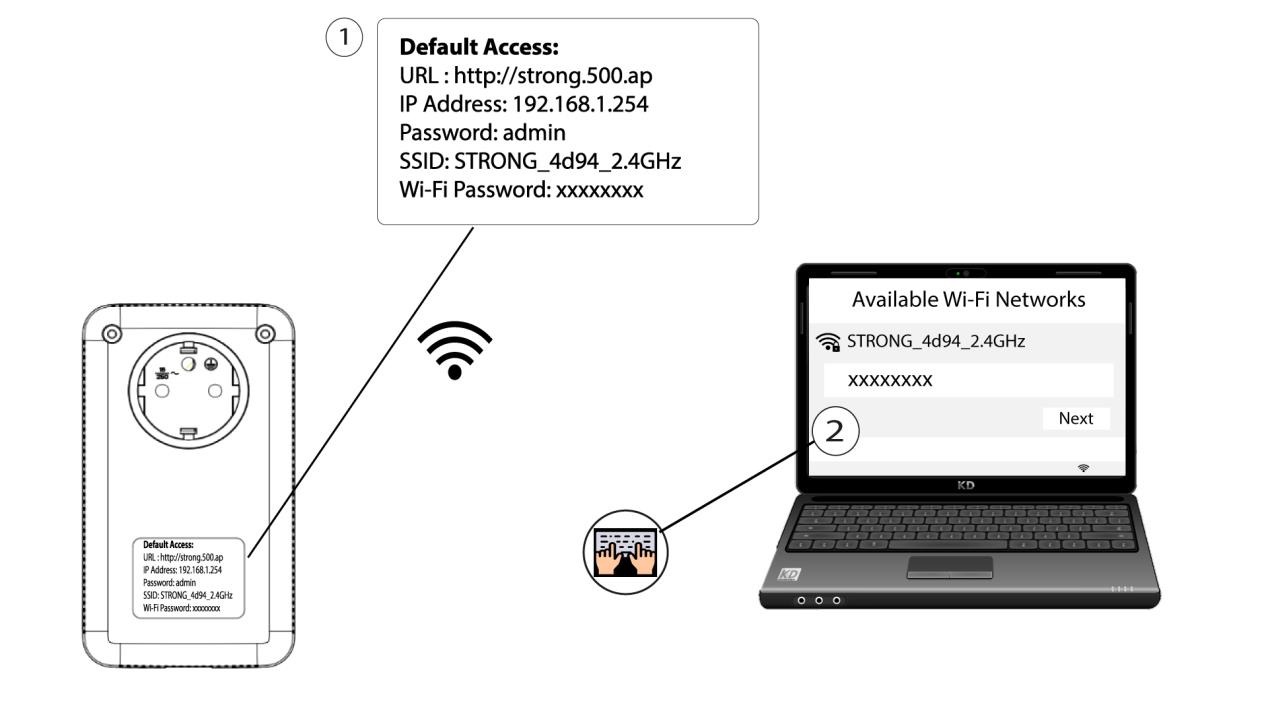
2. Ganaar het IP-adres van de webinterface
Open de gebruikersinterface door de URL http://strong.500.ap in de adresbalk van uw internetbrowser in te voeren.

3. Voerde inloggegevens in
Typ vervolgens het wachtwoord: admin

4. Snelleinstallatie
Ga naar het menu, selecteer „Snelle installatie”, klik vervolgens op „Toegangspunt (AP) ” en klik op „VOLGENDE”.

5. Voerde nieuwe netwerkgegevens in
Wijzig de SSID en de wachtwoordzin. Vermijd bij het instellen van de nieuwe wachtwoordzin de hoofdletter I en de kleine letter l, aangezien deze gemakkelijk door elkaar kunnen worden gehaald. We raden u ook aan een wachtwoordzin te maken die bestaat uit een afwisseling van hoofdletters, kleine letters en cijfers. Klik op ‘VOLGENDE’ om uw wijzigingen op te slaan wanneer u klaar bent.

6. Noteerde nieuwe netwerkgegevens
Noteer de nieuwe SSID en het nieuwe wachtwoord op een papiertje en verbind vervolgens al je apparaten opnieuw met de powerline 1000 Wi-Fi met behulp van de nieuwe instellingen.
