4G+ AIRSPOT 520 Mobiele wifi met touchscreen
Geen items gevonden.
Geen items gevonden.
Alle vragen
4G+ AIRSPOT 520 Mobiele wifi met touchscreen
Geen items gevonden.
Geen items gevonden.
Hoe wijzig ik de SSID (naam van het wifi-netwerk) en het wifi-wachtwoord? (Mi-Fi-scherm)
Je kunt de gegevens van het wifi-netwerk bewerken via het scherm van je Mi-Fi.
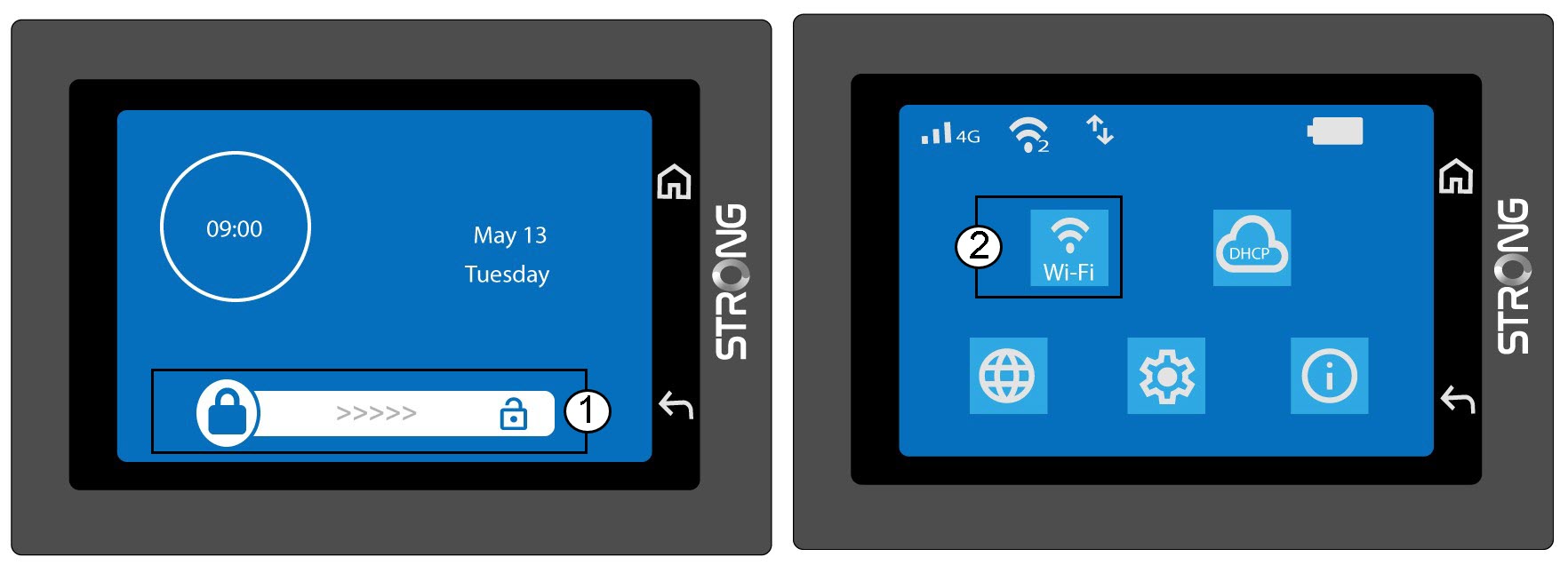
1. Opende wifi-instellingen
Ontgrendel het scherm en klik op het wifi-pictogram.
2. Wi-Fi-configuratie openen
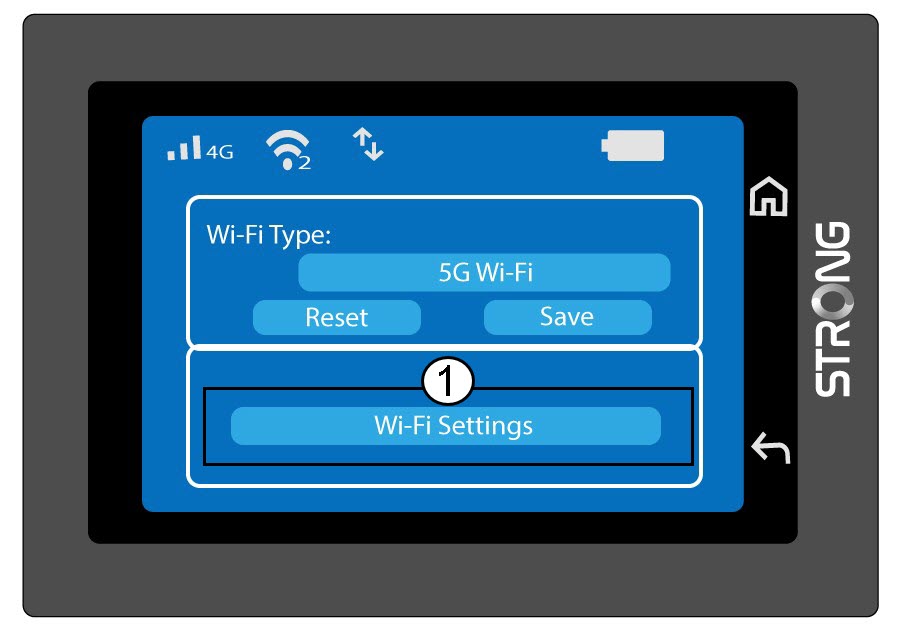
Klik op 'Wi-Fi-instellingen'.
3. De netwerknaam (SSID) wijzigen
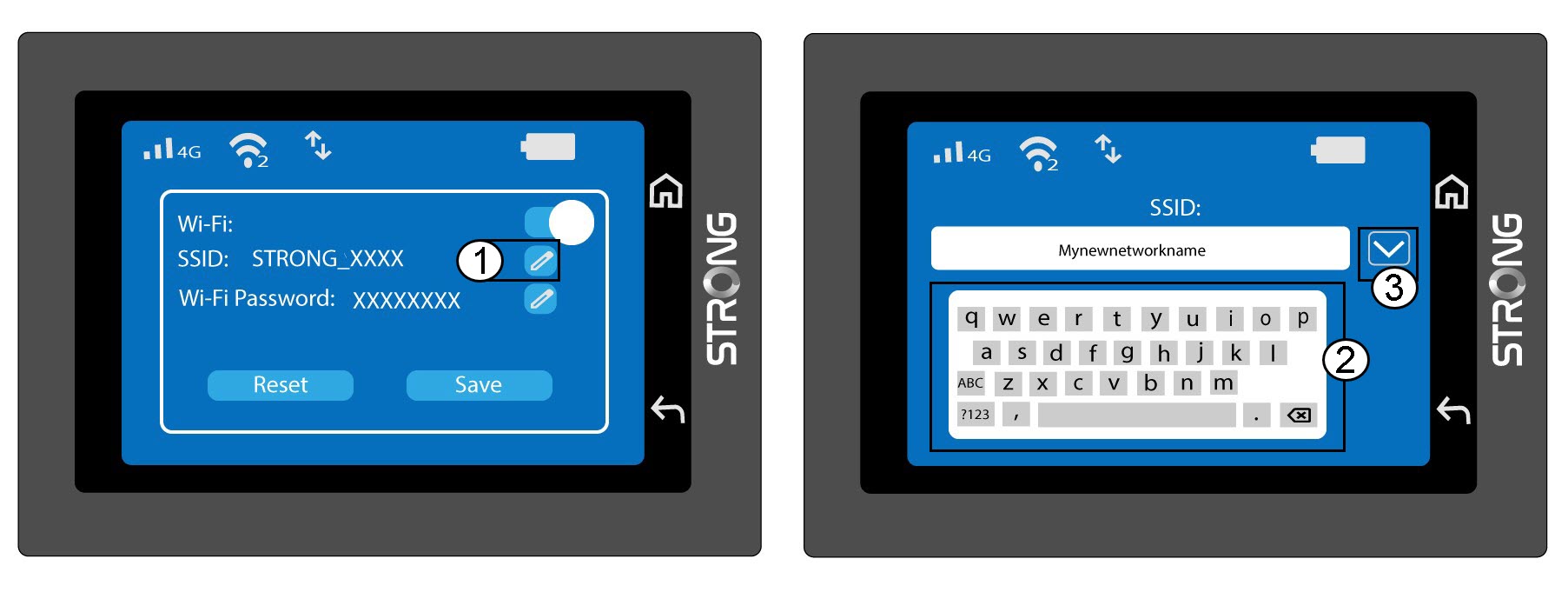
Klik op het penpictogram naast de naam van het wifi-netwerk, voer de nieuwe naam in en druk op (V) om te bevestigen.
4. Het wifi-wachtwoord wijzigen
Klik op het penpictogram naast het wifi-wachtwoord, voer het nieuwe wachtwoord in en druk op (V) om te bevestigen.
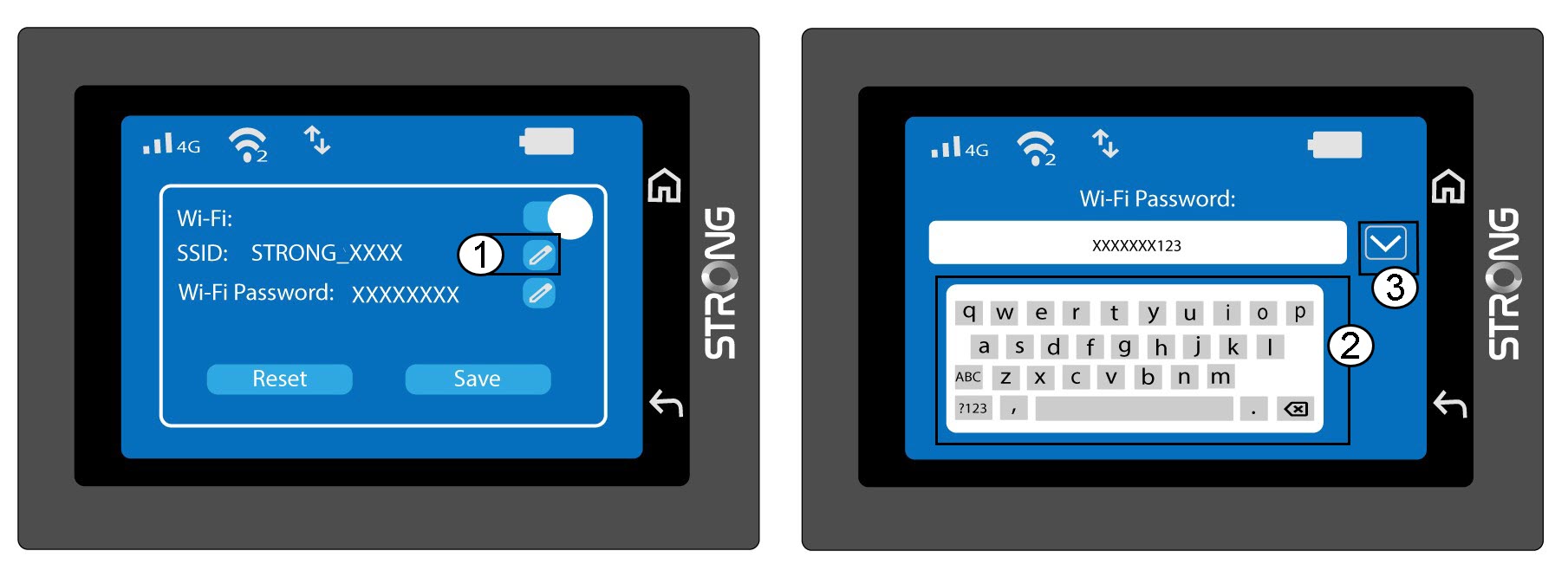
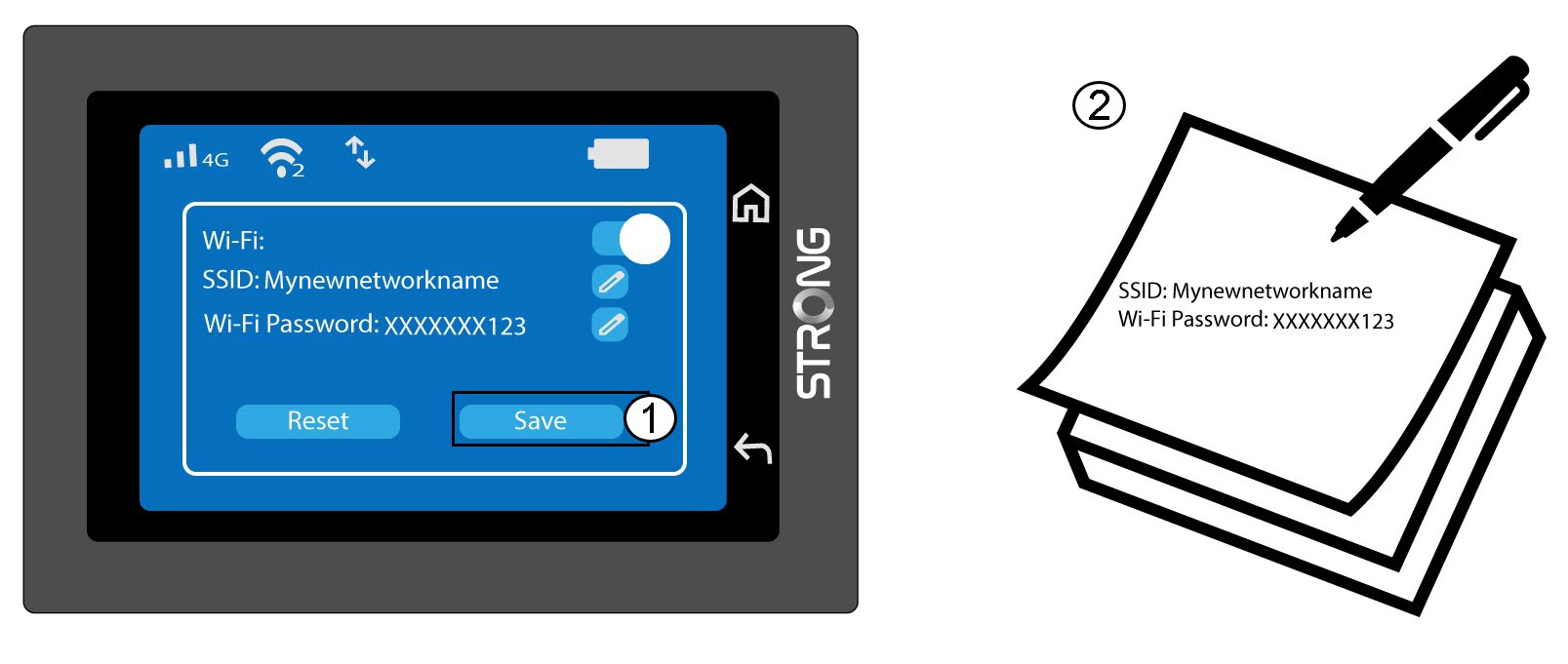
5. Slaje wijzigingen op
Klik op ‘Opslaan’ en noteer de nieuwe netwerknaam en het wachtwoord, zodat u deze later nog kunt raadplegen.