Dubbelband-repeater 750 V2
Alle vragen
Dubbelband-repeater 750 V2
Hoe stel ik mijn repeater in?
Voordat u uw repeater configureert, raden wij u aan de volgende procedure te raadplegen om de locatie van uw repeater te bepalen: Wat is de beste locatie voor mijn repeater?
1Maak verbindingmet de webinterface
Volg een van de onderstaande procedures om verbinding te maken met de webinterface:
- Hoe maak ik verbinding met de webinterface van de repeater? (RJ45-kabel)
- Hoe maak ik verbinding met de webinterface van de repeater? (Wi-Fi)
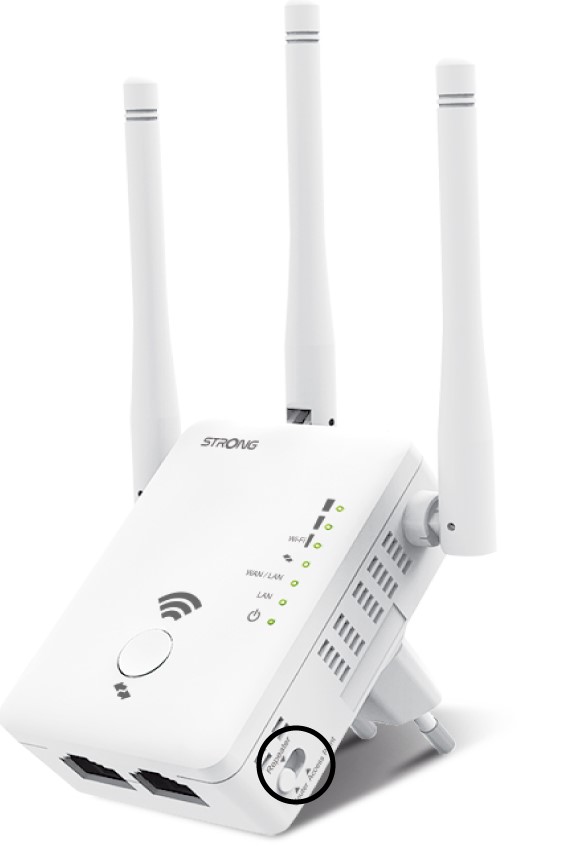
2. Selecteerde repeatermodus
Selecteer de repeaterpositie op de modus switch , die zich aan de rechterkant van uw repeater bevindt.
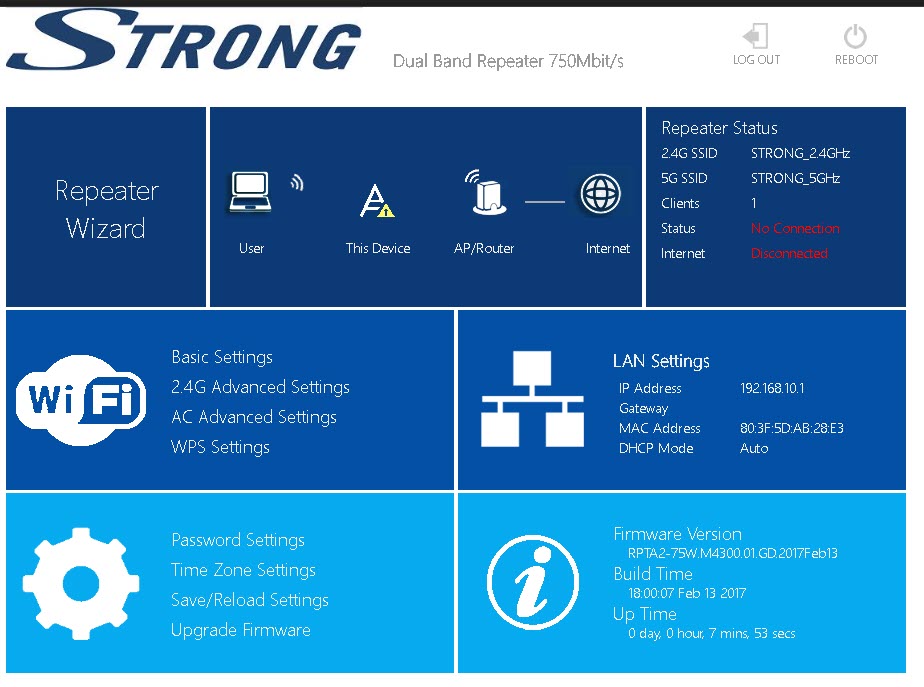
3RepaterWizard
Klik op ‘Repeater Wizard’.
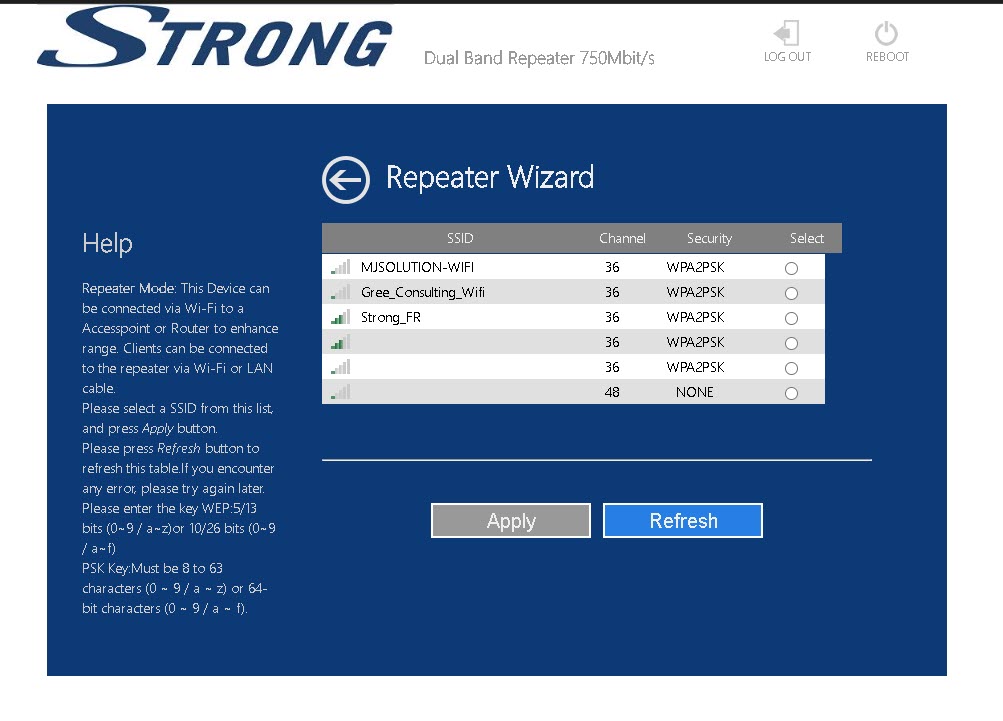
4. Netwerkscan
Uw repeater voert een scan uit van alle beschikbare 2,4 GHz- en 5 GHz-wifi-netwerken om het hoofdnetwerk te bepalen. Selecteer de wifi-netwerknaam van uw router. Klik vervolgens op ‘Toepassen ’.
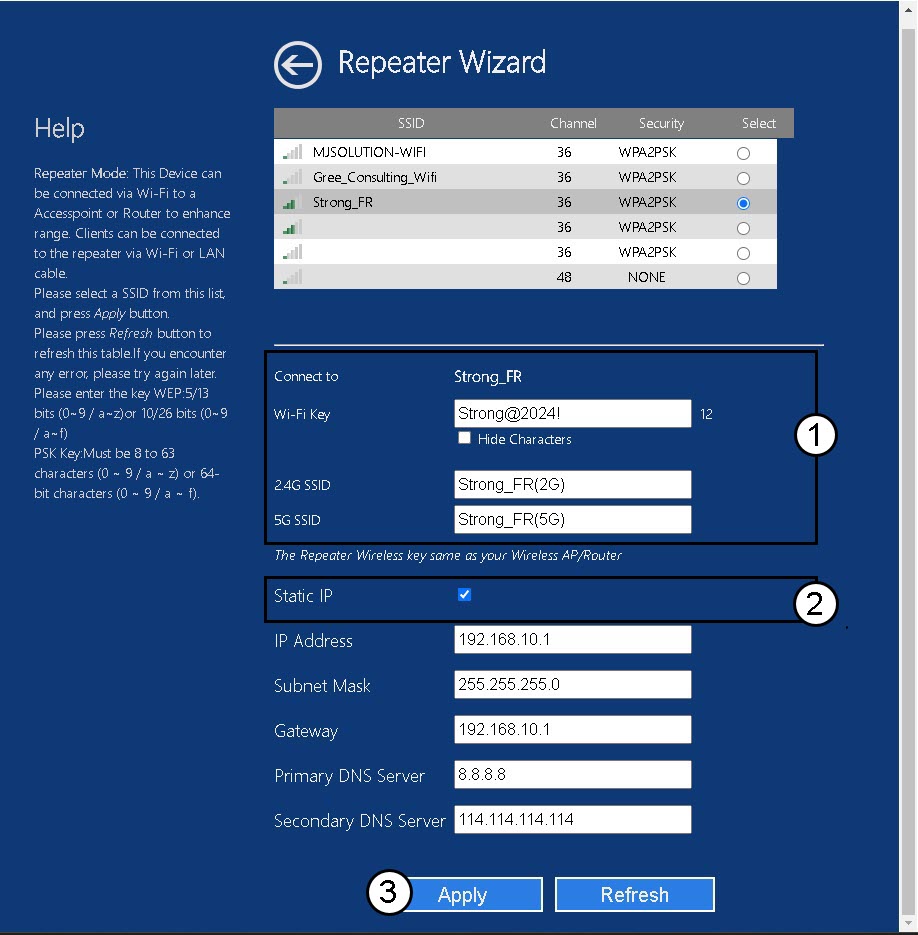
5. Voerde gegevens invoor het host- en repeater-netwerk
Voer het wifi-wachtwoord van uw router in, geef de wifi-netwerken van uw repeater een naam en klik op ‘Toepassen’.
TIP: Je kunt het vakje ‘Statisch IP-adres’ aanvinken om het statische IP-adres van je repeater in te stellen.
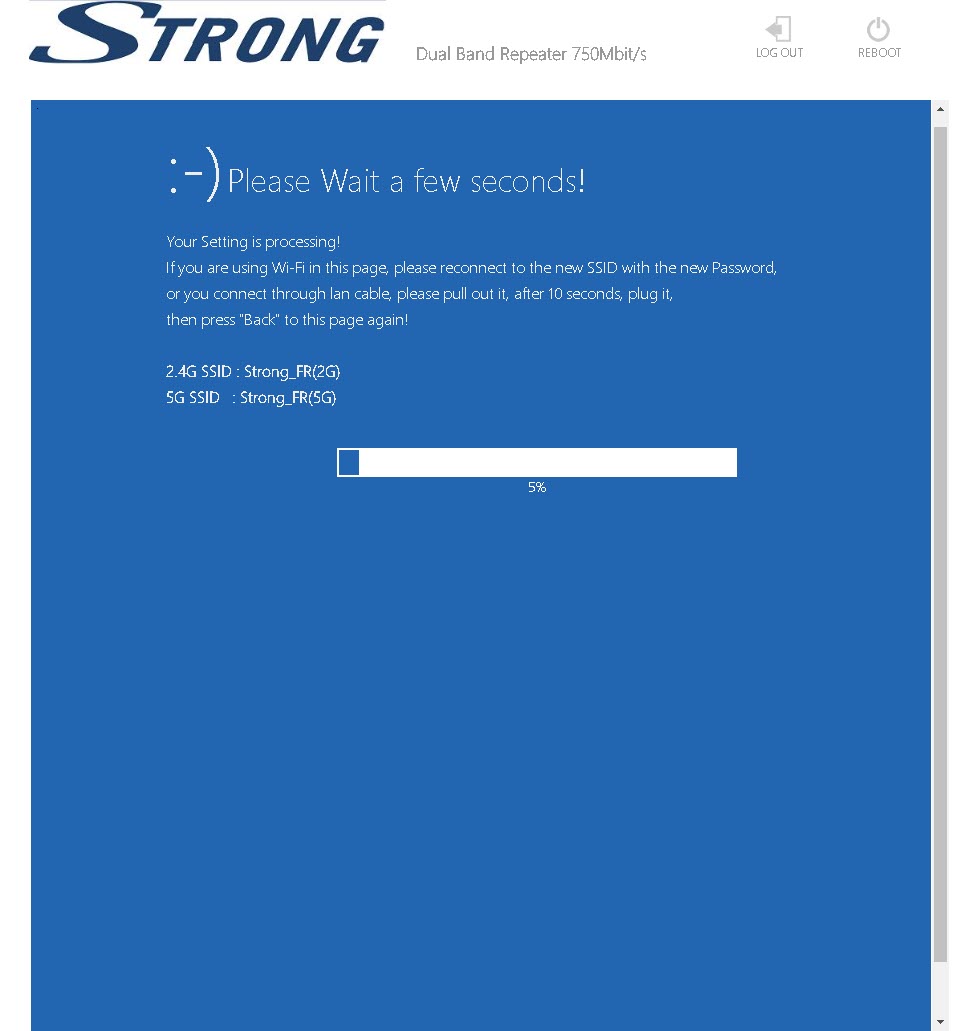
6Wachttijdens de configuratie
Even geduld a.u.b. terwijl de repeater wordt geconfigureerd.