4G AIRSPOT 220 Mobiele wifi met display
Geen items gevonden.
Geen items gevonden.
Alle vragen
4G AIRSPOT 220 Mobiele wifi met display
Geen items gevonden.
Geen items gevonden.
Hoe zet ik mijn router terug naar de fabrieksinstellingen?
Het kan soms voorkomen dat je apparaat niet goed werkt en dat je geen toegang tot internet hebt. In dat geval raden we je aan om je apparaat terug te zetten naar de fabrieksinstellingen en daarna, indien nodig, de firmware opnieuw bij te werken.
Er zijn twee manieren om dit te doen: je kunt het apparaat resetten door op de resetknop te drukken of via de webinterface.
VOORBEELD 1: Resetknop.
Verwijder hiervoor het klepje aan de achterkant van de router en druk met een paperclip 2 seconden lang op de RESET-knop.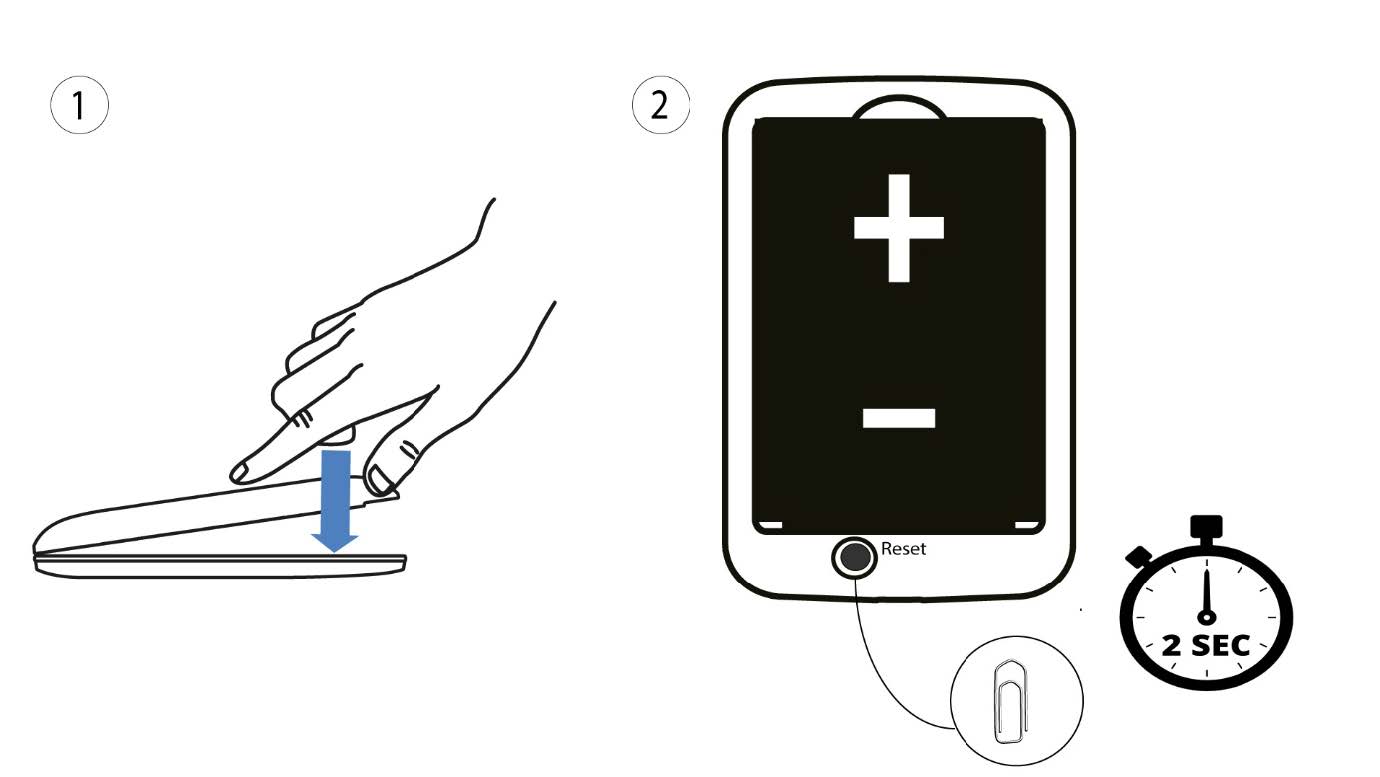
1. Geval2: resetten via de webinterface
1. Je moet verbinding maken met het wifi-netwerk van je apparaat.

2. Ganaar het IP-adres van de webinterface
Voer vervolgens het volgende IP-adres in: 192.168.188.1 in je browser.

3Inloggen
U moet het wachtwoord invoeren.

4Instellingen
Klik vervolgens op ‘Geavanceerde instellingen’.
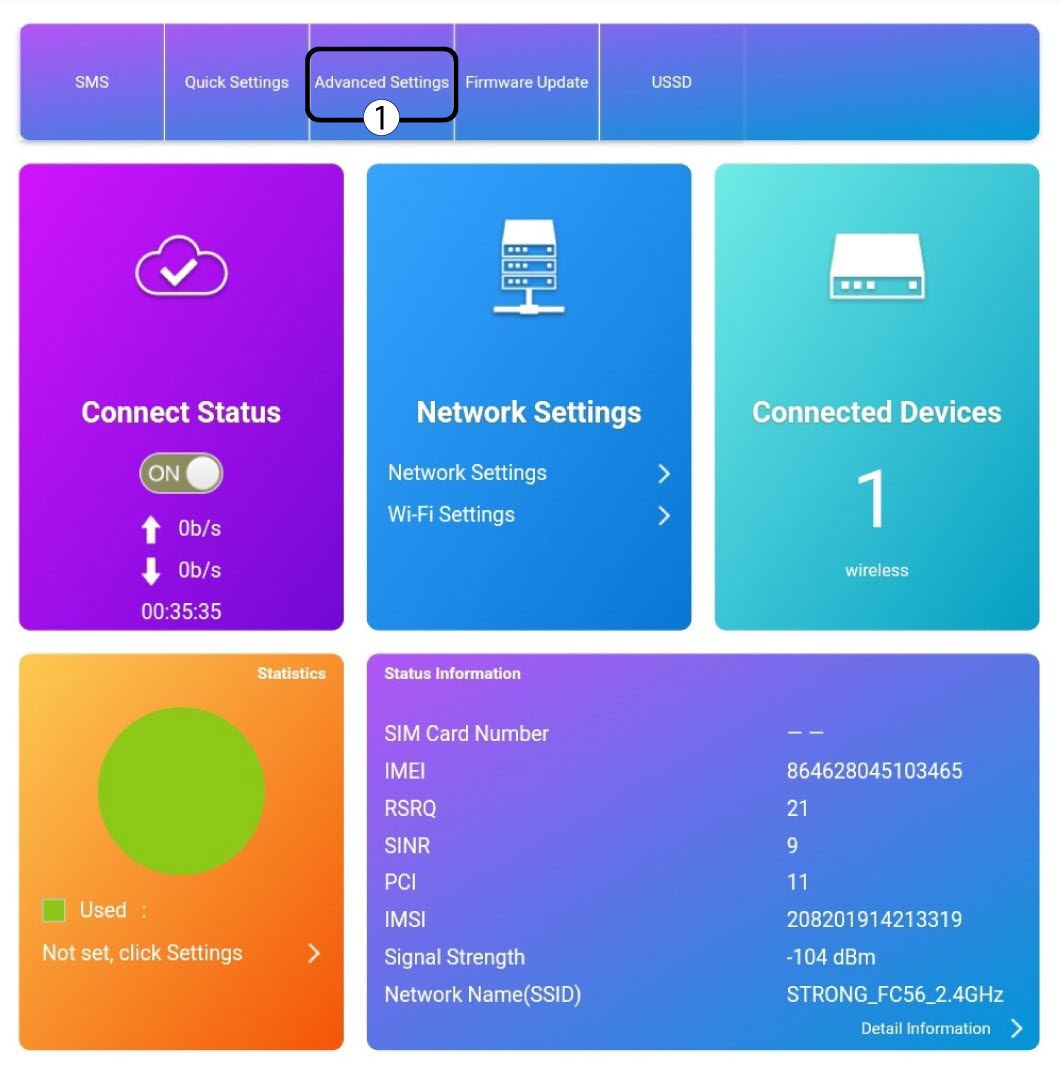
5 Terugzettennaar fabrieksinstellingen
Klik op ‘Overige’. Klik in het gedeelte ‘Opnieuw opstarten en resetten ’ op ‘Fabrieksinstellingen herstellen’.
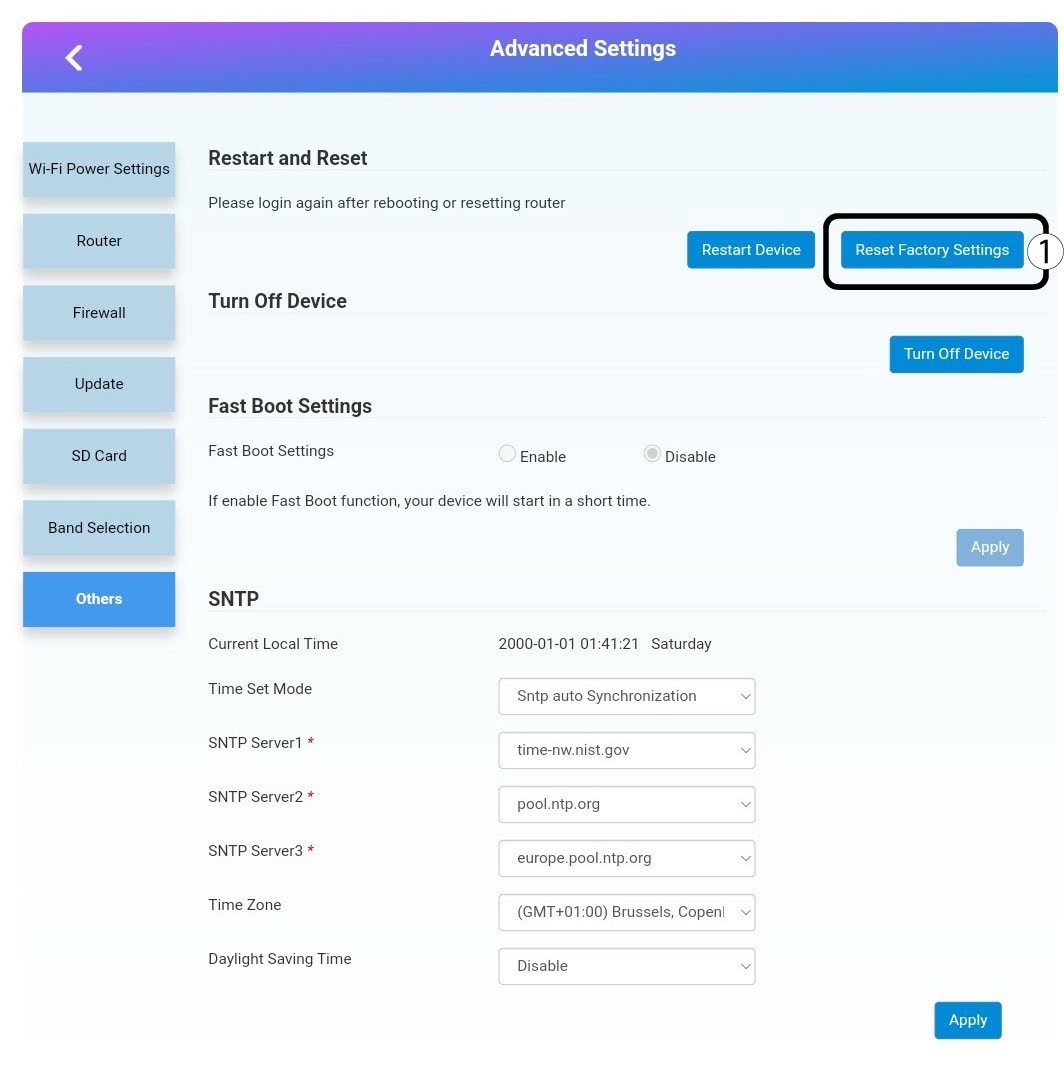
6Bevestiging
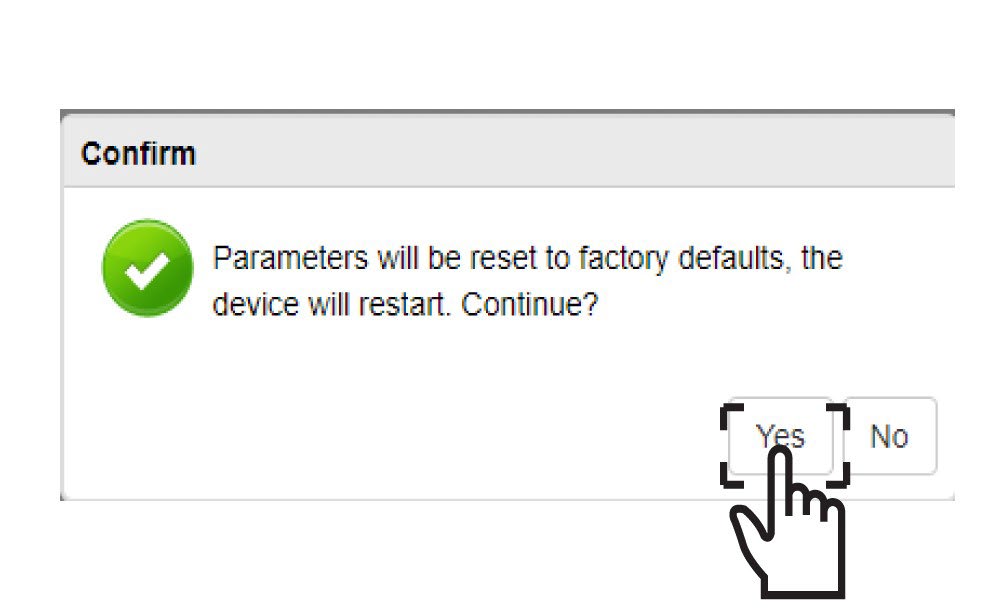
Klik opJA in het pop-upvenster.