
Lijnversterker AX1800
Geen items gevonden.
Geen items gevonden.
Alle vragen
Lijnversterker AX1800
Geen items gevonden.
Geen items gevonden.
Hoe stel ik een vast IP-adres in voor mijn repeater?
1Maak verbindingmet de webinterface
Volg deze procedure om verbinding te maken met de webinterface.
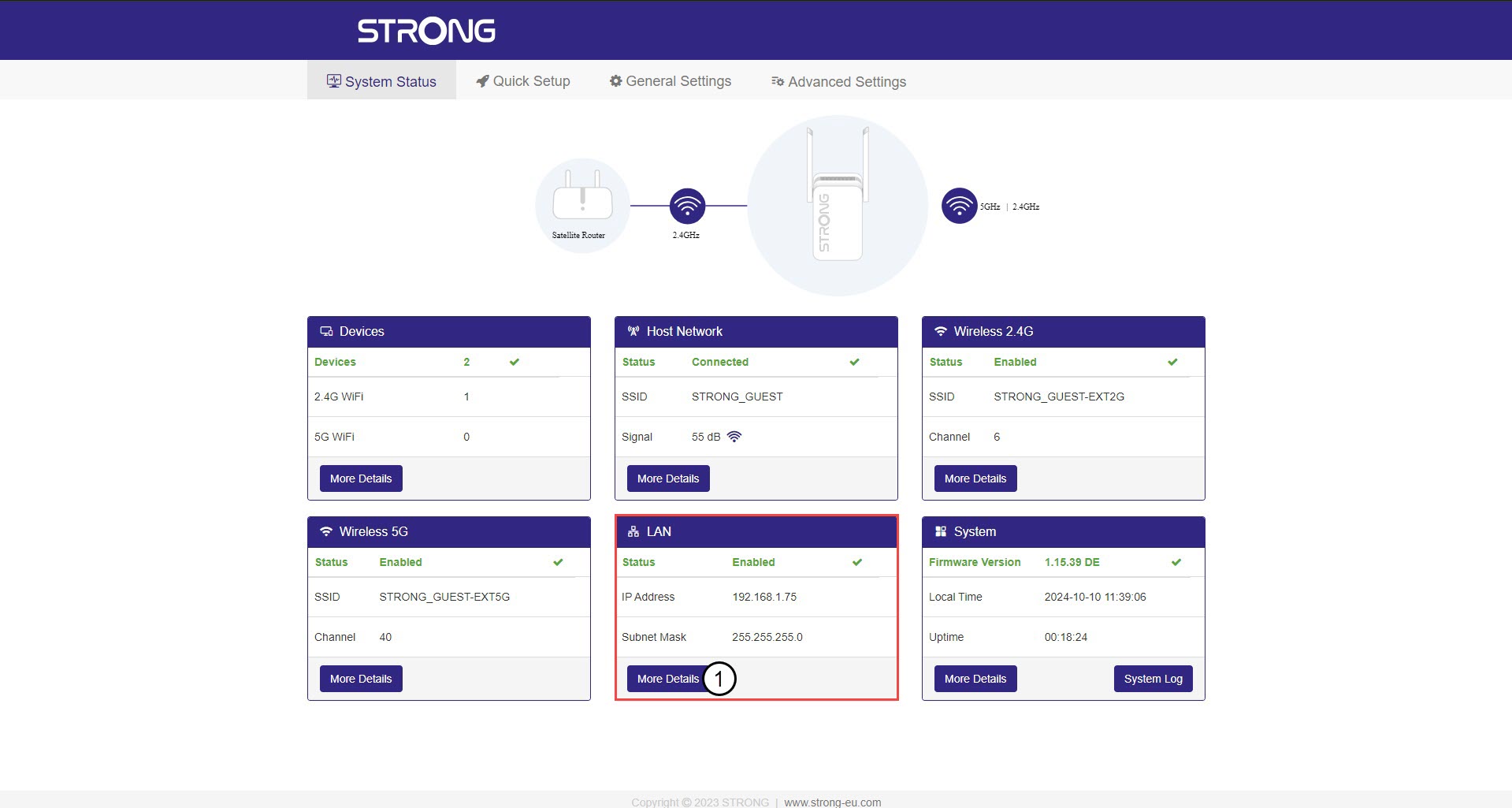
2. Systeemstatus
Klik in het scherm ‘Systeemstatus’ op de knop ‘Meer details ’ in het gedeelte ‘LAN’.
3. StatischIP-adres
Klik op ‘Instellingen ’ en vervolgens op de schakelaar ‘Statisch adres ’. Voer vervolgens de volgende gegevens in voordat je op ‘Opslaan en toepassen’ klikt:
- IP-adres: Voer het IP-adres van de repeater in.
- Subnetmasker: Selecteer het subnetmasker in de lijst
- Standaardgateway: voer het IP-adres van je repeater in
- Voorkeurs-DNS: u kunt hier dezelfde waarde invoeren als in het vorige veld.
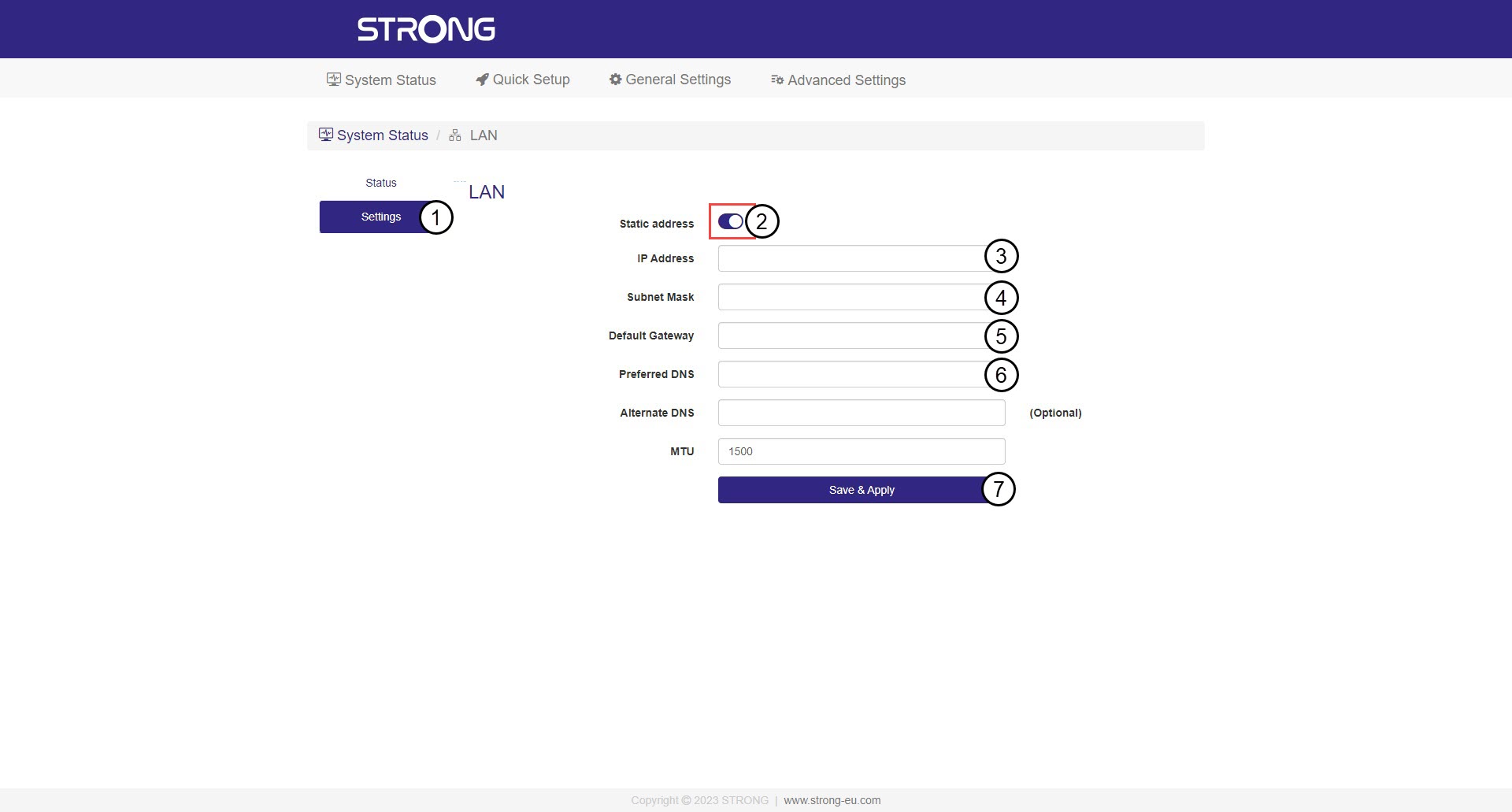

Waarschuwing: Noteer het nieuwe IP-adres van je netwerk. Je hebt dit vanaf nu nodig om verbinding te maken met de webinterface.