
Lijnversterker AX1800
Alle vragen
Lijnversterker AX1800
Hoe kan ik de firmware van mijn repeater updaten?
1Ganaar het downloadgedeelte op https://www.strong-eu.com/
Voordat u de update uitvoert, moet u naar het downloadgedeelte van onze website gaan om te controleren of er een nieuwe softwareversie beschikbaar is.
2Download
Om de downloads te openen, klik je op ‘Assistance’ en vervolgens op ‘Download’ in de bovenste balk en het bijbehorende submenu.

3. Selecteeruw productnummer
Zodra u naar de pagina ‘Downloads’ bent gegaan, klikt u op ‘Thuisnetwerken en repeaters’ en vervolgens op de productreferentie.
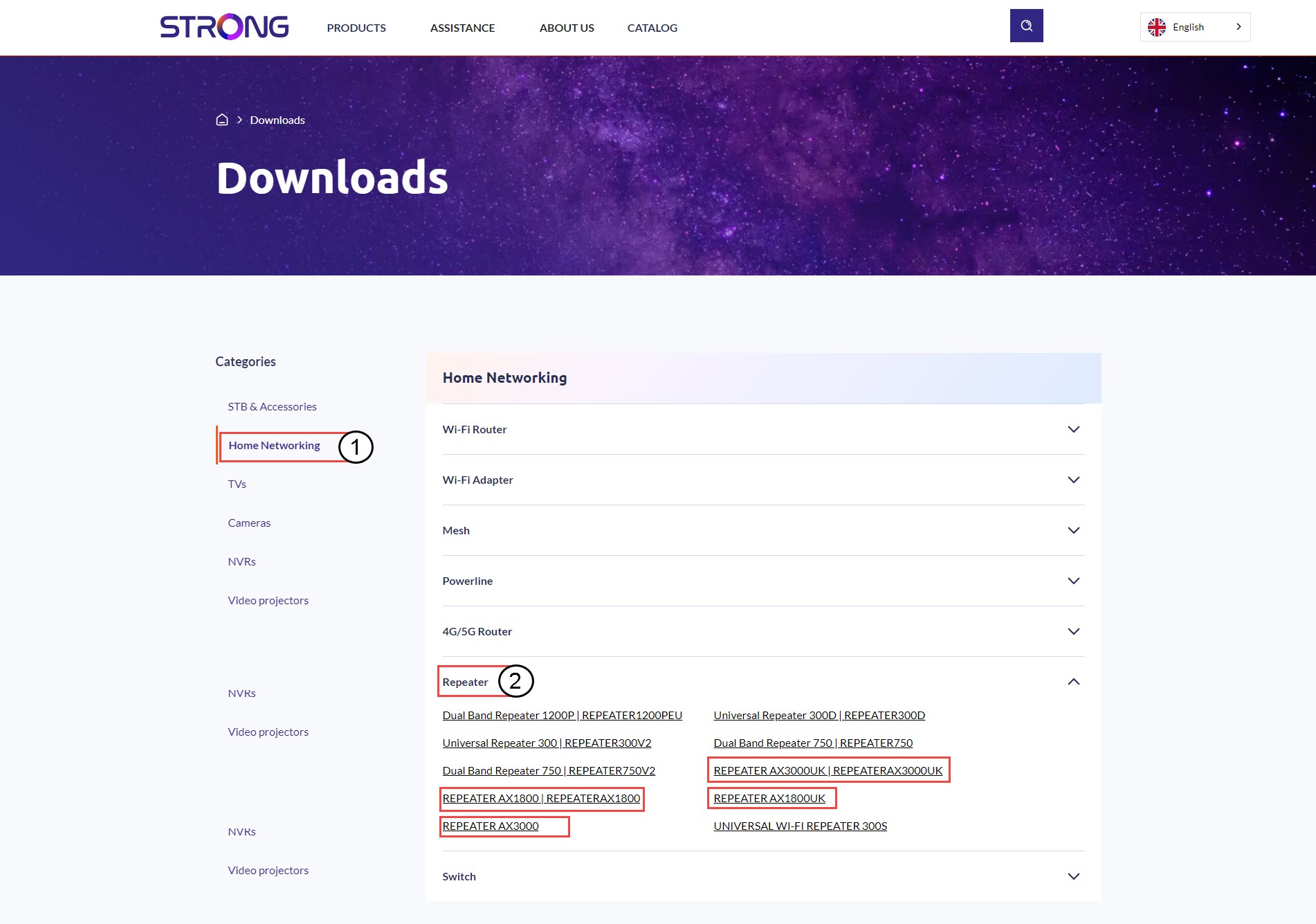
4. Sectie Firmware
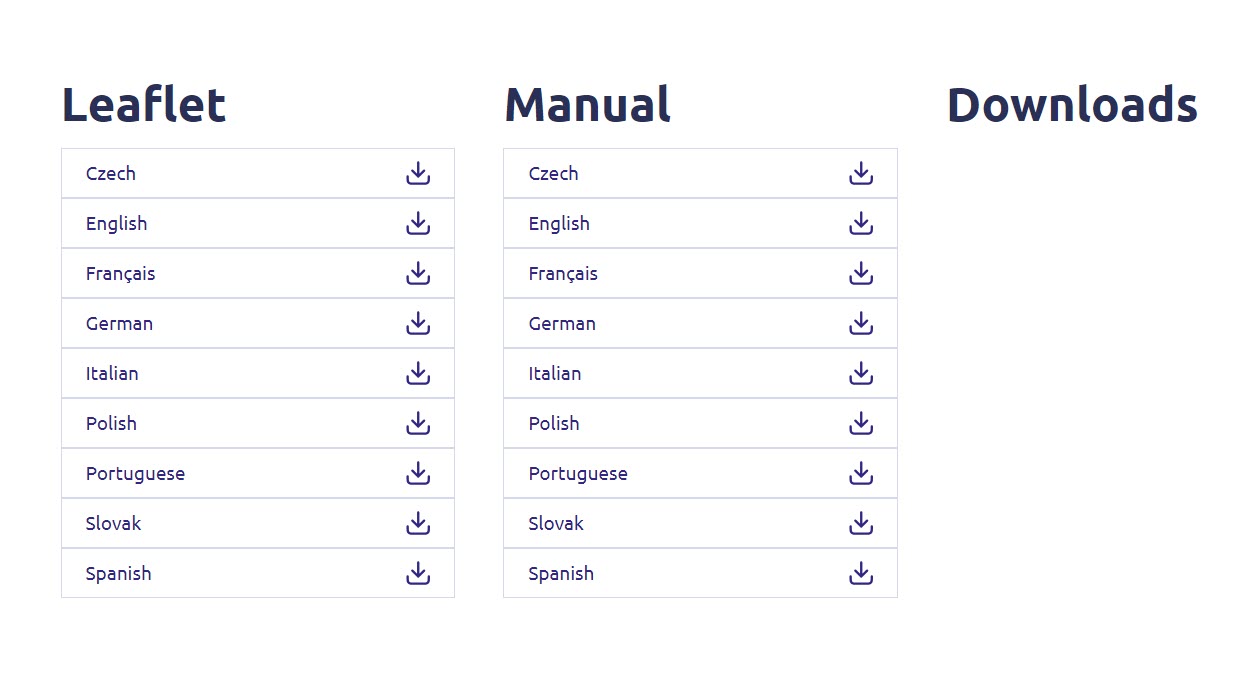
Op de onderstaande pagina vind je de nieuwe softwareversie onder het kopje ‘firmware’.
Als u op de downloadpagina geen sectie ‘firmware’ ziet, betekent dit dat er geen nieuwe softwareversie beschikbaar is.
5Maak verbindingmet de webinterface
Volg deze procedure om verbinding te maken met de webinterface.
6Firmware
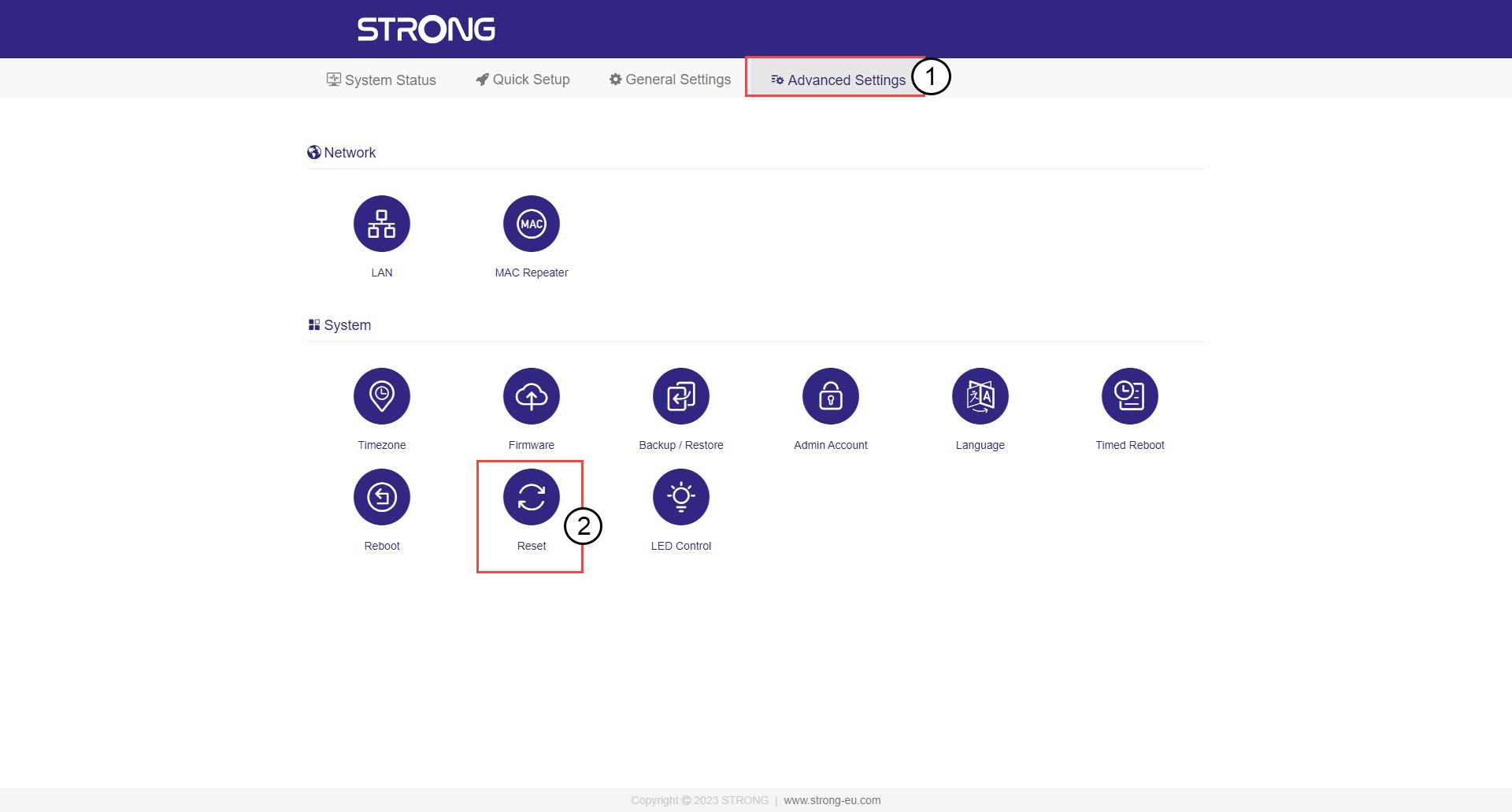
Klik op ‘Geavanceerde instellingen ’ en ‘Firmware’.
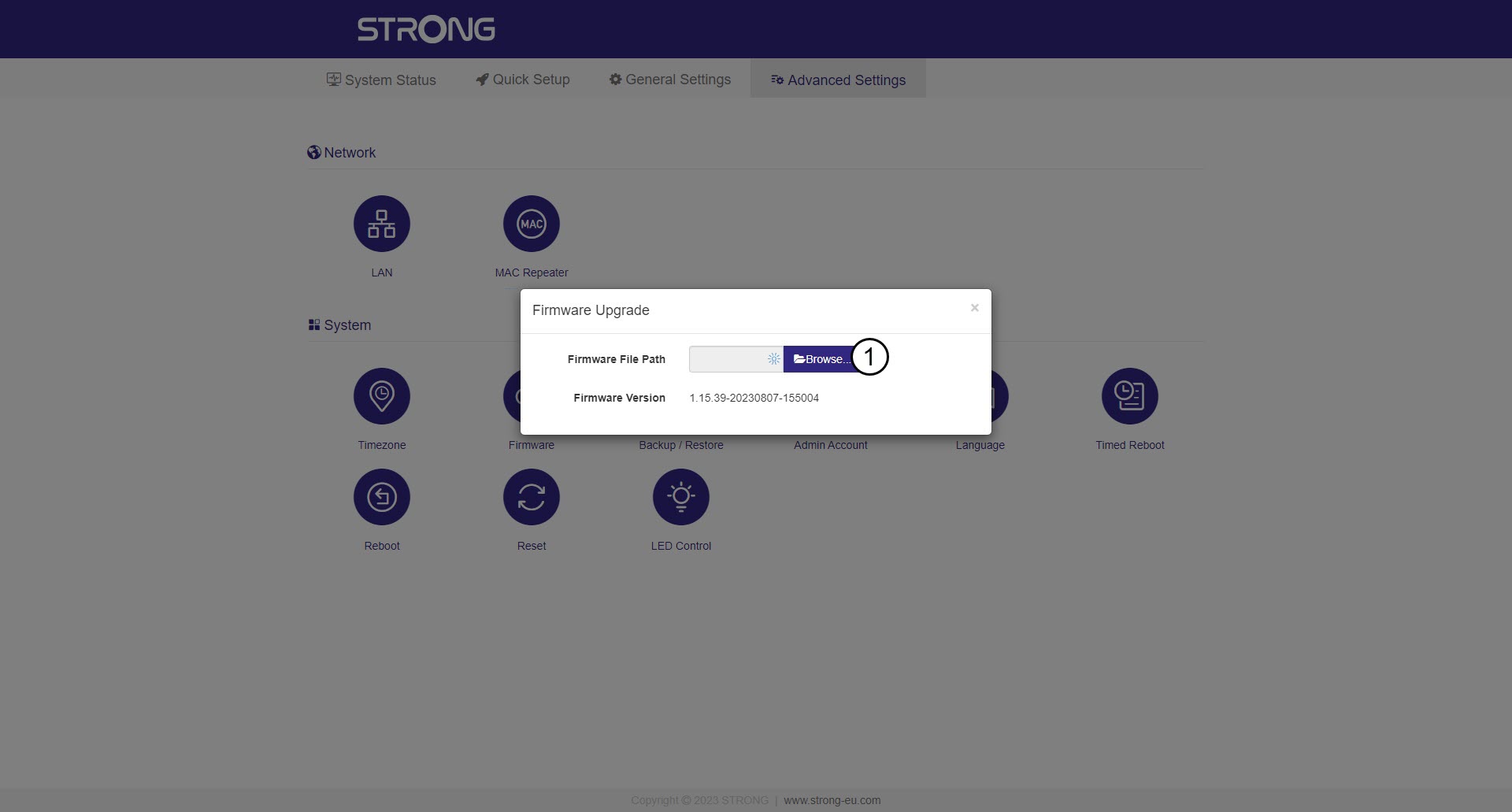
7Selecteerhet firmwarebestand dat u hebt gedownload
Selecteer uw bestand en de update wordt automatisch gestart.

Waarschuwing: Wacht tot de update is voltooid en het apparaat opnieuw is opgestart. Je
moet na de update opnieuw verbinding maken met het wifi-netwerk.