
ATRIA Wi-Fi 5- Mesh -systeem 2100 UK (3-pack)
Alle vragen
ATRIA Wi-Fi 5- Mesh -systeem 2100 UK (3-pack)
Hoe moet ik mijn Mesh -netwerk inrichten om mijn wifi-netwerk te optimaliseren?
Om je dekking te optimaliseren, moet je de mesh installeren op de plek waar je dekkingsproblemen hebt, zodat je een zo groot mogelijk deel van je woning kunt bestrijken.
Zorg ervoor dat de mesh -units niet in een ruimte staan waar zich een dragende muur bevindt, want hoe dikker de muur is, hoe moeilijker het kan zijn voor het wifi-signaal om erdoorheen te komen.
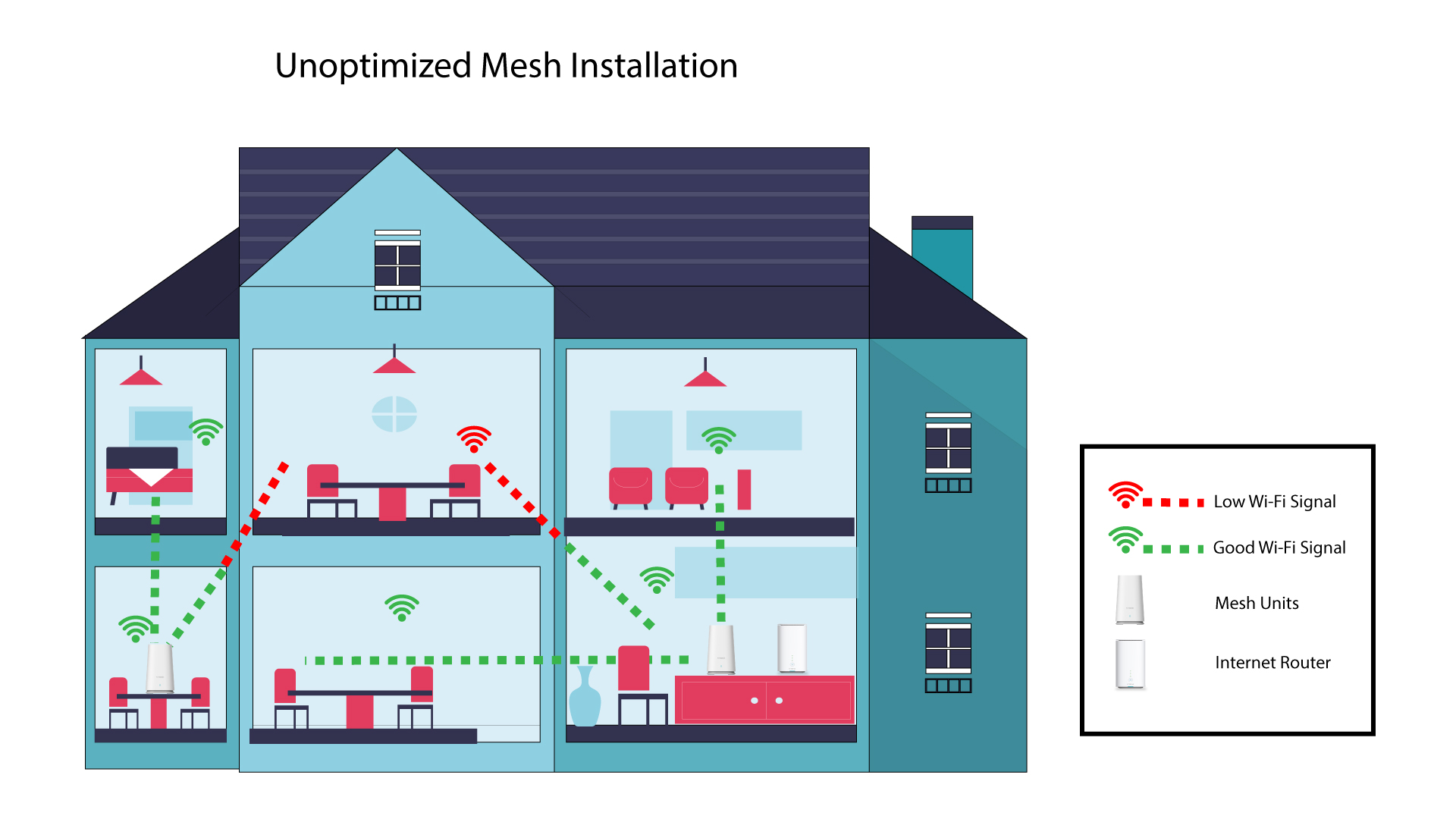
1 Niet-geoptimaliseerdeinstallatie van Mesh
Het onderstaande schema toont de wifi-dekking in een woning waar de mesh -knooppunten niet op de juiste plek in de woning zijn geplaatst om een goede dekking te garanderen.
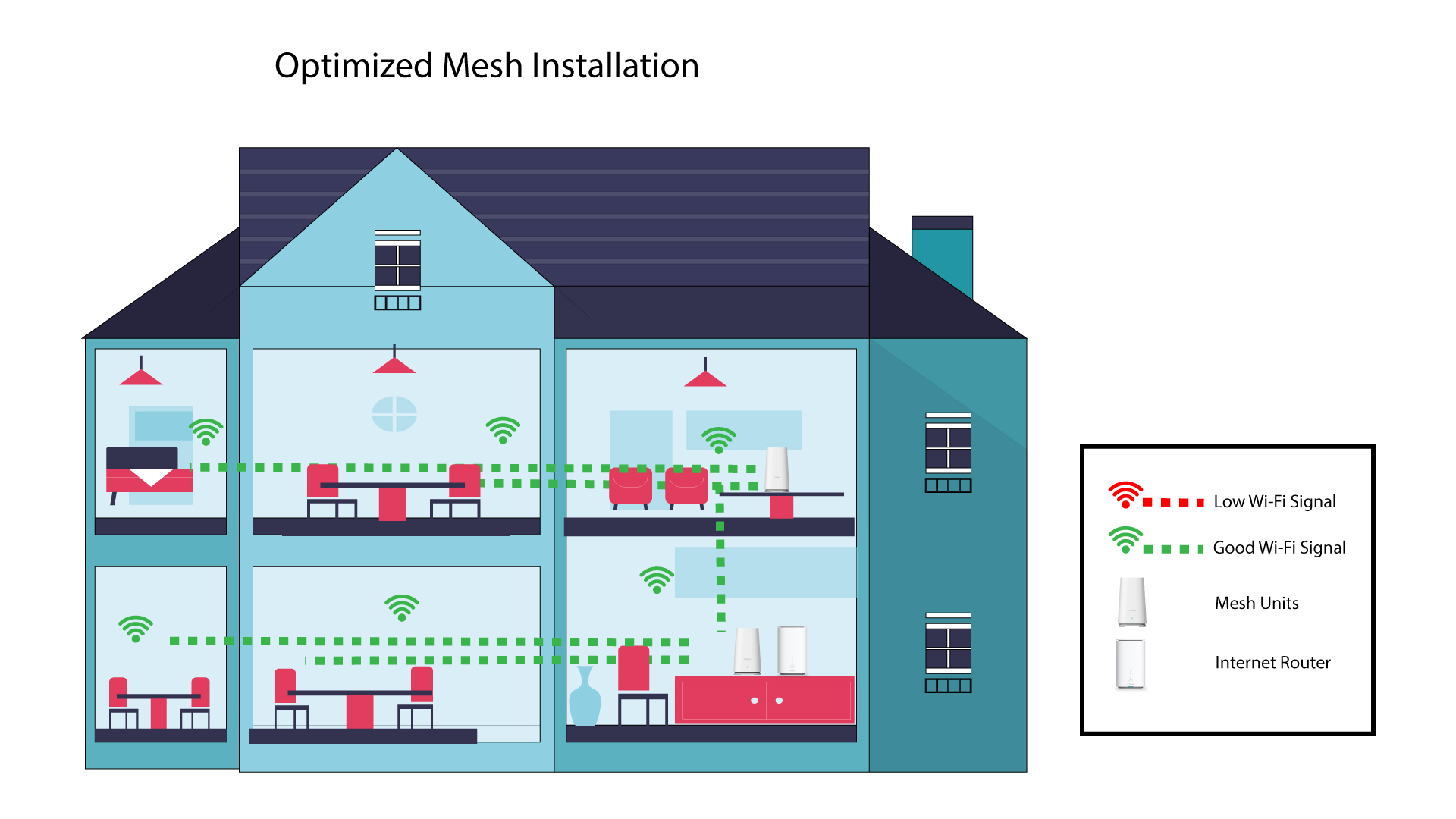
2Geoptimaliseerdeinstallatie van Mesh
Het onderstaande schema toont de wifi-dekking in een woning waarin de knooppunten v mesh aan de rechterkant van de woning zijn geplaatst om een goede dekking te garanderen.
1Atria-app ' Mesh '
Download de smartphone-app„ATRIA MESH “ in de App Store of de Google Play Store.

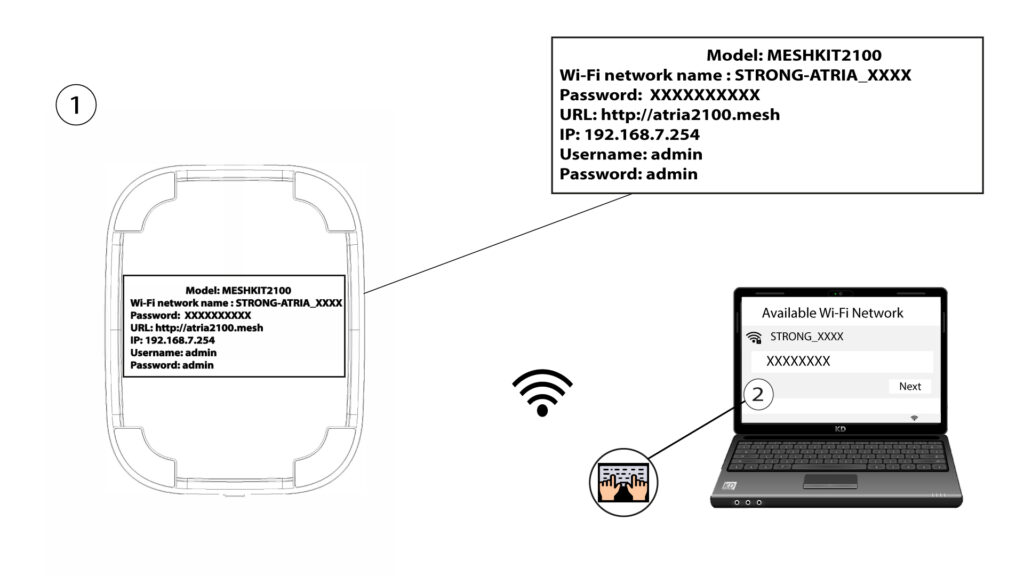
2. Verbinding makenmet het wifi-netwerk
Maak verbinding met het wifi-netwerk van je mesh -apparaat.
3Referenties
Vervolgens moet je met je smartphone verbinding maken met het wifi-netwerk van de Mesh en je vervolgens aanmelden bij de app met je inloggegevens, die„admin” en„admin” zouden moeten zijn als je deze niet hebt gewijzigd.

4 Mijnnetwerk
Klik op 'Mijn netwerk'.

5. Naamvan de Mesh
Je ziet de namen van de mesh -units die je op je netwerk hebt geconfigureerd.
Klik op de naam van de „ mesh ”-eenheid om de bijbehorende informatie te bekijken.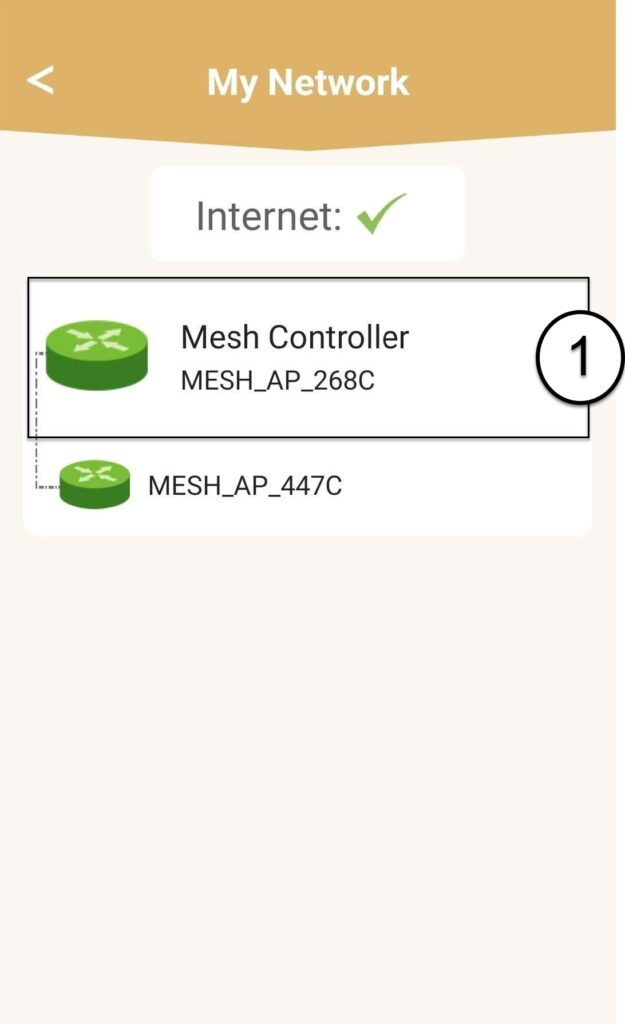
6Naam
Klik op het naamveld.
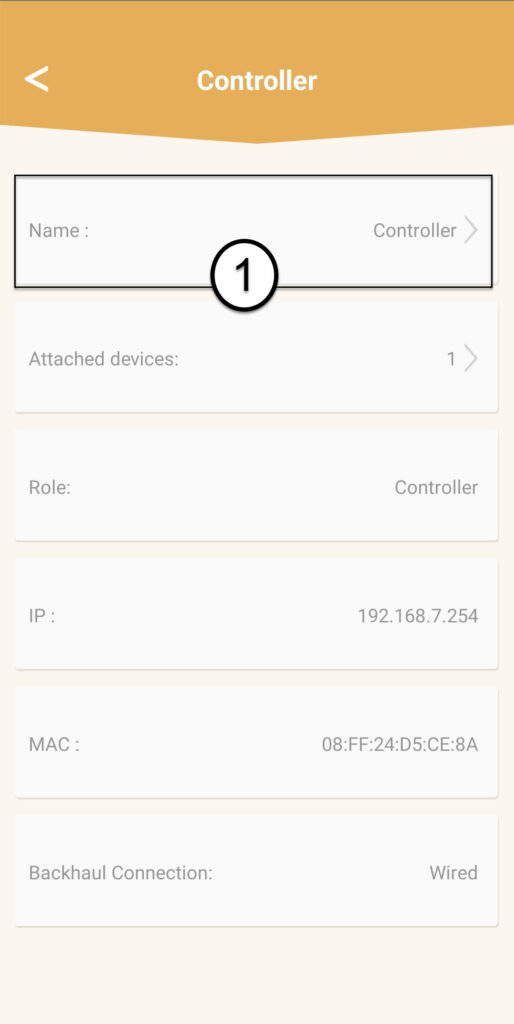
7. De naam van de controller wijzigen
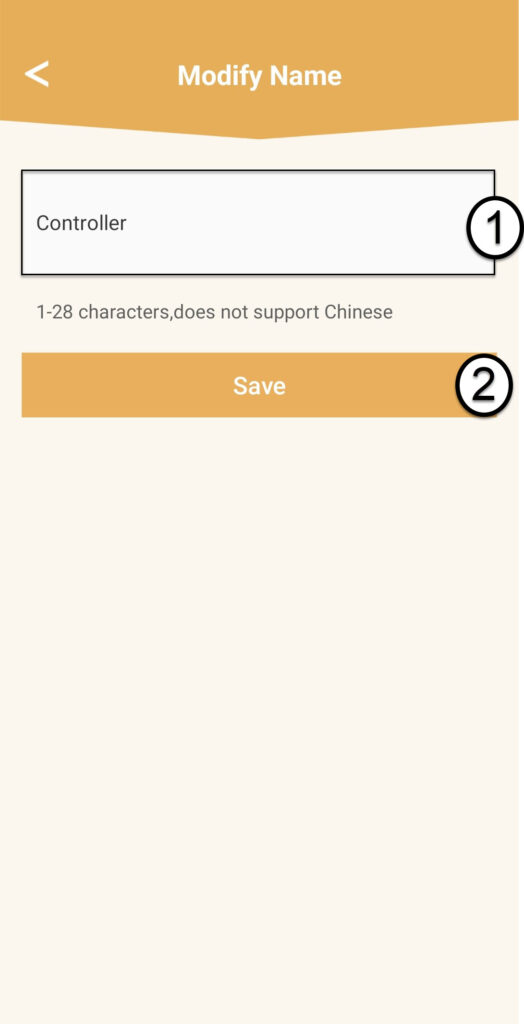
Voer een nieuwe naam in en klik op ‘Opslaan’:
- De mesh -controller moet als volgt worden genoemd: MeshAX3000-Main-Naamvanderuimte
- De mesh -agents moeten als volgt worden genoemd: MeshAX3000-Naamvandekamer

Waarschuwing: Als het mesh -apparaat grijs wordt weergegeven, betekent dit dat het onvoldoende dekking biedt en dat u de locatie ervan moet aanpassen om het mesh -netwerk te optimaliseren.