
ATRIA Wi-Fi 5 Mesh 1200 (3-pack)
Alle vragen
ATRIA Wi-Fi 5 Mesh 1200 (3-pack)
Het beheerderswachtwoord wijzigen (webinterface)
1Maak verbindingmet het wifi-netwerk van je mesh
Voer hiervoor de SSID (naam van het wifi-netwerk) en het wifi-wachtwoord van de router in op je apparaat:

2. Ganaar het IP-adres
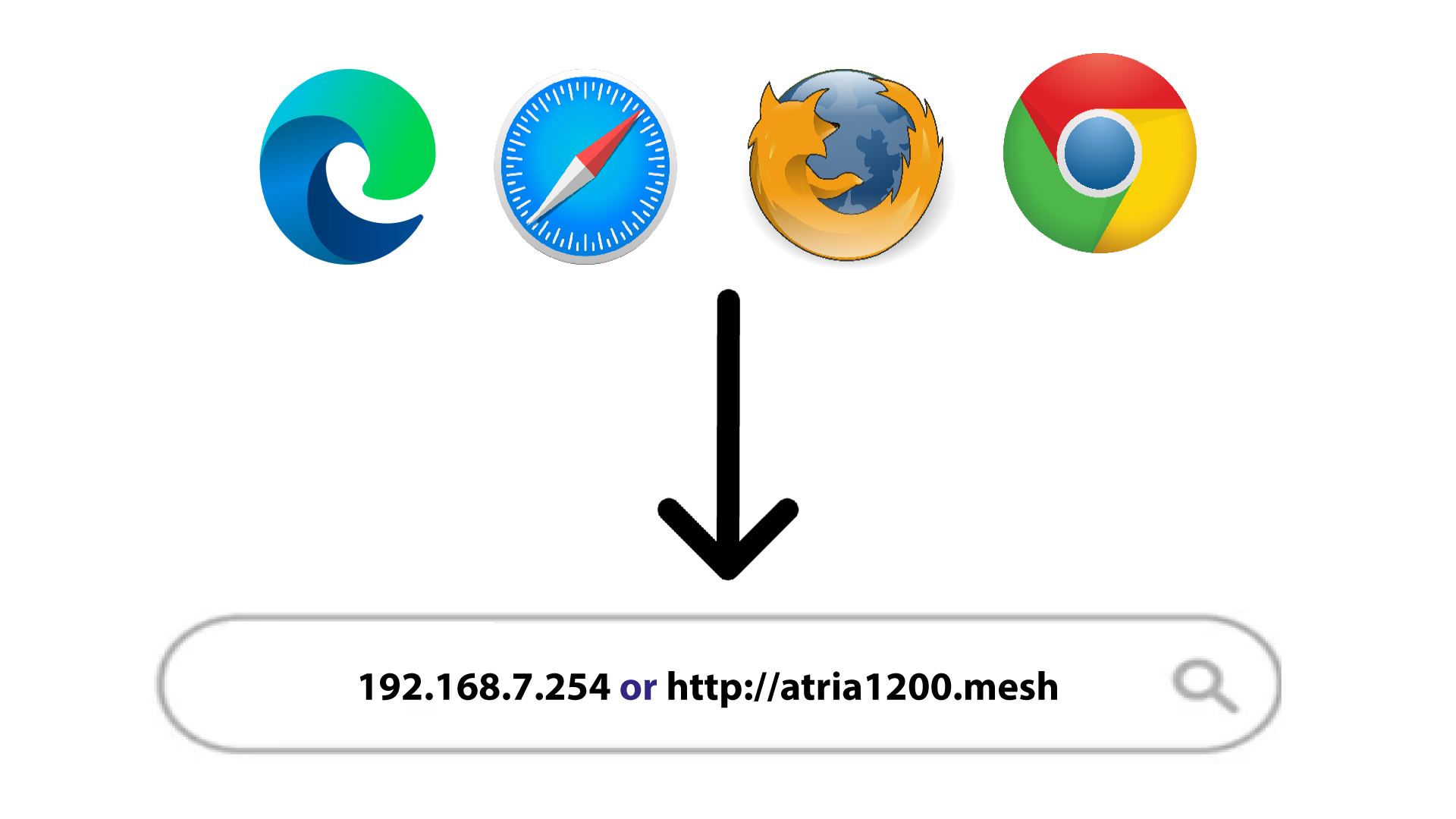
Voer vervolgens het volgende IP-adres in je browser in: 192.168.7.254 of typ het volgende adres in: http://atria1200.mesh
3Voeruw inloggegevens in
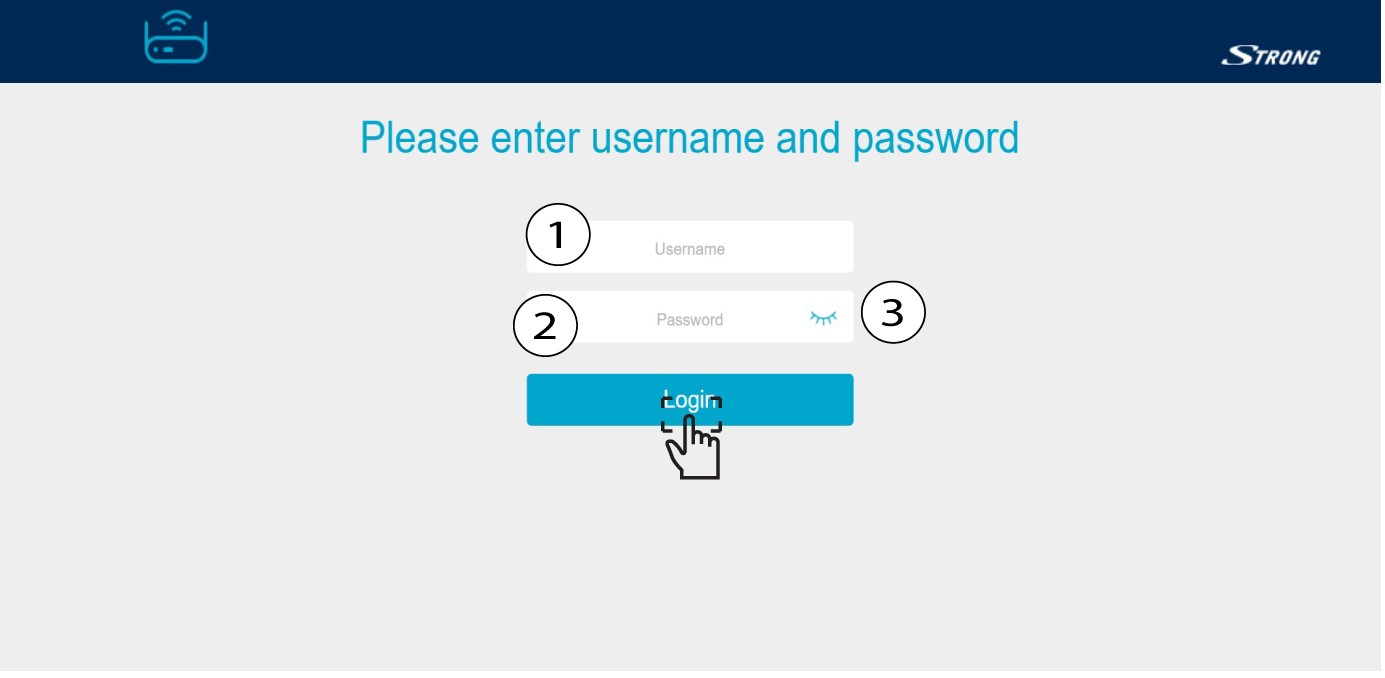
U moet de gebruikersnaam (admin) en het wachtwoord (admin) invoeren. Klik vervolgens op ‘Inloggen’.
4Systeeminstellingen
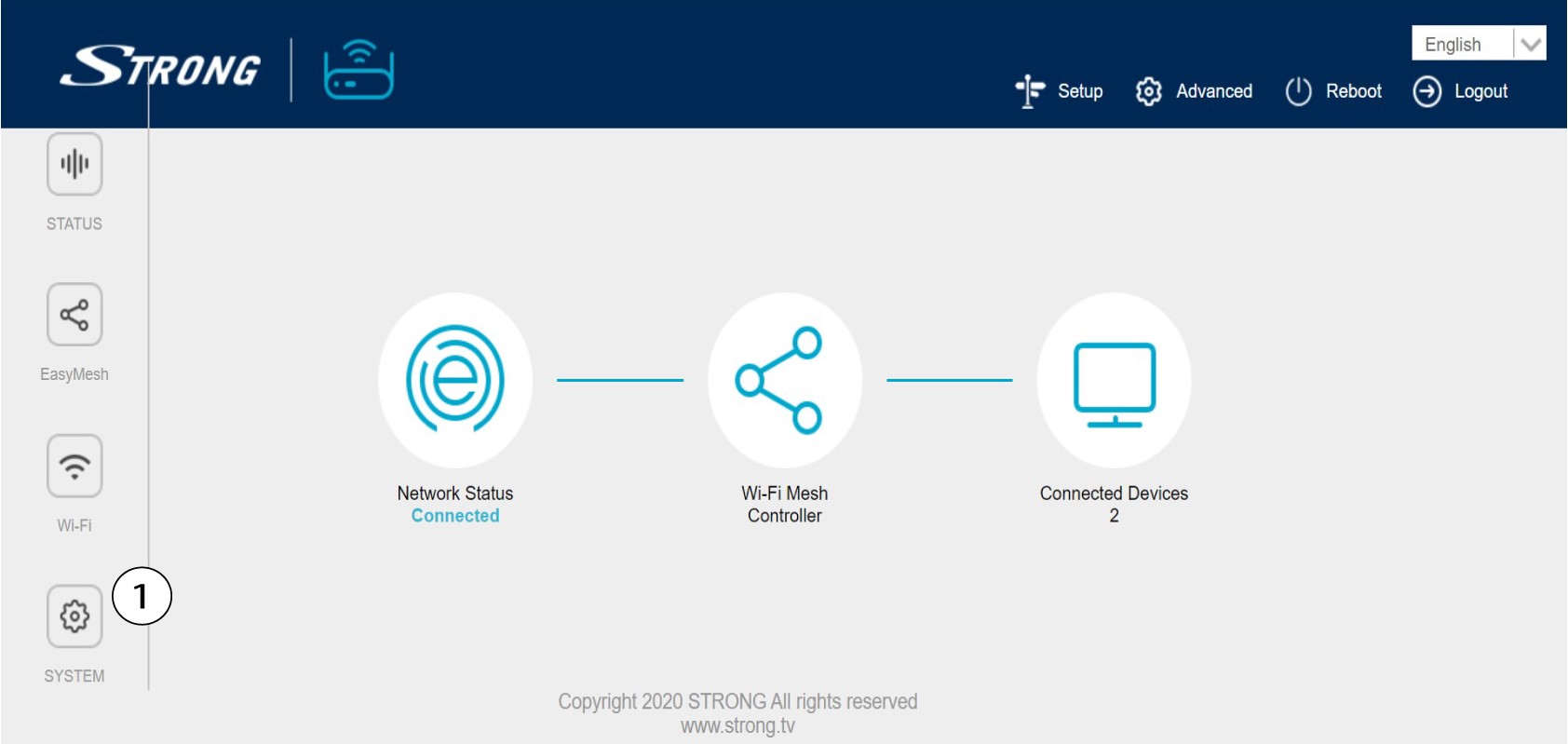
U bevindt zich nu op de hoofdpagina van de webinterface. Mogelijk moet u het beheerderswachtwoord van de webinterface na uw eerste aanmelding wijzigen; raadpleeg hiervoor de volgende instructies. Klik hiervoor op ‘Systeem’ in de linkerbalk.
5. Het beheerderswachtwoord wijzigen
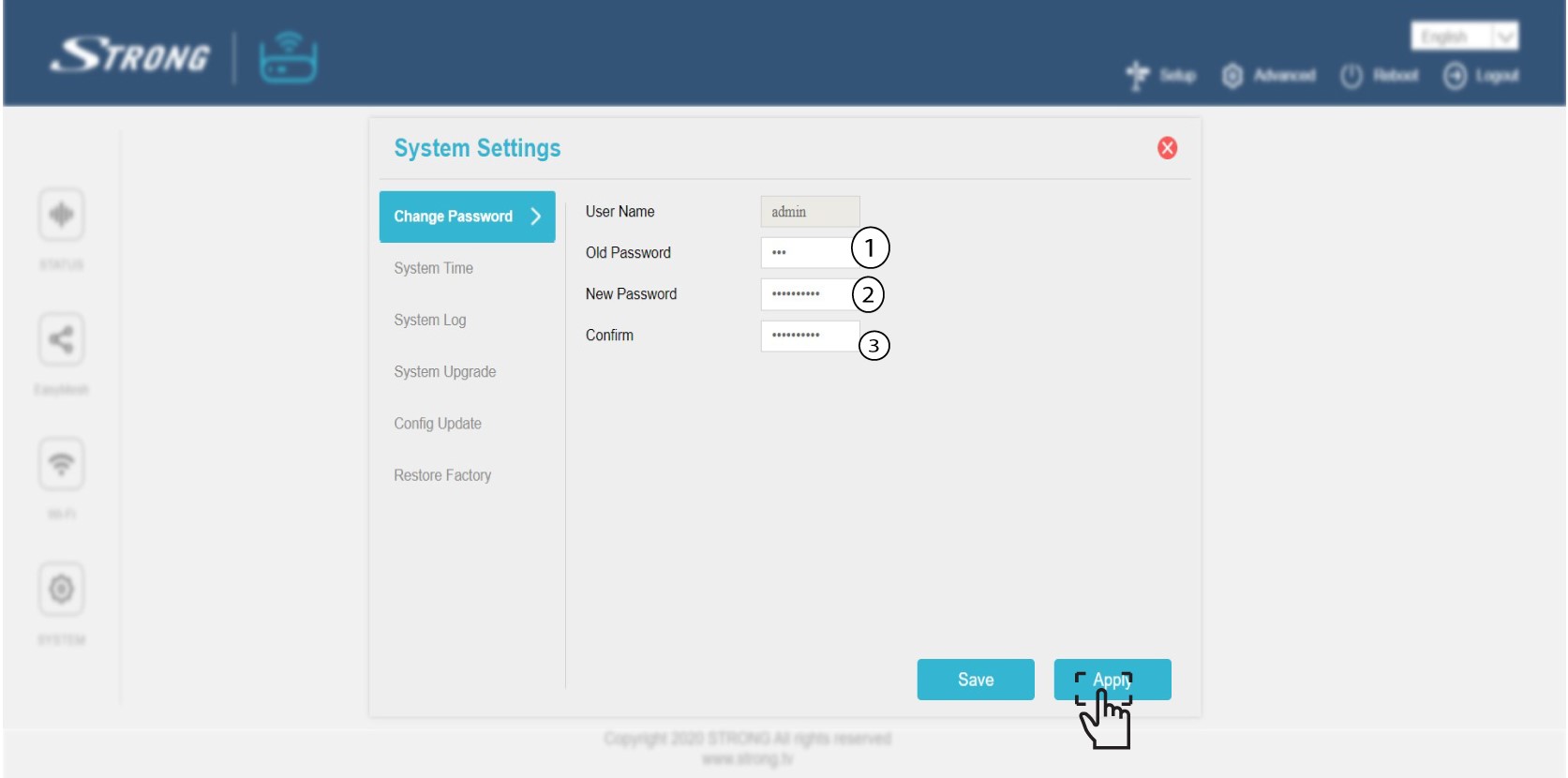
Voer de volgende gegevens in voordat u op ‘Bevestigen’ klikt:
o Oud wachtwoord: Voer het oude beheerderswachtwoord in
o Nieuw wachtwoord: Voer een nieuw wachtwoord in.
o Bevestig wachtwoord: Voer hetzelfde wachtwoord in als in de vorige stap.
Waarschuwing: Houd er rekening mee dat u een wachtwoord moet invoeren dat bestaat uit 8 tot 32 tekens met hoofdletters, kleine letters, cijfers en ten minste één speciaal teken (@, $, !, %, *, ?, &)
6. Noteerhet nieuwe wachtwoord
Schrijf het nieuwe wachtwoord op een stukje papier en plak dat onder je mesh.
