Universal Repeater 300 V2
Alle spørsmål
Universal Repeater 300 V2
Hvordan kan jeg sette opp Universal Repeater 300 som et tilgangspunkt?
Sørg for at modusvalget switch på sidepanelet til Universal Repeater 300 er satt til tilgangspunktmodus.
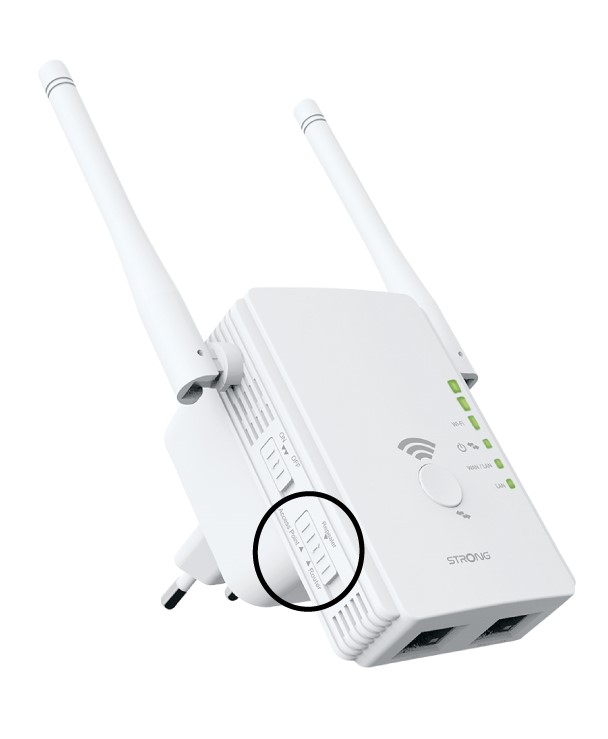
1 Sjekk enhetens modus
Sjekk switch på venstre side av repeateren for å se repeaterens funksjonsmodus. switch må settes opp på ruteren.
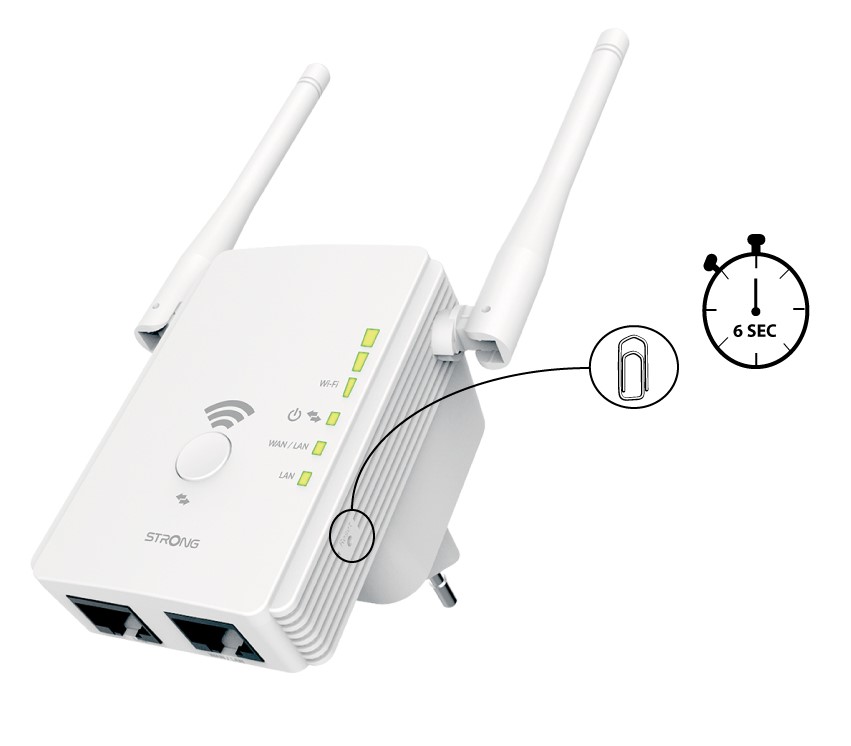
2 Tilbakestill repeateren til fabrikkinnstillingene
Tilbakestill enheten til fabrikkinnstillingene ved å trykke på "Tilbakestill"-knappen med en binders i 6 sekunder.
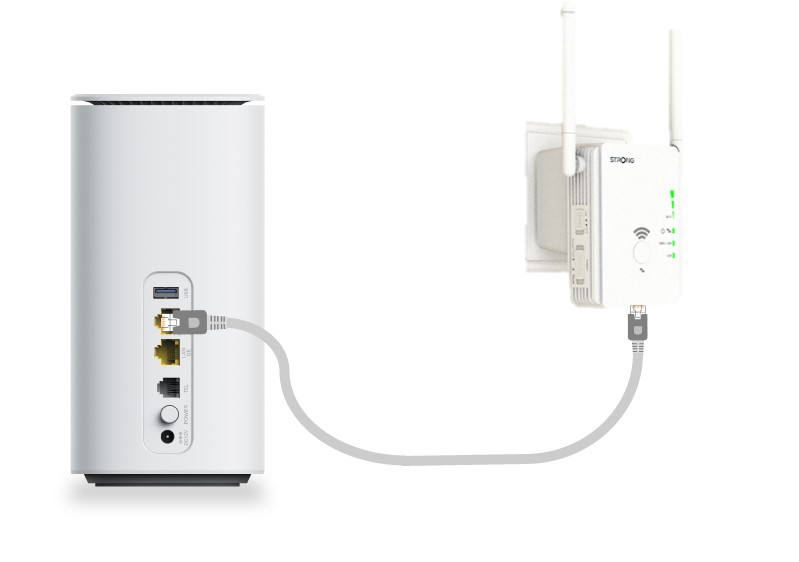
3 Koble repeateren til modemet
Koble modemet/ruteren din til WAN/LAN-porten på Universal Repeater 300 med en RJ45 Ethernet-kabel.
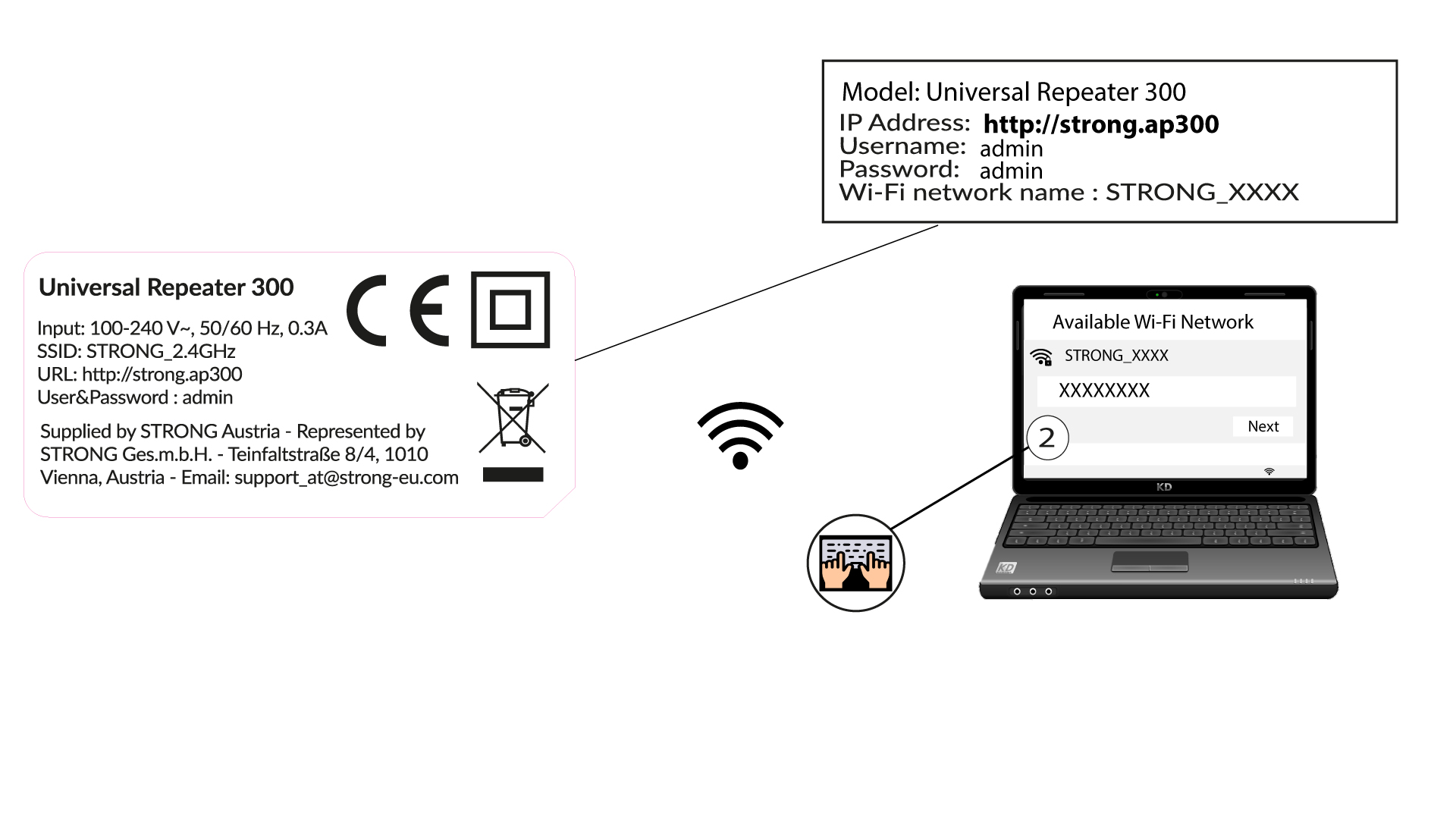
4 Koble til Wi-Fi
Koble Wi-Fi-enheten din til et av standard Wi-Fi-nettverkene (STRONG_2.4GHz) som leveres av Universal Repeater 300. Det finnes ikke noe passord for standard Wi-Fi-nettverk.
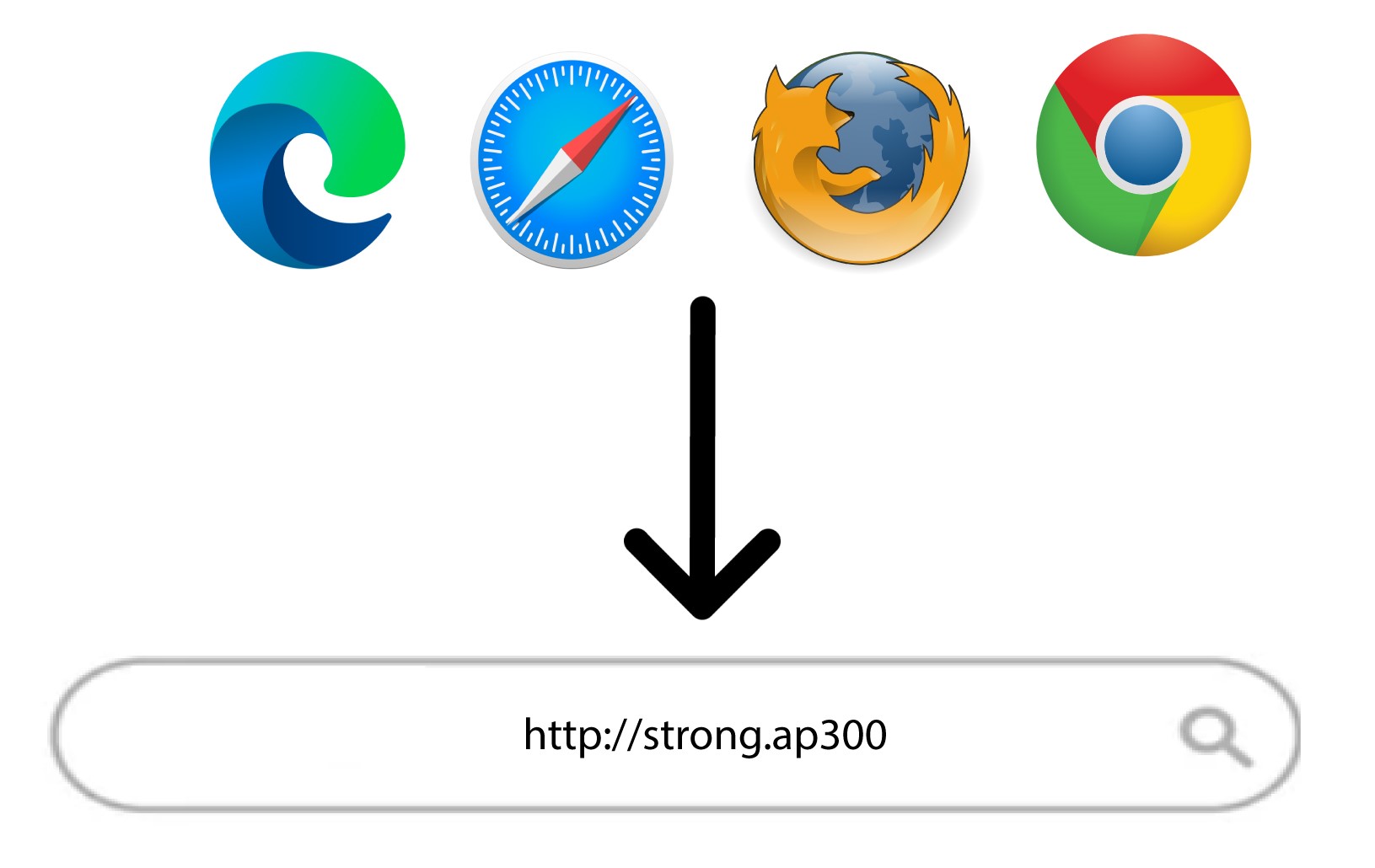
5 Bla til nettgrensesnittet
Skriv inn følgende URL i søkefeltet: http://strong.ap300
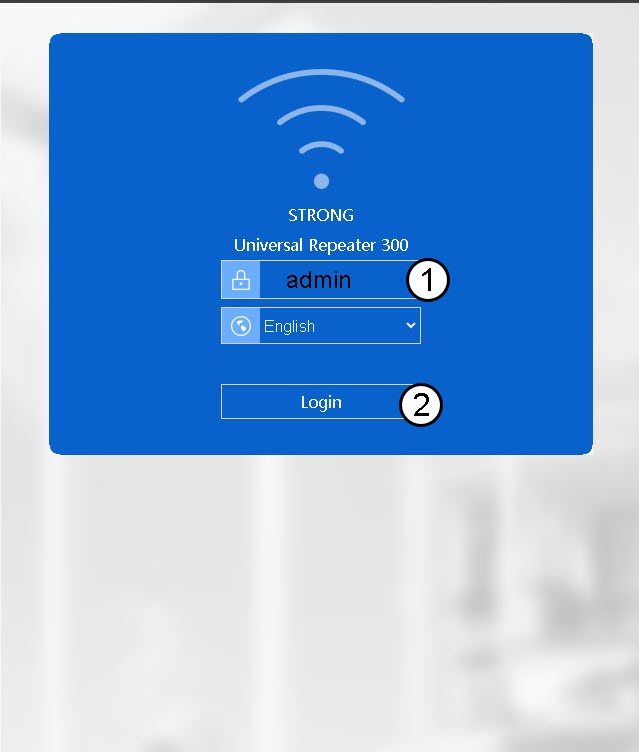
6 Skriv inn påloggingsinformasjonen din
Skriv inn passordet ditt (admin) før du klikker på Logg inn .
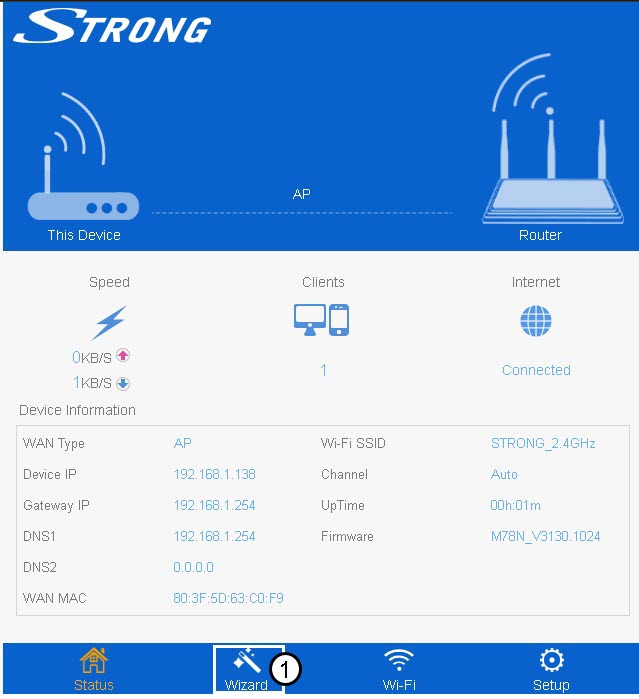
7 trollmann
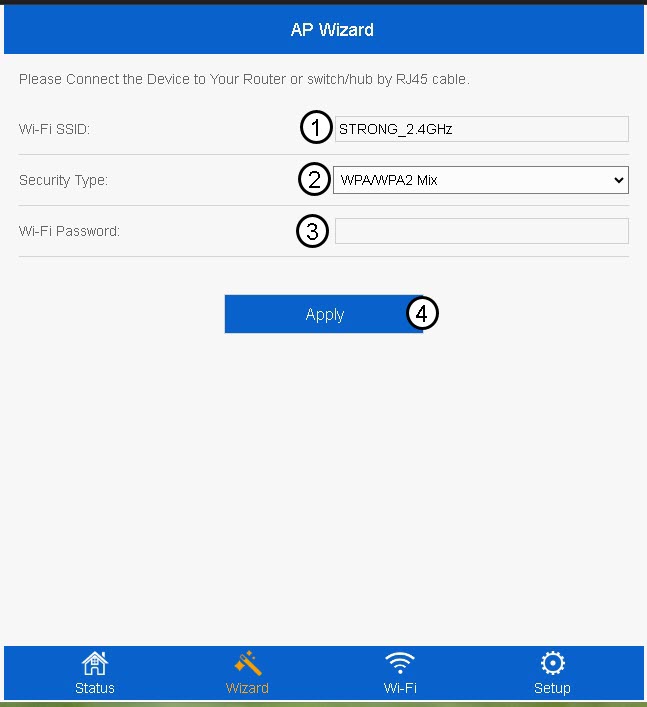
Klikk på Veiviser i den nederste menylinjen.
8 Konfigurer tilgangspunktet
Skriv inn Wi-Fi SSID-en og velg sikkerhetstypen . Skriv deretter inn et Wi-Fi-passord før du klikker på Bruk .
Vi anbefaler å bruke WPA/WPA2 Mix.
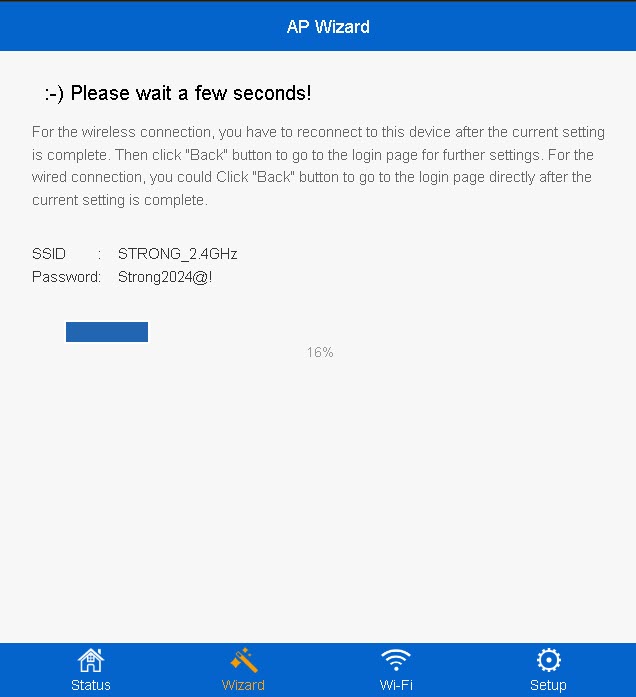
9 Vent under oppsettet
Fullføringsprosenten for konfigurasjonen vil vises på skjermen. Vent til konfigurasjonen er fullført.
Skriv ned informasjonen om det nye Wi-Fi-nettverket. Du trenger den for å koble til nettverket etter konfigurasjonen.