4K GOOGLE TV BOX S3+ | DOLBY VISION ATMOS
Alle spørsmål
4K GOOGLE TV BOX S3+ | DOLBY VISION ATMOS
Hvorfor er det fortsatt umulig å kontrollere volumnivået etter at volumkontrollalternativet er deaktivert?
Hvis du fortsatt ikke kan kontrollere volumet med LEAP S3-fjernkontrollen, kan du følge instruksjonene nedenfor for å «glemme» TV-en i fjernkontrollinnstillingene.
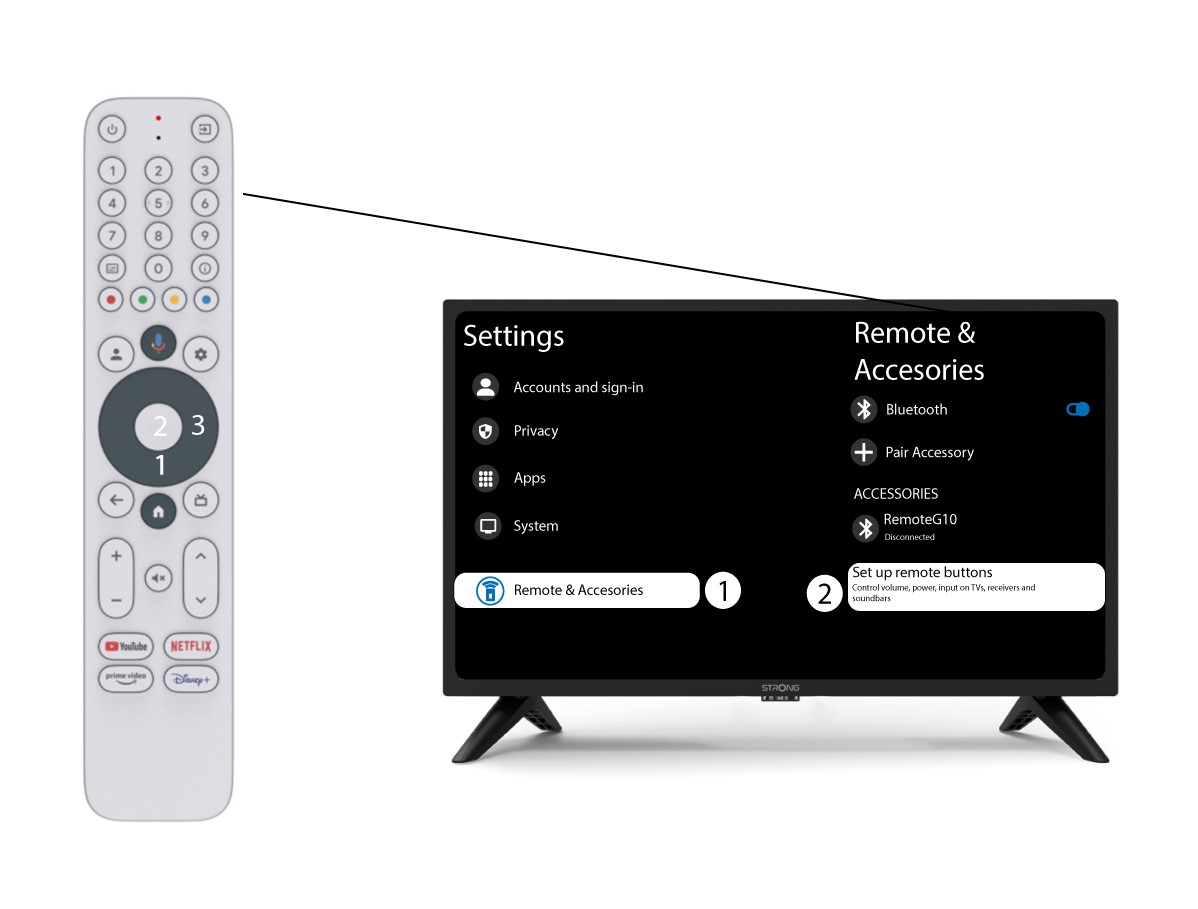
1 Innstillinger
Trykk på Innstillingsknappen og trykk på OK

2 Innstillinger for fjernkontroll og tilbehør
Trykk på ned-knappen flere ganger for å velge «Fjernkontroll og tilbehør» , og trykk på OK. Trykk deretter på NED -knappen flere ganger for å velge «Konfigurer fjernkontrollknapper », og trykk på OK -knappen.
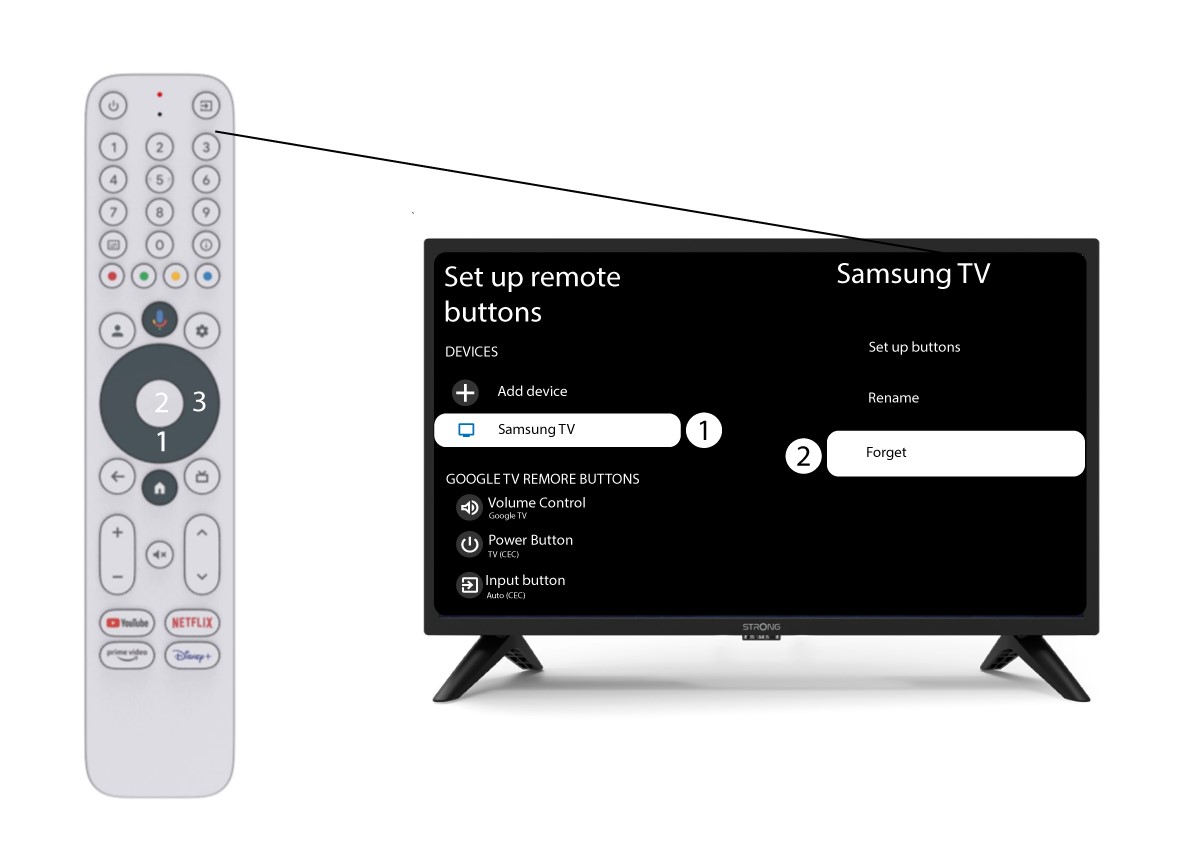
3 Glem TV-en som er koblet til fjernkontrollen
Hvis en TV allerede er konfigurert og vises i listen, må du slette TV-en fra listen for å konfigurere den på nytt.
For å gjøre dette, velg TV-merket og velg «Glem» før du trykker på OK for å bekrefte.
4 Sjekk volumkontrollen
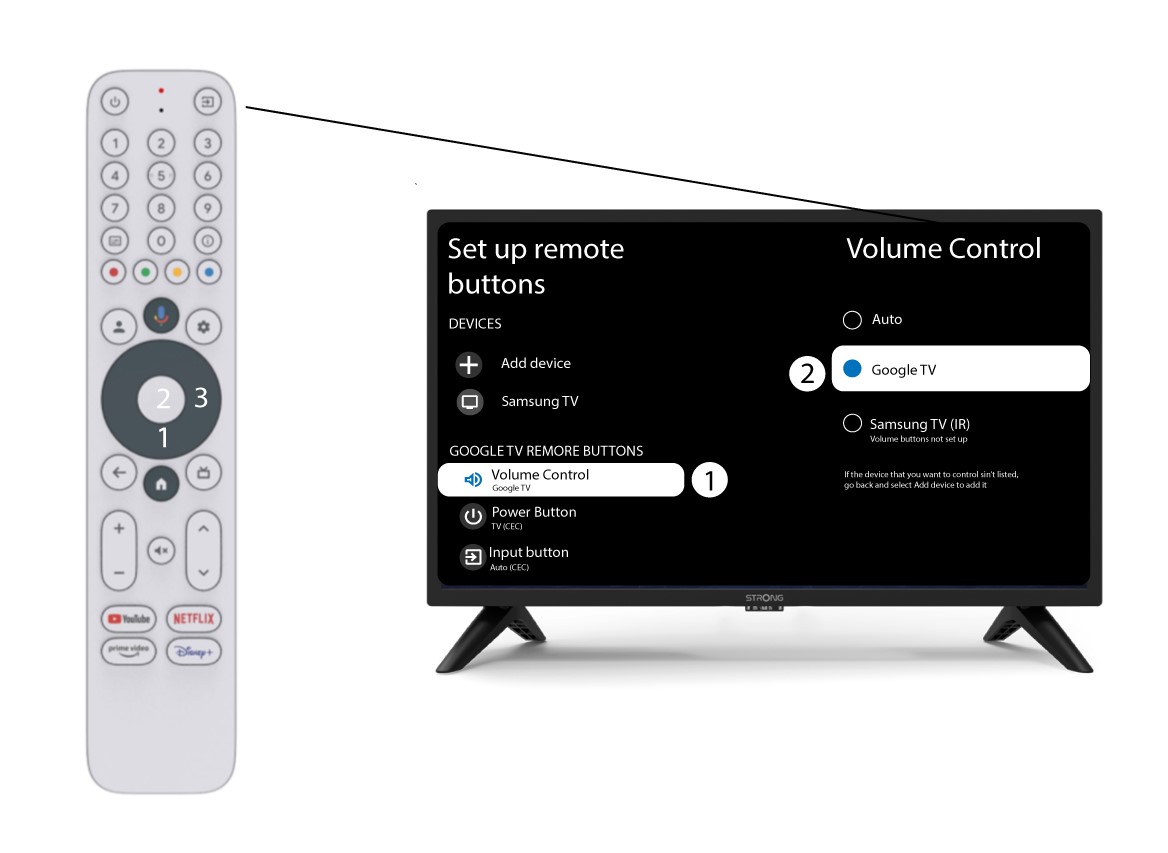
Til slutt må du sjekke om volumkontrollen er satt til Google TV. Hvis ikke, velg den, og volumkontrollen skal fungere som den skal på begge fjernkontrollene.