Mesh ATRIA Wi-Fi 5 Mesh 2100 UK add-on)
Wszystkie pytania
Mesh ATRIA Wi-Fi 5 Mesh 2100 UK add-on)
Jak mogę ustawić/przypisać statyczny adres IP do mojego urządzenia Atria Mesh 2100?
Warto rozważyć przypisanie stałego adresu IP do kontrolera mesh , aby ułatwić sobie dostęp do interfejsu użytkownika w sieci za pośrednictwem aplikacji Atria Mesh .
W interfejsie użytkownika można również przypisać dedykowane adresy IP do urządzeń podłączonych do sieci mesh .
1Przypadek1: Skonfiguruj stały adres IP kontrolera mesh w aplikacji Atria Mesh
Pobierz aplikację na smartfony„ATRIA MESH ” ze sklepu App Store lub Google Play.

2. Łączenie sięz siecią Wi-Fi
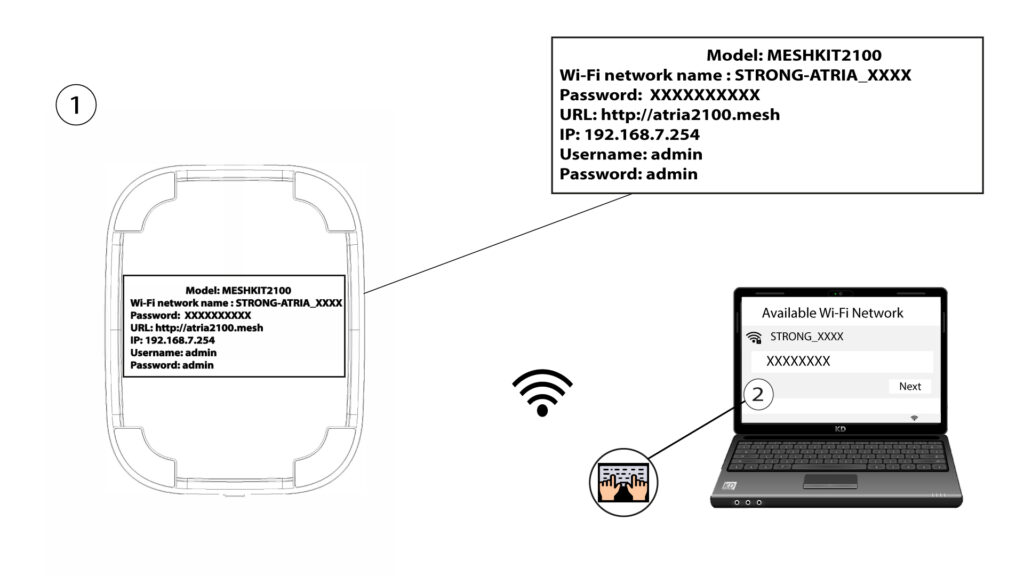
Połącz się z siecią Wi-Fi urządzenia mesh .
3. Dane uwierzytelniające
Następnie musisz połączyć swój smartfon z siecią Wi-Fi urządzenia „ Mesh ”, a potem zalogować się do aplikacji przy użyciu danych logowania, które powinny brzmieć„admin” i„admin”, o ile ich nie zmieniłeś.

4 Mojasieć
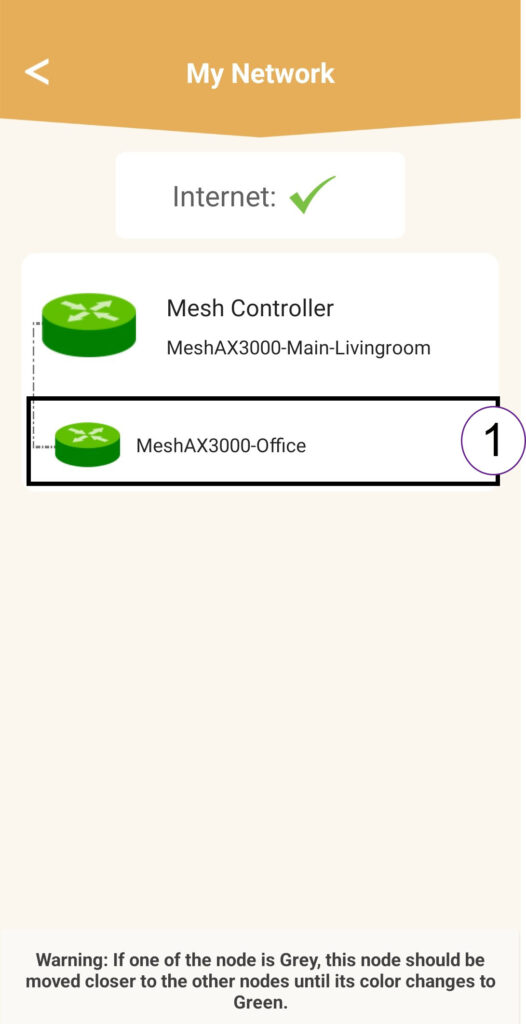
Kliknij opcję „Moja sieć”.

5. AgentMesh
Kliknij nazwę agenta „ Mesh ” na liście.
6. Adres IP
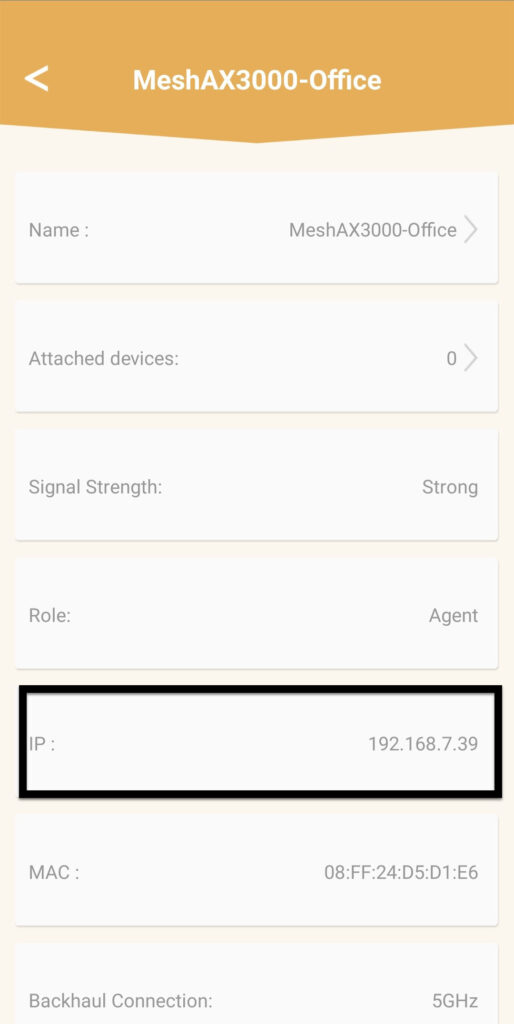
Określ jego adres IP i adres MAC.
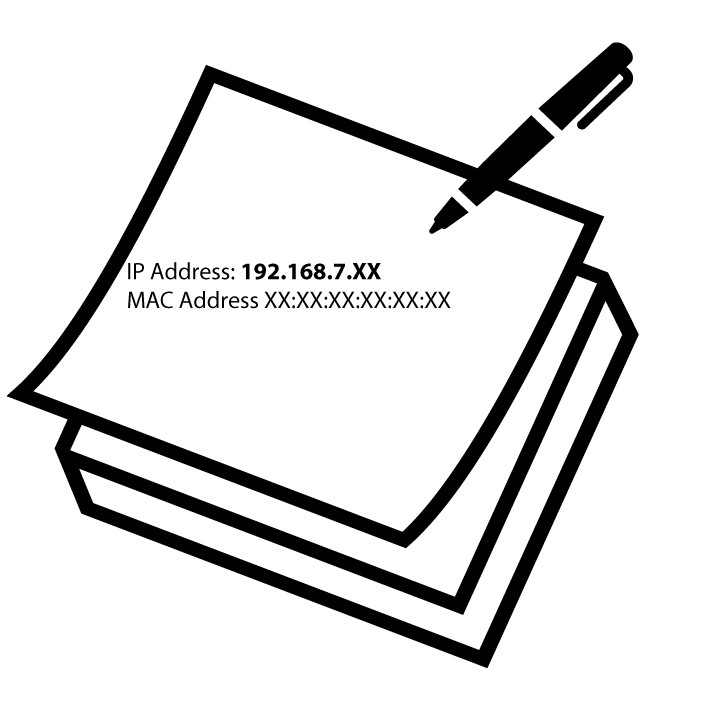
7. Zapisz nowe informacje
Zapisz adres IP i adres MAC.
8. Ustawienia internetowe
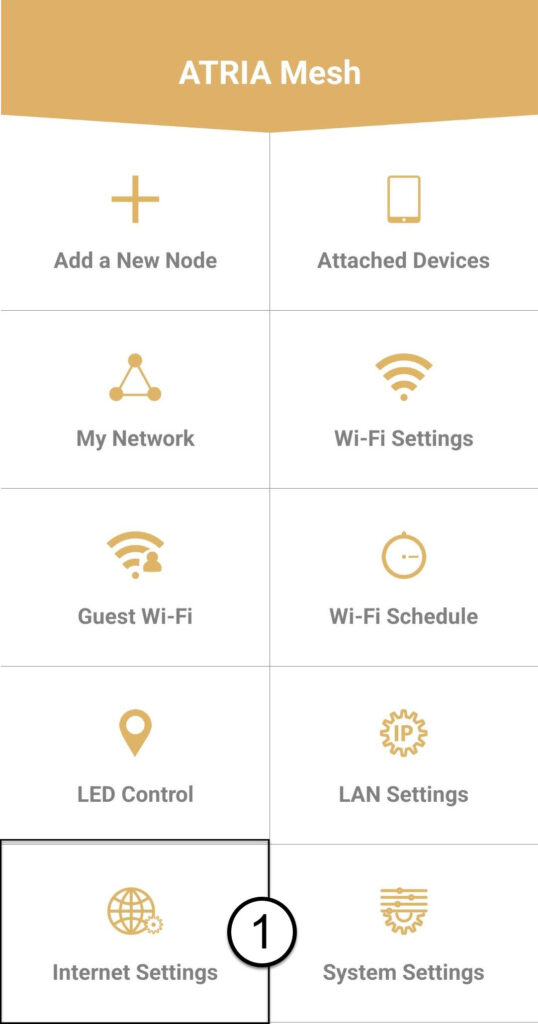
Kliknij opcję „Ustawienia internetowe”.
9Static
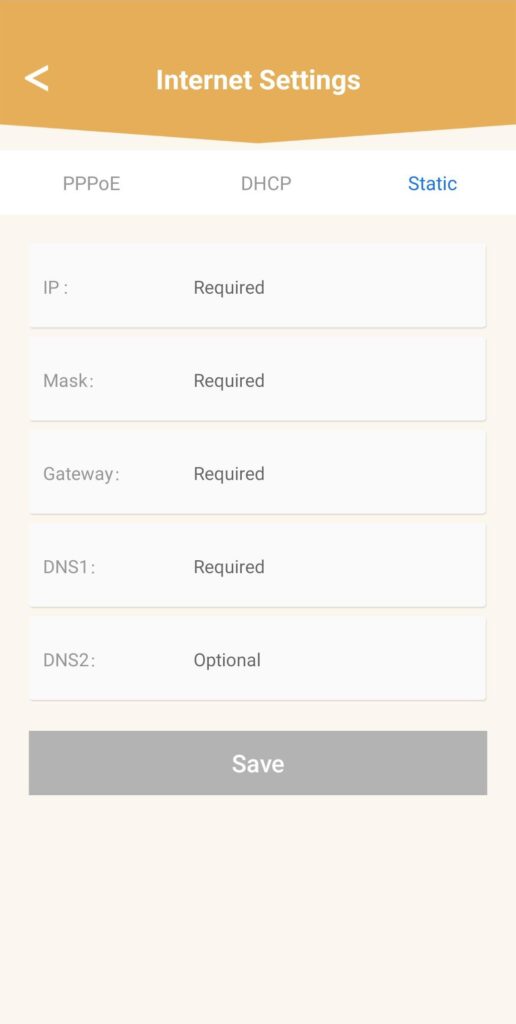
Wybierz opcję „Adres IP statyczny”. Przed kliknięciem przycisku „Zapisz” wprowadź następujące informacje:
- IP: Wprowadź adres IP agenta
- Maska: Pole jest automatycznie wypełniane odpowiednią wartością
- Brama: Pole to jest automatycznie wypełniane odpowiednią wartością
- DNS1: Wprowadź adres głównego serwera DNS (informację tę można znaleźć w interfejsie użytkownika: Sieć > LAN -> Włącz ręczne ustawianie DNS)
- DNS2: Wprowadź adres dodatkowego serwera DNS (informację tę znajdziesz w interfejsie użytkownika: Sieć > LAN -> Włącz ręczne ustawianie DNS)
1. Przypadek2: Przypisz dedykowany adres IP do agentów/urządzeń mesh w interfejsie użytkownika (Web UI)
W tym celu połącz się z siecią Wi-Fi „ mesh ”.

2.Adres IPinterfejsu użytkownika w przeglądarce
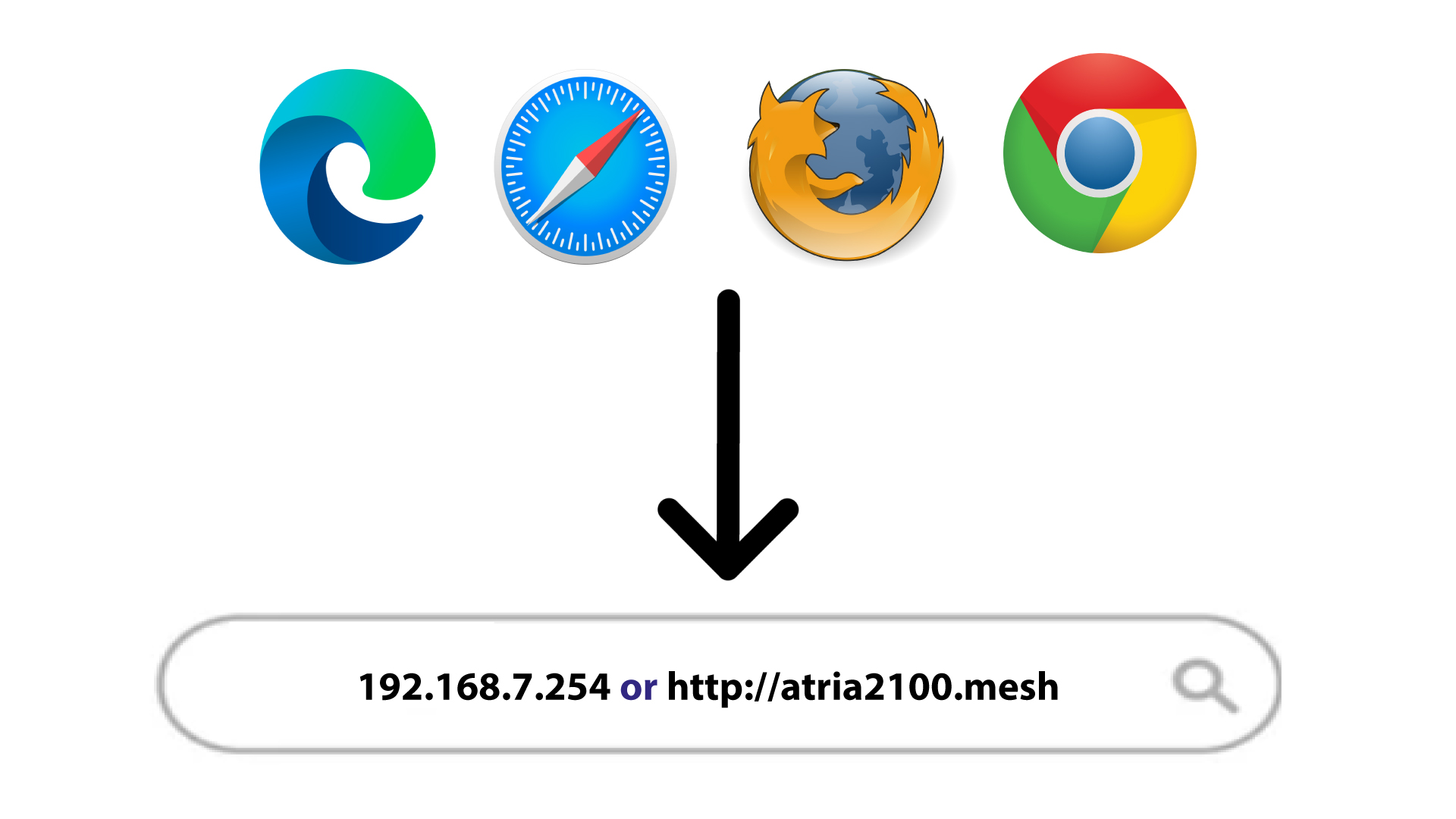
Przejdź do adresu IP głównego urządzenia mesh .
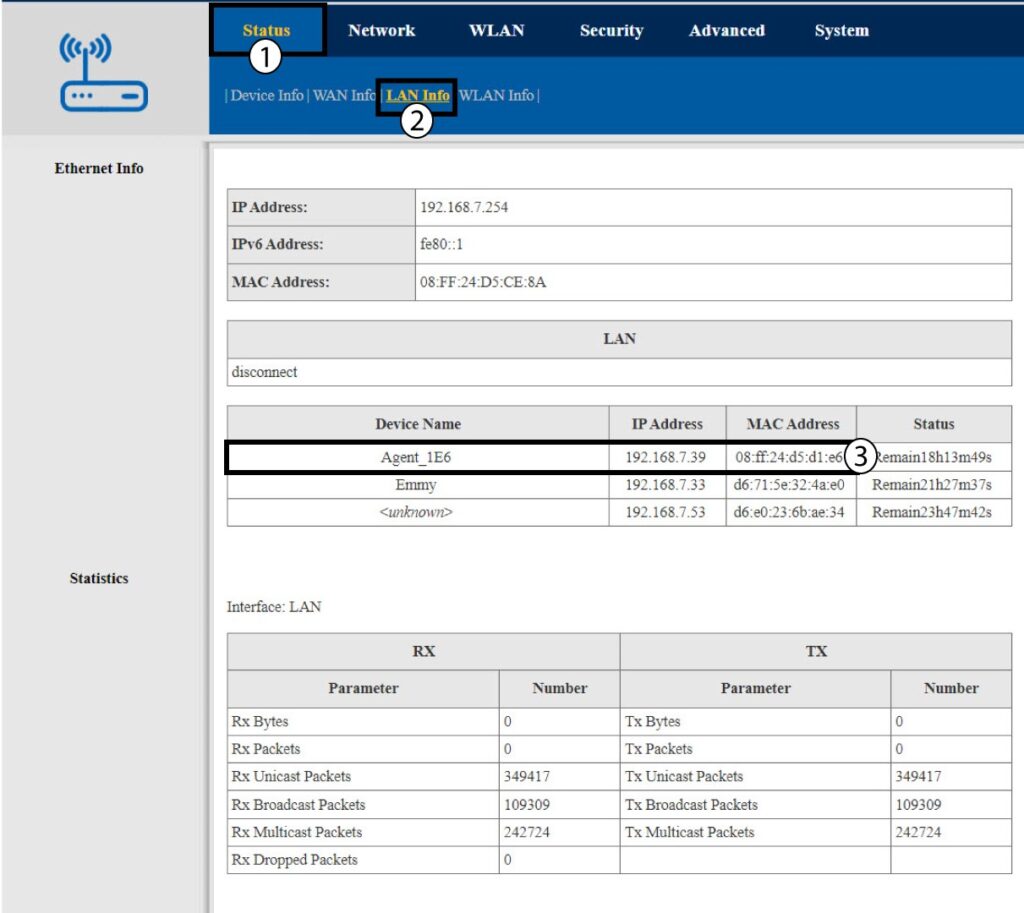
Informacje o 3LAN
Kliknij opcję „Status i informacje o sieci LAN”. Na wyświetlonej liście znajdź urządzenie o nazwie „ mesh ” – jego nazwa zaczyna się od słowa „Agent”.
4. Zapisz nowe informacje
Zapisz adres IP i adres MAC agenta.
5. Stałyadres IP
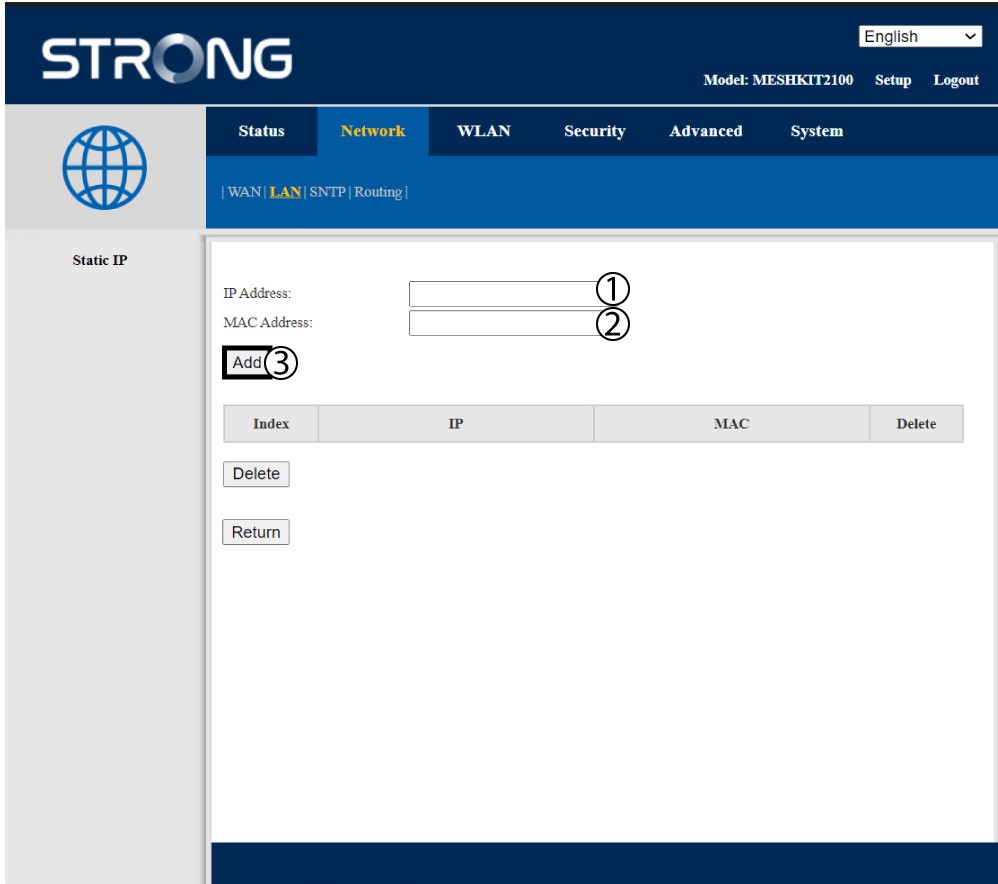
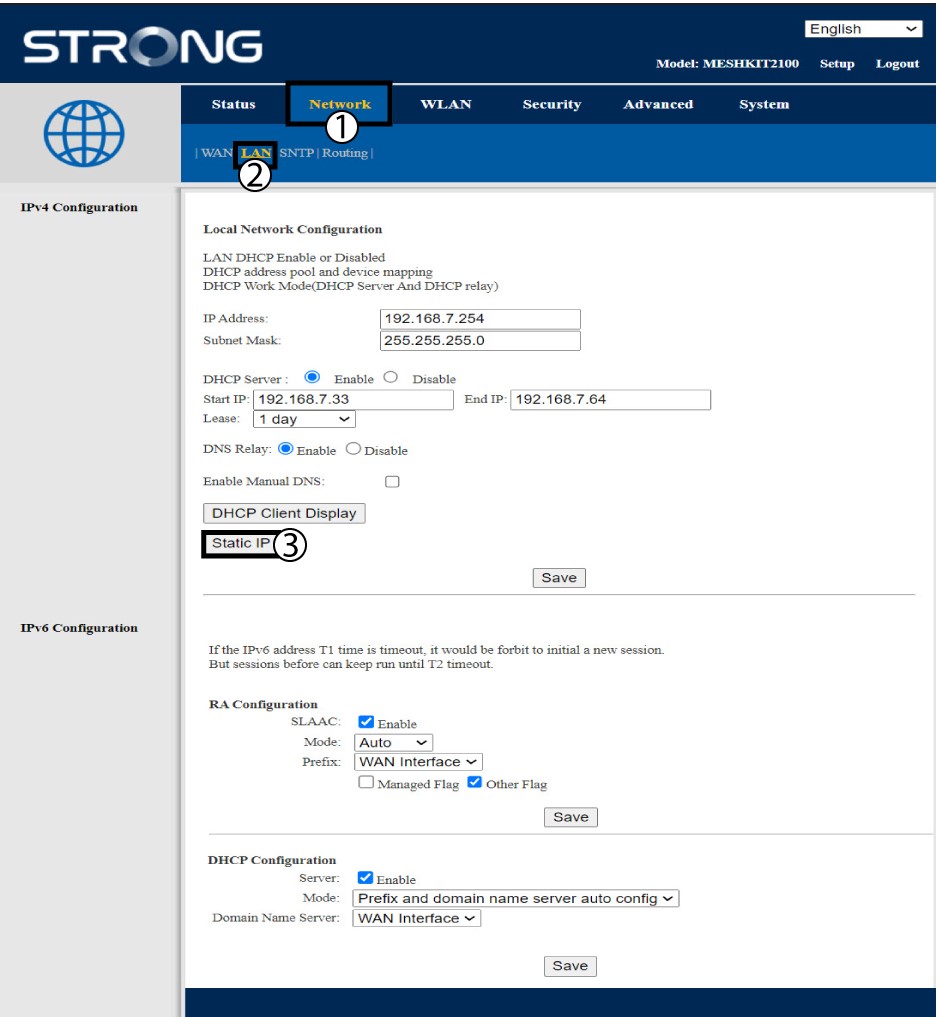
Kliknij opcję „Sieć i LAN”. Następnie kliknij opcję „Adres IP statyczny”.
6. Dodajadres IP i adres MAC
Wprowadź adres IP i adres MAC, a następnie kliknij przycisk „Dodaj”.