
Mesh ATRIA Wi-Fi 5 Mesh 2100 UK add-on)
Nie znaleziono żadnych elementów.
Nie znaleziono żadnych elementów.
Wszystkie pytania
Mesh ATRIA Wi-Fi 5 Mesh 2100 UK add-on)
Nie znaleziono żadnych elementów.
Nie znaleziono żadnych elementów.
Zapomniałem hasła do sieci Wi-Fi „ Mesh ” – jak mogę je odzyskać?
1. Domyślnedane uwierzytelniające
Domyślne hasło do sieci Wi-Fi znajduje się na spodzie urządzenia, jednak jeśli już je zmieniłeś, może być konieczne przywrócenie domyślnych ustawień fabrycznych urządzenia Mesh 2100.
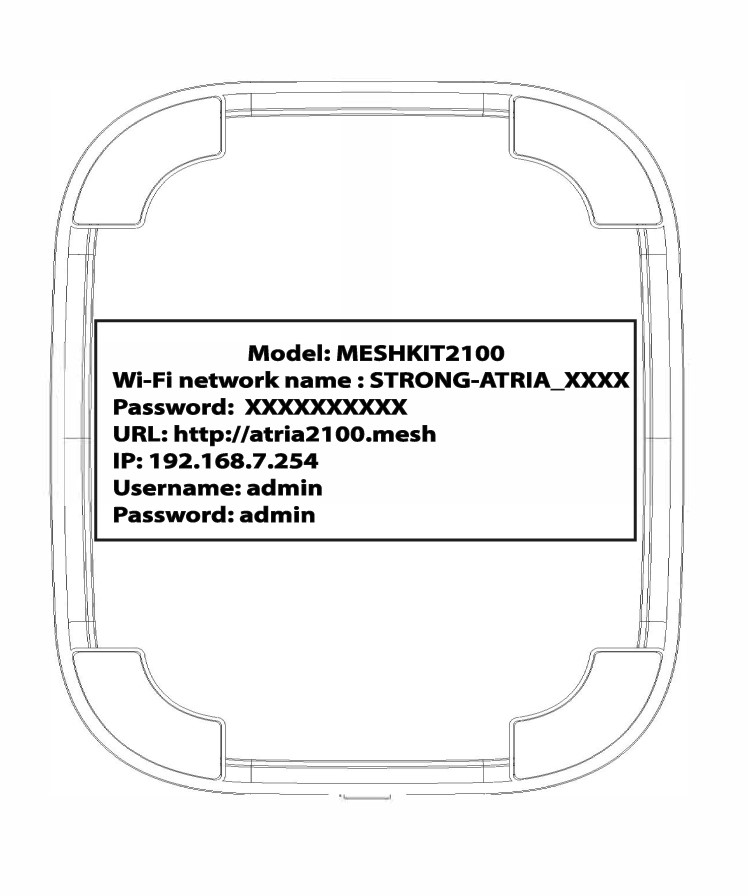
PRZYPADEK 1: Wyświetlanie informacji o sieci Wi-Fi w interfejsie użytkownika (Web UI)
Aby połączyć się z interfejsem użytkownika (Web UI), zapoznaj się z poniższą instrukcją: Jak uzyskać dostęp do interfejsu użytkownika (Web UI)?
1.Sieć WLAN
Kliknij opcję „WLAN ” i „WLAN 2,4 GHz”. Następnie kliknij ikonę oka obok pola „PSK ”.

2. Zapisz nowe informacje
Zapisz hasło na kartce papieru.
PRZYPADEK 2: Wyświetlanie informacji o sieci Wi-Fi w aplikacji
Aby połączyć się z interfejsem użytkownika w sieci, zapoznaj się z poniższą instrukcją: Jak korzystać z aplikacji Atria „ Mesh ”?
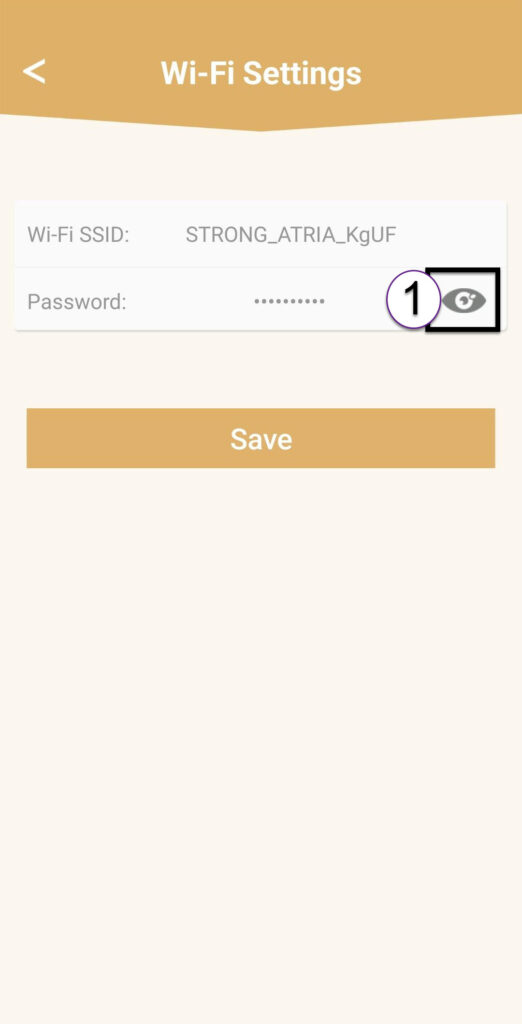
1. Ustawienia Wi-Fi
Następnie kliknij opcję „Ustawienia Wi-Fi”.

2Password
Kliknij ikonę w postaci oka, aby wyświetlić hasło.
3. Zapisz nowe informacje
Zapisz hasło na kartce papieru.