Router 4G AIRHOME 200 Mini z odłączanymi antenami 4G
Nie znaleziono żadnych elementów.
Nie znaleziono żadnych elementów.
Wszystkie pytania
Router 4G AIRHOME 200 Mini z odłączanymi antenami 4G
Nie znaleziono żadnych elementów.
Nie znaleziono żadnych elementów.
Jak zmienić adres IP w mojej sieci LAN?
1. Połącz sięz interfejsem użytkownika w sieci Web
Aby uzyskać dostęp do interfejsu użytkownika, należy postępować zgodnie z poniższą procedurą:
2. Odłącz sięod Internetu
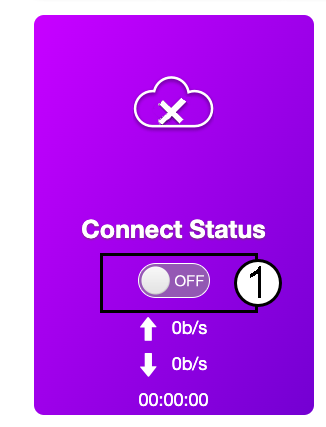
Na stronie głównej kliknij przełącznik stanu połączenia, aby wyłączyć połączenie internetowe.
Nie można zmienić adresu IP w sieci LAN, gdy połączenie internetowe jest aktywne.
3. Ustawienia zaawansowane
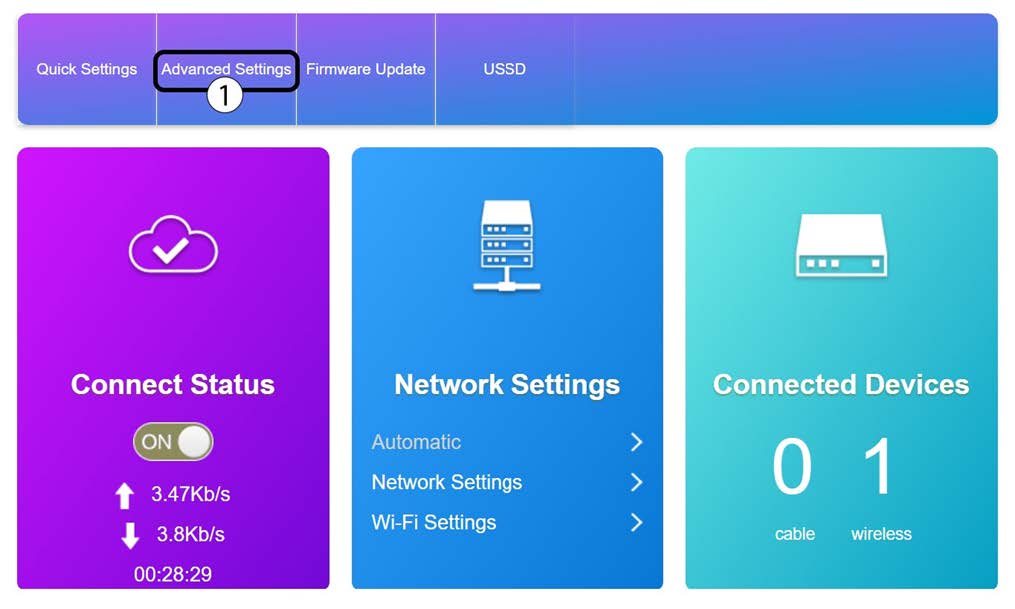
Kliknij „Ustawienia zaawansowane”
4. Ustawienia routera
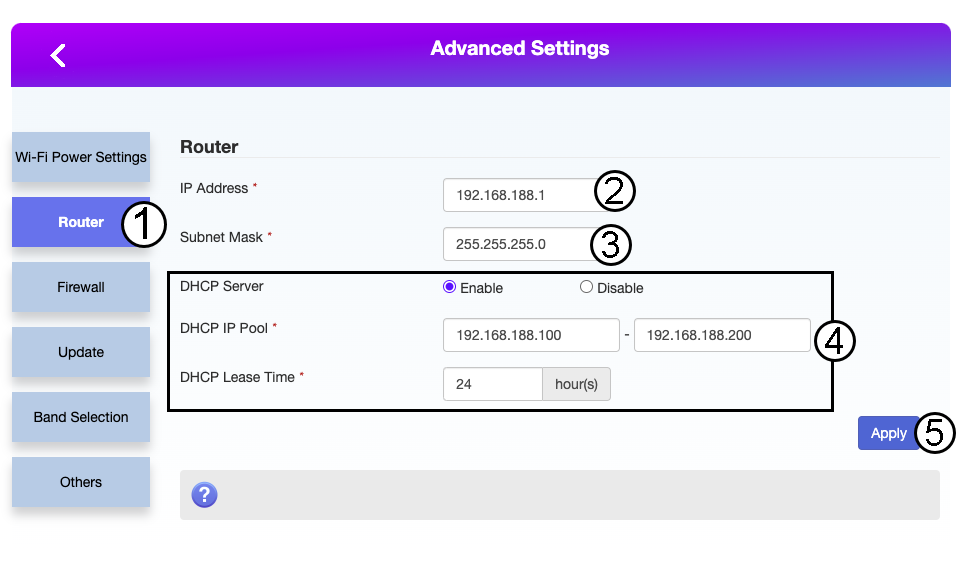
Kliknij opcję „Router”. Następnie wprowadź poniższe informacje, a następnie kliknij przycisk „Zastosuj”:
- Adres IP: Wprowadź nowy adres IP routera.
- Maska podsieci: Wprowadź adres IP maski podsieci
- Serwer DHCP: Włącz serwer DHCP
- Pula adresów IP DHCP: Wprowadź początkowy i końcowy adres IP dla serwera DHCP.
- Czas DHCP: Wprowadź maksymalny czas dzierżawy w godzinach.