
Router 4G AIRHOME 200 Mini z odłączanymi antenami 4G
Nie znaleziono żadnych elementów.
Nie znaleziono żadnych elementów.
Wszystkie pytania
Router 4G AIRHOME 200 Mini z odłączanymi antenami 4G
Nie znaleziono żadnych elementów.
Nie znaleziono żadnych elementów.
Jak zmienić identyfikator SSID (nazwę sieci Wi-Fi) i hasło do sieci Wi-Fi? (Ustawienia Wi-Fi)
1. Połącz sięz siecią Wi-Fi swojego routera
Aby zmienić identyfikator SSID (nazwę sieci Wi-Fi) oraz hasło do sieci Wi-Fi, należy połączyć się z siecią Wi-Fi na swoim urządzeniu.

2. Przejdźdo adresu IP interfejsu użytkownika (Web UI)
Następnie wpisz w przeglądarce następujący adres IP: 192.168.188.1.

3. Wprowadźdane logowania do wycieczki
Należy wprowadzić hasło.

4. Ustawienia Wi-Fi
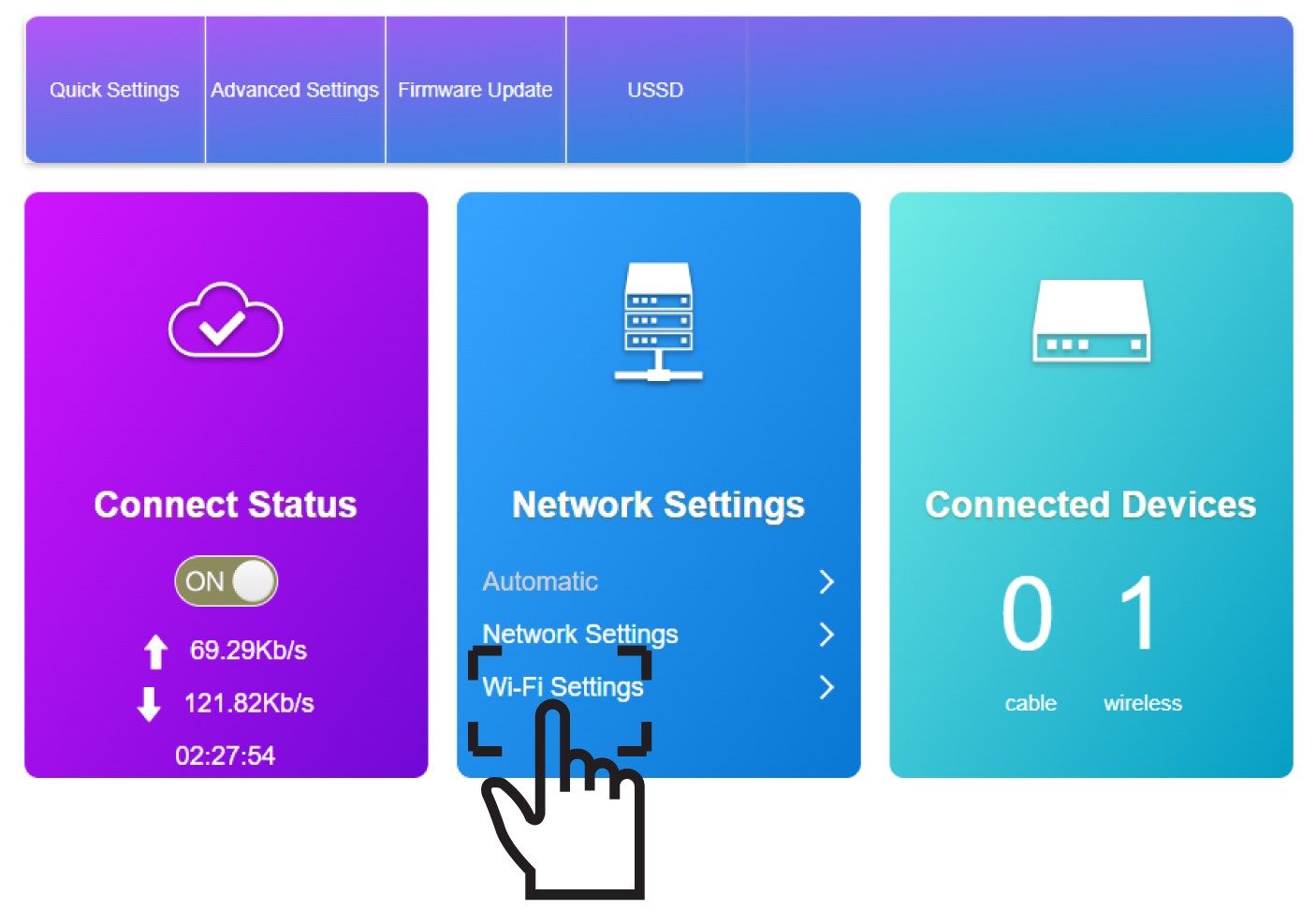
Kliknij opcję „Ustawienia Wi-Fi ” w sekcji „Ustawienia sieciowe”.
5. Wprowadźnowe dane sieciowe
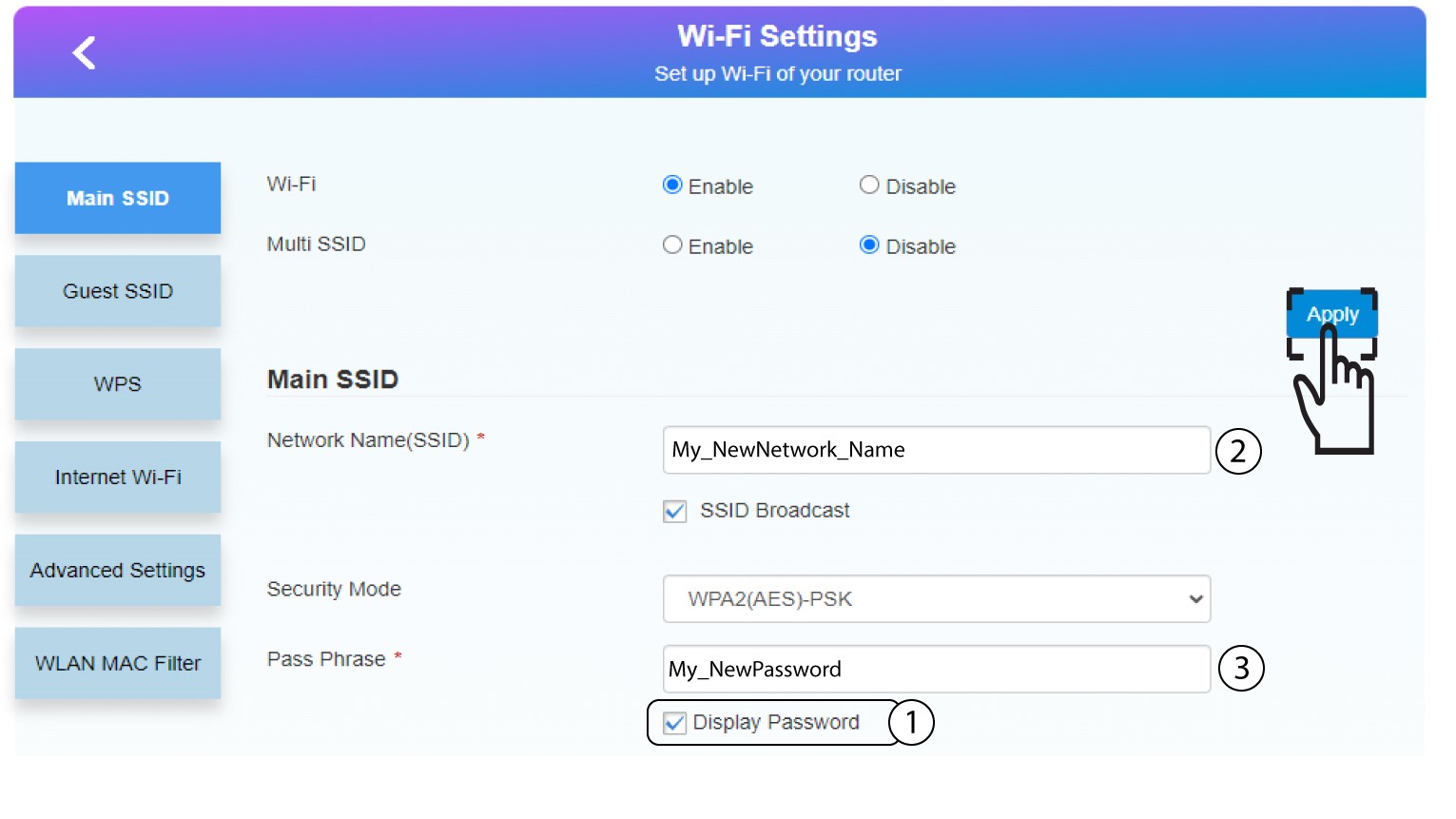
Kliknij opcję „Pokaż hasło” i wprowadź poniższe informacje, a następnie kliknij „Zastosuj”:
a. Wprowadź nową nazwę sieci.
b. Wprowadź nowe hasło Wi-Fi.
6. Zapisznowe informacje o sieci
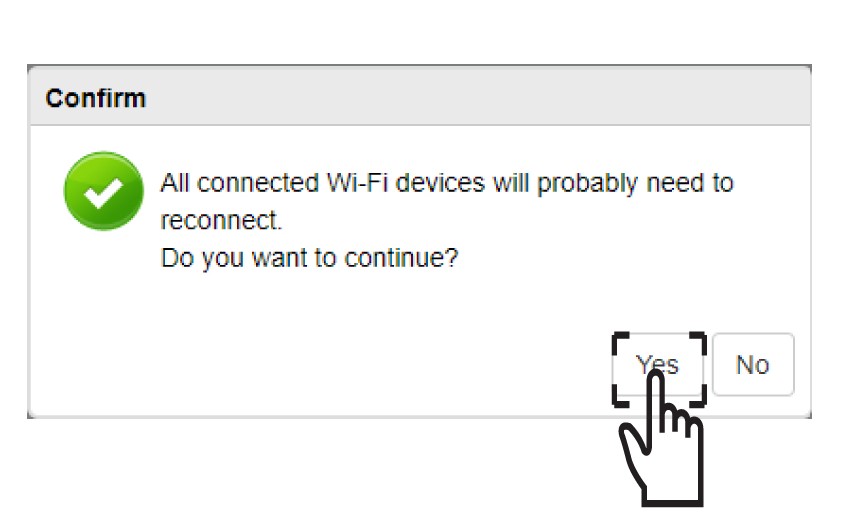
W wyskakującym okienku kliknij „Tak”, aby zastosować zmiany.
7. Zapisznowe dane sieciowe
Zapisz nowe dane sieciowe na kartce papieru.
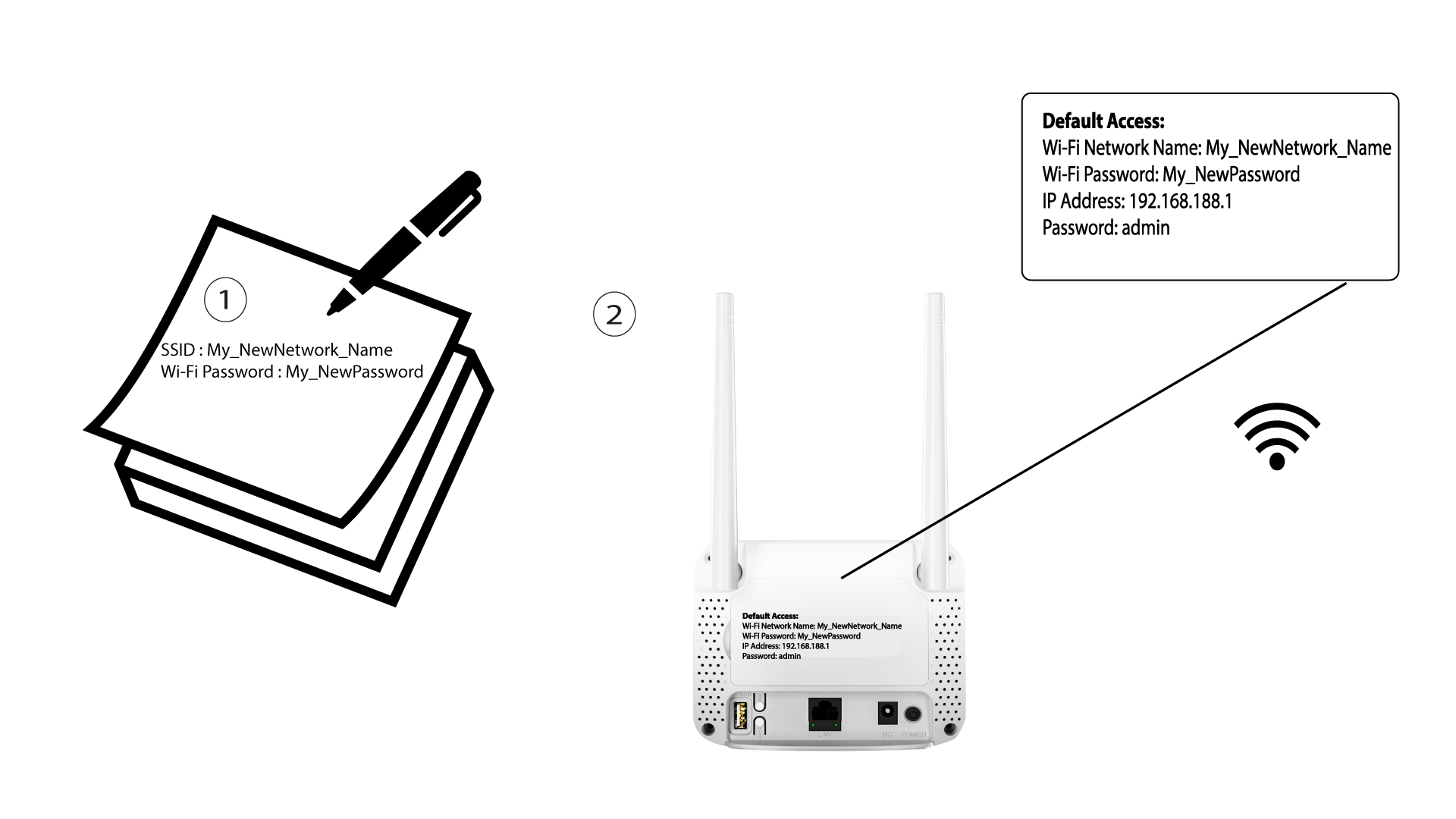

Po zmianie danych sieci Wi-Fi wszystkie urządzenia podłączone do tej sieci zostaną automatycznie odłączone.