
Mesh ATRIA Wi-Fi 5 Mesh 1200 (pakiet 2 szt.)
Nie znaleziono żadnych elementów.
Nie znaleziono żadnych elementów.
Wszystkie pytania
Mesh ATRIA Wi-Fi 5 Mesh 1200 (pakiet 2 szt.)
Nie znaleziono żadnych elementów.
Nie znaleziono żadnych elementów.
Jak skonfigurować sieć Wi-Fi w telefonie mesh ? (Przypadek 1: Przycisk WPS)
Aby skonfigurować sieć „ Mesh ”, zapoznaj się z skróconą instrukcją obsługi (QIG) dołączoną do opakowania produktu.
1. Podłączurządzenie
Aby włączyć urządzenie „ mesh ”, należy je podłączyć do zasilania (urządzenie nie posiada przycisku zasilania) oraz połączyć je z modemem za pomocą kabla RJ45 (
).

2. Należy poczekaćpodczas konfiguracji
Następnie należy poczekać kilka minut, aż urządzenie się skonfiguruje.
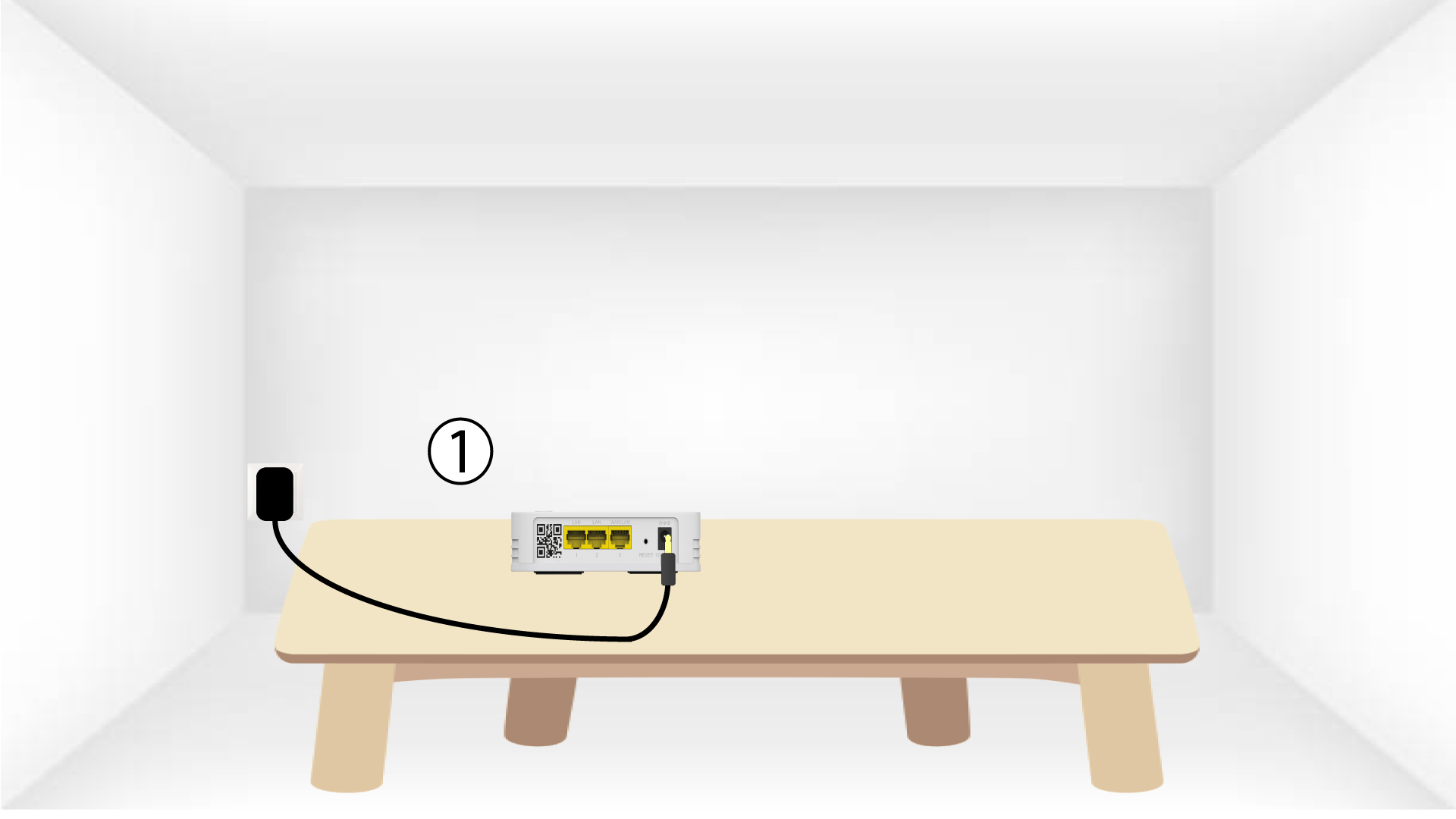
3.Podłącz drugie urządzenie
Należy podłączyć drugie urządzenie typu „ mesh ”.
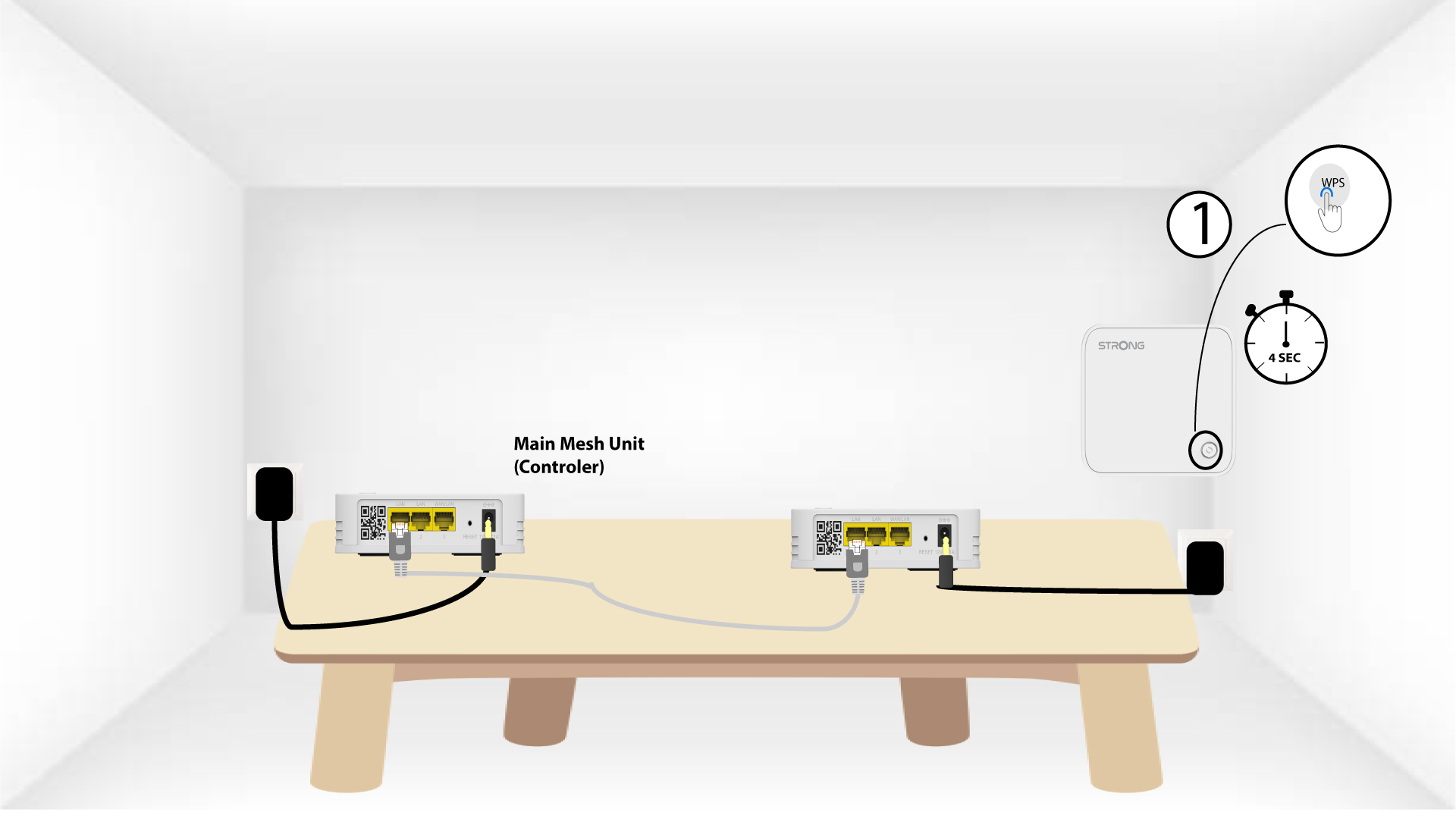
4. Włączfunkcję WPS na urządzeniu głównym mesh
Naciśnij przycisk WPS na urządzeniu Mesh podłączonym do modemu/routera i przytrzymaj go przez co najmniej 4 sekundy.
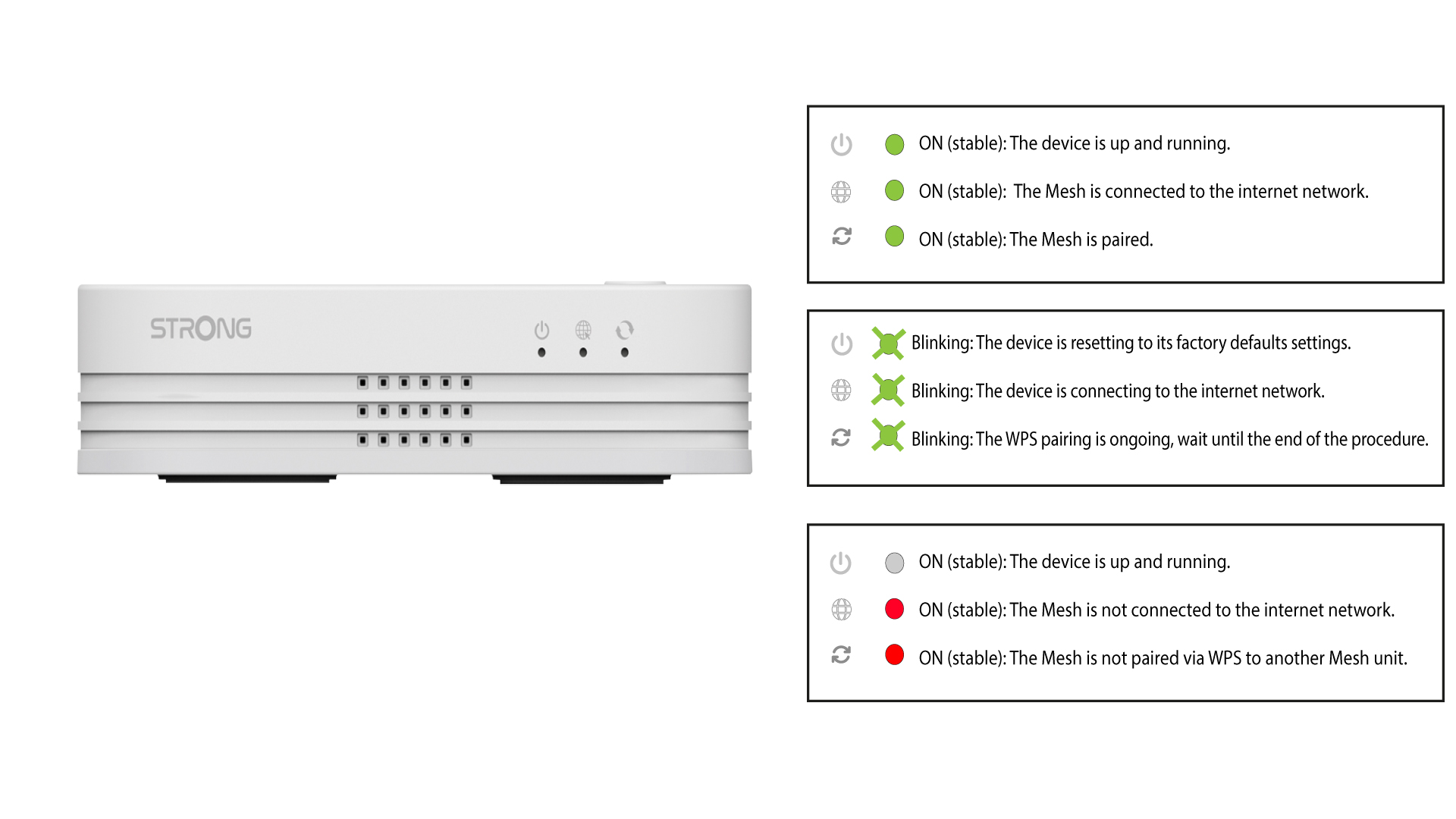
Po aktywacji funkcji WPS dioda LED zacznie migać na zielono.
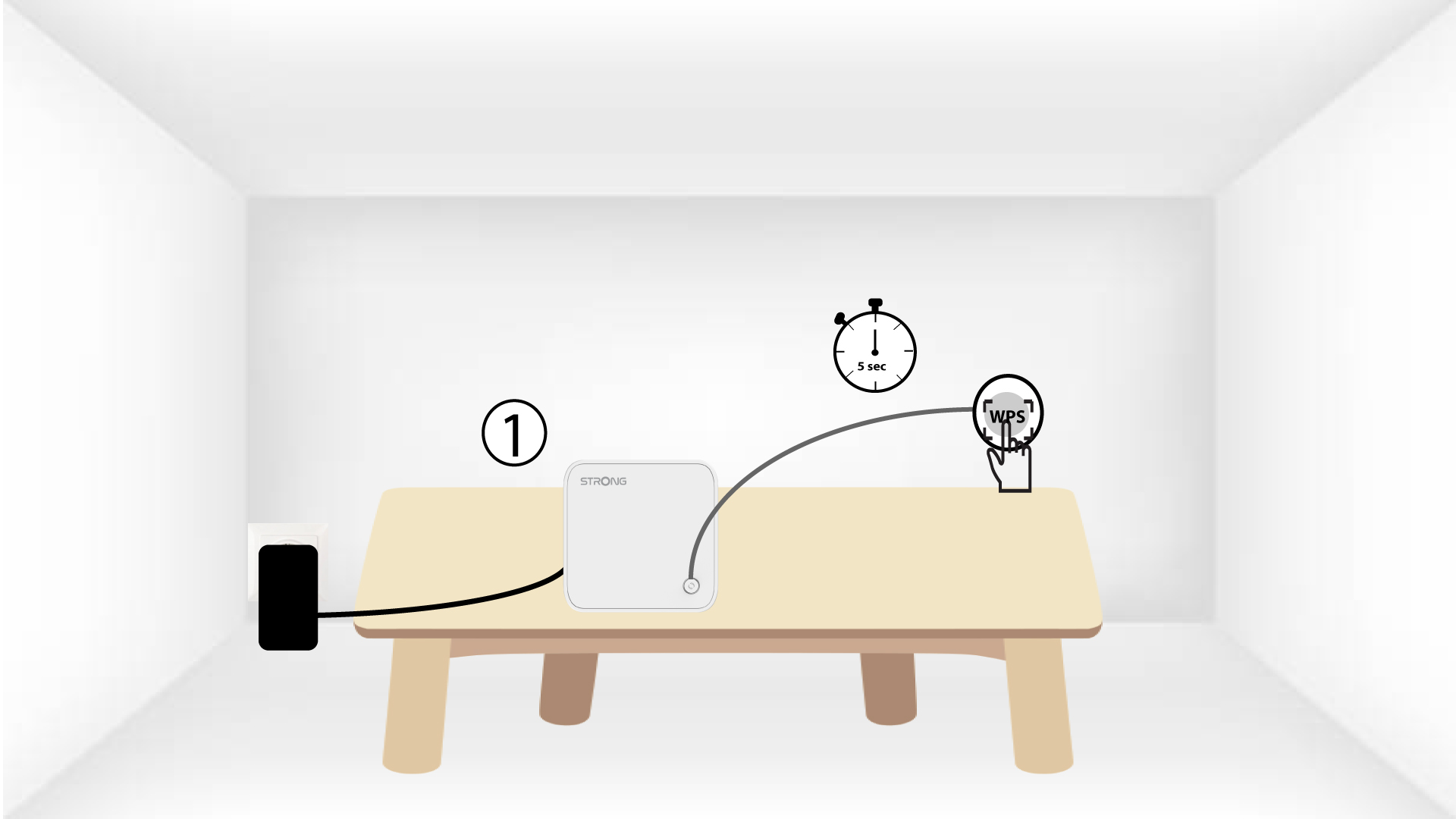
5. Włączfunkcję WPS na drugim mesh
Naciśnij przycisk WPS na drugim urządzeniu Mesh i przytrzymaj go przez co najmniej 4 sekundy.
6Urządzeniasą w trakcie parowania
Lorem ipsum dolor sit amet, consectetur adipisicing elit. Nikt bowiem nie wie, że nie można uniknąć obowiązków wynikających z wyboru.