
Mesh ATRIA Wi-Fi 5 Mesh 1200 (pakiet 2 szt.)
Wszystkie pytania
Mesh ATRIA Wi-Fi 5 Mesh 1200 (pakiet 2 szt.)
Jak powinienem nazwać moje jednostki typu „ Mesh ”?
Aby łatwo zidentyfikować swoje urządzenia z serii „ mesh ”, możesz postępować zgodnie z poniższą procedurą.
1. Pobierzaplikację
Pobierz aplikację Atria „ Mesh ”.
2. Połącz sięz siecią Wi-Fi mesh
Połącz się z siecią Wi-Fi urządzenia mesh .

3Połącz sięz aplikacją
Wprowadź nazwę użytkownika i hasło, a następnie kliknij przycisk „Zaloguj się”.

4 Mojasieć
Kliknij „Moja sieć”

5 Stan sieciMesh
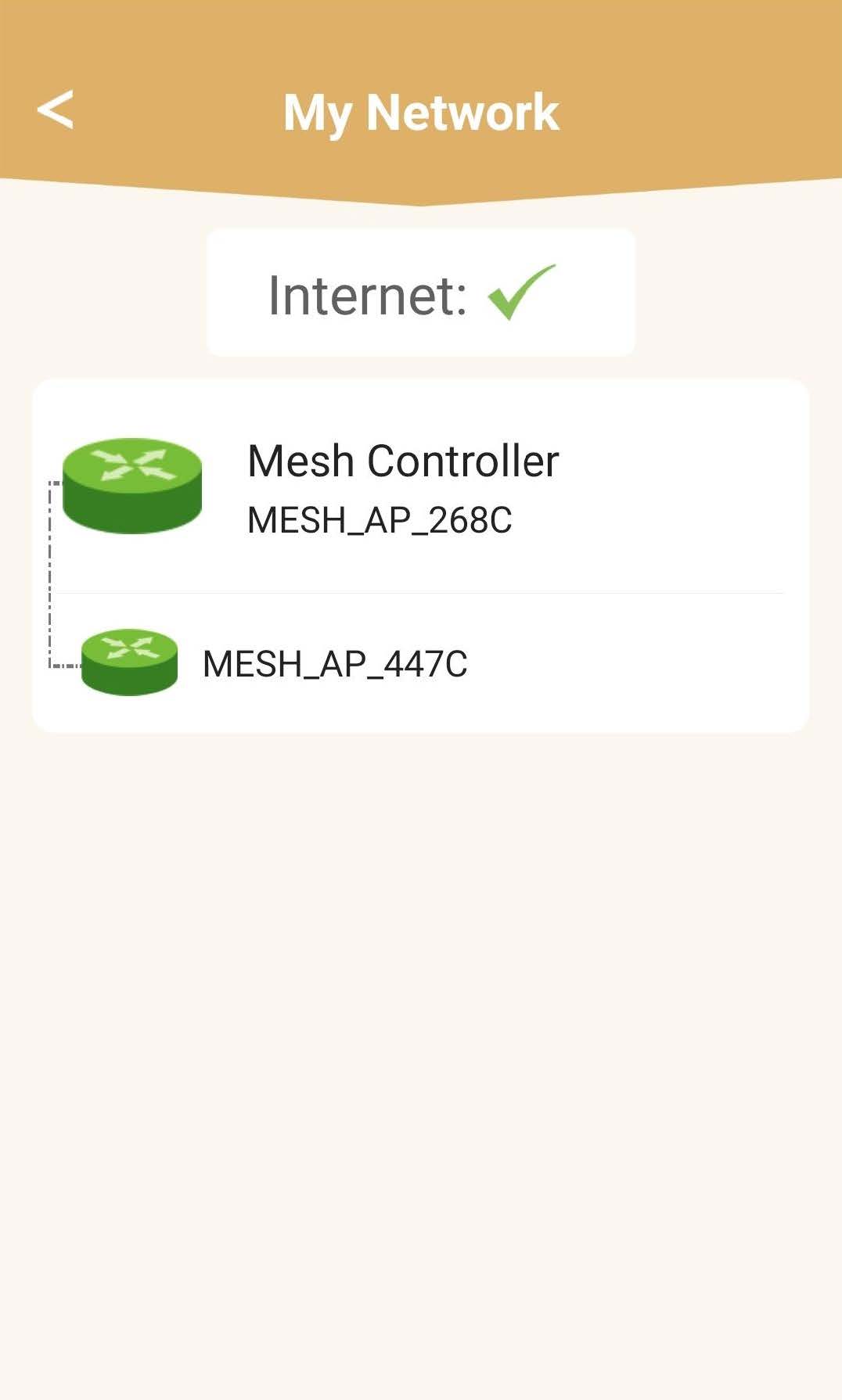
Zobaczysz stan zasięgu zapewnianego przez urządzenia mesh .
Należy pamiętać, że gdy ikony urządzeń mesh są wyświetlane na szaro, zasięg danego urządzenia jest niewystarczający. W takim przypadku należy zmienić położenie urządzenia mesh .
Jeśli urządzenia mesh s są wyświetlane na zielono, oznacza to, że działają prawidłowo i zapewniają wystarczający zasięg.
6 Głównymoduł mesh
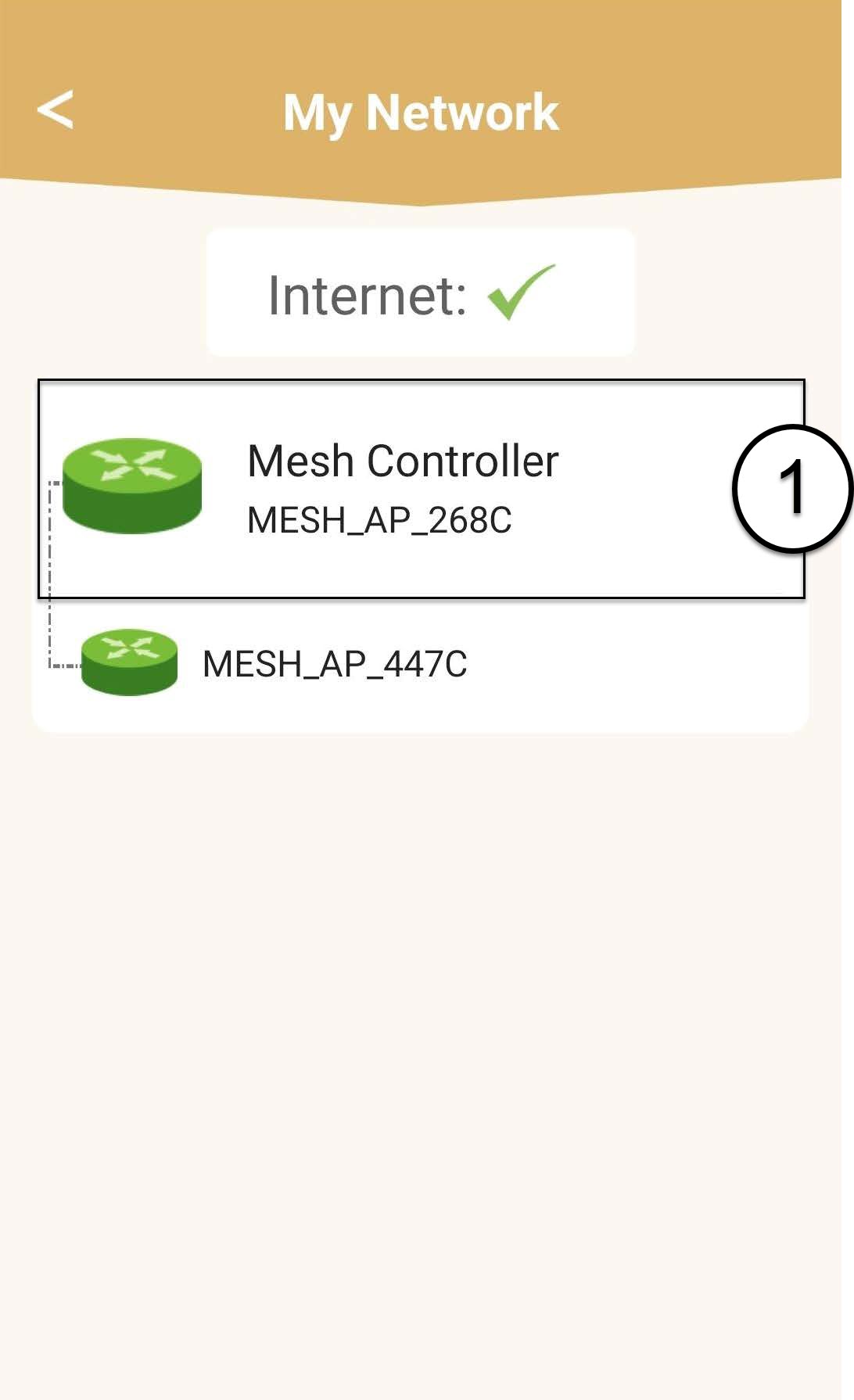
Kliknij nazwę jednostki „ mesh ”, aby uzyskać dostęp do informacji na jej temat.
7. Edytujnazwę głównego modułu „ mesh ”
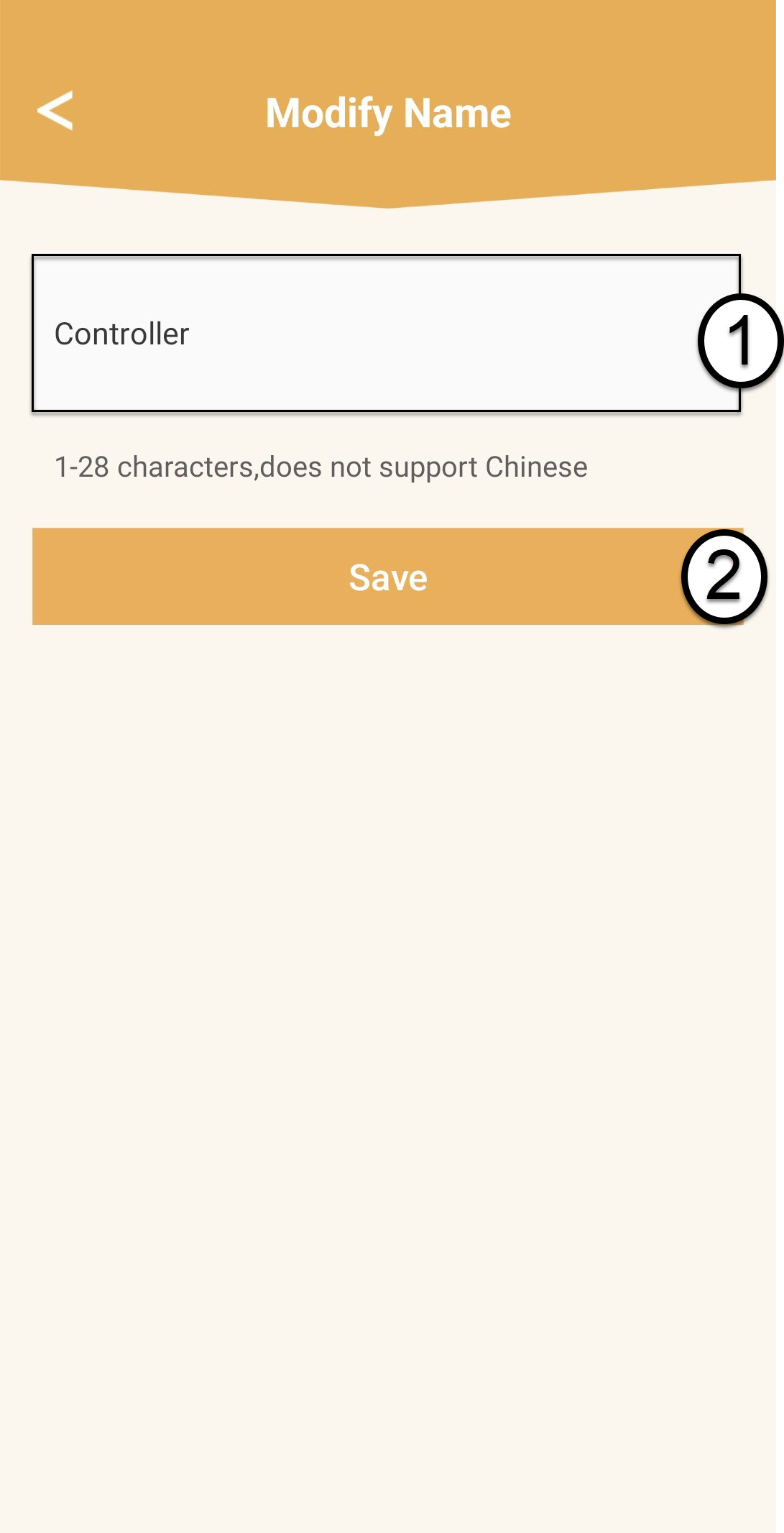
Wpisz nową nazwę i kliknij „Zapisz”.
Kontroler sieci typu „ mesh ” powinien mieć następującą nazwę: Mesh1200-Main-
NazwapomieszczeniaNazwy agentów sieci „ mesh ” powinny mieć następujący format: Mesh1200-nazwapomieszczenia
8. Dodatkowymoduł mesh
W przypadku pozostałych jednostek typu „ mesh ” kliknij ich nazwę, aby uzyskać dostęp do informacji. Następnie wprowadź nową nazwę i kliknij „Zapisz”.