4G AIRHOME 310 z odłączanymi antenami 4G
Wszystkie pytania
4G AIRHOME 310 z odłączanymi antenami 4G
Jak przywrócić ustawienia fabryczne routera?
Czasami może się zdarzyć, że urządzenie nie działa prawidłowo i nie masz dostępu do Internetu. W takim przypadku zalecamy przywrócenie ustawień fabrycznych urządzenia, a następnie, w razie potrzeby, ponowną aktualizację oprogramowania sprzętowego.
Możesz to zrobić na dwa sposoby: przywracając ustawienia fabryczne za pomocą przycisku resetowania lub korzystając z interfejsu użytkownika w przeglądarce.
PRZYPADEK 1: Przycisk resetowania.
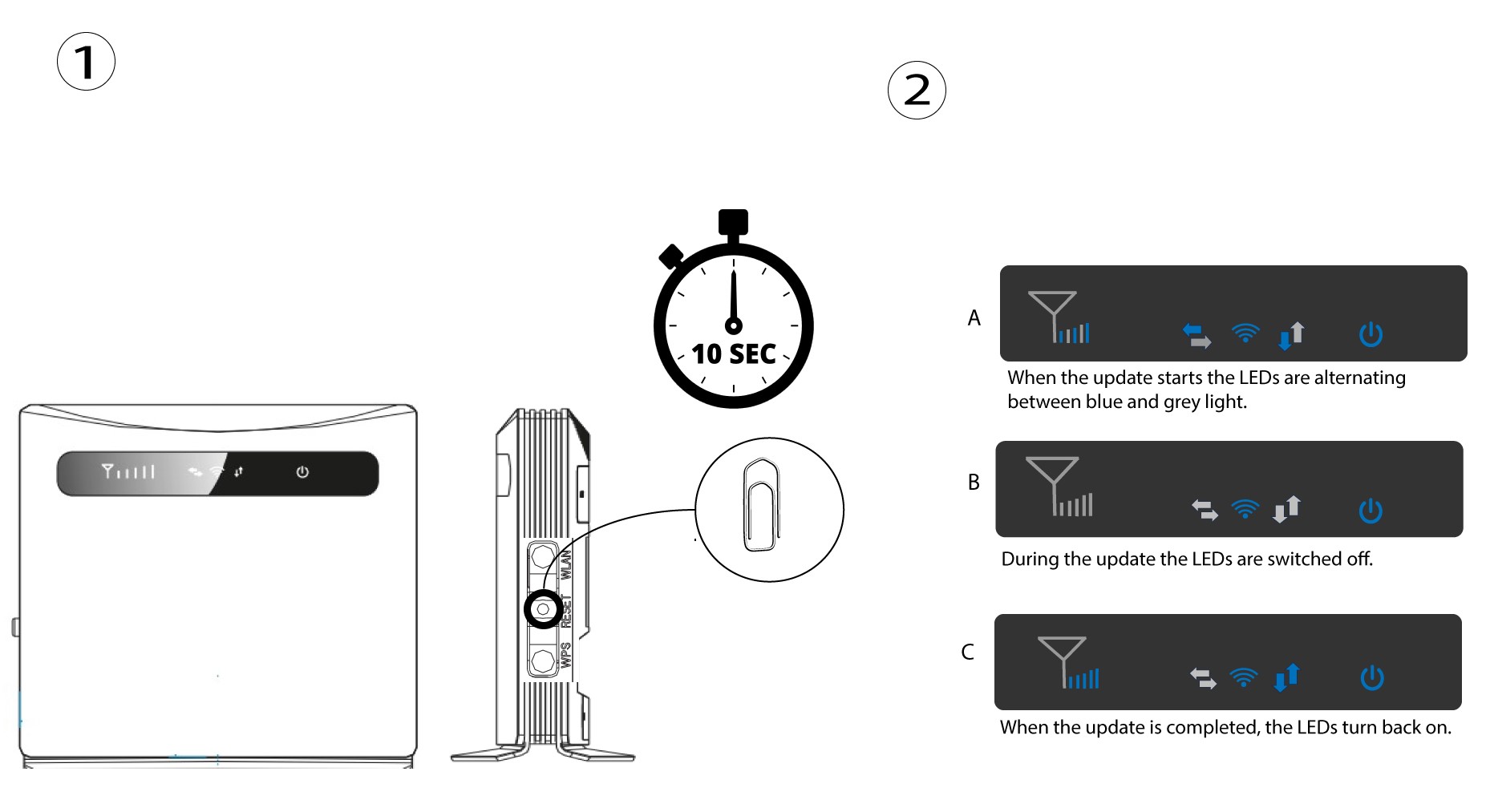
Aby to zrobić, włóż spinacz biurowy do otworu, aby nacisnąć przycisk resetowania. Przytrzymaj przycisk resetowania przez 10 sekund. Diody LED switch zgasną, a następnie ponownie się zapalą.
1Przypadek2: reset w interfejsie użytkownika strony internetowej
Należy połączyć się z siecią Wi-Fi na swoim urządzeniu i wykonać czynności opisane w poniższej instrukcji:

2. Ustawienia systemu
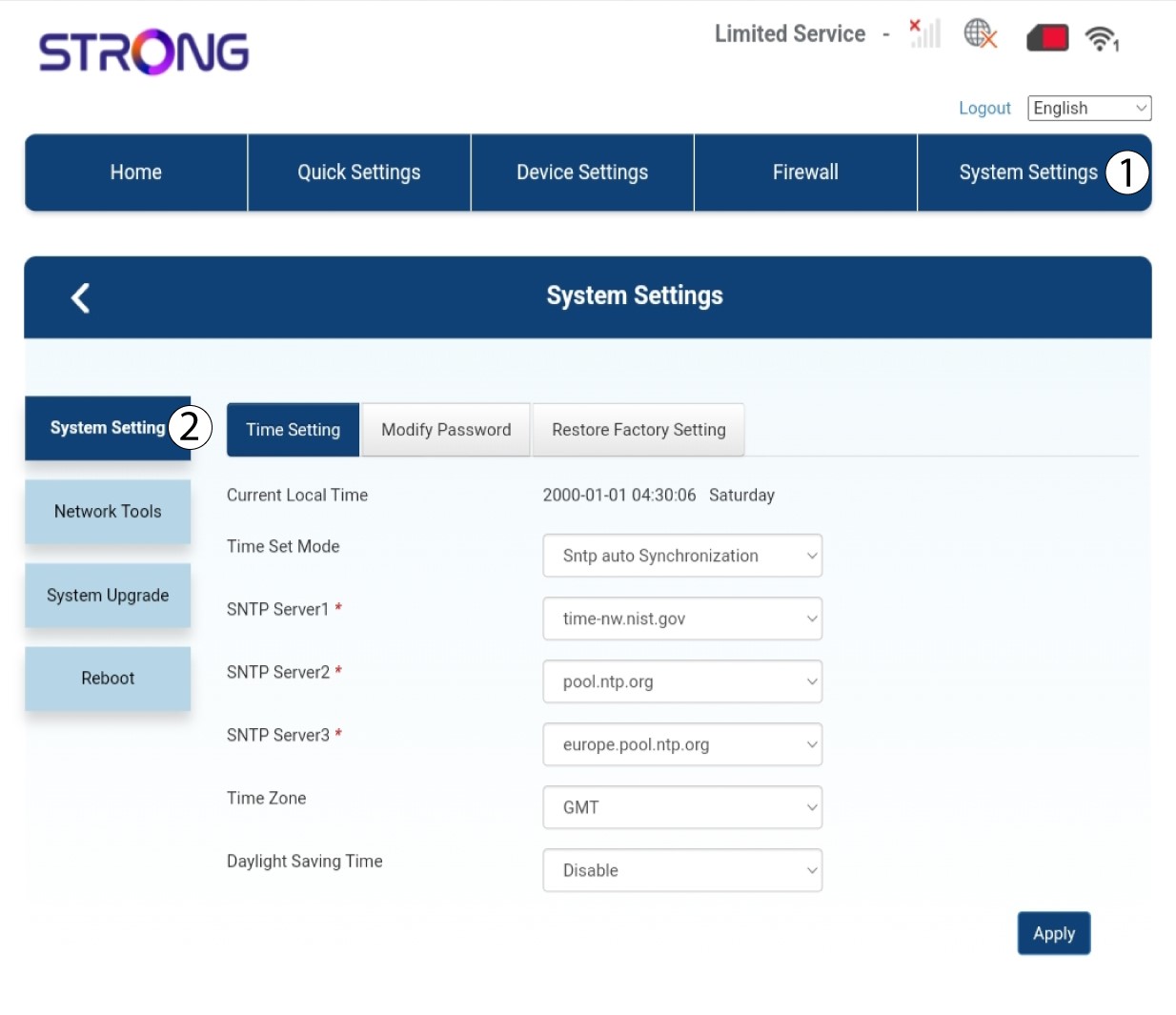
Następnie kliknij opcję „Ustawienia systemowe ” i wybierz „Ustawienia systemowe”.
3. Przywróćustawienia fabryczne
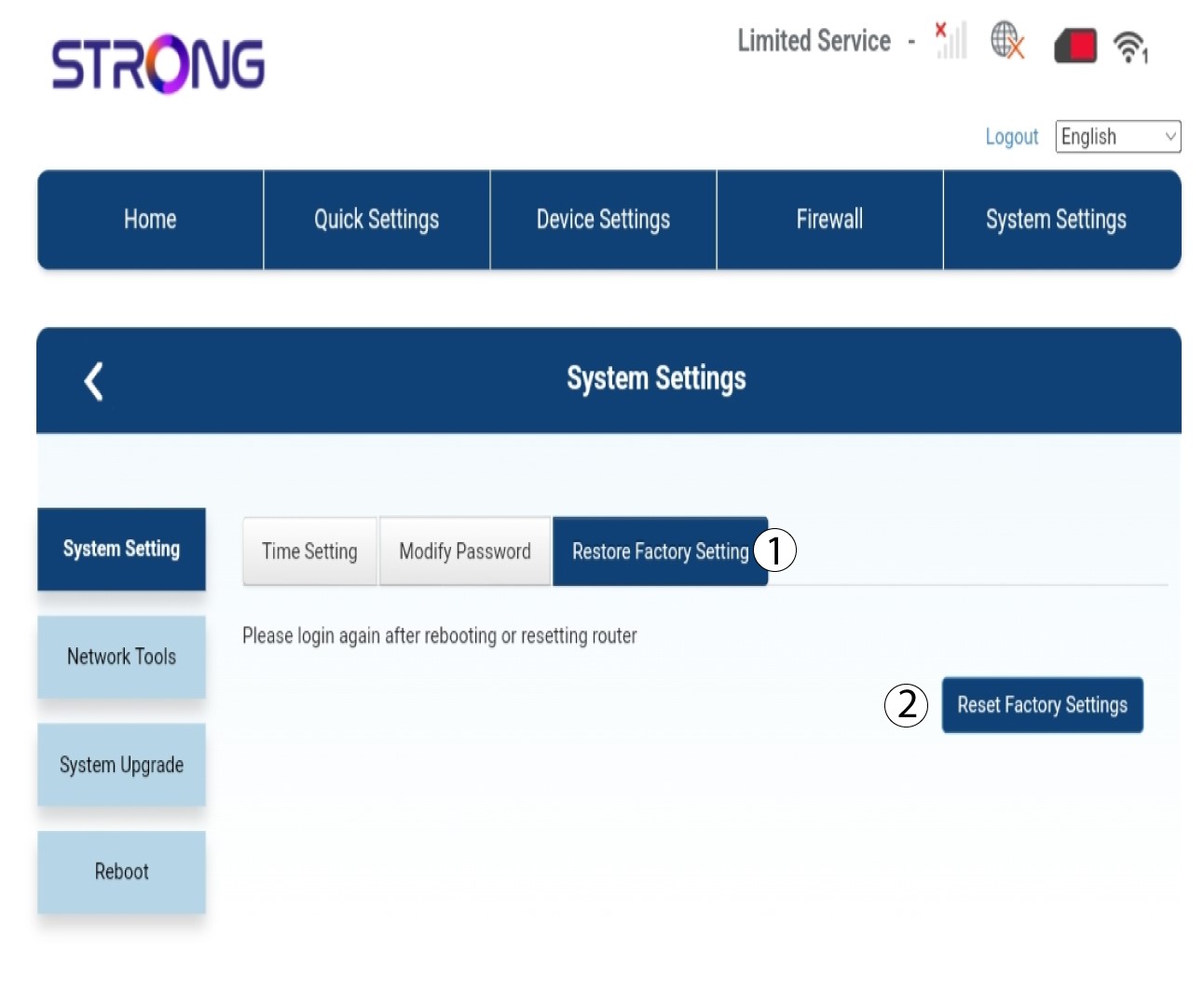
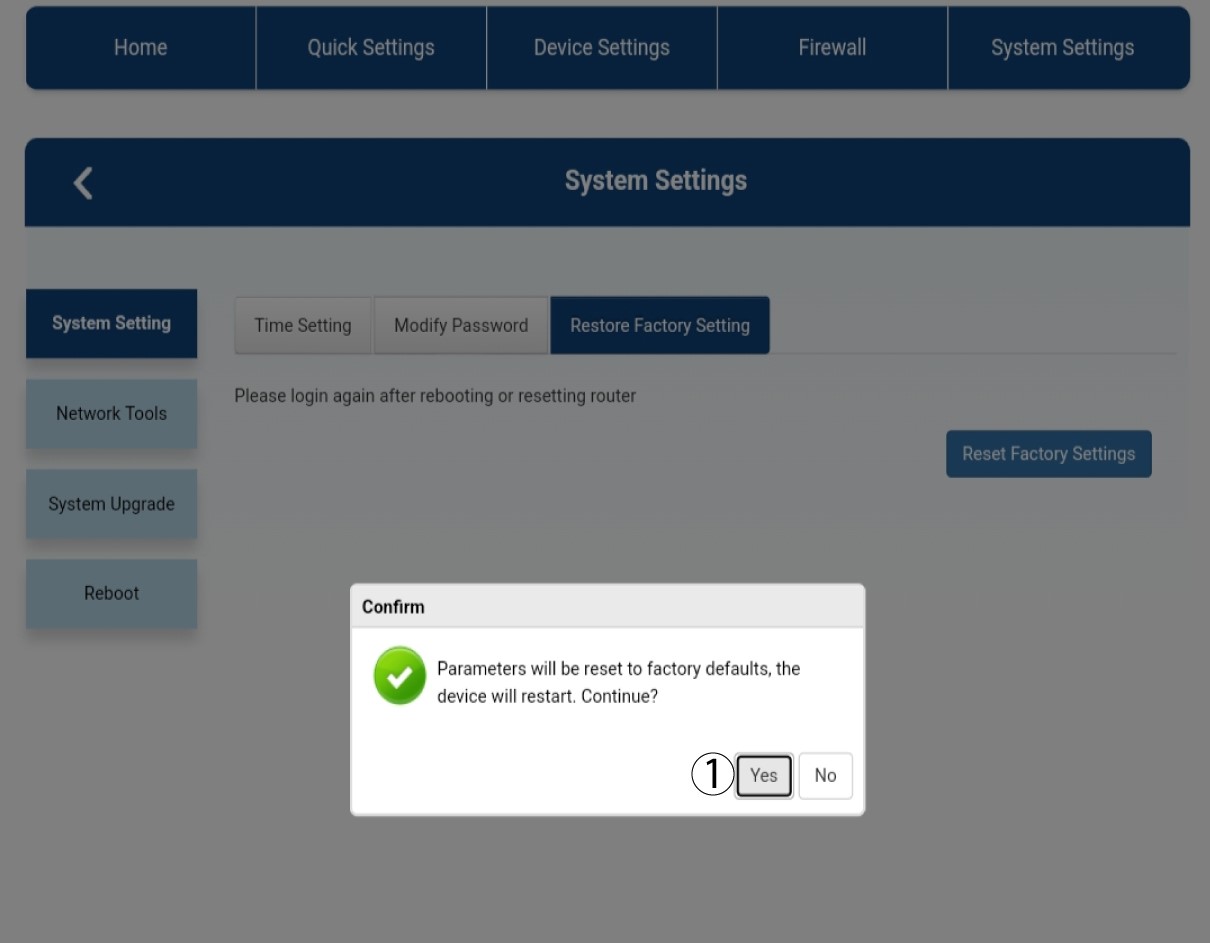
Kliknij opcję „Przywróć ustawienia fabryczne ”, a następnie kliknij „Zresetuj ustawienia fabryczne”
4Komunikat wyskakujący
W wyświetlonym oknie dialogowym kliknij przycisk „Tak ”.
5. Poczekaj, aż proces się zakończy
Podczas przywracania ustawień fabrycznych urządzenia pojawia się nowe okienko.