
4G+ AIRHOME 710 z odłączanymi antenami 4G+
Wszystkie pytania
4G+ AIRHOME 710 z odłączanymi antenami 4G+
Jak przywrócić ustawienia fabryczne routera? (Interfejs internetowy)
Czasami może się zdarzyć, że urządzenie nie działa prawidłowo i nie masz dostępu do Internetu. W takim przypadku zalecamy przywrócenie ustawień fabrycznych urządzenia, a następnie, w razie potrzeby, jego aktualizację.
Możesz to zrobić na dwa sposoby: przycisk resetowania lub poprzez interfejs użytkownika w sieci.
1. Połącz sięz siecią Wi-Fi swojego urządzenia
Należy połączyć się z siecią Wi-Fi na swoim urządzeniu.

2. Przejdźdo interfejsu użytkownika (Web UI) – adres IP
Następnie wpisz w przeglądarce następujący adres IP: 192.168.188.1

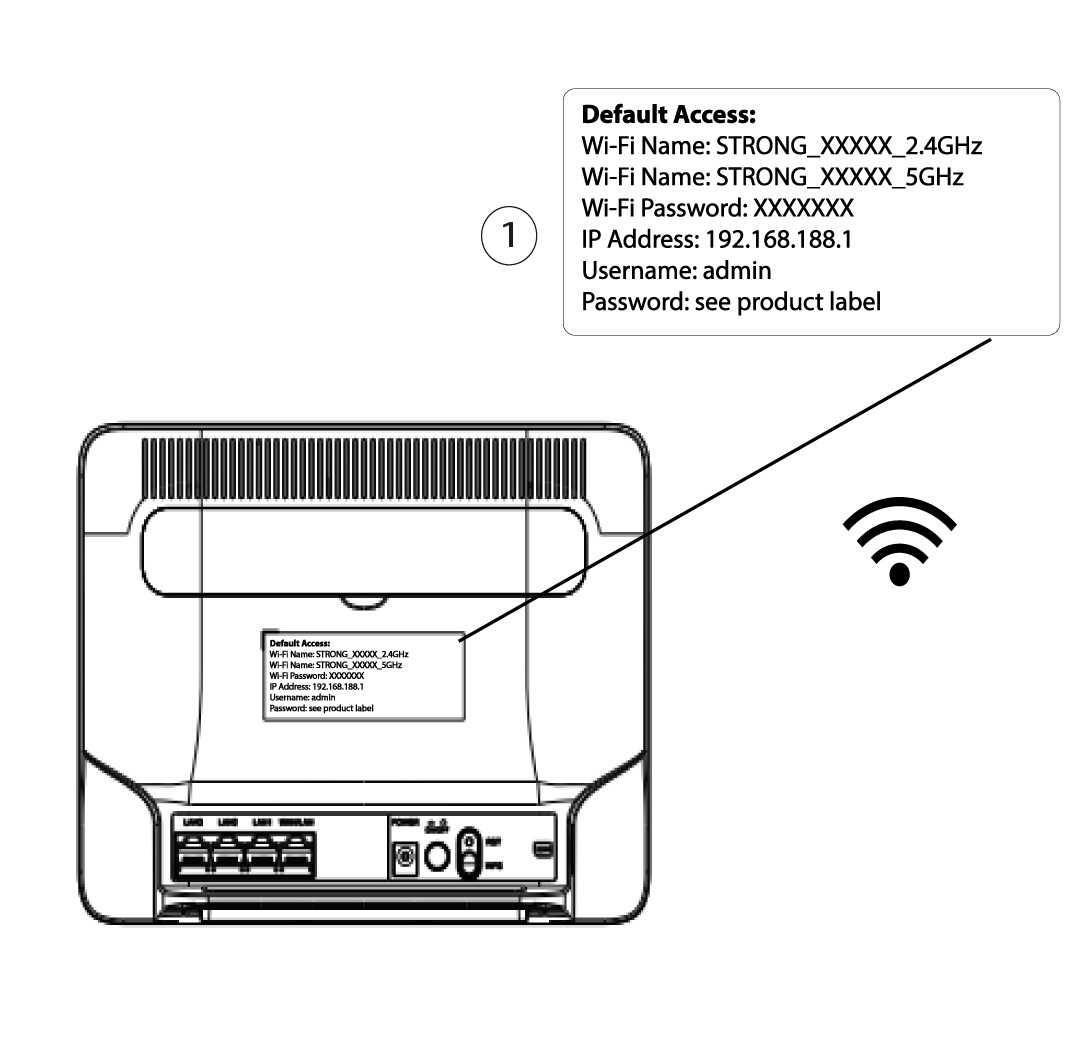
3. Znajdźswoje dane logowania do interfejsu użytkownika (Web UI)
Aby sprawdzić swoje dane uwierzytelniające, należy zapoznać się z etykietą umieszczoną z tyłu urządzenia.
4. Wprowadźswoje dane logowania
Przed kliknięciem przycisku „Zaloguj się” należy wprowadzić nazwę użytkownika i hasło.

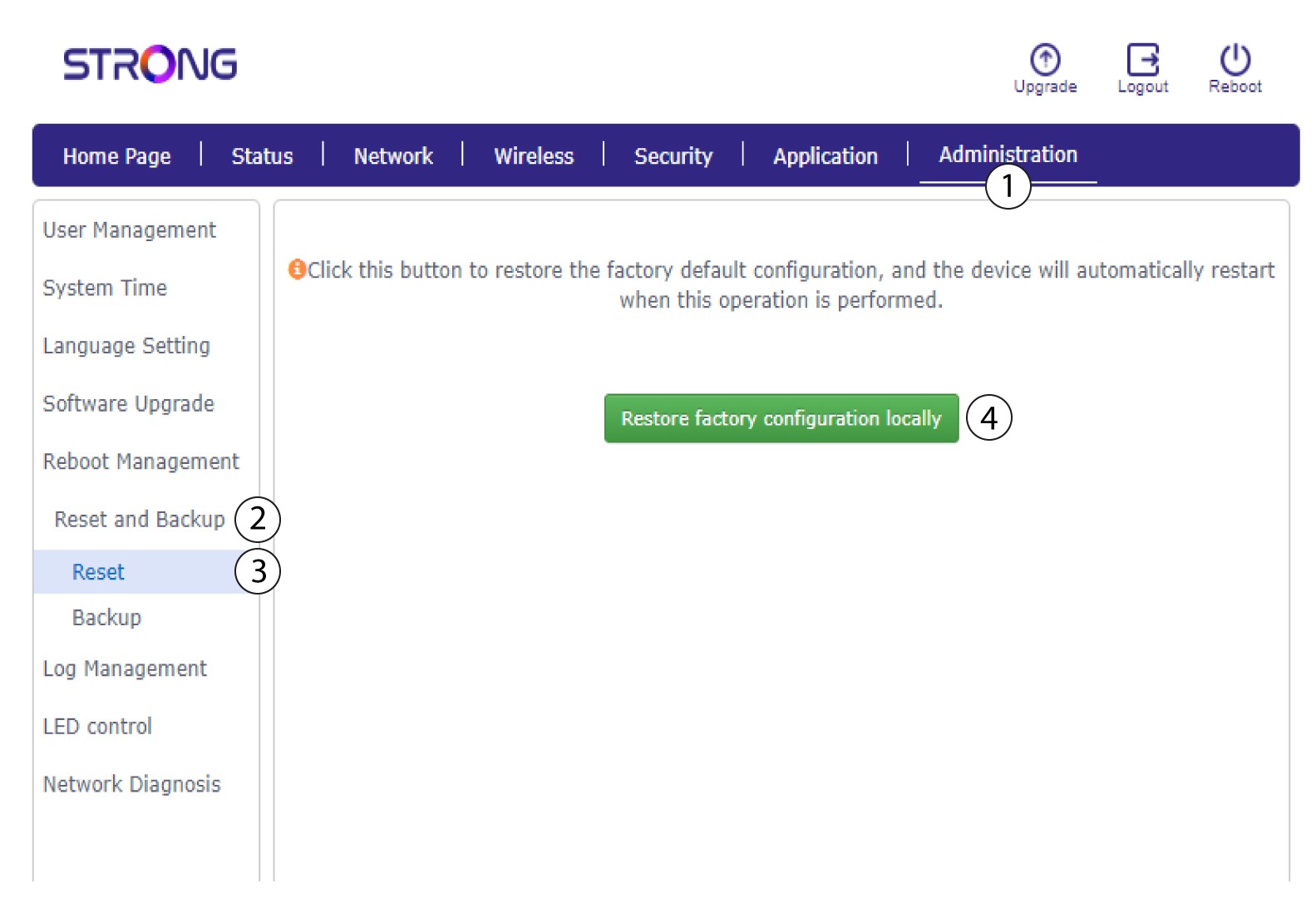
5Resetuj
Następnie kliknij opcję „Administracja”, a potem „Resetowanie i tworzenie kopii zapasowej”. Następnie kliknij opcję „Resetowanie i przywracanie ustawień fabrycznych lokalnie”.
6. Potwierdźreset
W wyświetlonym oknie dialogowym kliknij przycisk „Potwierdź ”.
