5G AIRHOME 1050 | Wi-Fi 6
Wszystkie pytania
5G AIRHOME 1050 | Wi-Fi 6
Jak przywrócić ustawienia fabryczne routera?
Czasami może się zdarzyć, że urządzenie nie działa prawidłowo i nie masz dostępu do Internetu. W takim przypadku zalecamy przywrócenie ustawień fabrycznych urządzenia, a następnie, w razie potrzeby, jego aktualizację.
Możesz to zrobić na dwa sposoby: przycisk resetowania lub poprzez interfejs użytkownika w sieci.
1 PRZYPADEK1: Przycisk resetowania.
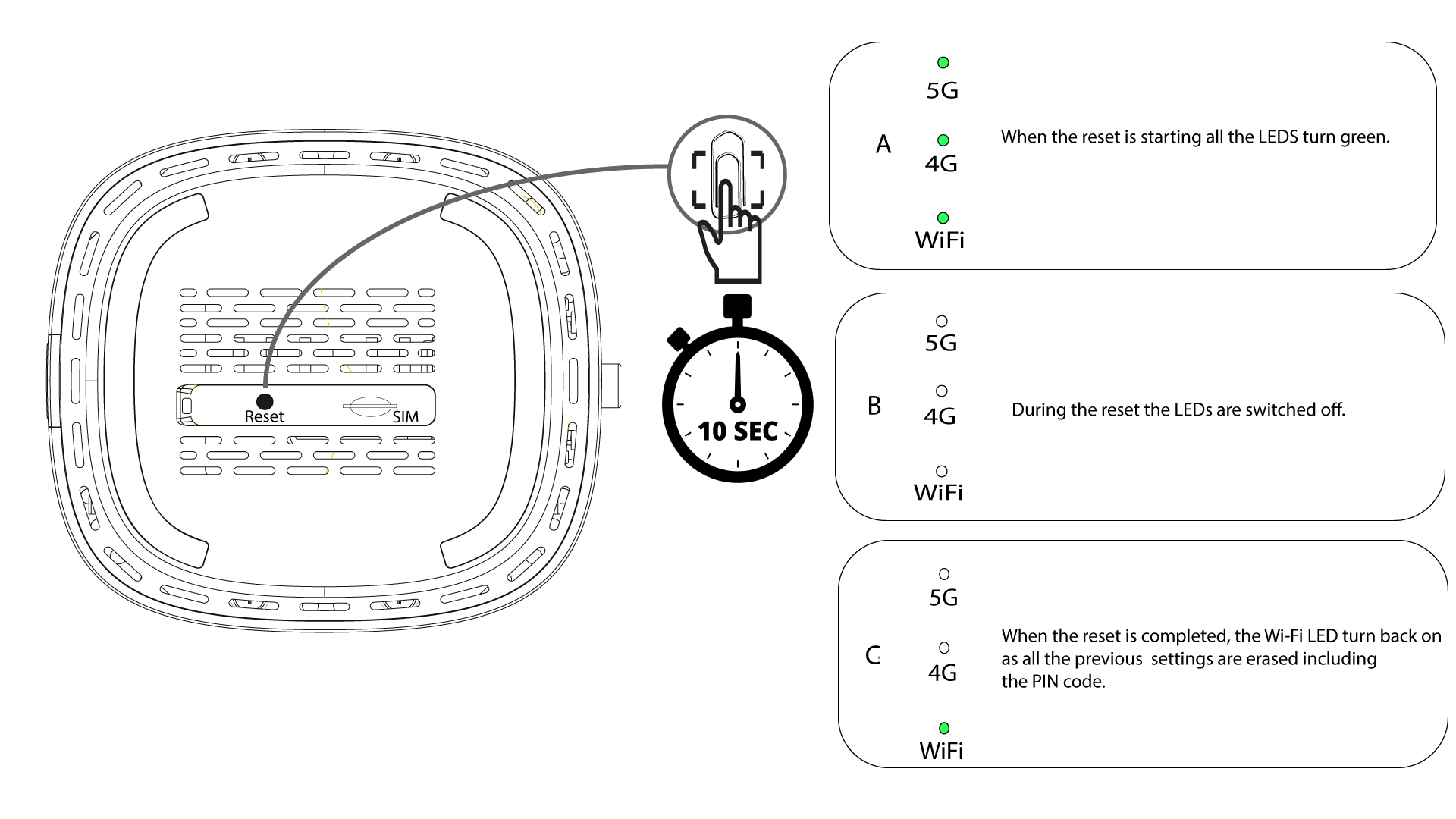
W tym celu należy włożyć spinacz biurowy do otworu, aby nacisnąć przycisk resetowania. Należy przytrzymać przycisk resetowania przez 10 sekund. Dioda LED switch zgaśnie, a następnie ponownie się zapali.
1PRZYPADEK2: Resetowanie w interfejsie użytkownika strony internetowej
Należy połączyć się z siecią Wi-Fi na swoim urządzeniu.

2. Przejdźdo adresu IP interfejsu użytkownika (Web UI)
Następnie wpisz w przeglądarce następujący adres IP: 192.168.0.1.

3 Strona logowania
Przed kliknięciem przycisku „Zaloguj się” należy wprowadzić nazwę użytkownika (user) oraz hasło (user).

4. Zarządzanie urządzeniami
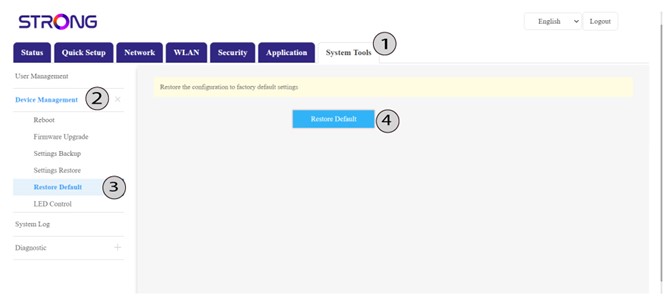
Następnie kliknij opcję „Narzędzia systemowe ”, a potem „Zarządzanie urządzeniami”. Następnie kliknij opcję „Przywróć ustawienia domyślne ”, a potem jeszcze raz „Przywróć ustawienia domyślne”.
5. Potwierdźreset
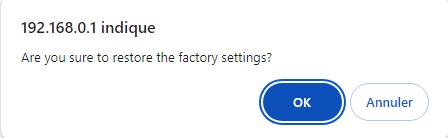
Kliknij przycisk „OK” w wyświetlonym oknie komunikatu.