Mesh Wi-Fi 6 ATRIA 3000 UK pacote com 2 unidades)
Todas as perguntas
Mesh Wi-Fi 6 ATRIA 3000 UK pacote com 2 unidades)
Como configuro a minha rede Wi-Fi mesh ?

Aviso: Para configurar a sua rede « Mesh », consulte o Guia de Iniciação Rápida ( QIG) incluído na « box » do seu produto.
Tenha em atenção que terá de repetir esta operação para cada unidade « Mesh » que pretenda adicionar à sua rede « Mesh ».
1Caso1: Botão WPS
Deve ligar a unidade «Mesh » à tomada e ligá-la ao seu modem utilizando um cabo RJ45 antes de premir o botão de ligar/desligar.
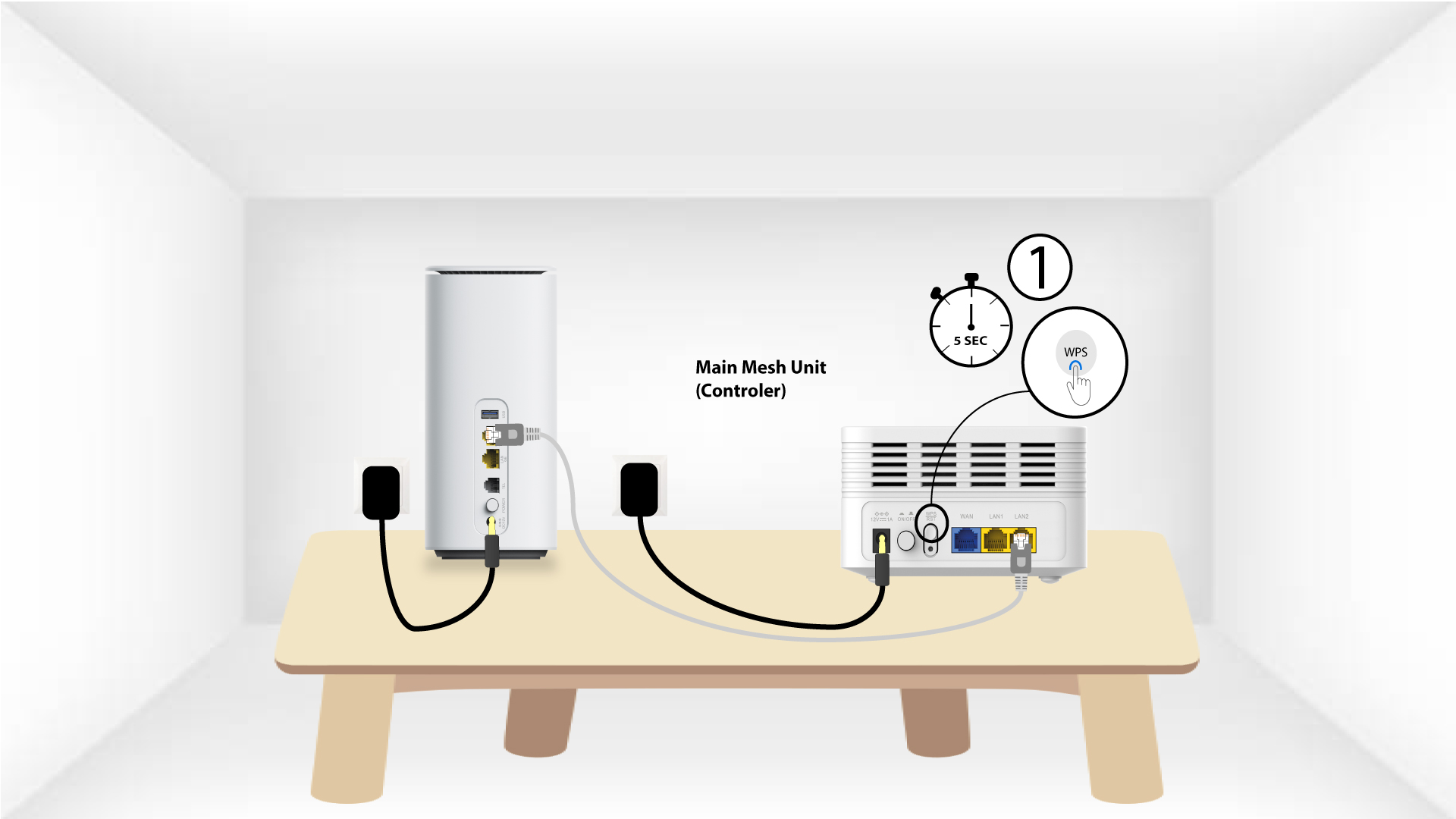
2Principal Mesh WPS
Prima o botão WPS no « mesh » ligado ao seu modem durante 5 segundos.
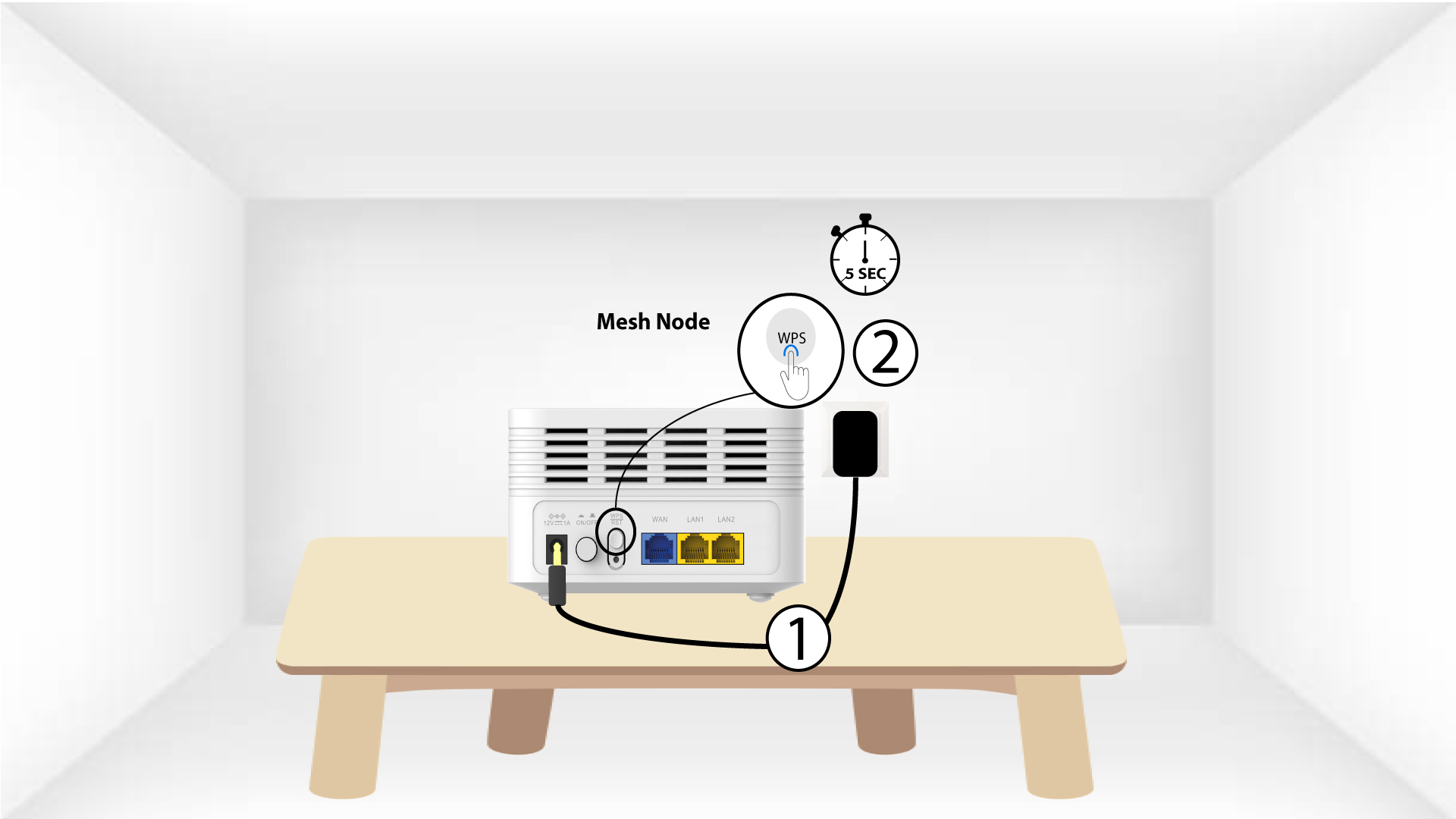
Unidade WPS « Mesh » da 3Second
Ligue a segunda unidade « Mesh » a uma tomada e mantenha premido o botão WPS durante 5 segundos.
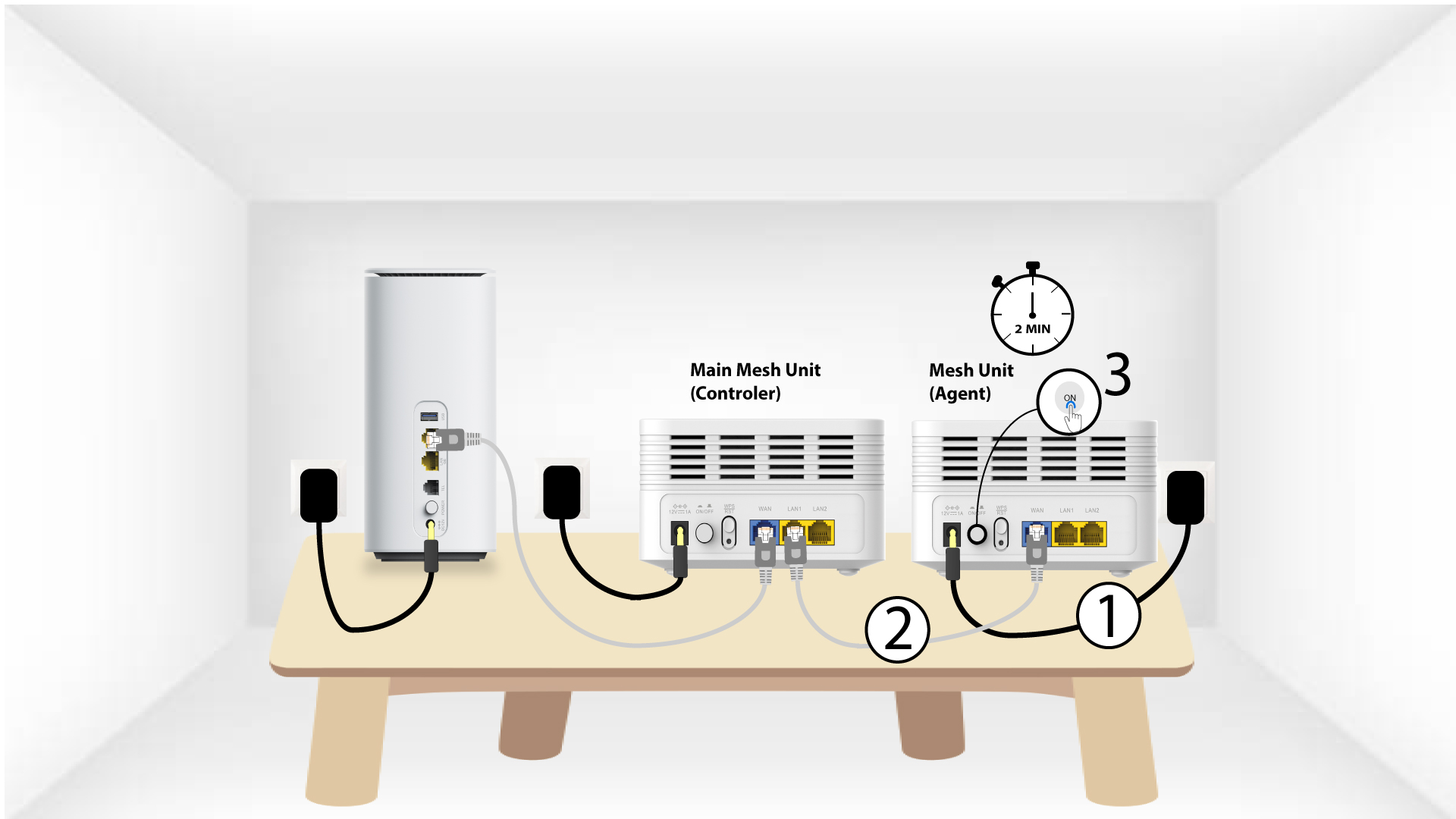
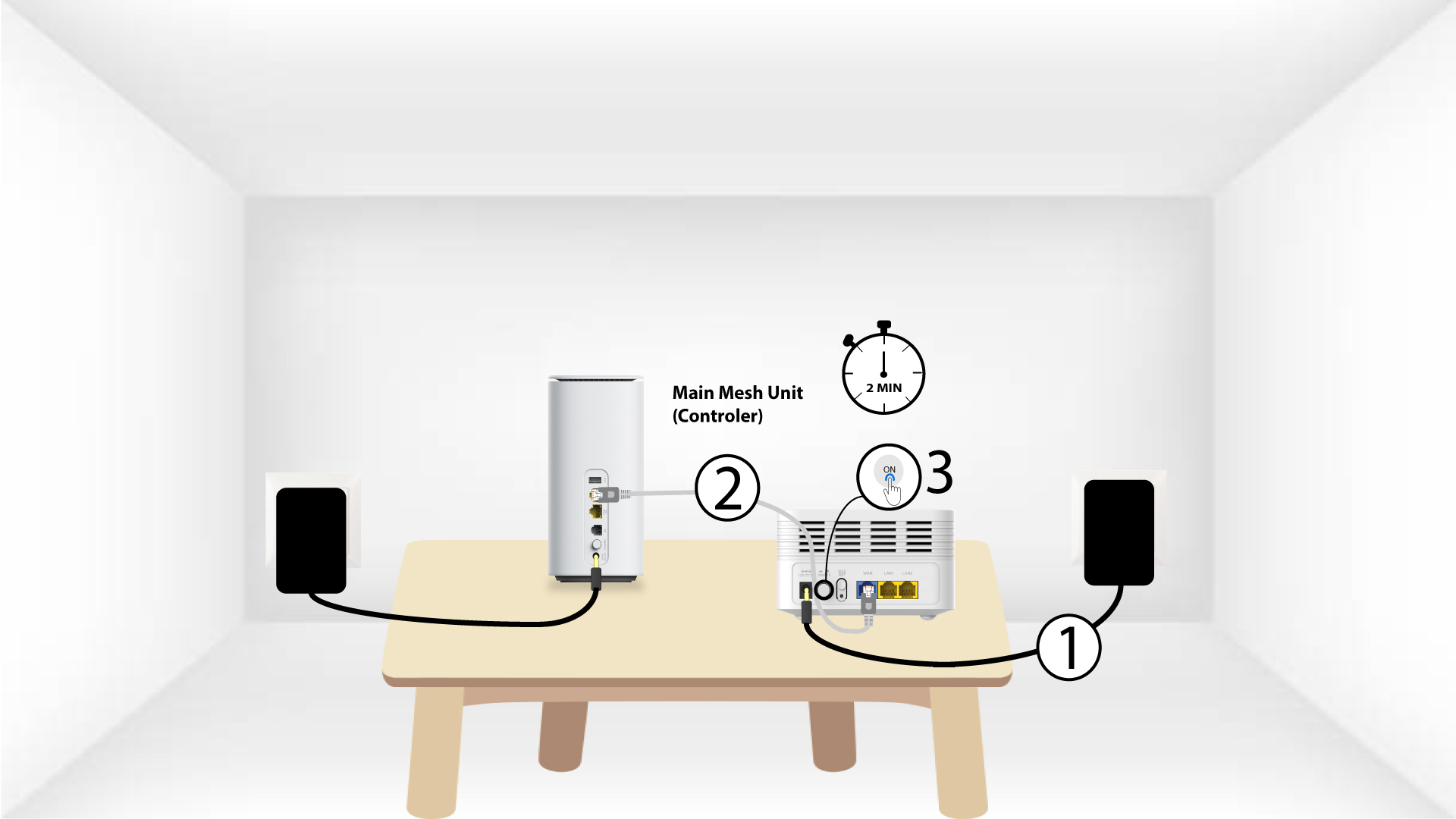
1Caso2: Cabo Ethernet (RJ45)
Deve ligar a unidade «Mesh » à tomada e ligá-la ao seu modem utilizando um cabo RJ45 na porta WLAN antes de premir o botão de alimentação.
2. Cabo Ethernetnas portas LAN de ambos Mesh
Ligue a unidade principal « Mesh » (controlador) à unidade « Mesh » (agente) através de um conector RJ45 nas portas LAN de ambos os dispositivos « Mesh ».