Mesh Wi-Fi 6 ATRIA 3000 UK pacote com 2 unidades)
Todas as perguntas
Mesh Wi-Fi 6 ATRIA 3000 UK pacote com 2 unidades)
O que posso fazer na interface de utilizador web?
1Ligue-seà rede Wi-Fi do dispositivo
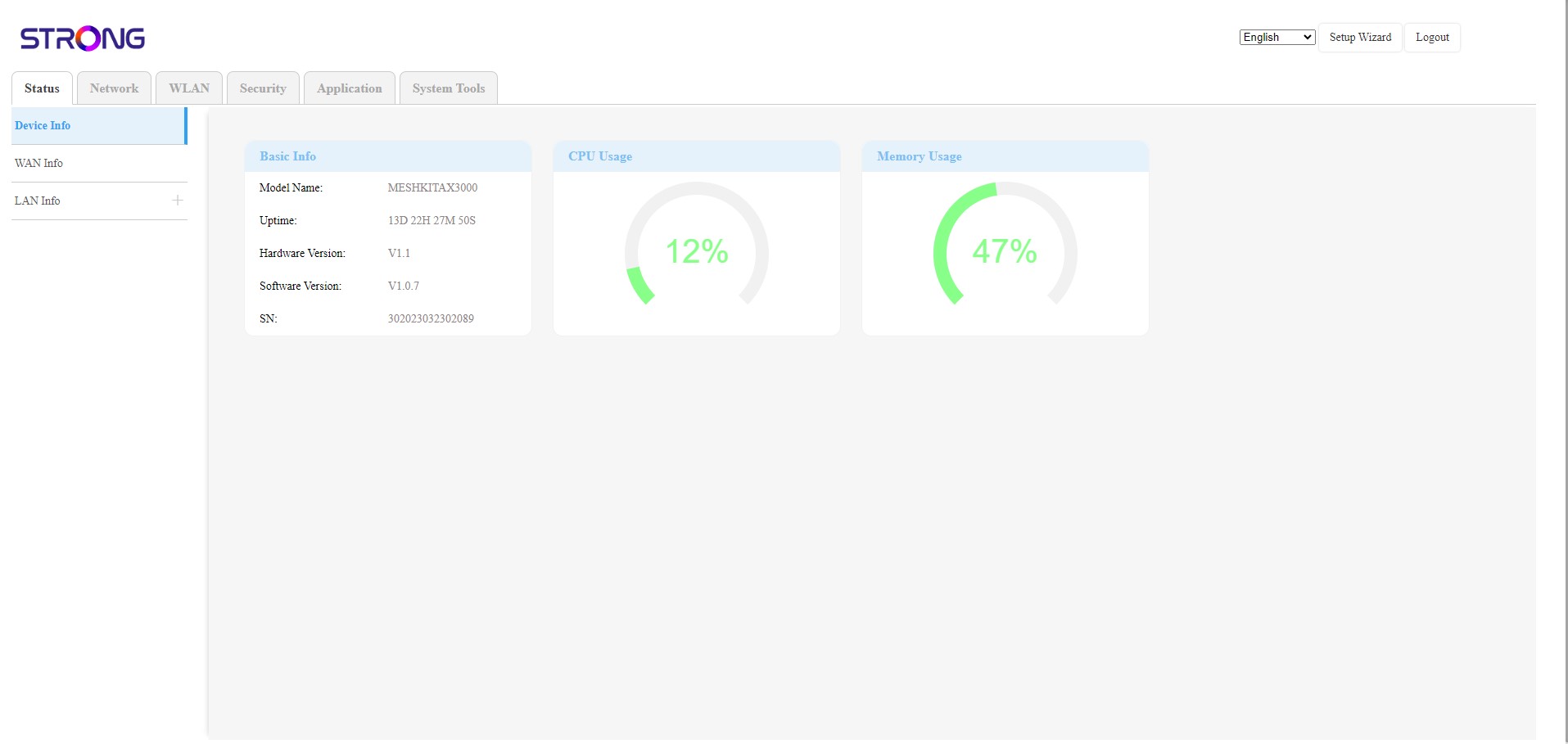
A interface de utilizador web está dividida em 6 secções:
• Estado: onde pode encontrar todas as informações sobre o dispositivo Mesh e a rede.
• Rede: onde pode configurar a WAN, as definições da LAN (IPv4 / IPv6) e definir um limite de velocidade.
• WLAN: onde pode escolher entre as redes de 2,4 GHz e 5 GHz, configurar vários SSIDs, o WPS, gerir o acesso à Internet de diferentes endereços MAC, alterar o SSID e as palavras-passe Wi-Fi e configurar um endereço de e-mail de notificação de falhas ( Mesh).
• Segurança: onde pode configurar uma firewall, definições de DoS, filtros de URL/MAC, filtros de IP, controlo parental/de serviços e programar a ativação da rede « Mesh ».
• Aplicações: onde pode configurar as definições NAT (ALG, DMZ, reencaminhamento de portas), uma VPN, o SNTP (fuso horário), um DNS dinâmico, o UPnP e aceder à configuração de IPTV.
• Ferramentas do sistema: onde pode alterar as credenciais de início de sessão, reiniciar o dispositivo, atualizar o firmware, guardar e restaurar uma cópia de segurança, repor as definições de fábrica, gerir os LEDs, aceder aos registos e iniciar diagnósticos.