
Mesh ATRIA Wi-Fi 5 1200 (pacote com 2 unidades)
Nenhum item encontrado.
Nenhum item encontrado.
Todas as perguntas
Mesh ATRIA Wi-Fi 5 1200 (pacote com 2 unidades)
Nenhum item encontrado.
Nenhum item encontrado.
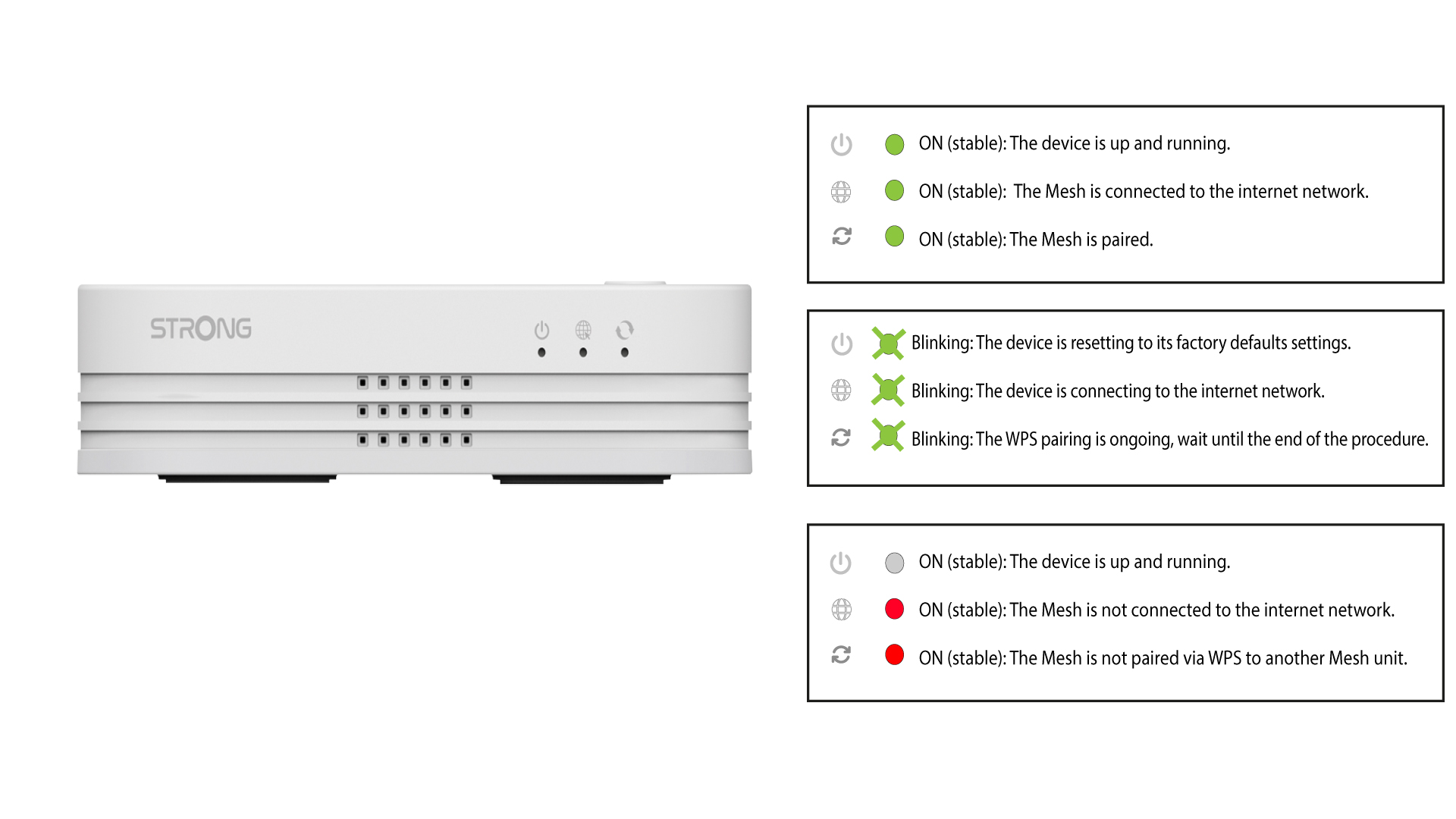
Como configuro a minha rede Wi-Fi mesh (Caso 1: Botão WPS)
Para configurar a sua rede « Mesh », consulte o Guia de Início Rápido (QIG) incluído na « box » do seu produto.
1Ligueo dispositivo à corrente
Tem de ligar a unidade mesh à tomada para a ligar (não existe botão de ligar no dispositivo) e ligá-la ao seu modem através de um cabo RJ45
.

2Aguardedurante a configuração
Em seguida, terá de aguardar alguns minutos até que o dispositivo se configure automaticamente.
3Ligueo segundo dispositivo
Tem de ligar a segunda unidade « mesh ».
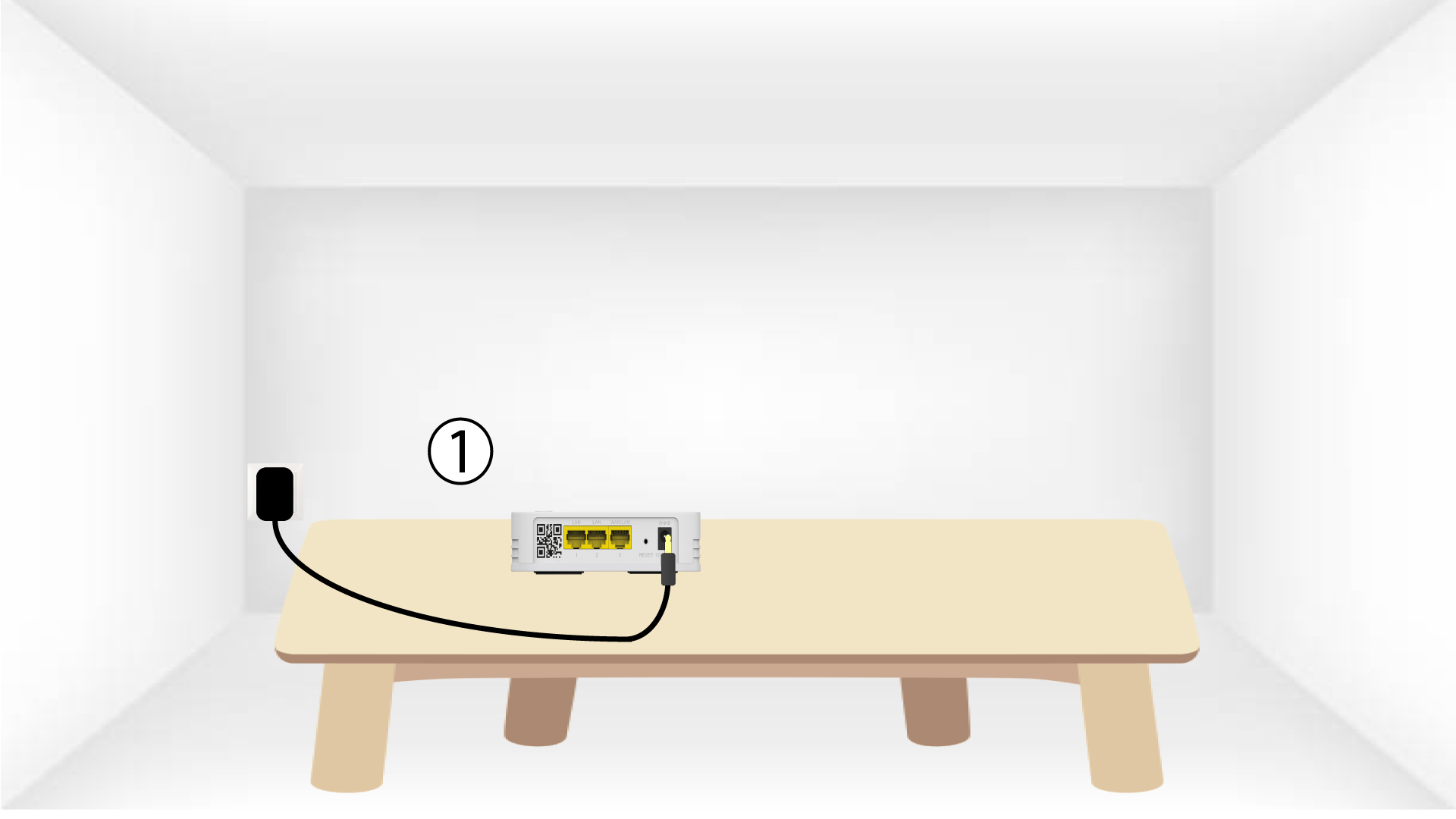
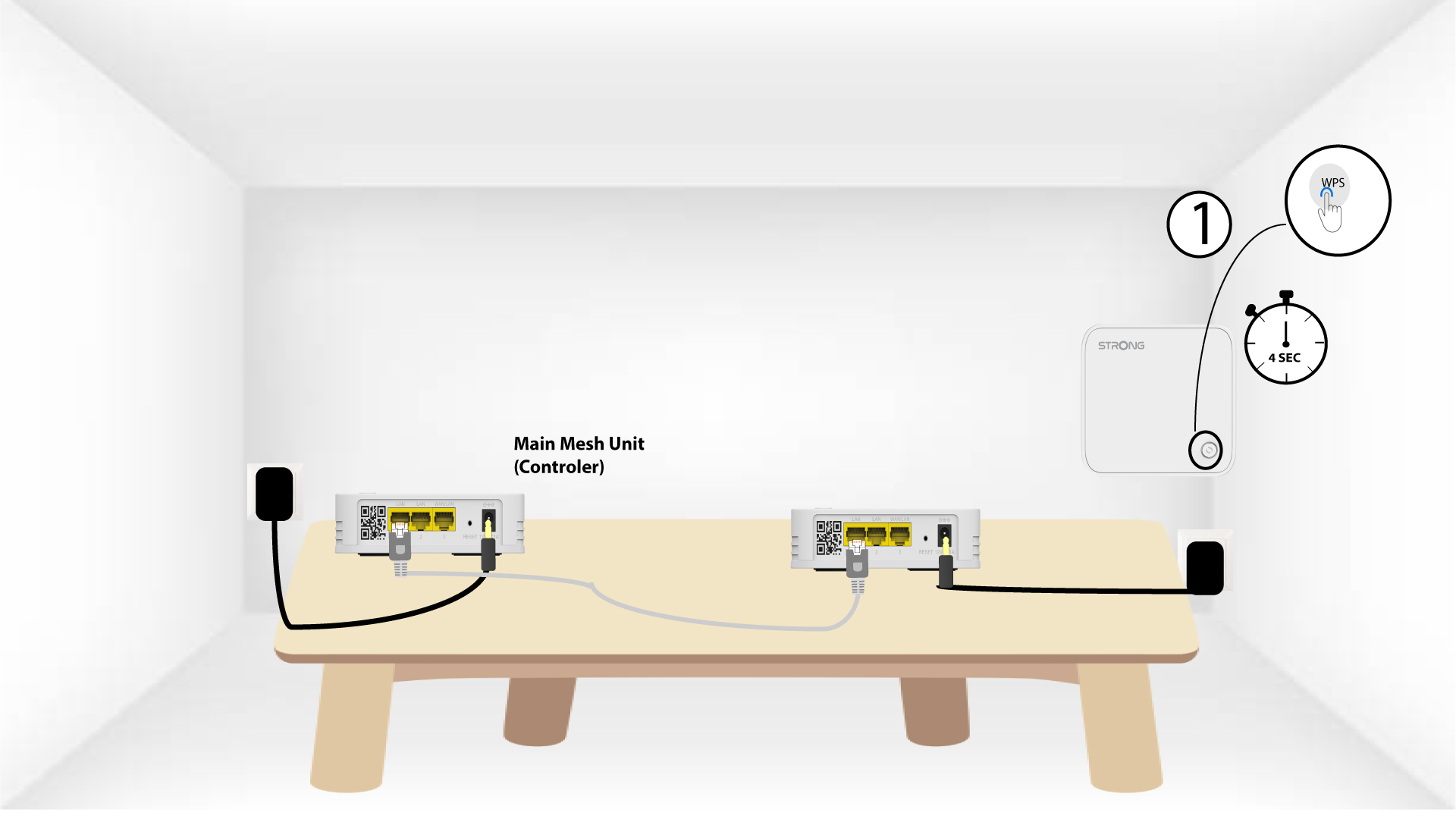
4Ativeo WPS no dispositivo principal mesh
Prima o botão WPS durante, pelo menos, 4 segundos na unidade « Mesh » que está ligada ao seu modem/router.
O LED ficará a piscar a verde após a ativação do WPS.
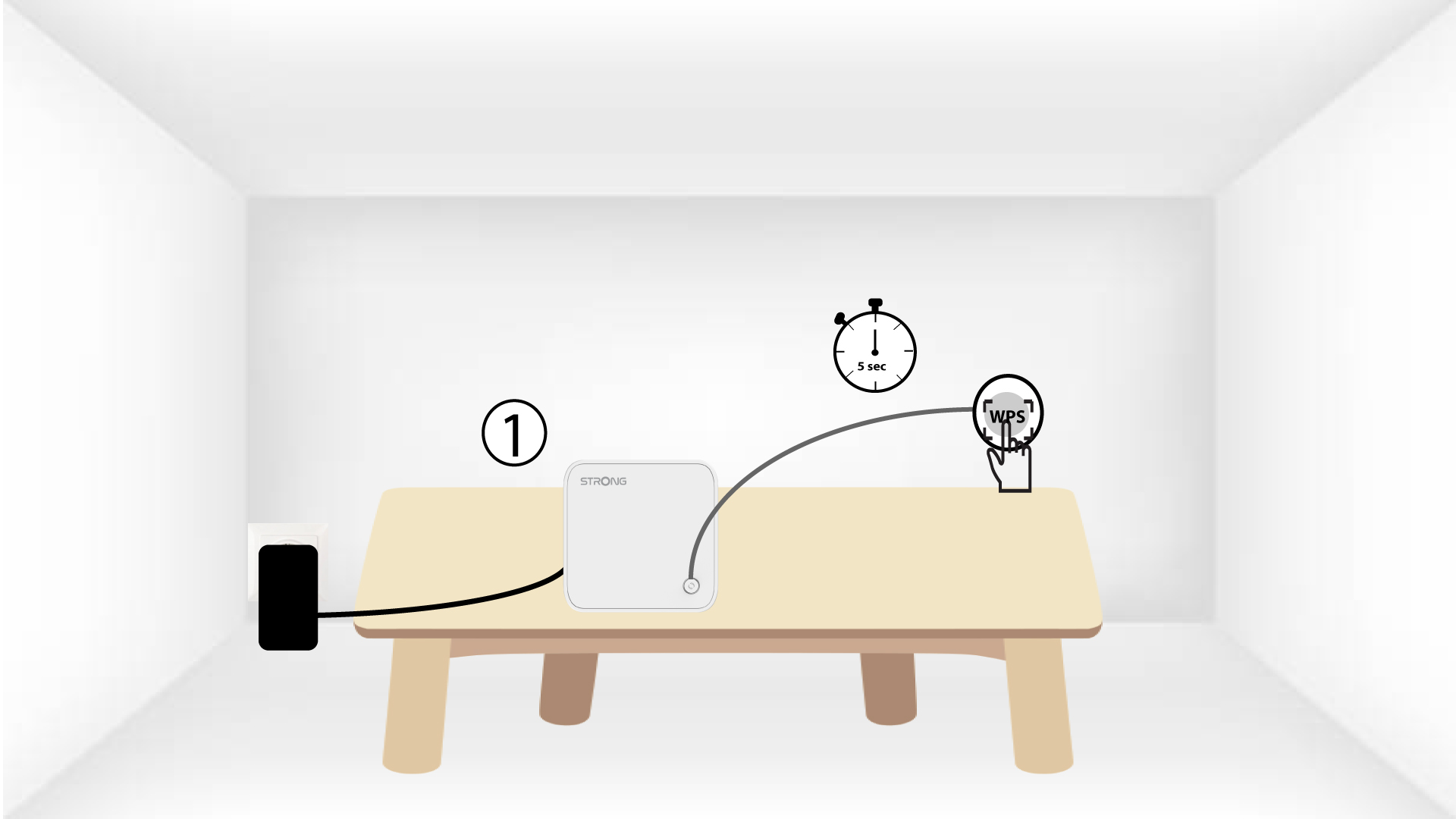
5Ativeo WPS no segundo mesh
Prima o botão WPS durante, pelo menos, 4 segundos na segunda unidade « Mesh ».
6Os dispositivosestão a emparelhar-se
Lorem ipsum dolor sit amet, consectetur adipisicing elit. Pois ninguém ignora que a culpa deve ser excluída dos deveres que se podem escolher.