Wi-Fi 4G+ AIRSPOT 520 s dotykovým displejom
Nenašli sa žiadne položky.
Nenašli sa žiadne položky.
Všetky otázky
Wi-Fi 4G+ AIRSPOT 520 s dotykovým displejom
Nenašli sa žiadne položky.
Nenašli sa žiadne položky.
Ako môžem zmeniť SSID (názov siete Wi-Fi) a heslo k Wi-Fi? (Obrazovka Mi-Fi)
Informácie o sieti Wi-Fi môžete upravovať na obrazovke vášho zariadenia Mi-Fi.
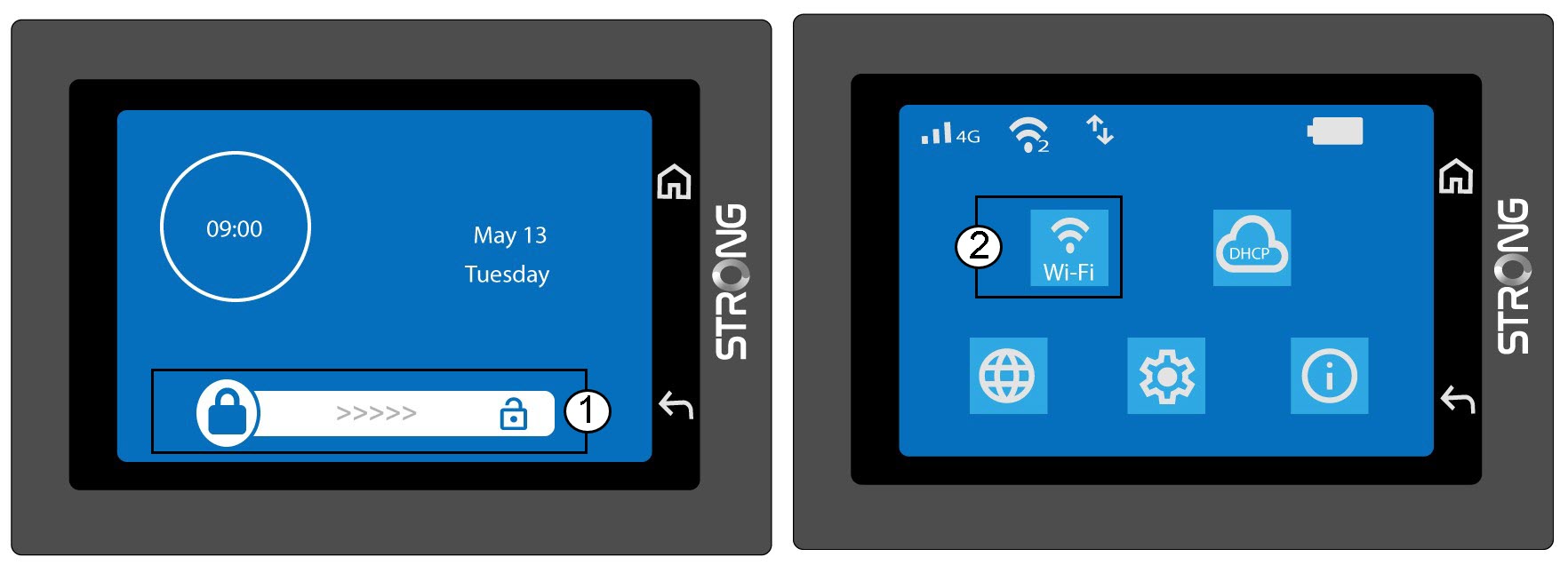
1. Otvortenastavenia Wi-Fi
Odomknite obrazovku a kliknite na ikonu Wi-Fi.
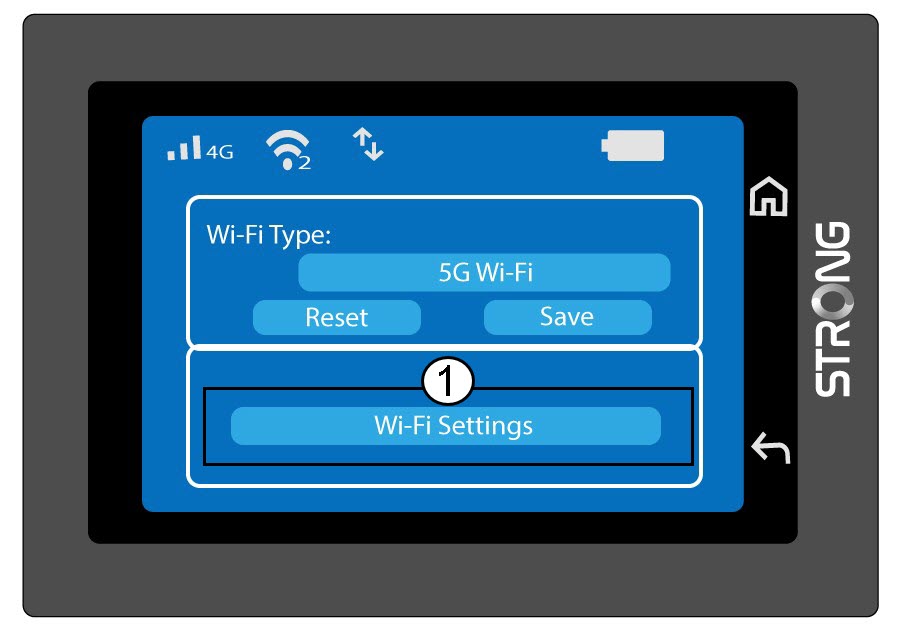
2. Otvoriťnastavenia Wi-Fi
Kliknite na položku „Nastavenia Wi-Fi“.
3Zmenanázvu siete (SSID)
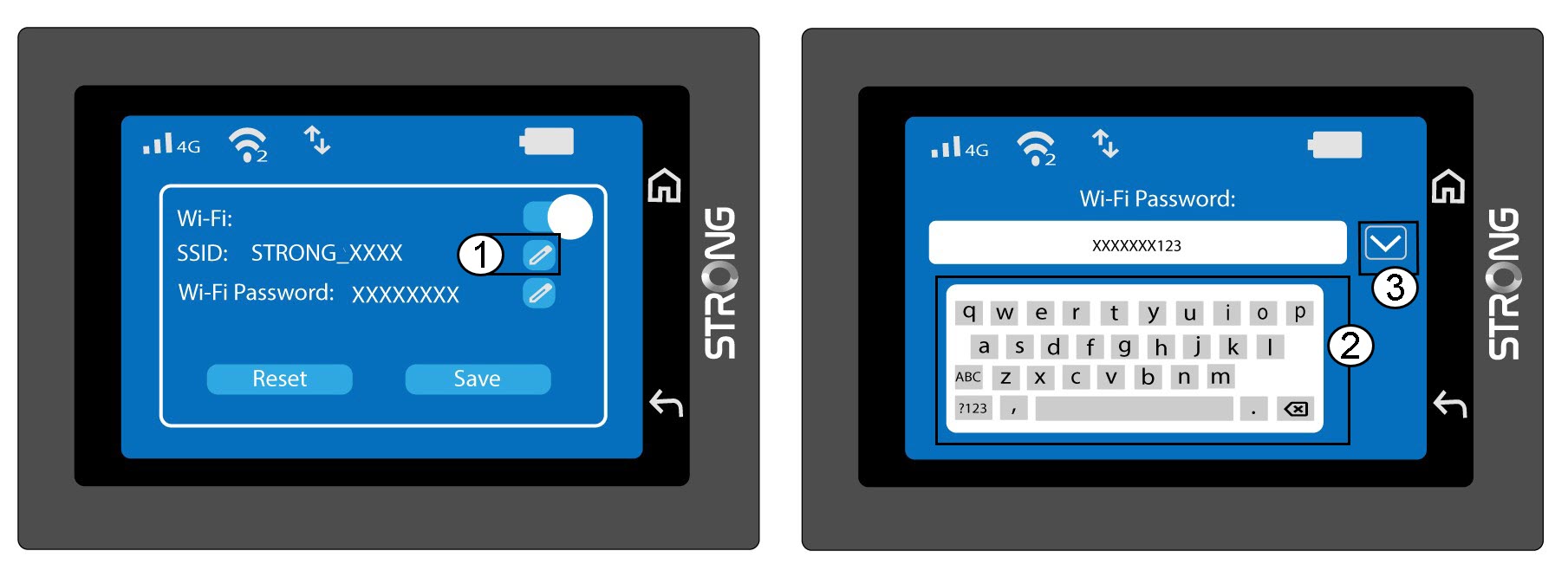
Kliknite na ikonu pera vedľa názvu siete Wi-Fi, zadajte nový názov a stlačte (V) na potvrdenie.
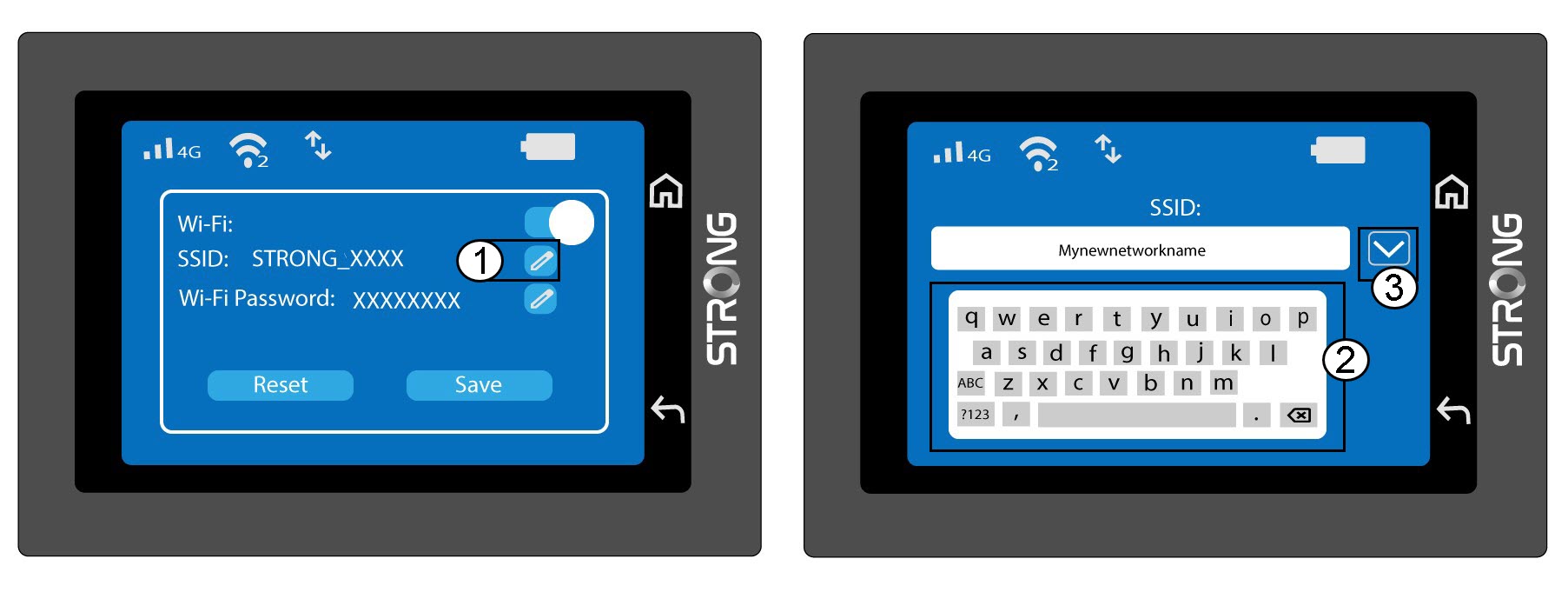
4Zmenahesla k Wi-Fi
Kliknite na ikonu pera vedľa položky „Heslo Wi-Fi“, zadajte nové heslo a stlačte tlačidlo (V) na potvrdenie.
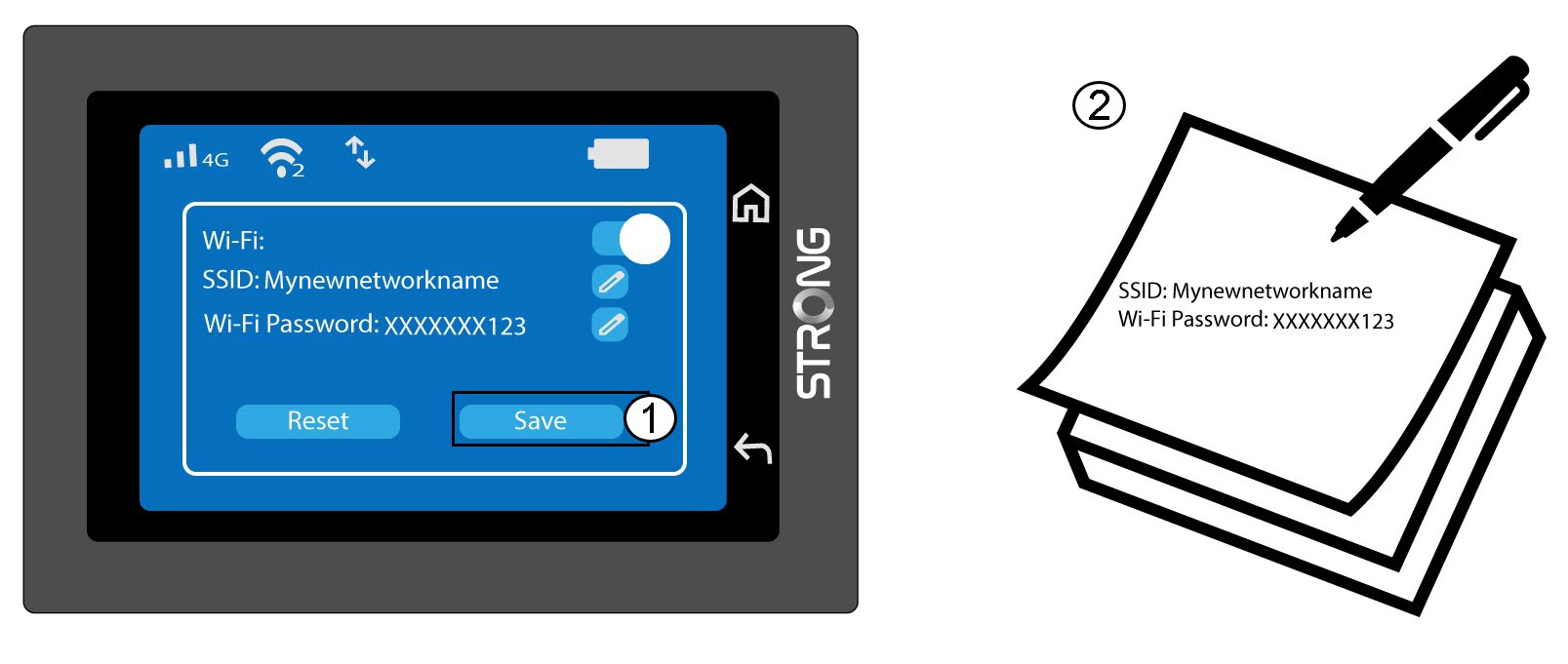
5. Uložtezmeny
Kliknite na tlačidlo „Uložiť“ a zapíšte si nový názov siete a heslo pre budúce použitie.