
АТРИА Ви-Фи 5 Mesh Систем 2100 (пакет од 2 комада)
Сва питања
АТРИА Ви-Фи 5 Mesh Систем 2100 (пакет од 2 комада)
Могу ли да конфигуришем гостујућу мрежу за мој Mesh мрежа?
Да, можете да конфигуришете гостујућу мрежу за свој Mesh мрежа. Постоје 2 начина да се то уради:
1СЛУЧАЈ 1: Веб кориснички интерфејс:
Да бисте се повезали са веб корисничким интерфејсом, погледајте следећу процедуру: Како да приступим веб корисничком интерфејсу?
2Гостна мрежа
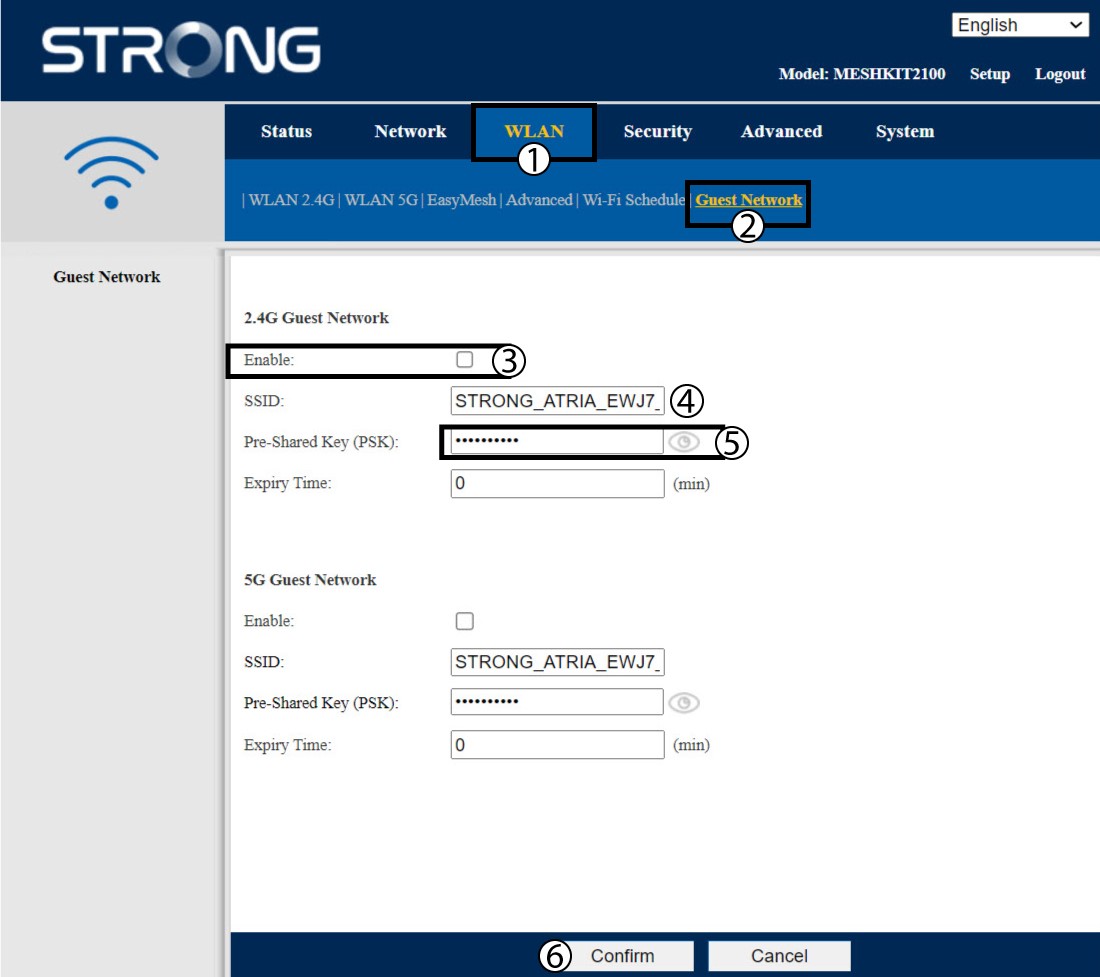
Кликните на WLAN и гостујућа мрежа . Ако желите да активирате и 2.4 и 5G гостујуће мреже , означите поља за омогућавање и кликните на Потврди .
3 Запишите нове информације
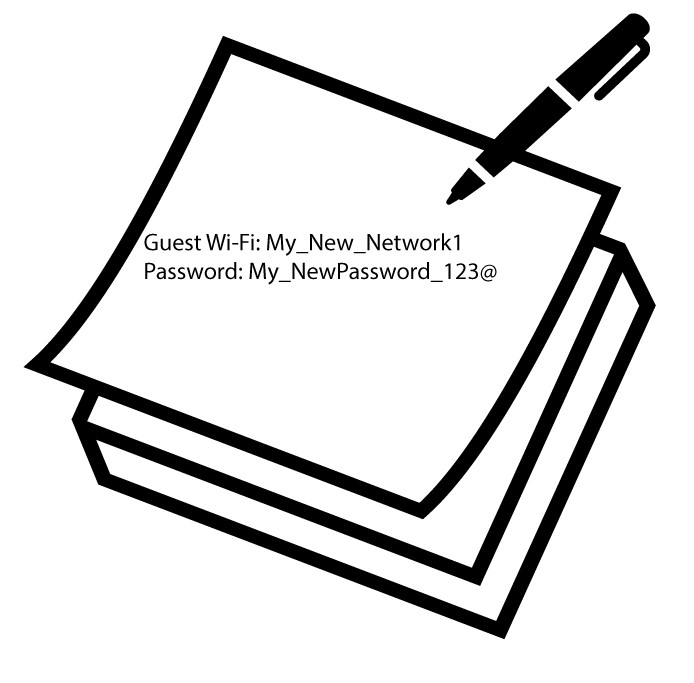
Запишите име и лозинке за гостујуће мреже на комад папира.
1Случај 2: Преткоморе Mesh Апликација
Да бисте се повезали са апликацијом, погледајте следећу процедуру: Како да користим апликацију Atria Mesh ?
2 Wi-Fi за госте
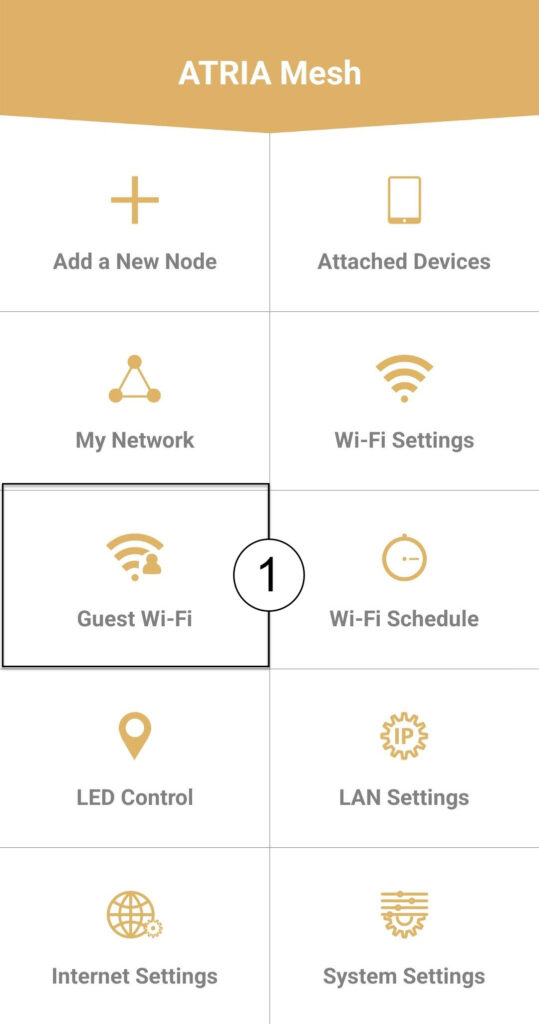
Кликните на Wi-Fi за госте .
3 НОВИ КОРАК
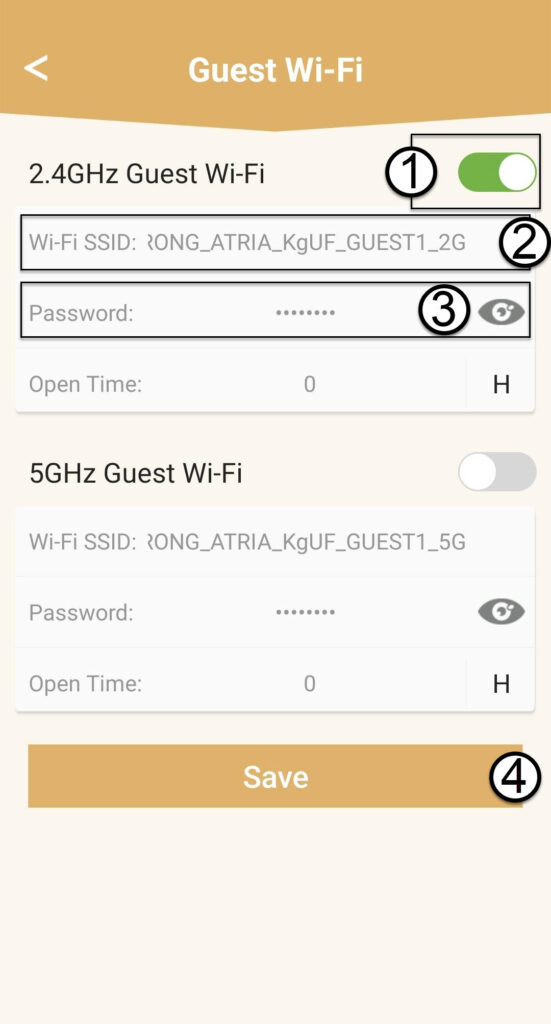
Притисните дугме за пребацивање гостујуће Wi-Fi мреже да бисте је активирали. Затим кликните на SSID назив Wi-Fi мреже да бисте га променили и кликните на икону ока да бисте приказали лозинку и изменили је пре него што кликнете на Сачувај .
4 Запишите нове информације
Запишите нови SSID и лозинку за Wi-Fi мрежу на комад папира.