
АТРИА Ви-Фи 5 Mesh Систем 2100 (пакет од 2 комада)
Нема пронађених ставки.
Нема пронађених ставки.
Сва питања
АТРИА Ви-Фи 5 Mesh Систем 2100 (пакет од 2 комада)
Нема пронађених ставки.
Нема пронађених ставки.
Заборавио/ла сам лозинку за Wi-Fi мрежу Mesh мрежа, како могу да је пронађем?
1 Подразумевани акредитиви
Подразумевана лозинка за Wi-Fi се налази испод вашег уређаја, међутим, ако сте је већ променили, можда ћете морати да је вратите. Mesh 2100 на фабричка подешавања.
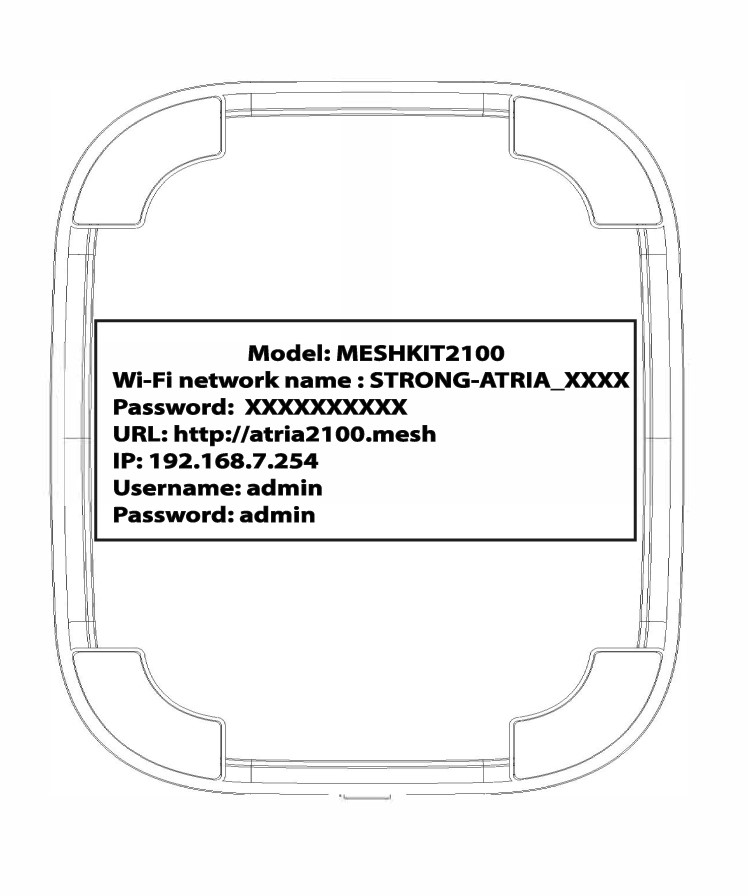
СЛУЧАЈ 1: Преглед информација о Wi-Fi мрежи у веб интерфејсу
Да бисте се повезали са веб корисничким интерфејсом, погледајте ову процедуру: Како да приступим веб корисничком интерфејсу?
1 WLAN
Кликните на WLAN и WLAN 2.4G . Затим кликните на икону ока поред поља PSK .

2 Запишите нове информације
Запишите лозинку на комад папира.
СЛУЧАЈ 2: Преглед информација о Wi-Fi мрежи у апликацији
Да бисте се повезали са веб интерфејсом, погледајте ову процедуру: Како да користим Atria Mesh апликацију?
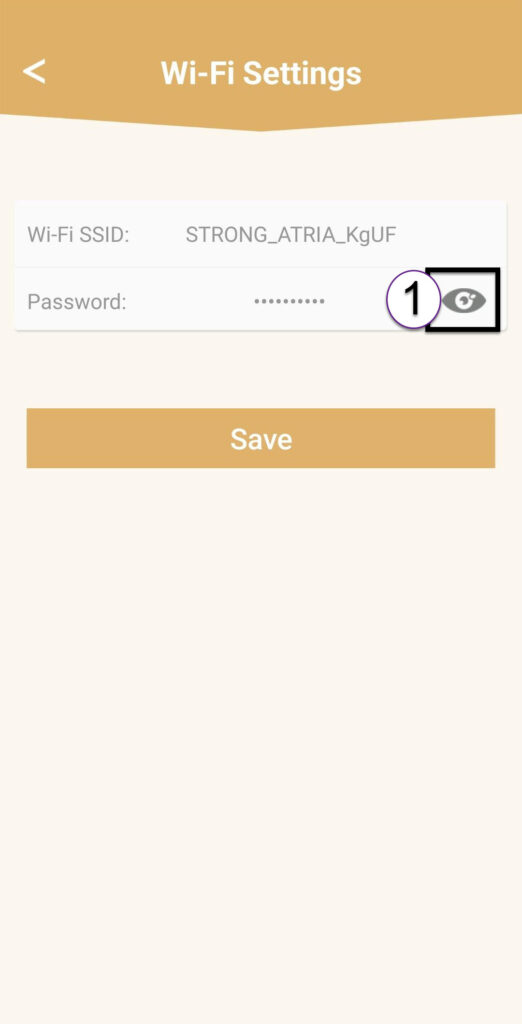
1 Подешавања Wi-Fi мреже
Затим кликните на Подешавања Wi-Fi мреже .

2 Лозинка
Кликните на икону ока да бисте приказали лозинку.
3 Запишите нове информације
Запишите лозинку на комад папира.