
5G AIRHOME 1050 | Wi-Fi 6
Сва питања
5G AIRHOME 1050 | Wi-Fi 6
Како да приступим веб корисничком интерфејсу?
Да бисте приступили веб интерфејсу, морате бити повезани на Wi-Fi мрежу свог уређаја након што поставите SIM картицу у слот.
1 Повежите се са Wi-Fi мрежом рутера
Да бисте то урадили, унесите SSID (назив Wi-Fi мреже) и лозинку за Wi-Fi рутер у свој уређај:

2. Прегледајте ИП адресу веб интерфејса
Затим, унесите следећу ИП адресу у ваш прегледач: 192.168.0.1

3 Пронађите своју акредитацију
Да бисте пронашли своје акредитиве, погледајте налепницу која се налази иза вашег уређаја.
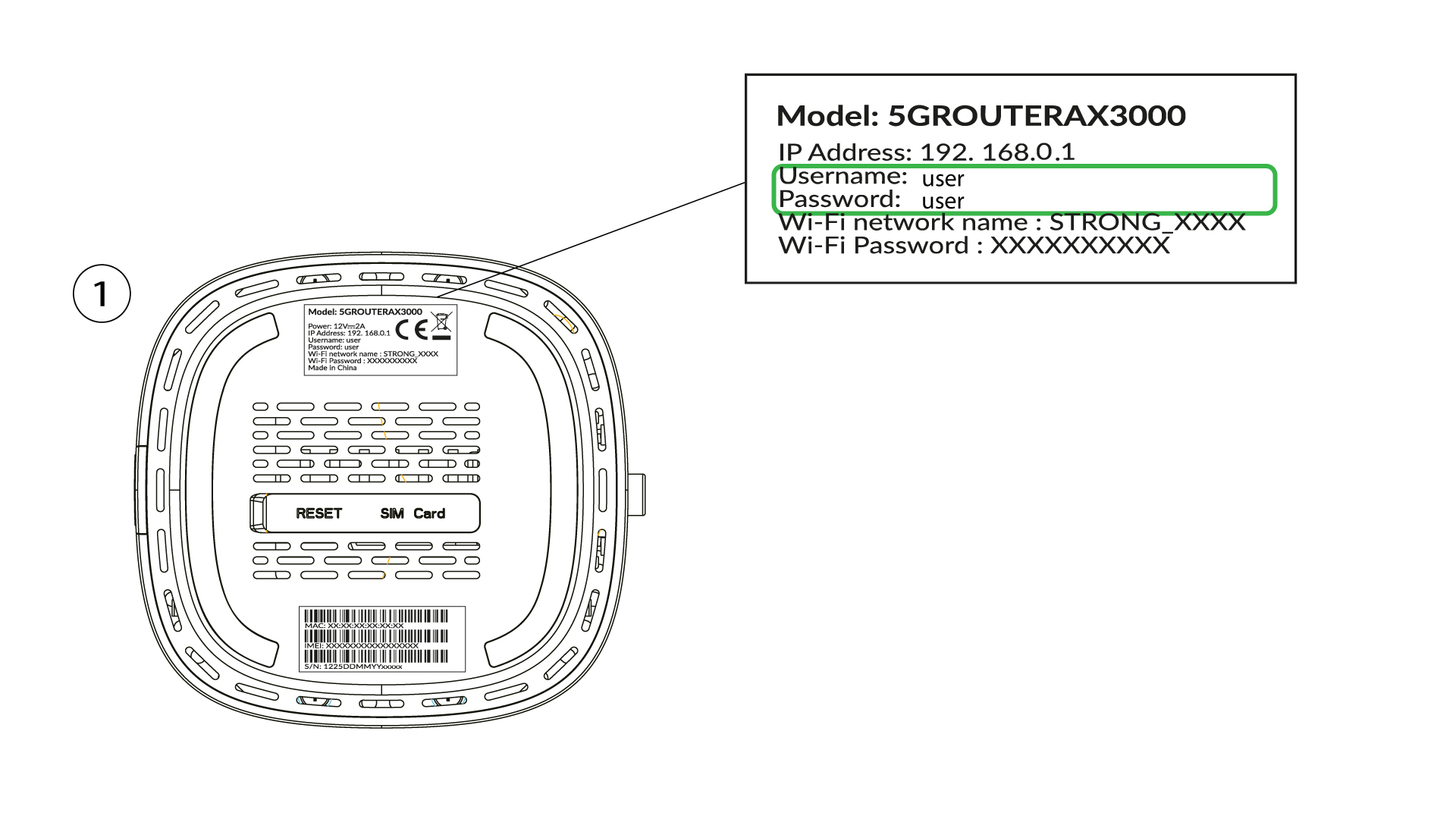
4 Унесите своје акредитиве
Морате унети корисничко име и лозинку и кликнути на Пријава (да бисте пронашли своје акредитиве, погледајте претходни корак).

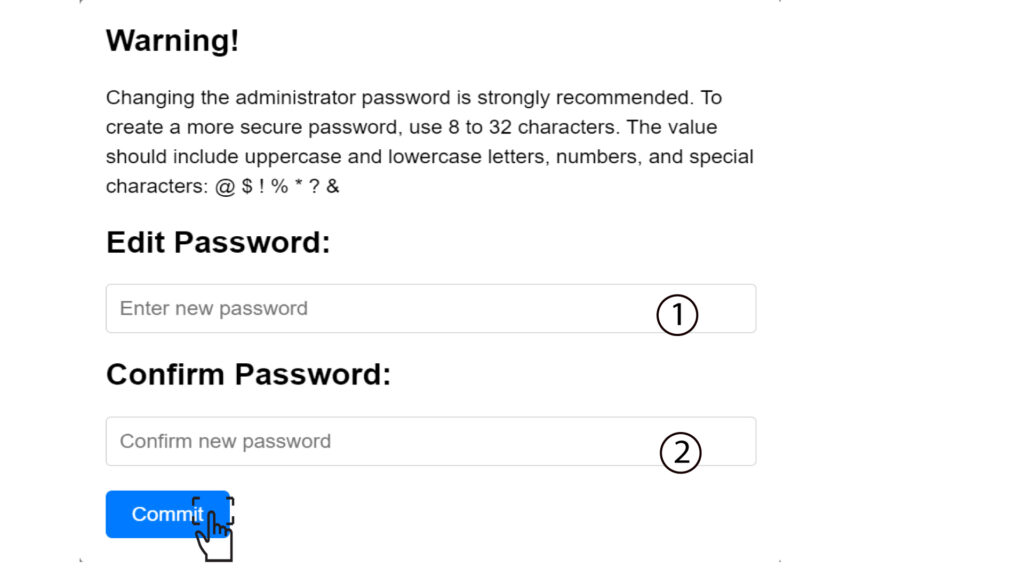
5 Промените администраторску лозинку
У искачућем прозору који се појави, морате да креирате нову администраторску лозинку након првог повезивања. Да бисте то урадили, унесите следеће информације пре него што кликнете на дугме „Потврди“ :
- Измени лозинку : унесите лозинку дужине између 8 и 32 карактера која садржи велика слова, мала слова, број и најмање један специјални карактер (@, $, !, %, *, ?, &)
- Потврди лозинку: унесите исту лозинку.
6. Упишите нове акредитиве
Молимо вас да запишете нову администраторску лозинку и корисничко име на папиру:
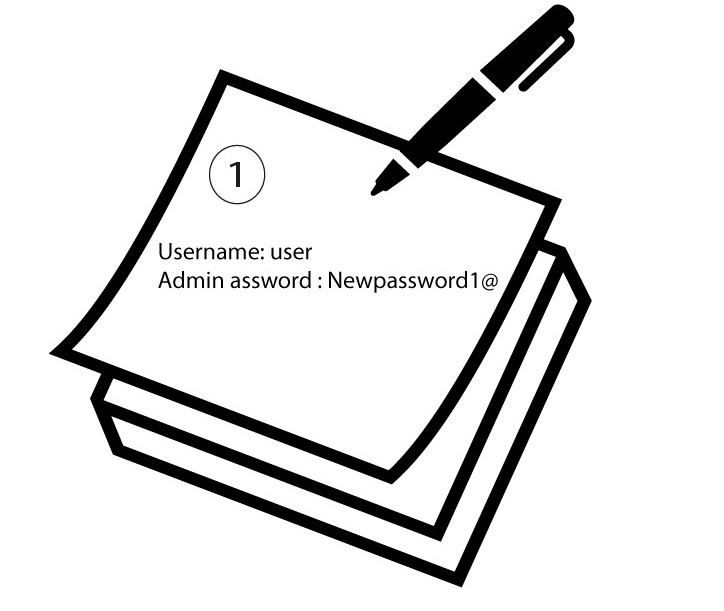

Упозорење : Ако је подразумевана администраторска лозинка подешена на корисника, морате је променити након првог повезивања како бисте осигурали приступ рутеру и спречили хаковање. Након подешавања нове лозинке, запишите је.