Двопојасни репетитор 1200
Нема пронађених ставки.
Нема пронађених ставки.
Сва питања
Двопојасни репетитор 1200
Нема пронађених ставки.
Нема пронађених ставки.
Како да подесим статичку ИП адресу за мој репетитор?
1 Повежите се са репетитором
Потребно је да се повежете са репетитором путем RJ45 кабла или да се повежете са једном од Wi-Fi мрежа које су креиране након конфигурације.

2 Приступите веб корисничком интерфејсу
Унесите URL адресу да бисте приступили веб интерфејсу у вашем прегледачу

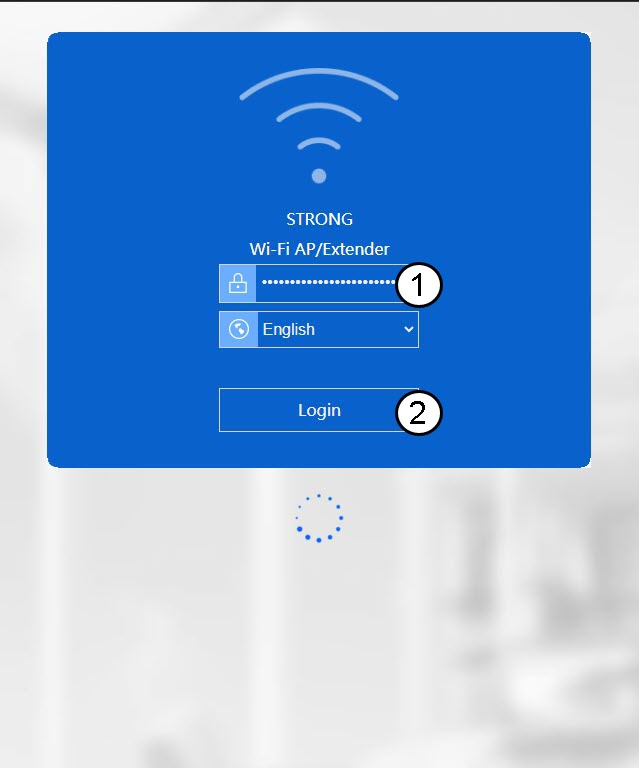
3 Пријавите се на веб интерфејс
Унесите своје администраторске акредитиве.
4 Отворите мени за подешавање
Кликните на Подешавање .
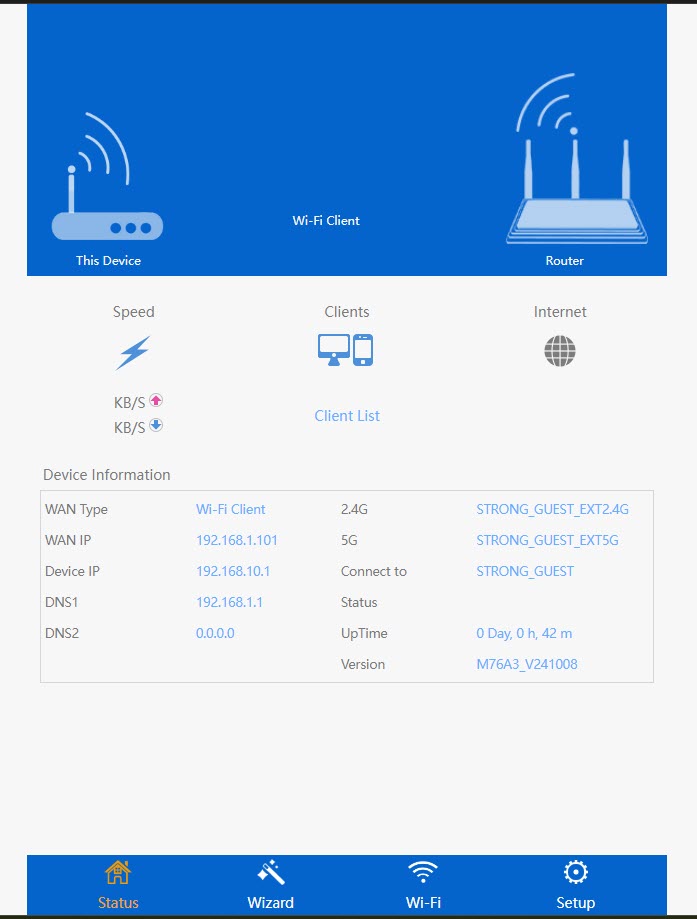
5 Идите на подешавања интернета
Кликните на Подешавања интернета
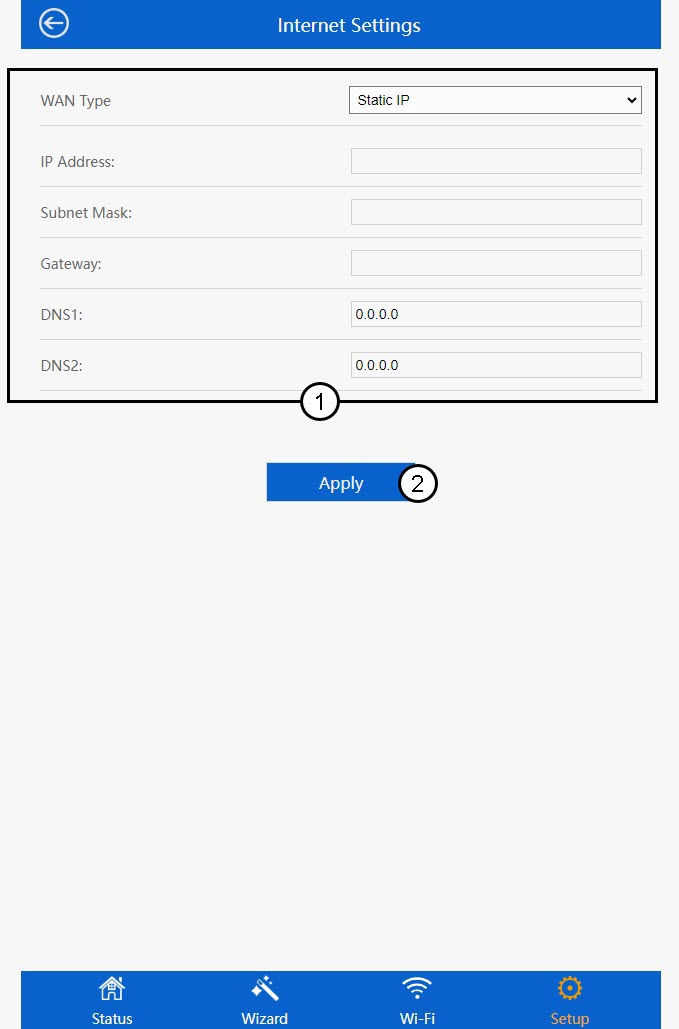
6 Конфигуришите статичку ИП адресу
На страници Интернет подешавања унесите следеће информације пре него што кликнете на Сачувај и примени :
- Тип WAN мреже: Изаберите вредност Статичка IP адреса са листе.
- ИП адреса: Унесите ИП адресу репетитора.
- Маска подмреже: Изаберите маску подмреже са листе
- Гејтвеј : Унесите ИП адресу вашег репетитора
- DNS1: Унесите DNS адресу.
- DNS2 : Унесите DNS адресу.