4G+ AIRHOME 710 med avtagbara 4G+-antenner
Alla frågor
4G+ AIRHOME 710 med avtagbara 4G+-antenner
Hur ändrar jag SSID (Wi-Fi-nätverksnamnet) och Wi-Fi-lösenordet?
4G+ Router 1200 är en dual-band-router, där du kan redigera inställningarna för dina Wi-Fi-nätverk på 2,4 GHz och 5 GHz.
1. Ansluttill routerns Wi-Fi-nätverk
För att ändra SSID (Wi-Fi-nätverksnamn) och Wi-Fi-lösenord måste du vara ansluten till enhetens Wi-Fi-nätverk.

2. Gåtill webbgränssnittets IP-adress
Ange sedan följande IP-adress: 192.168.188.1 i din webbläsare.

3Hittadina inloggningsuppgifter för webbgränssnittet
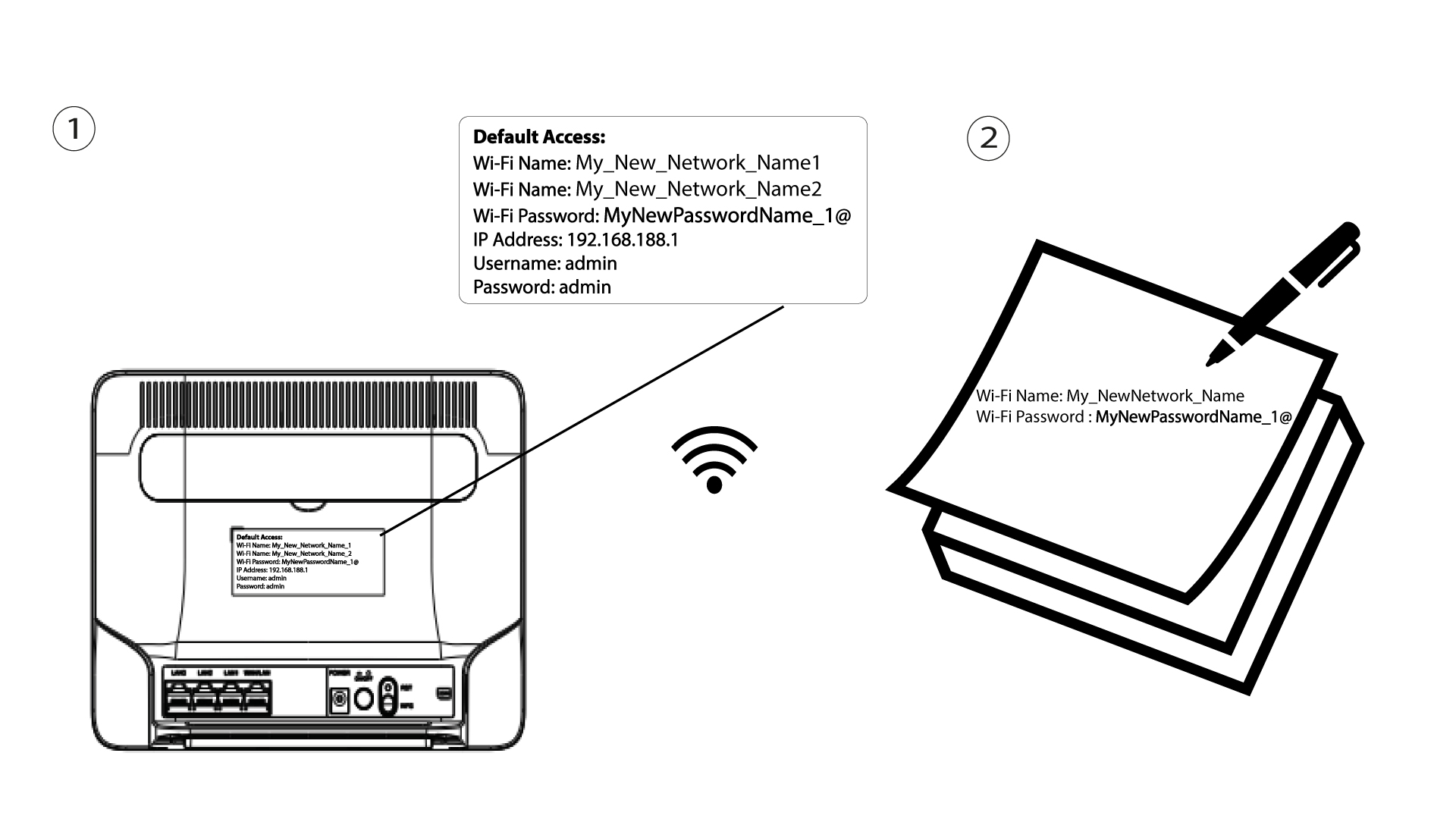
För att ta reda på dina inloggningsuppgifter, se etiketten på baksidan av enheten.

4Angedina inloggningsuppgifter
Du måste ange användarnamn och lösenord. Klicka sedan på ”Logga in”.

5. Wi-Fi-inställningar
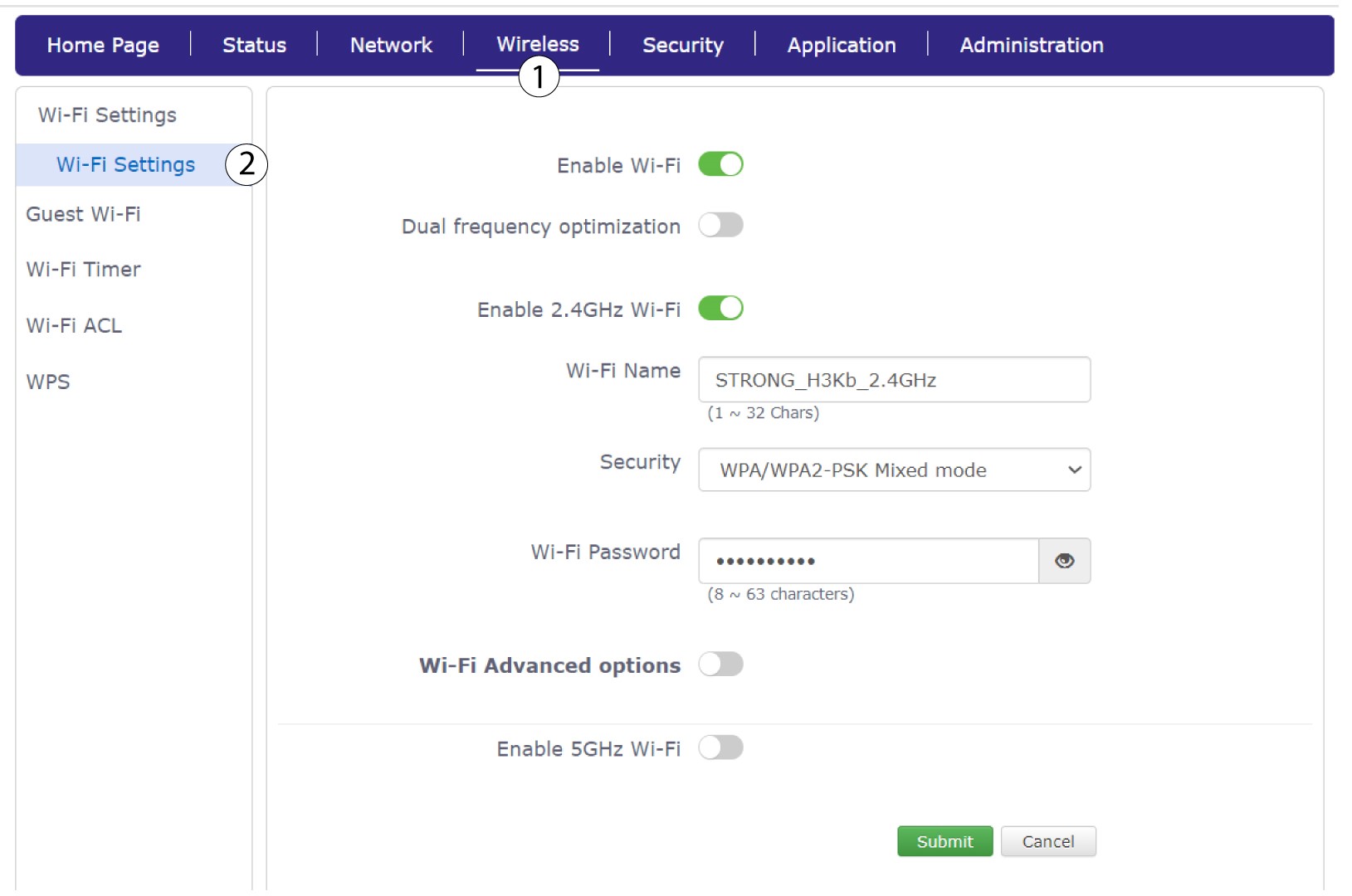
Klicka på ”Trådlöst ” och välj ”Wi-Fi-inställningar”.
6Angede nya nätverksuppgifterna
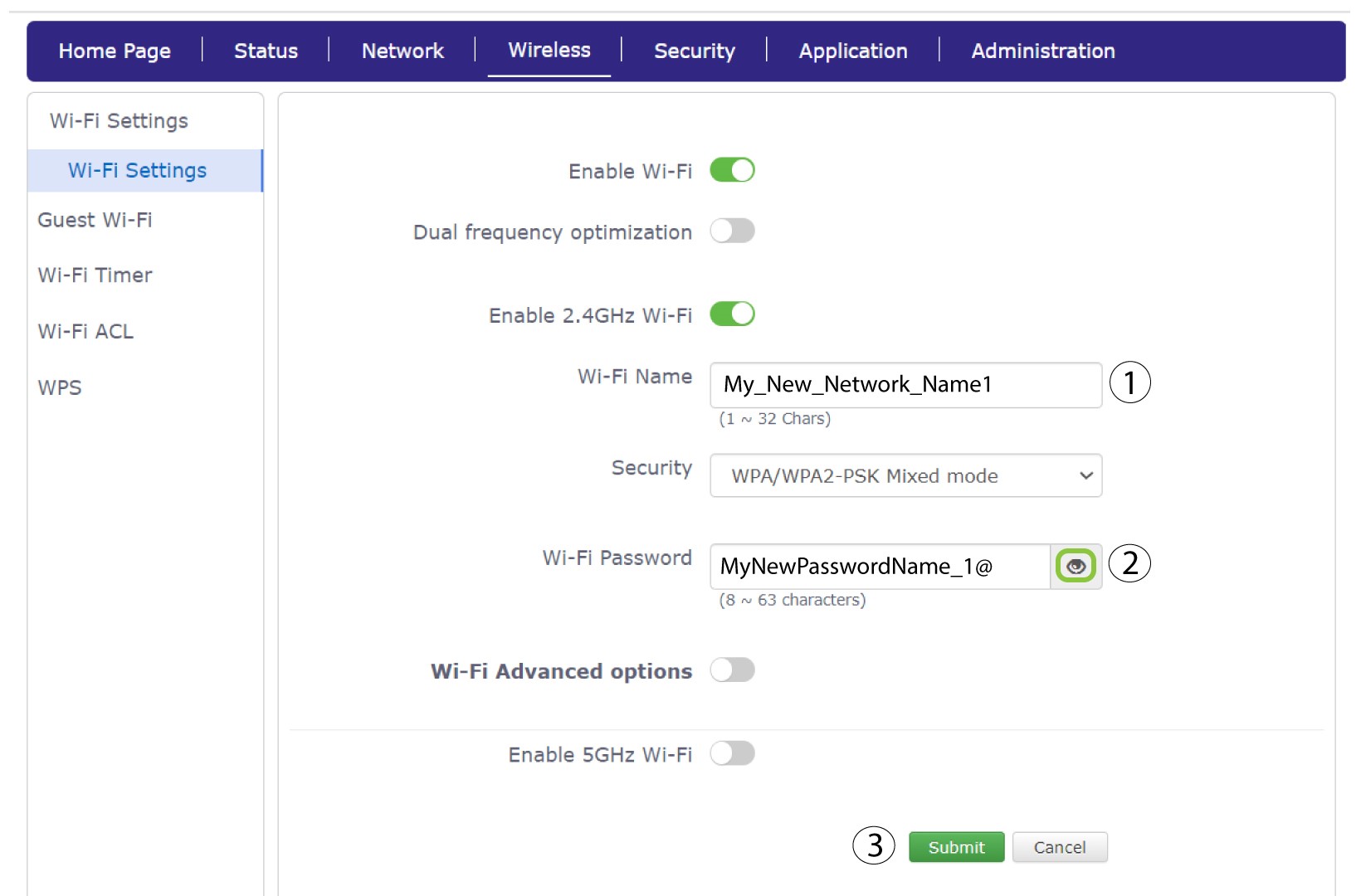
Ändra namnet som angetts i fältet ”Wi-Fi-namn” och klicka på ögonikonen bredvid fältet ”Wi-Fi-lösenord”. Ändra sedan lösenordet som angetts i fältet ”Wi-Fi-lösenord” och klicka på ”Skicka” för att spara ändringarna.
7. Skrivner de nya nätverksuppgifterna
Skriv ner ditt nya SSID (Wi-Fi-nätverksnamn) och Wi-Fi-lösenordet på ett papper och tejpa fast det på routern.