
4G+ AIRHOME 710 med avtagbara 4G+-antenner
Inga föremål hittades.
Inga föremål hittades.
Alla frågor
4G+ AIRHOME 710 med avtagbara 4G+-antenner
Inga föremål hittades.
Inga föremål hittades.
Hur inaktiverar jag 2,4 GHz-Wi-Fi-nätverket?
1. Ansluttill routerns Wi-Fi-nätverk
För att inaktivera Wi-Fi måste du ansluta till webbgränssnittet. För att göra det anger du routerns SSID (Wi-Fi-nätverksnamn) och Wi-Fi-lösenord på din enhet.

2. Gåtill webbgränssnittets IP-adress
Ange sedan följande IP-adress i din webbläsare: 192.168.188.1.

3Hittadina inloggningsuppgifter för webbgränssnittet
Se produktetiketten på enhetens baksida för att hitta ditt användarnamn och lösenord.

4Angedina inloggningsuppgifter
Du måste ange användarnamn och lösenord. Klicka sedan på ”Logga in”. Mer information om inloggningen finns iinloggningsanvisningarna.

5. Wi-Fi-inställningar
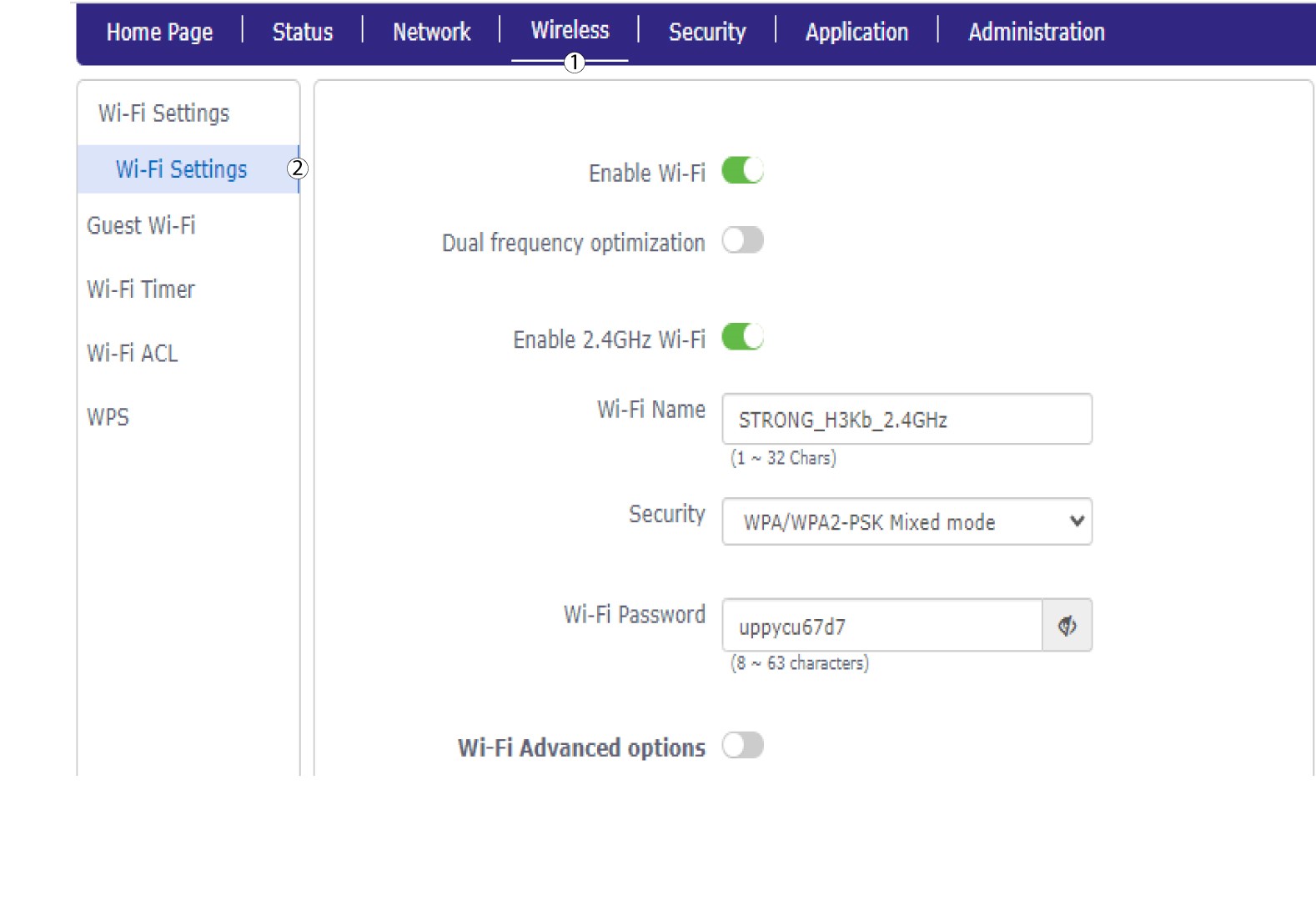
Klicka på ”Trådlöst ” och välj ”Wi-Fi-inställningar”.
6. Stäng avWi-Fi
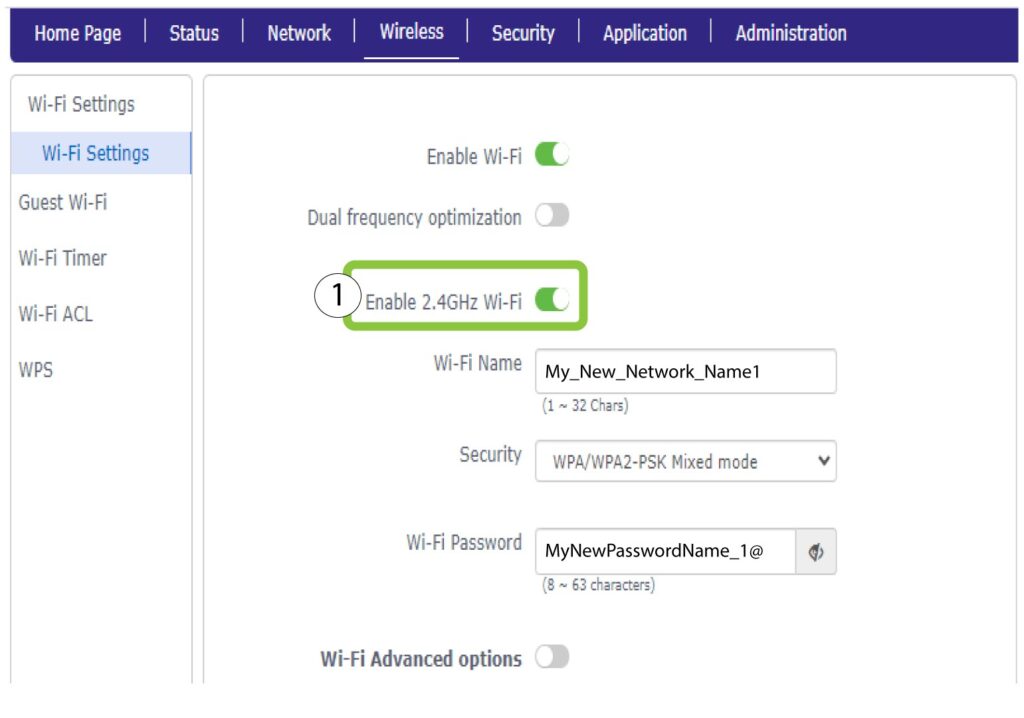
Klicka sedan på växlingsknappen ”Aktivera 2,4 GHz Wi-Fi” för att inaktivera båda nätverken.
7Sparaändringarna
Klicka sedan på Skicka.
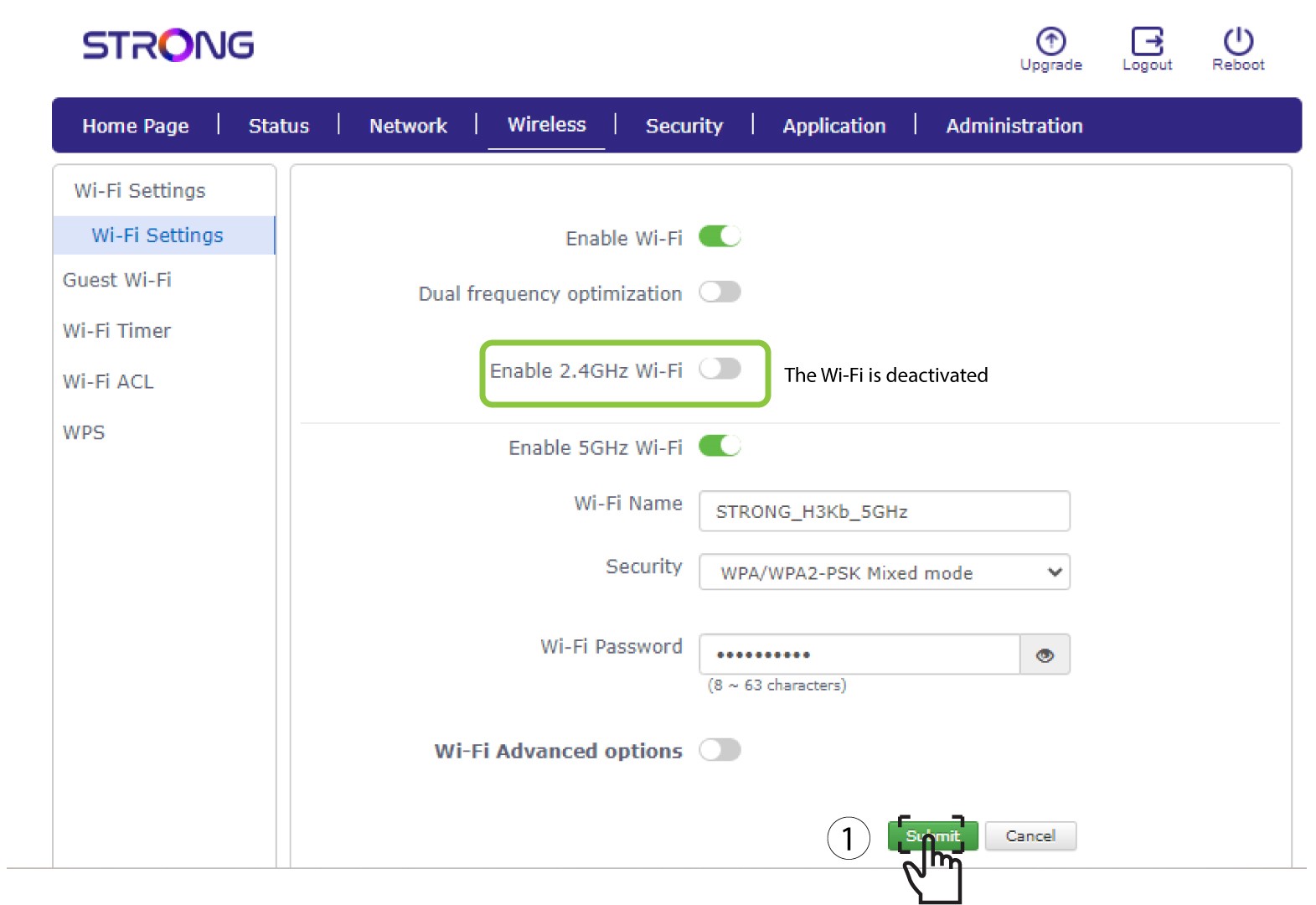
Om du vill inaktivera båda Wi-Fi-nätverken, följ anvisningarna nedan:
Om du endast vill inaktivera 5 GHz-Wi-Fi-nätverket, följ anvisningarna nedan: