
Repeater AX1800
Alla frågor
Repeater AX1800
Hur ställer jag in min repeater som en åtkomstpunkt?
1Ansluttill webbgränssnittet
Följ ett av stegen nedan för att ansluta till webbgränssnittet:
- Hur ansluter jag till repeaterns webbgränssnitt? (RJ45-kabel)
- Hur ansluter jag till repeaterns webbgränssnitt? (Wi-Fi)
2Väljläge för din repeater
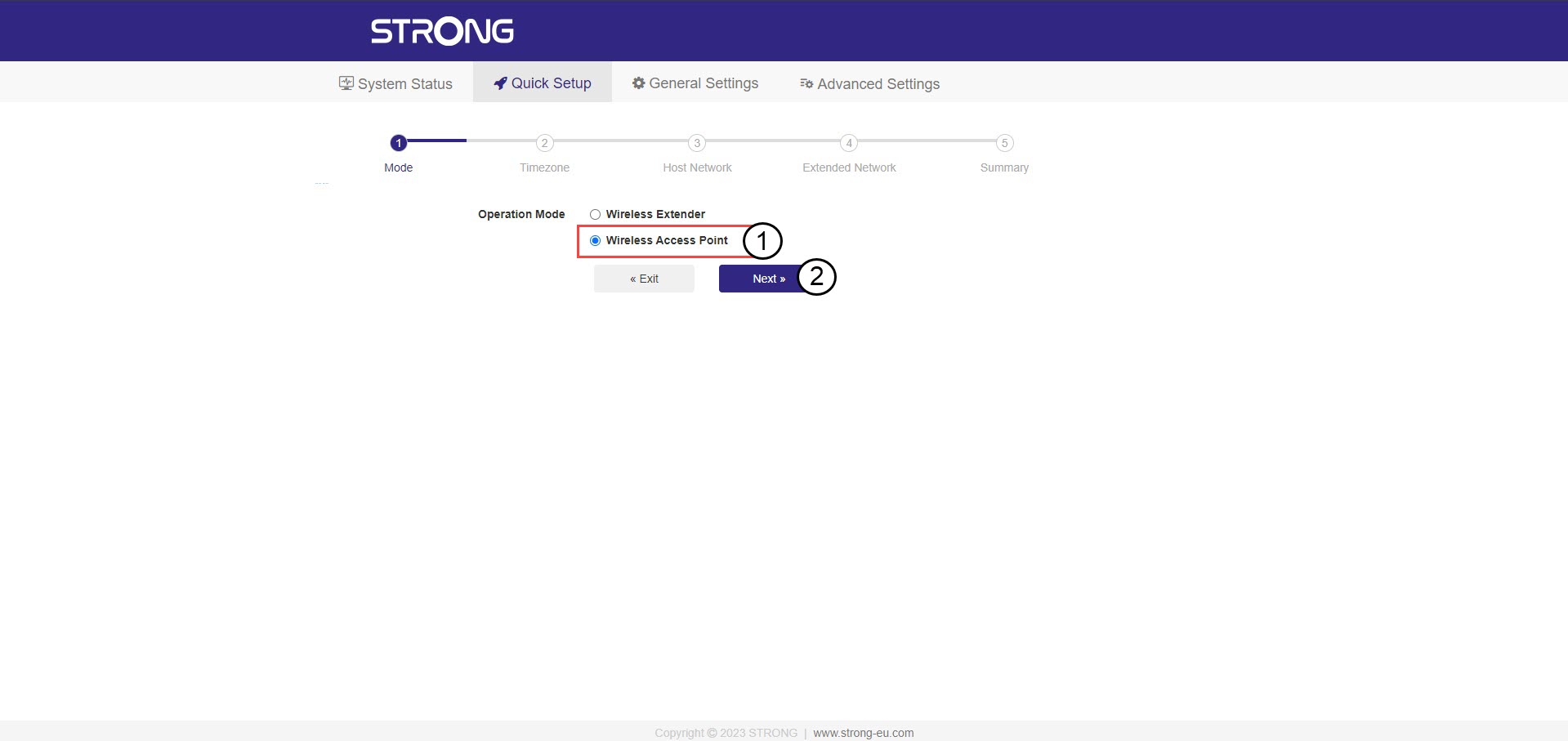
Guiden för installation av repeatern öppnas. Välj ”Trådlös åtkomstpunkt ” och klicka på ”Nästa”.
3Väljtidszon
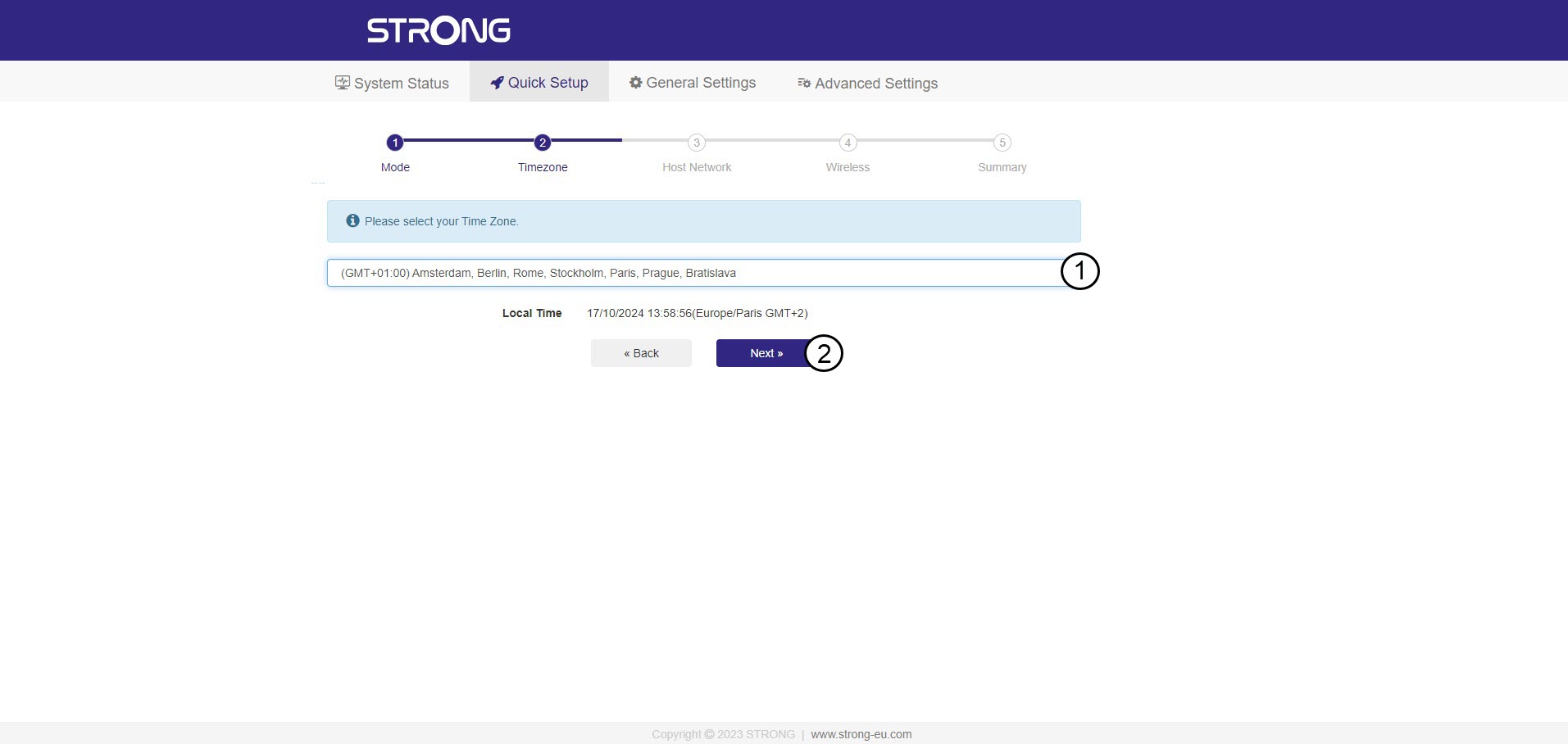
Välj tidszon från listan om den som upptäcks automatiskt är felaktig och klicka på Nästa.
4. Söka eftertillgängliga nätverk
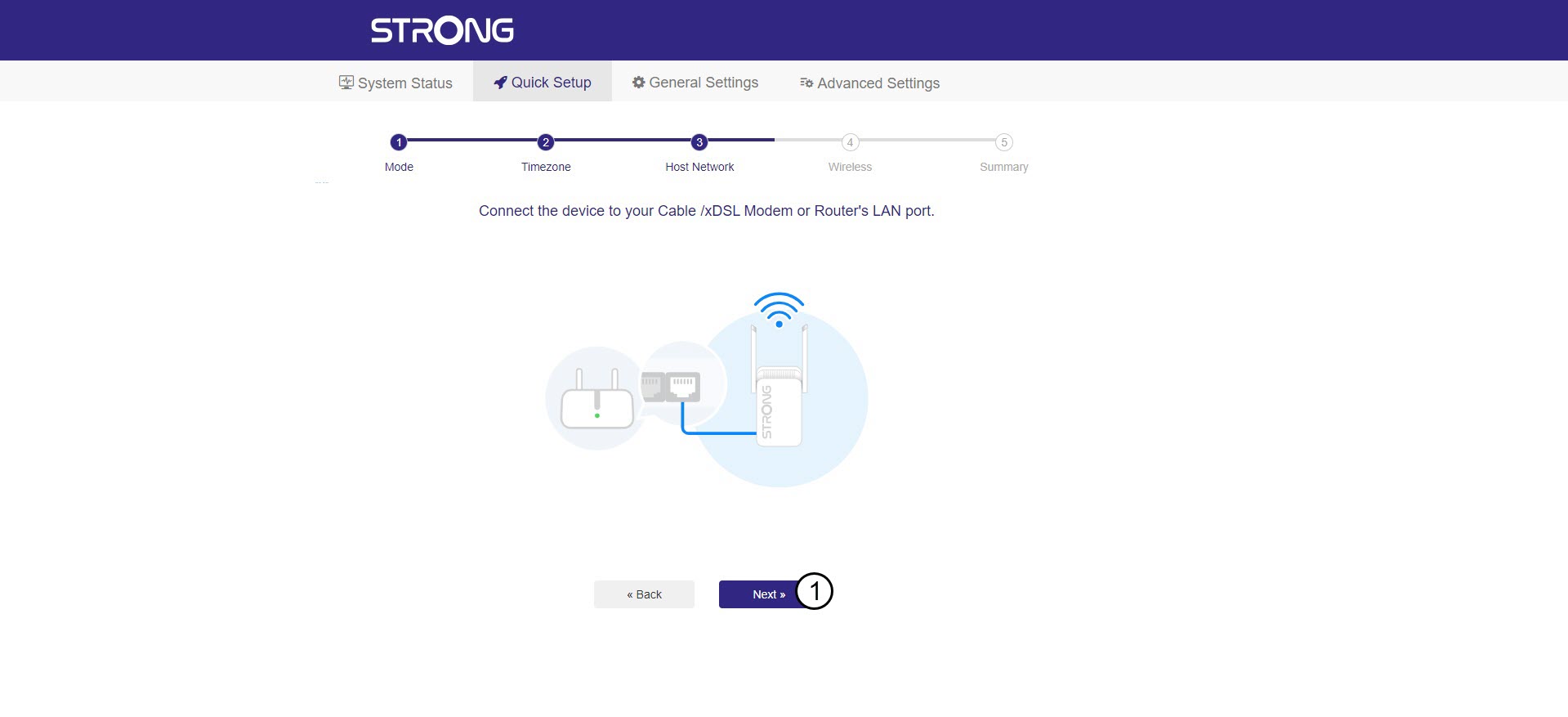
Anslut din repeater till modemet/routern genom att koppla in en RJ45-kabel i WAN/LAN-porten.
Klicka sedan på Nästa.
5Angelösenordet för Wi-Fi-värdnätverket
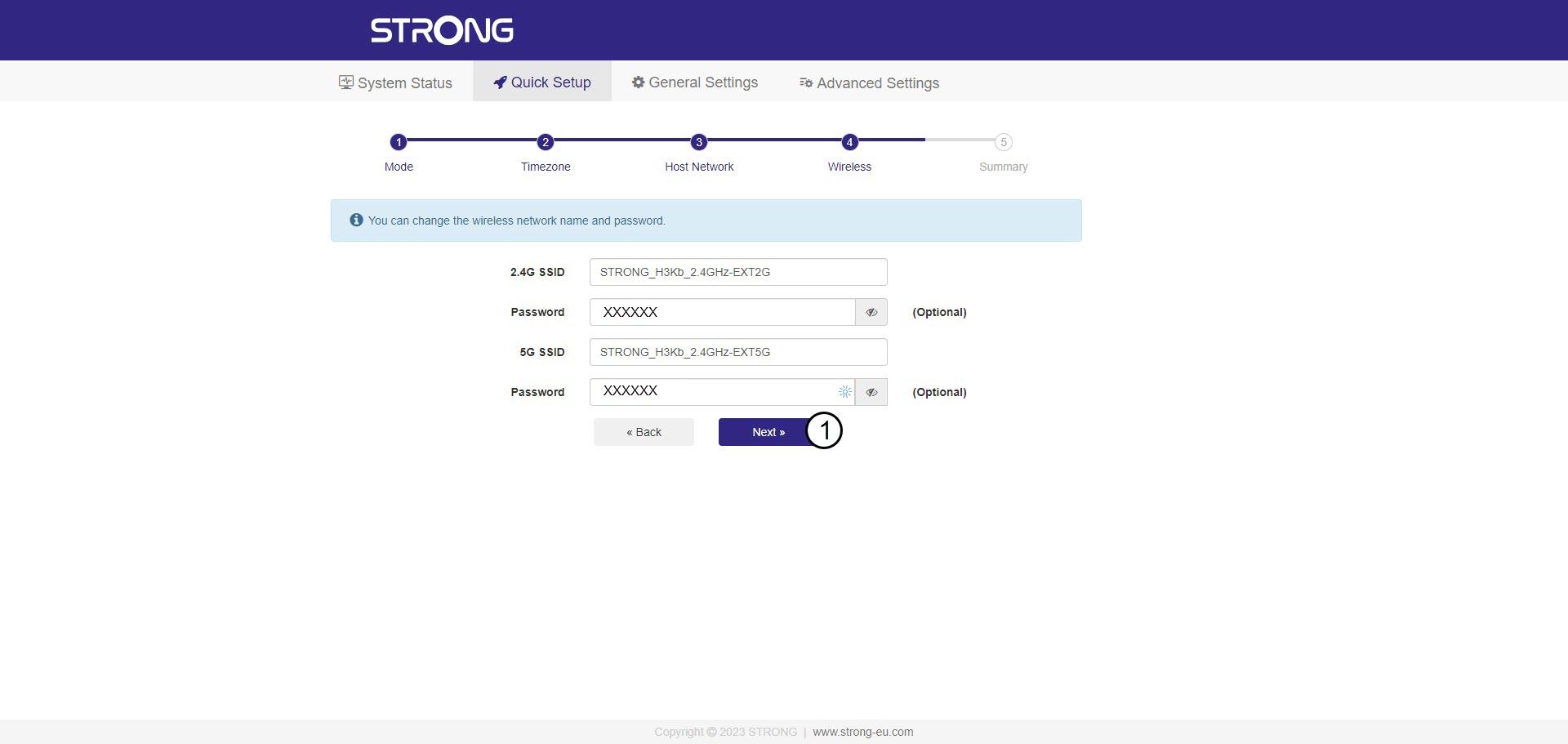
Kontrollera lösenordet för de nya Wi-Fi-nätverken och klicka på Nästa.
Du kan klicka på ögonikonen för att visa det lösenord du skriver in.
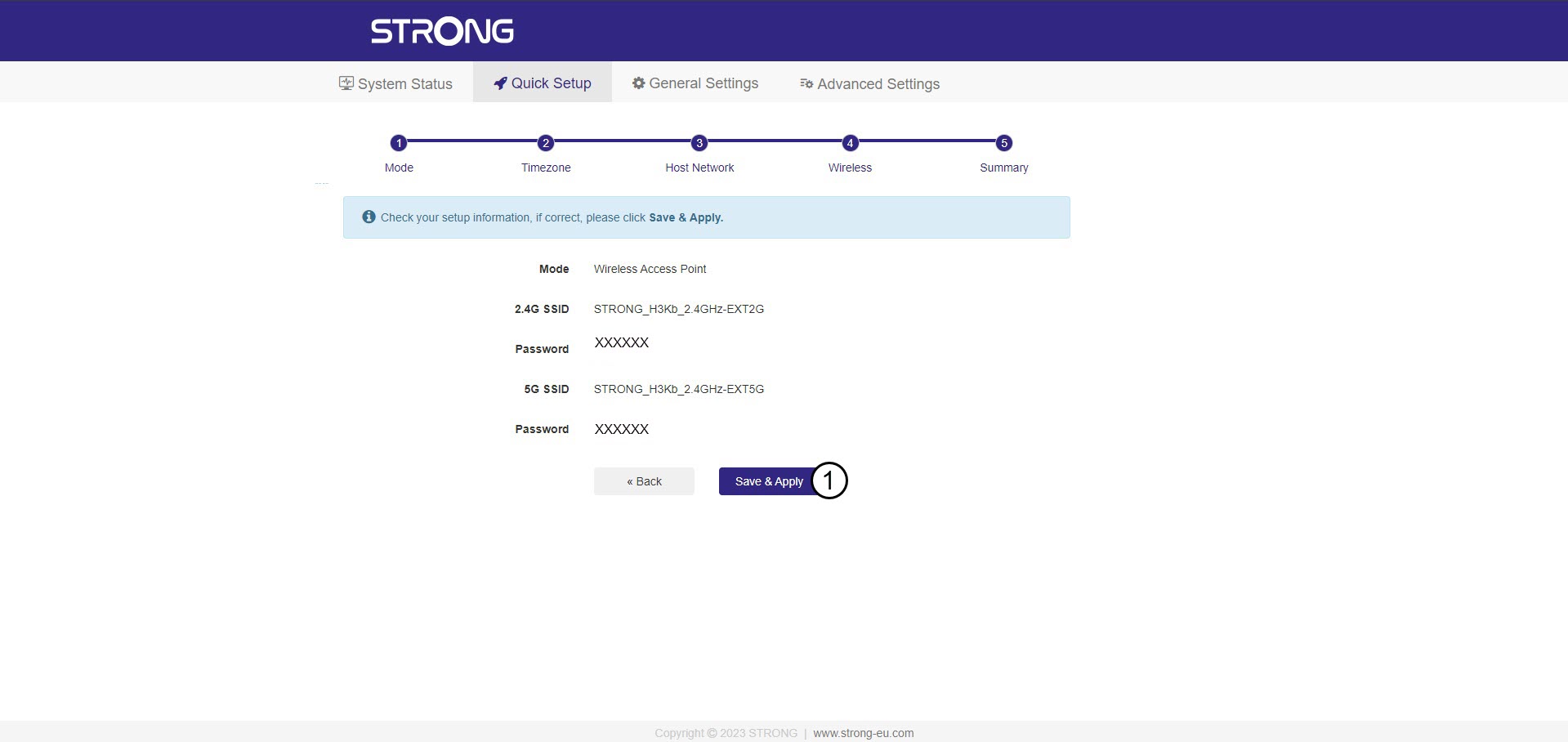
6 Bekräftakonfigurationen
En sammanfattning av informationen om de nya nätverken visas. Klicka på Spara och tillämpa.
Skriv ner de nya nätverksuppgifterna. Du kommer att behöva dem för att ansluta till användargränssnittet.
7Väntamedan konfigurationen pågår
Vänta medan repeatern konfigureras.


Varning: Efter konfigurationen måste du ansluta till de nya nätverk som har skapats.