
Repeater AX1800
Inga föremål hittades.
Inga föremål hittades.
Alla frågor
Repeater AX1800
Inga föremål hittades.
Inga föremål hittades.
Hur ställer jag in en fast IP-adress för min repeater?
1Ansluttill webbgränssnittet
Följ dessa anvisningar för att ansluta till webbgränssnittet.
2Systemstatus
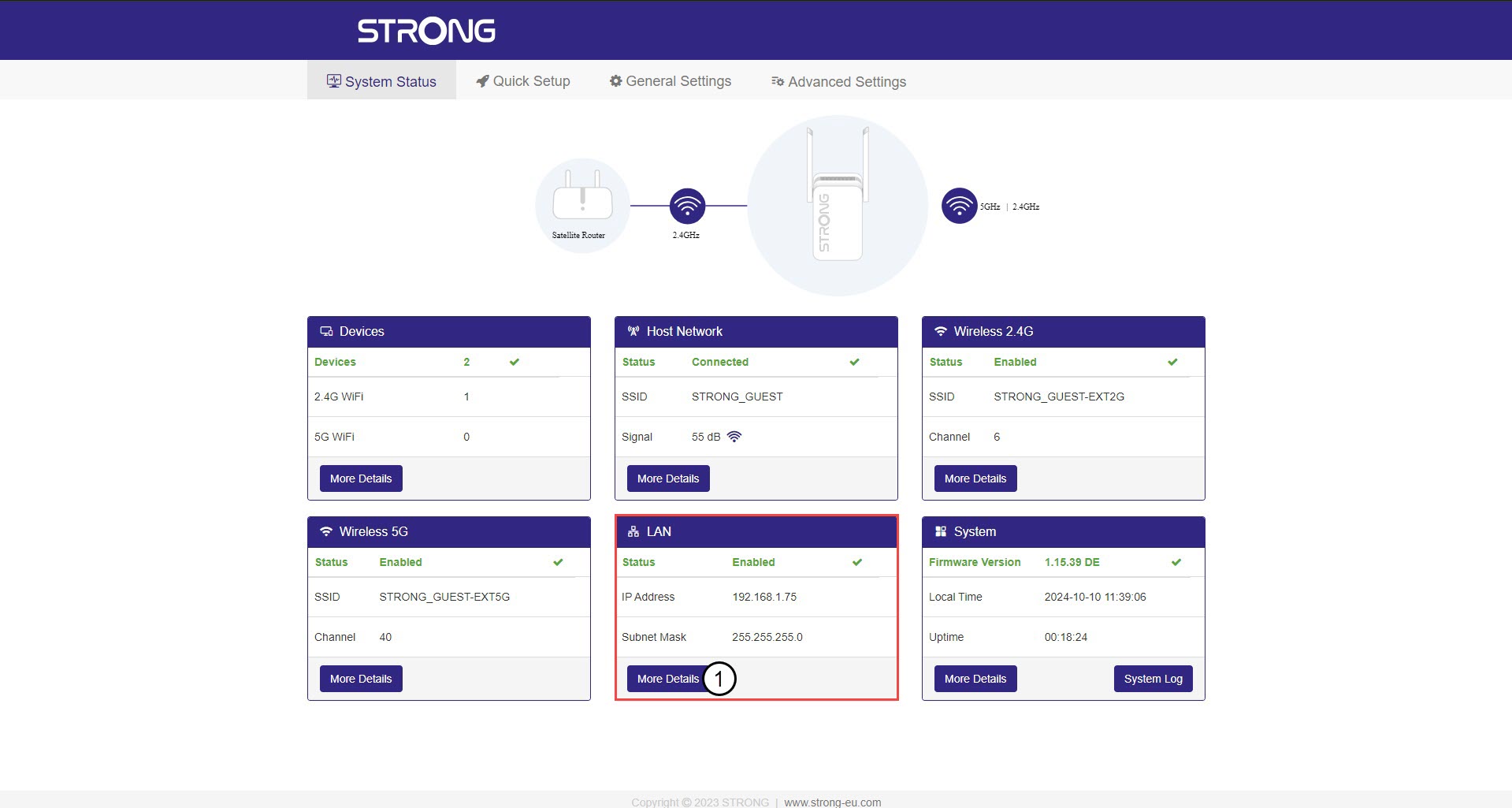
På skärmen ”Systemstatus” klickar du på knappen ”Mer information ” i avsnittet ”LAN”.
3. StatiskIP-adress
Klicka på ”Inställningar ” och på växlingsknappen för ”Statisk adress ”. Ange sedan följande uppgifter innan du klickar på ”Spara och tillämpa”:
- IP-adress: Ange IP-adressen för repeatern.
- Subnätmask: Välj subnätmask i listan
- Standardgateway: Ange IP-adressen för din repeater
- Förstahands-DNS: Du kan ange samma värde som i det föregående fältet.
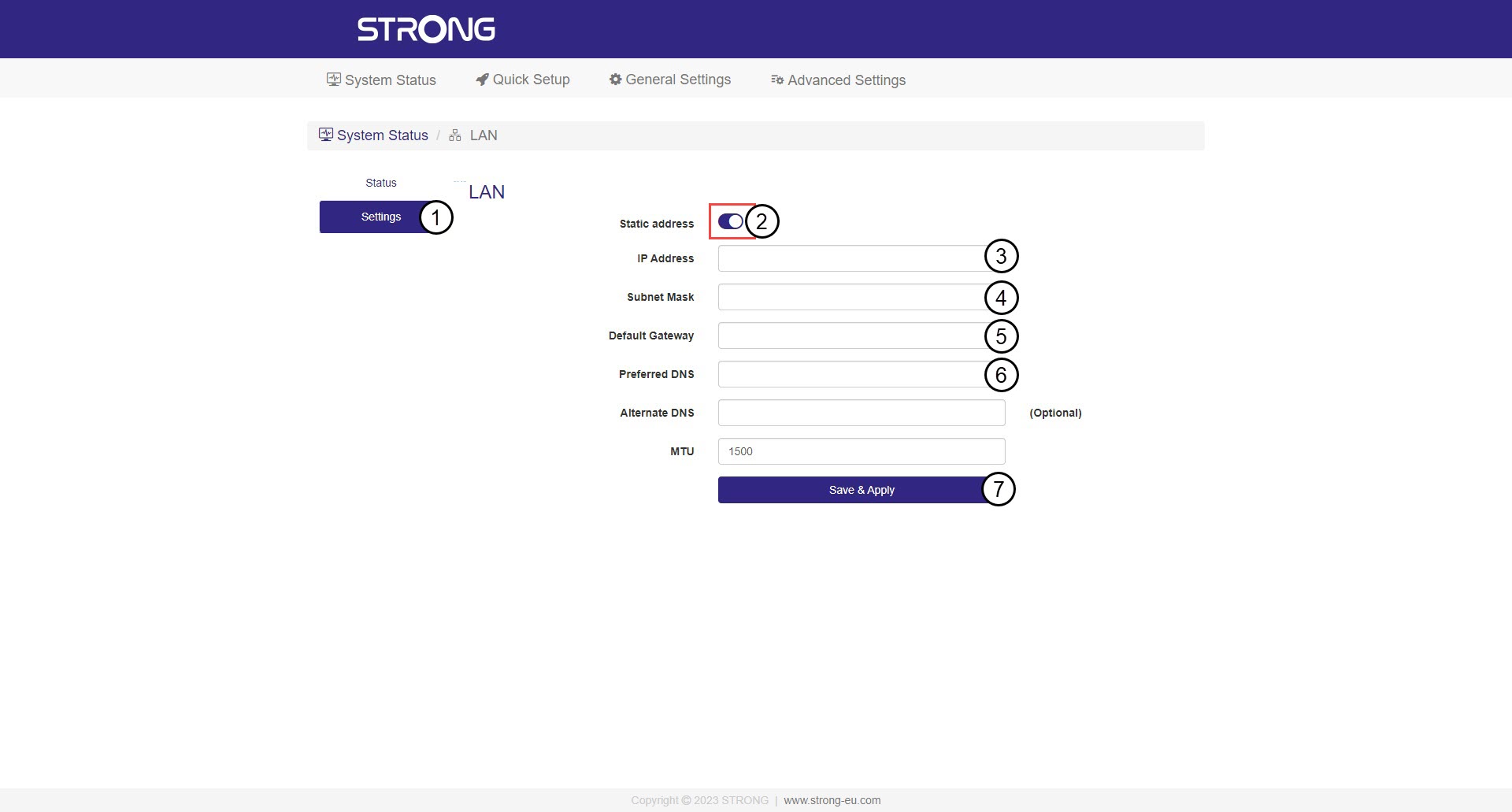

Varning: Anteckna den nya IP-adressen för ditt nätverk. Du kommer att använda den för att ansluta till webbgränssnittet från och med nu.