Inga föremål hittades.
LEAP 41 | 4K Google TV med HDR10+
Inga föremål hittades.
Alla frågor
Inga föremål hittades.
LEAP 41 | 4K Google TV med HDR10+
Inga föremål hittades.
Hur tar jag bort en ansökan?
1Inställningar
Tryck på knappen ”Inställningar” på fjärrkontrollen (kugghjulsikonen). Menyn ”Inställningar” visas på TV-skärmen.
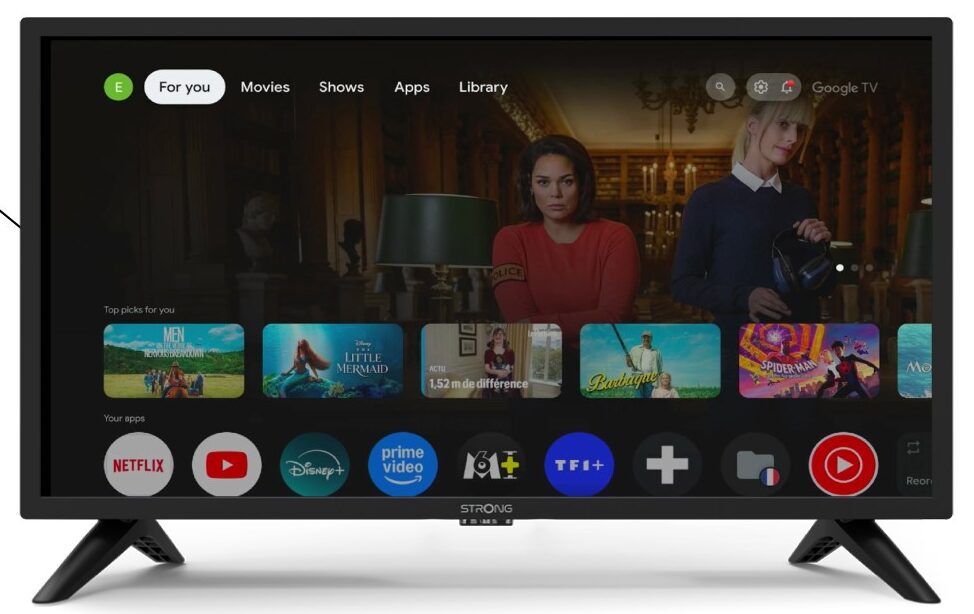
2Apps
Välj ”Appar” i inställningarna.

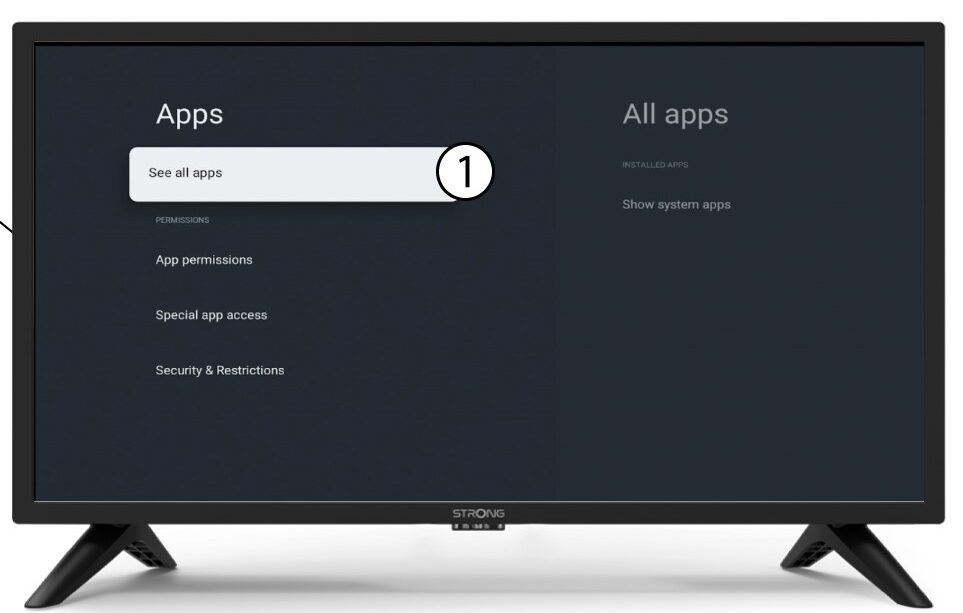
3Allaappar
Välj ”Visa alla appar”.
4Väljden app du vill ta bort
Välj en app i listan.
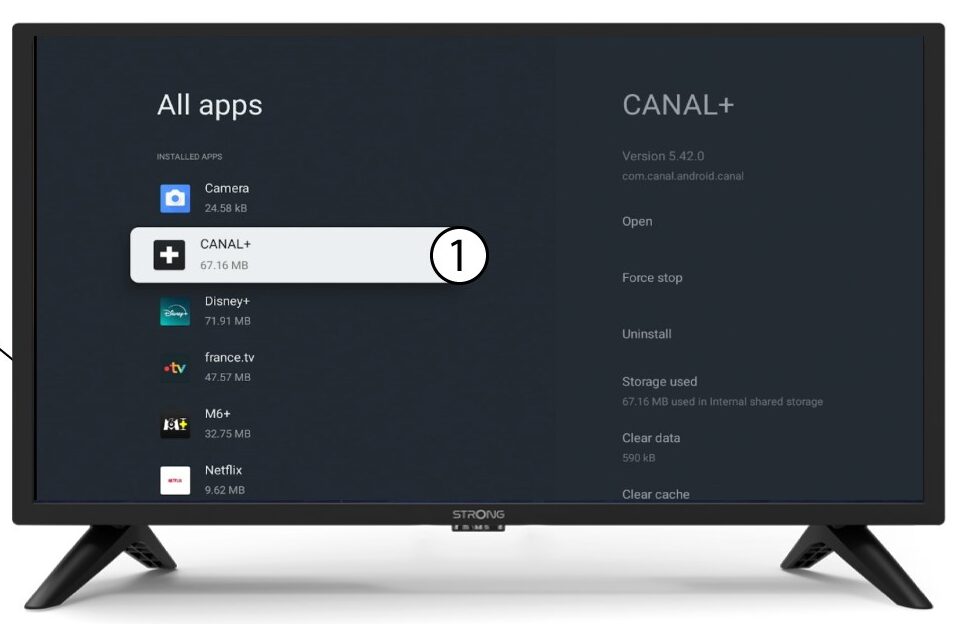
5Avinstallera
Välj Avinstallera.
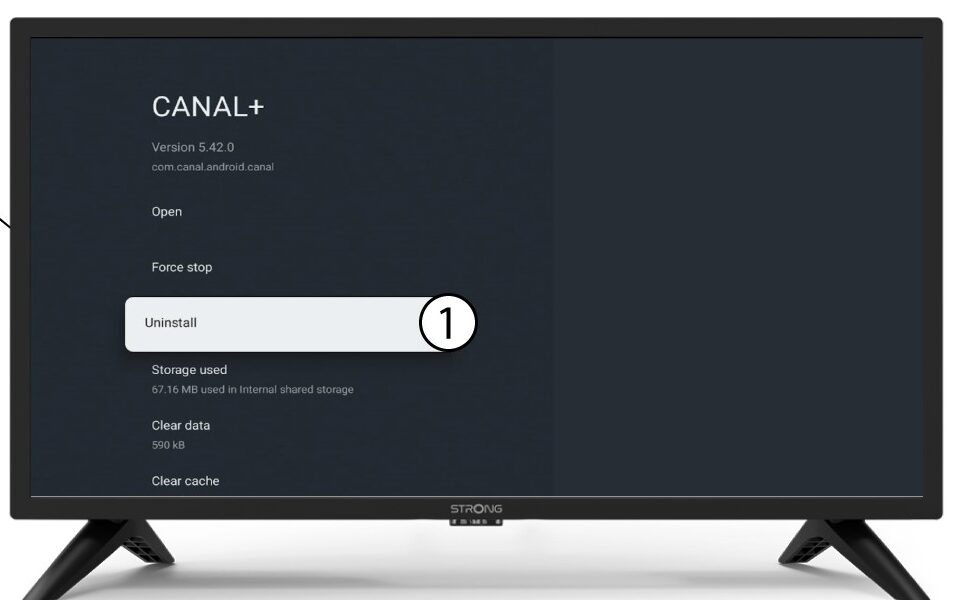
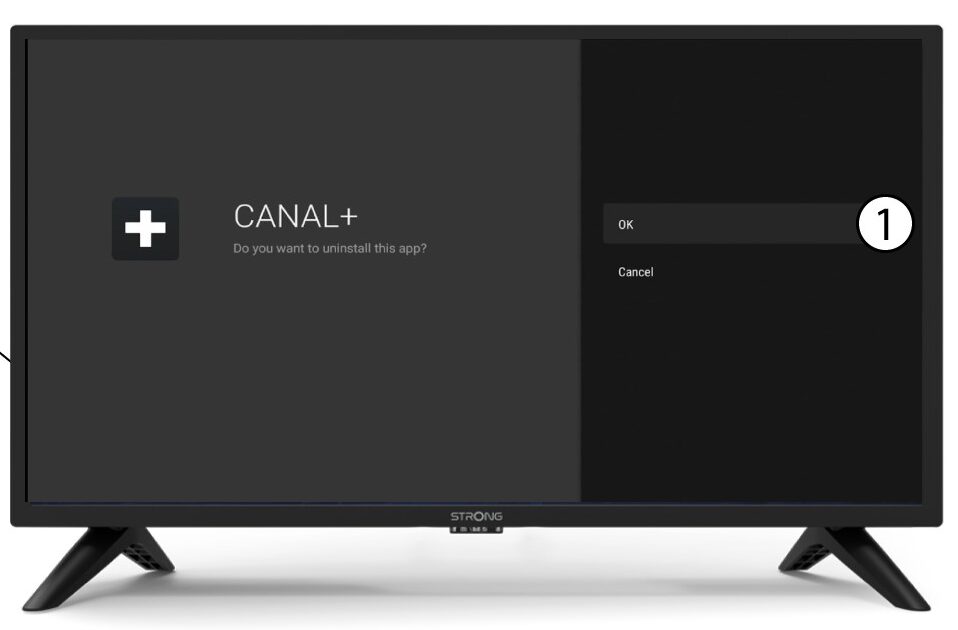
6Bekräftaradering
Välj OK.