4G AIRSPOT 220 Wi-Fi med display
Alla frågor
4G AIRSPOT 220 Wi-Fi med display
Hur återställer jag routern till fabriksinställningarna?
Ibland kan det hända att din enhet inte fungerar som den ska och att du inte har tillgång till internet. I så fall rekommenderar vi att du återställer enheten till fabriksinställningarna och därefter uppdaterar dess firmware igen om det behövs.
Det finns två sätt att göra detta på: du kan återställa enheten genom att trycka på återställningsknappen eller genom att göra det via webbgränssnittet.
FALL 1: Återställningsknapp.
För att göra detta tar du bort luckan på routerns baksida och trycker på RESET-knappen i 2 sekunder med ett gem.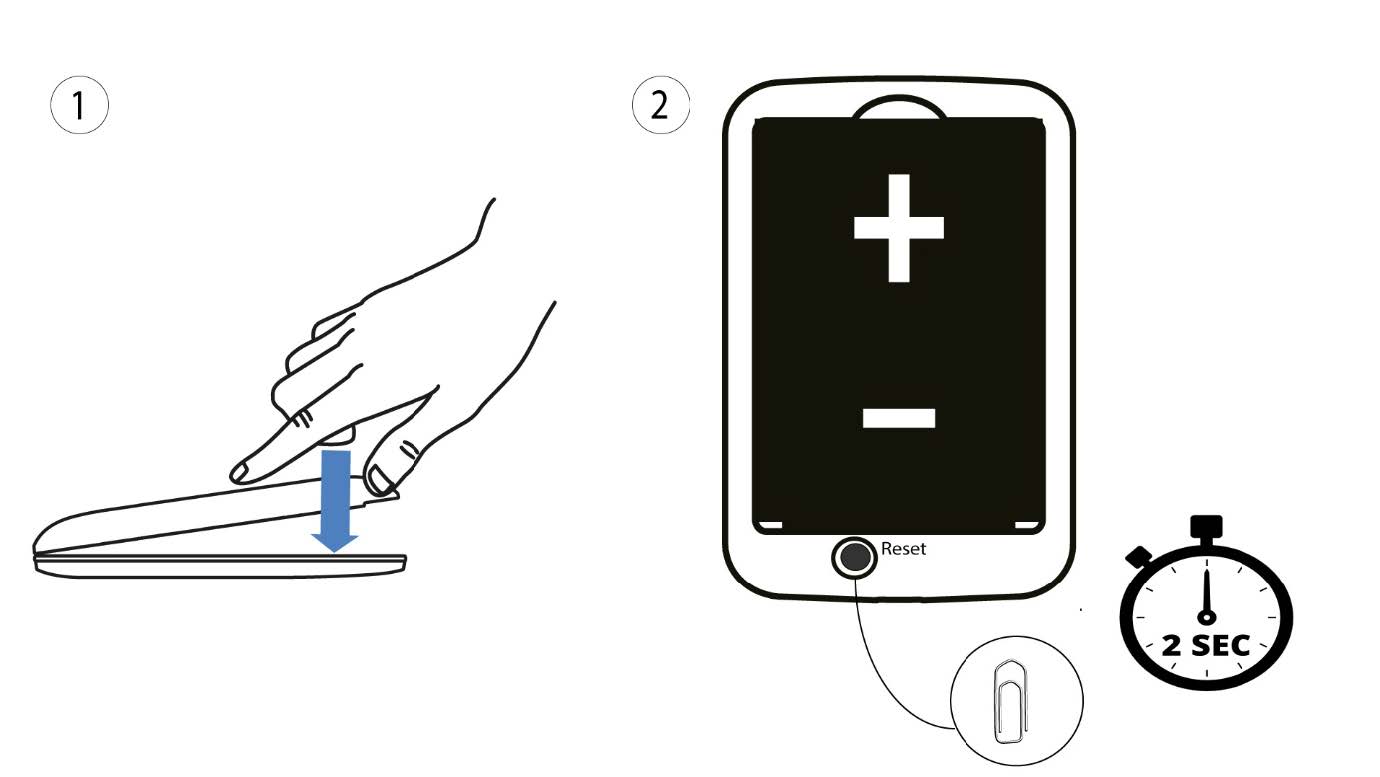
1Fall2: Återställning i webbgränssnittet
1. Du måste ansluta till din enhets Wi-Fi-nätverk.

2. Gåtill webbgränssnittets IP-adress
Ange sedan följande IP-adress: 192.168.188.1 i din webbläsare.

3Inloggning
Du måste ange lösenordet.

4 Inställningar
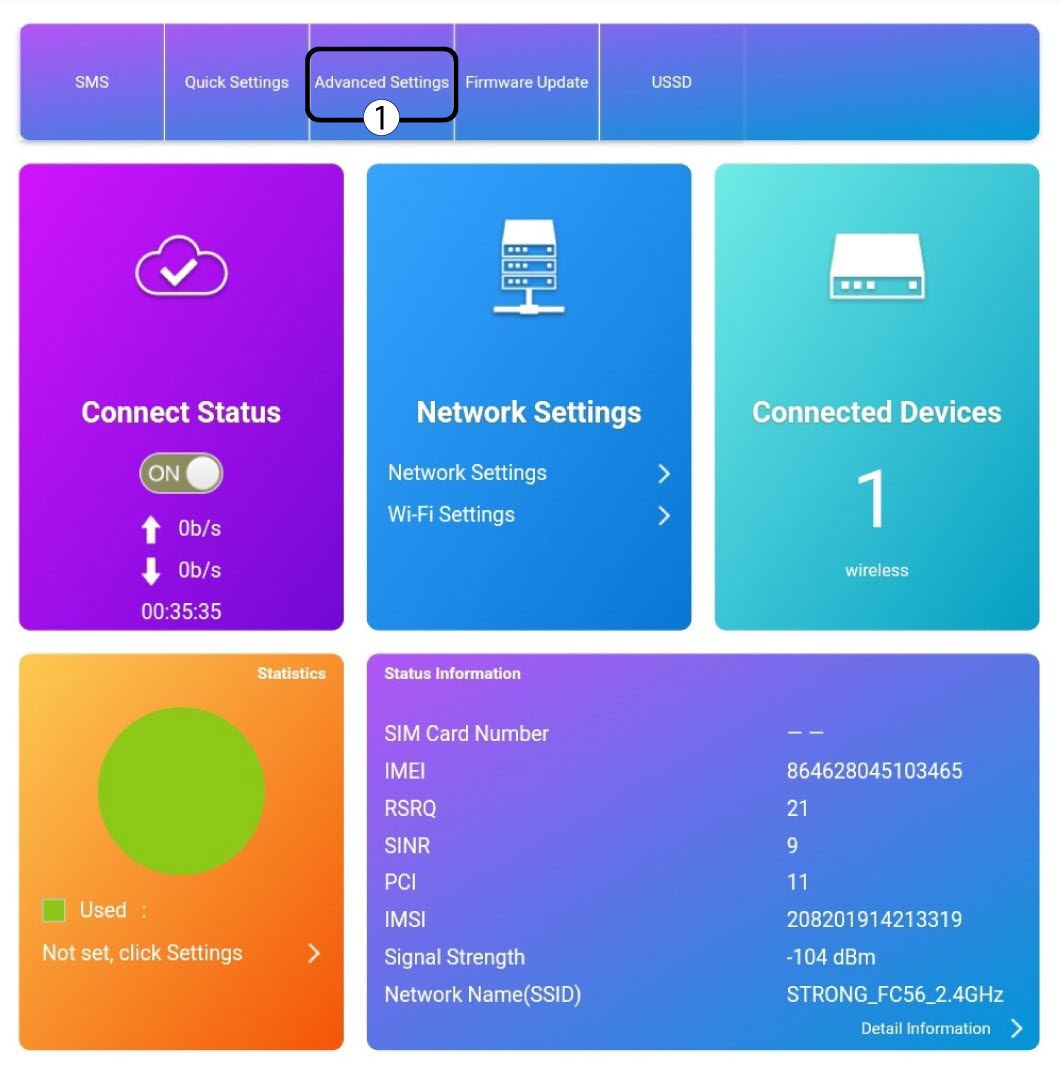
Klicka sedan på Avancerade inställningar.
5Återställtill fabriksinställningar
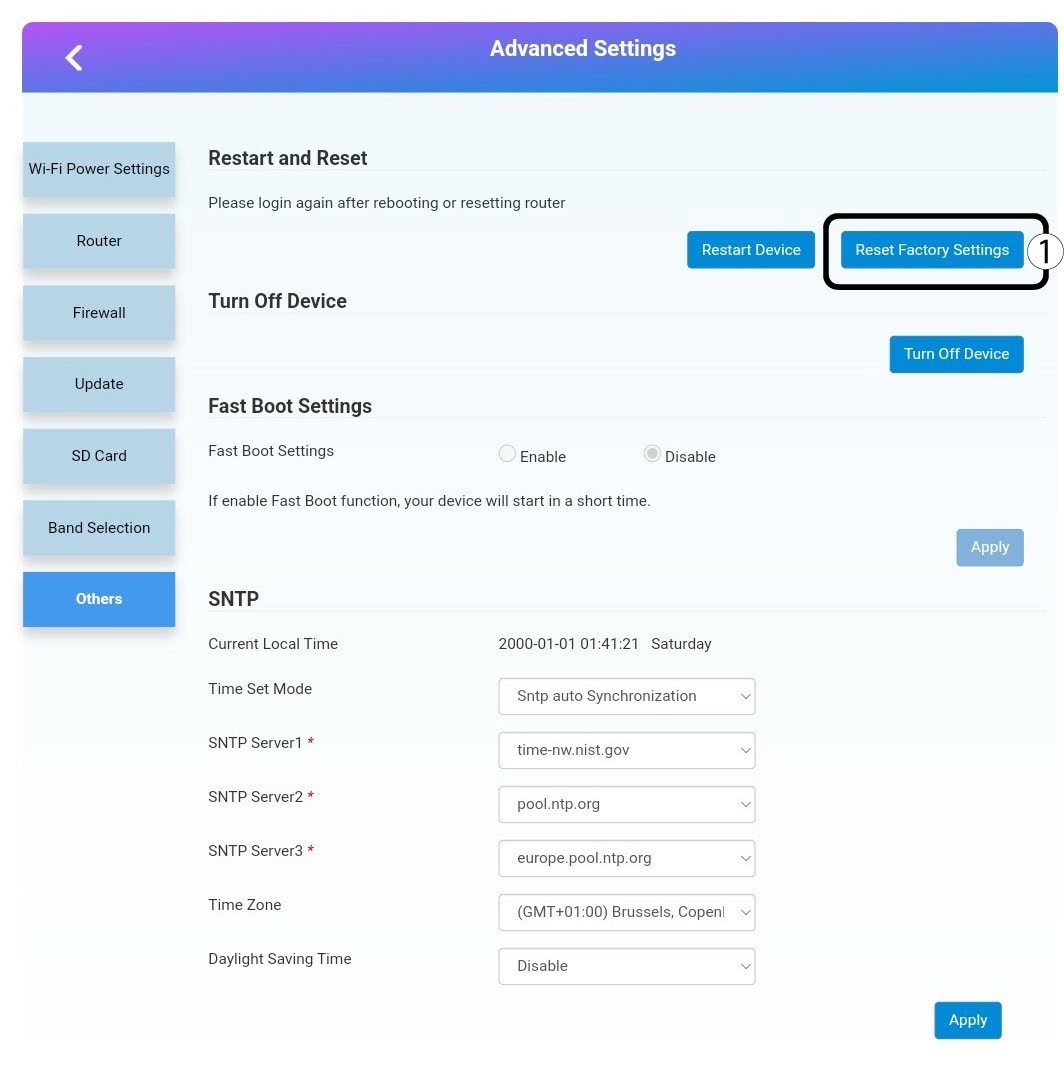
Klicka på ”Övrigt”. I avsnittet ”Omstart och återställning ” klickar du på ”Återställ till fabriksinställningar”.
6Bekräftelse
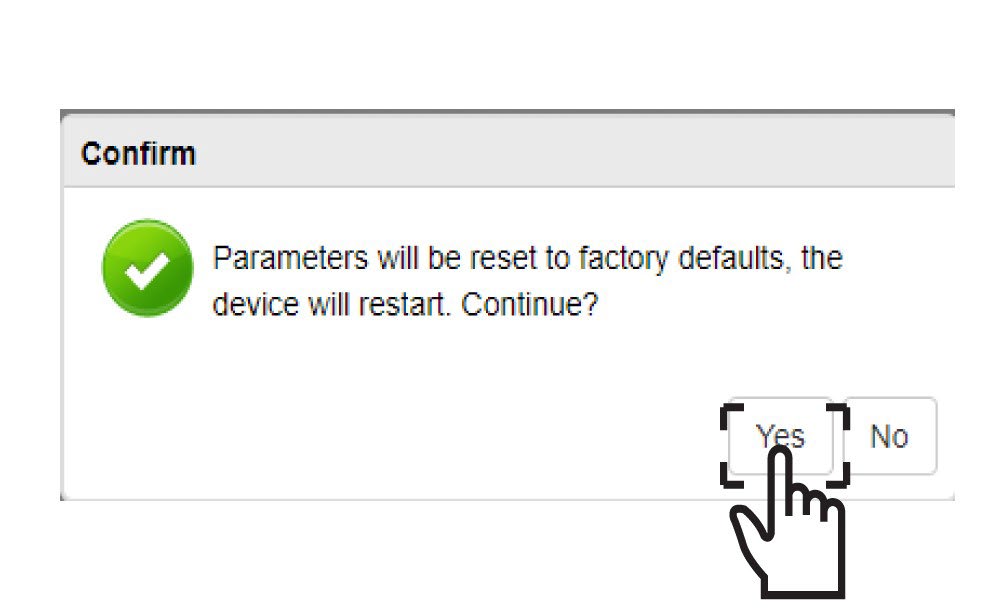
Klicka påJA i popup-meddelandet.