2K+ KAMERA FÖR SMART HOME
Alla frågor
2K+ KAMERA FÖR SMART HOME
Så här lägger du till en kamera i appen
Hur lägger jag till en kamera i appen?
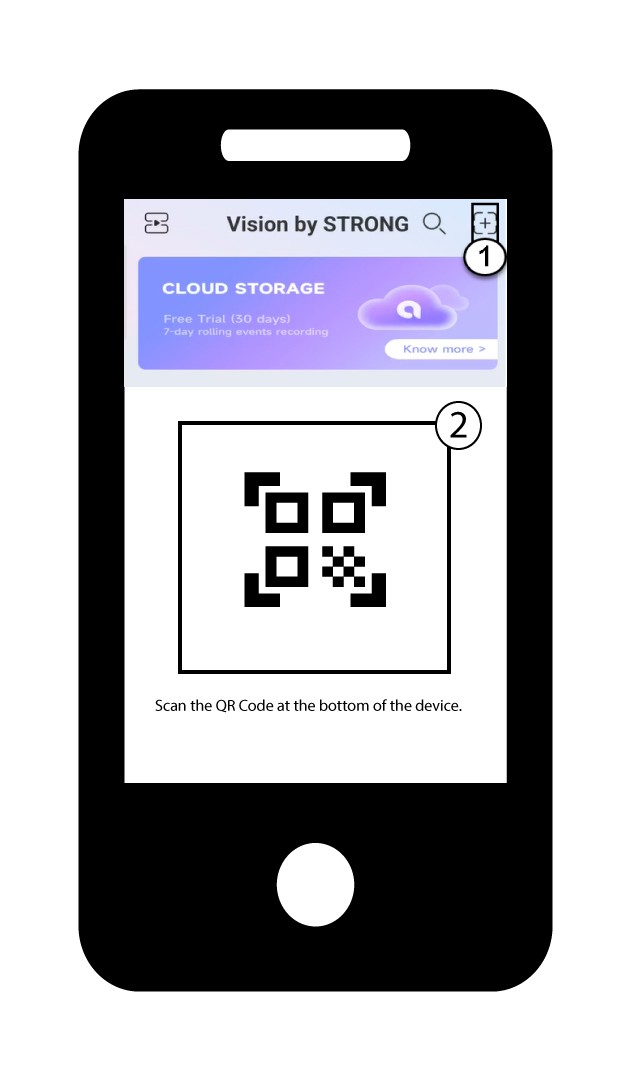
1. Börja med attlägga till en enhet
Klicka på + -ikonen och skanna QR-koden med kameran.
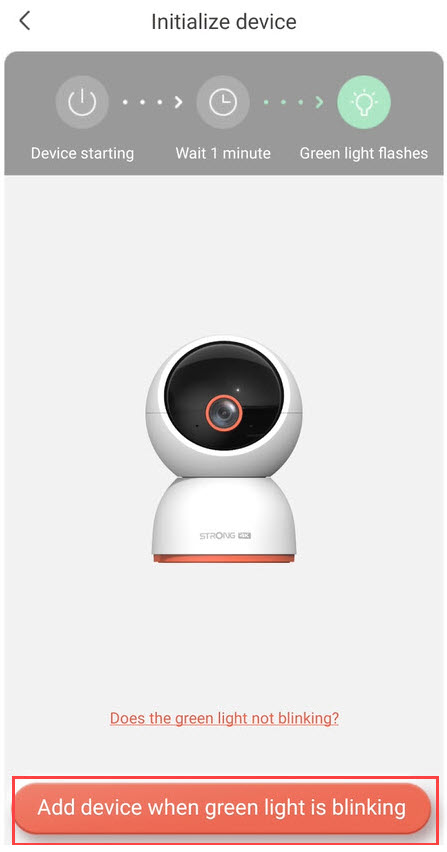
2. Kontrollerakamerans LED-lampa
Titta sedan på LED-lampan på din kamera; om den blinkar grönt trycker du på ”Lägg till enhet”.
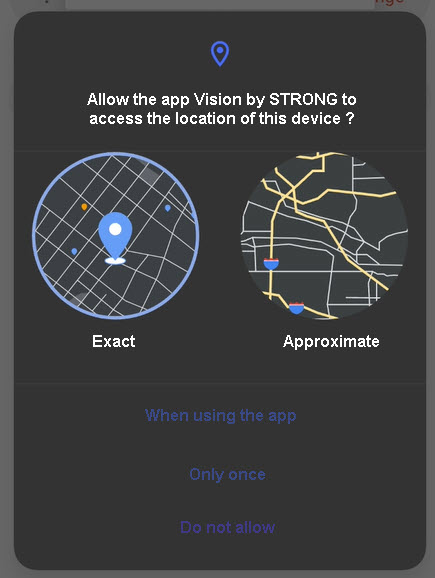
3Tillåtåtkomst till platsinformation
Godkänn att appen Vision by Strong får åtkomst till din enhets platsinformation.
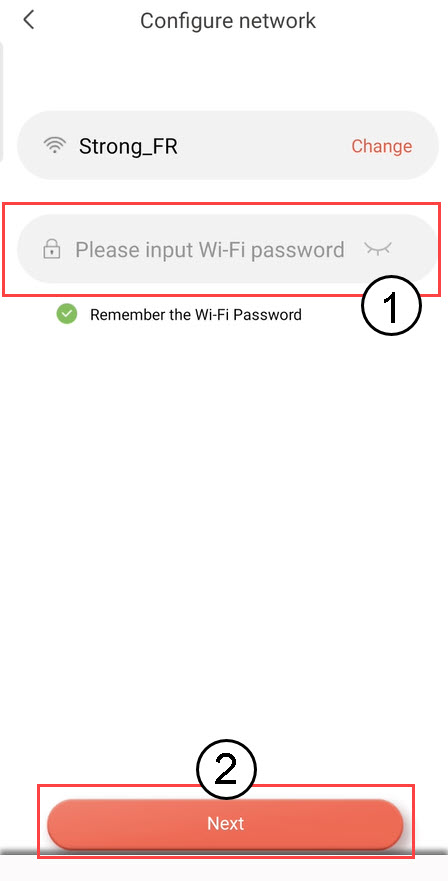
4.Konfigurera ditt Wi-Fi-nätverk
Välj ett alternativ från listan som visas på skärmen. Du måste konfigurera ditt Wi-Fi-nätverk. Appen väljer automatiskt det Wi-Fi-nätverk som din telefon är ansluten till. Ange sedan lösenordet för Wi-Fi-nätverket och klicka på Nästa.
TIPS: Klicka på ”Ändra” för att välja ett annat Wi-Fi-nätverk från listan. Om du vill visa Wi-Fi-lösenordet klickar du på ögonikonen.
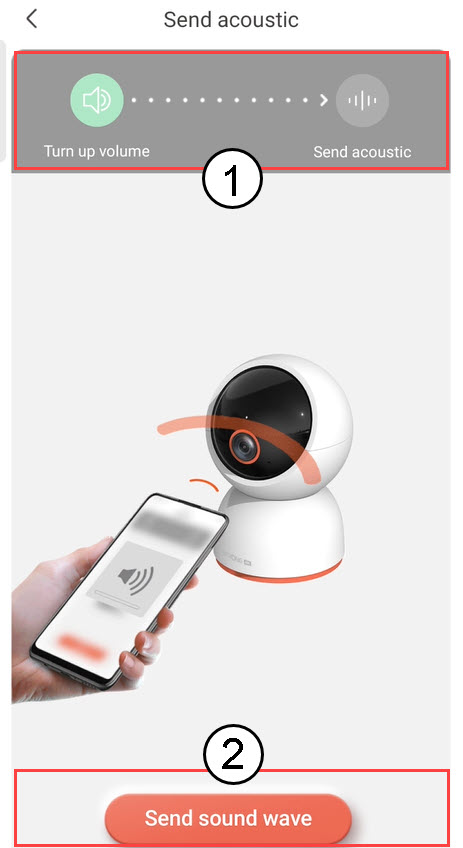
5Skickaljudvågen
Höj volymen på din telefon och klicka på ”Skicka ljudvåg”.
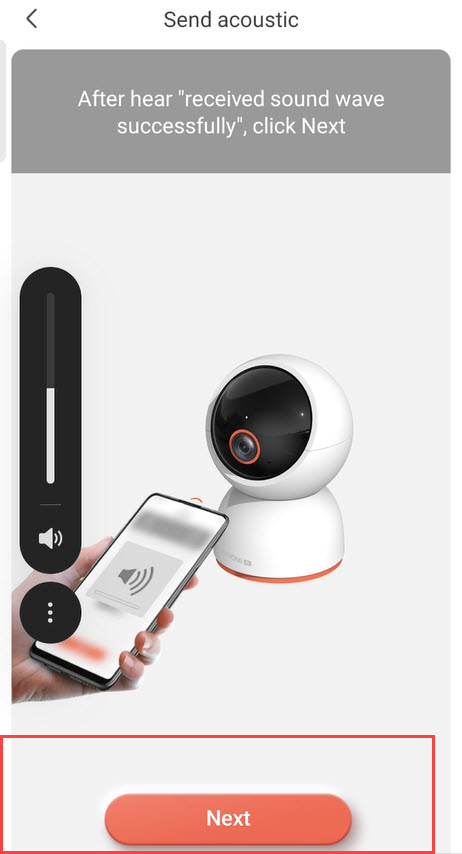
6. Kontrolleramottagningen av ljudvågor
Vänta tills meddelandet ”Ljudvågen har tagits emot” visas och klicka sedan på Nästa.
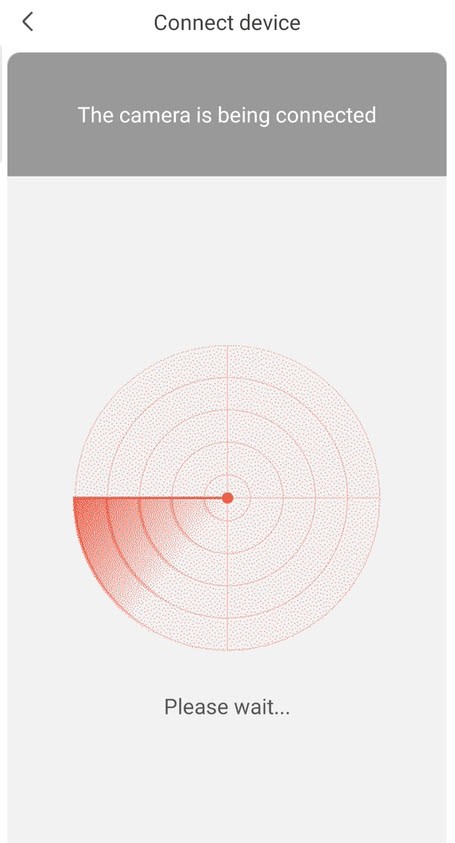
7Konfigureringpågår
Vänligen vänta medan kameran konfigureras.
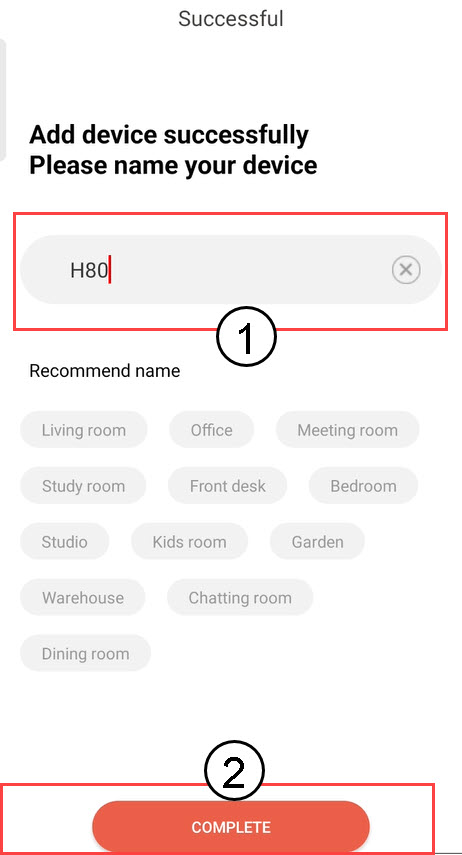
8. Namngedin kamera
När installationen är klar måste du ange ett namn på din kamera. Klicka sedan på SLUTFÖR.
Tips: Om du har flera kameror bör du namnge dem efter vilket rum de är placerade i.
9. Kameratillagd
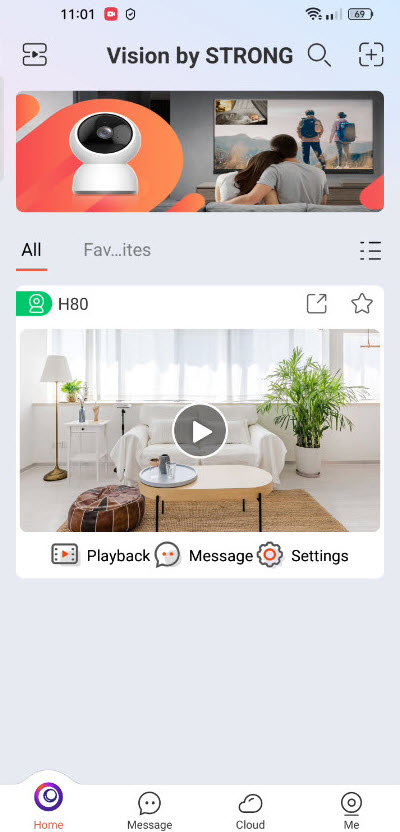
Din kamera visas nu på appens startsida.