
PLW600MDUO
Inga föremål hittades.
Inga föremål hittades.
Alla frågor
PLW600MDUO
Inga föremål hittades.
Inga föremål hittades.
Hur ställer man in säkerhetsnivå 2 på sina Powerline-produkter?
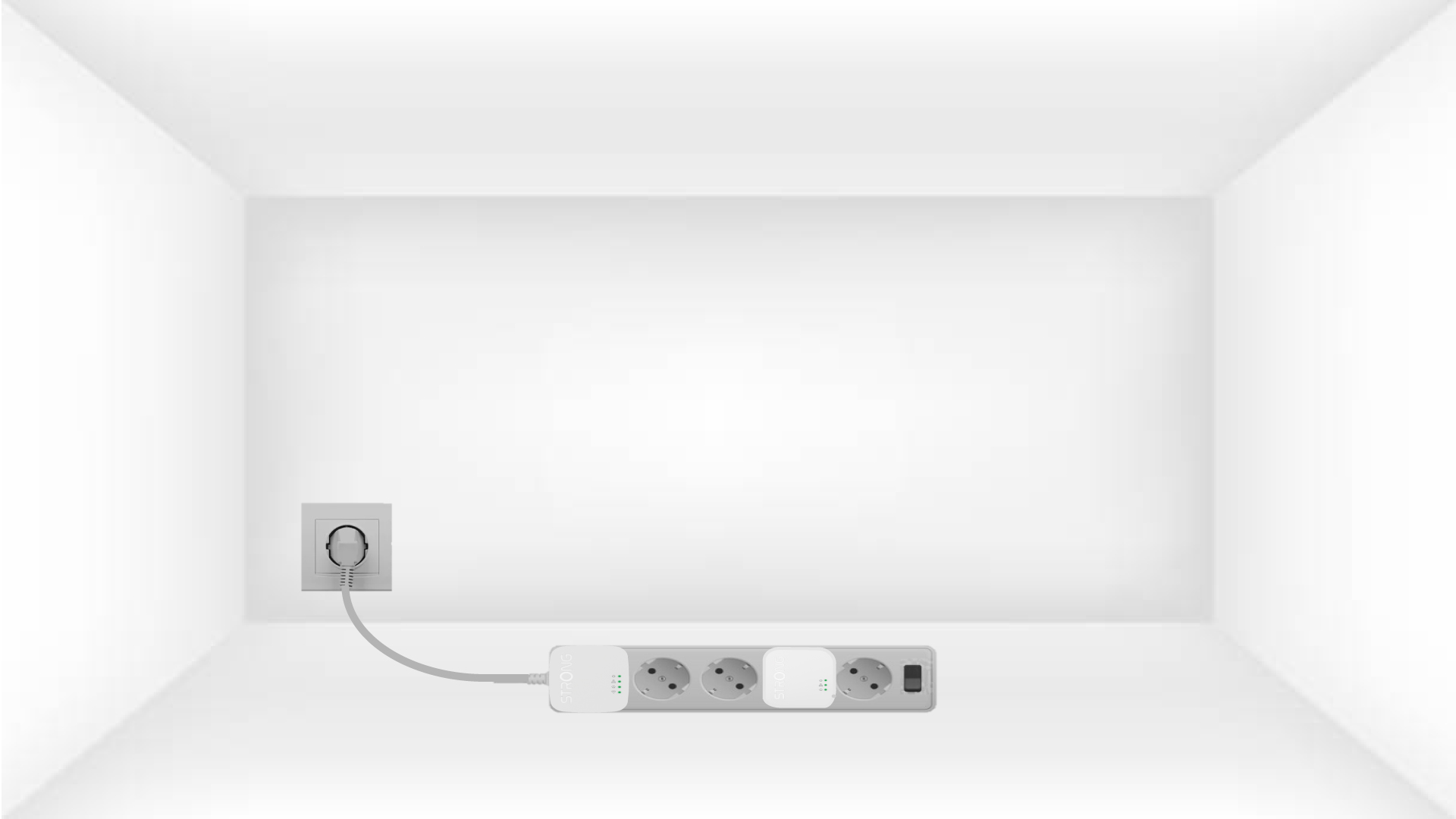
1. Anslutadaptrarna till en grenuttag
Take a power strip and plug all the powerline adapters into it.
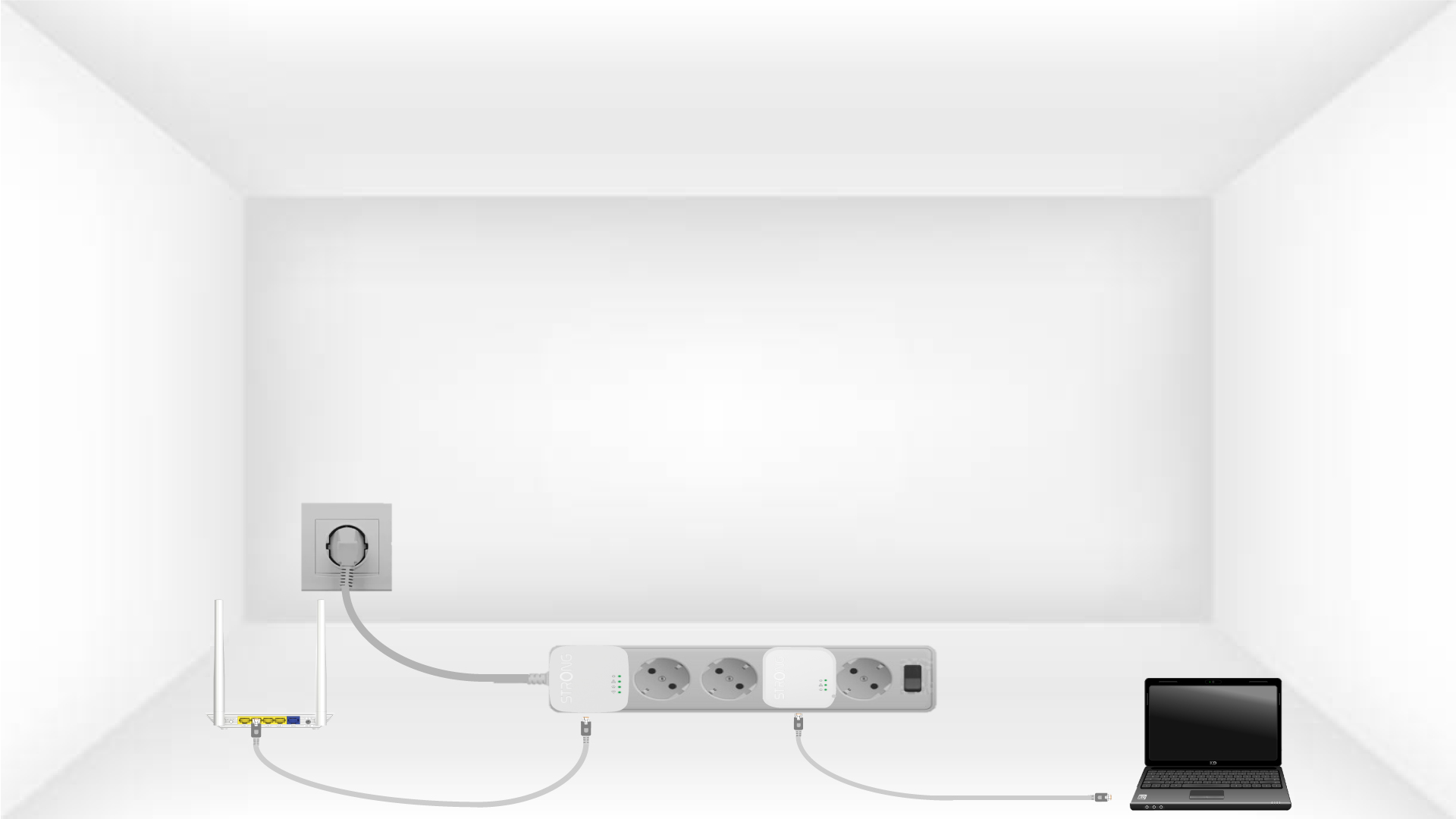
2. Anslutadaptrarna till internet
Connect one of the powerline adapters to the Internet gateway/router with an RJ45 cable.
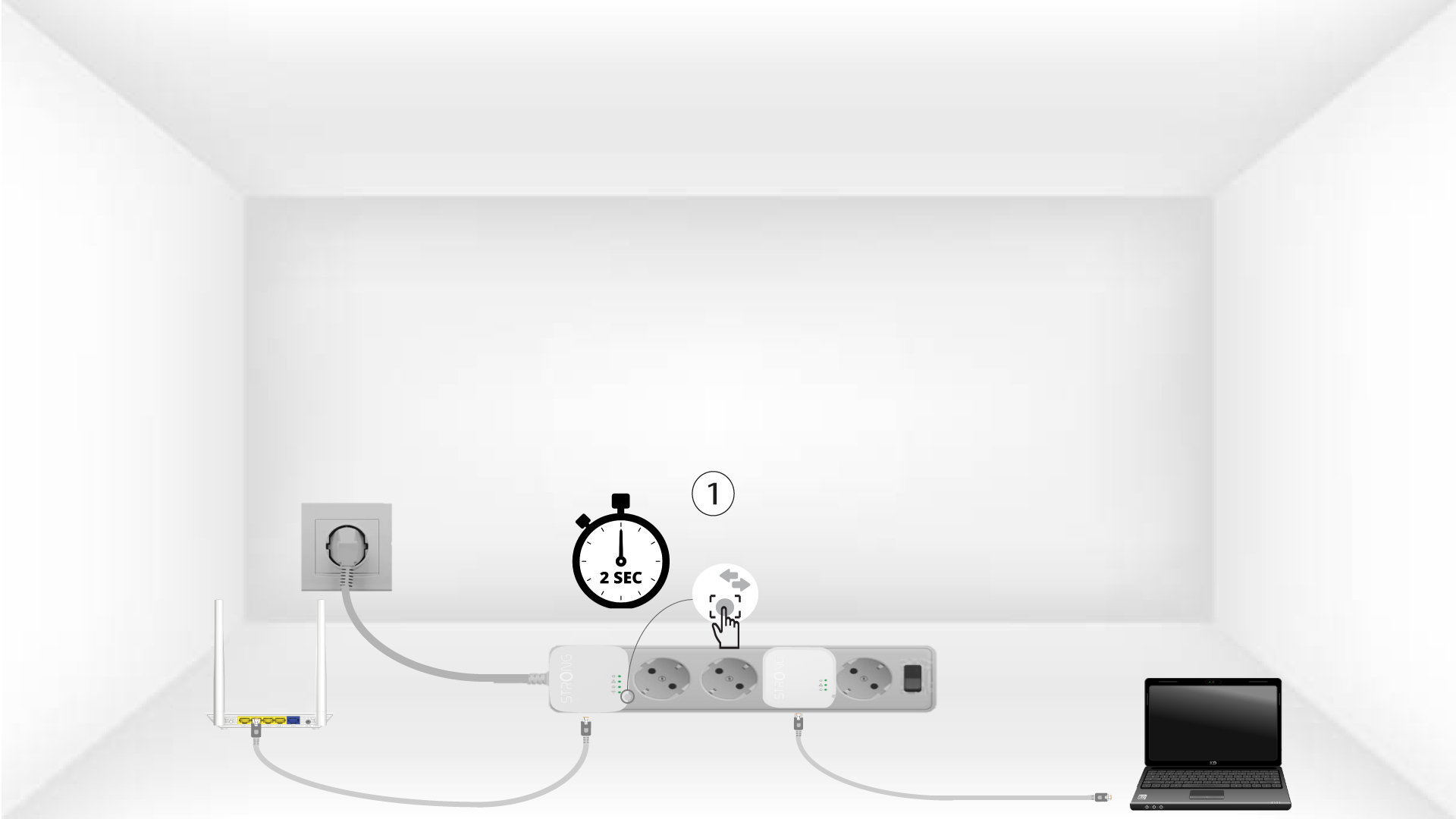
3Tryck påknappen ”Connect & Secure” (första enheten)
Press the Connect & Secure button on the first device for 2 seconds.
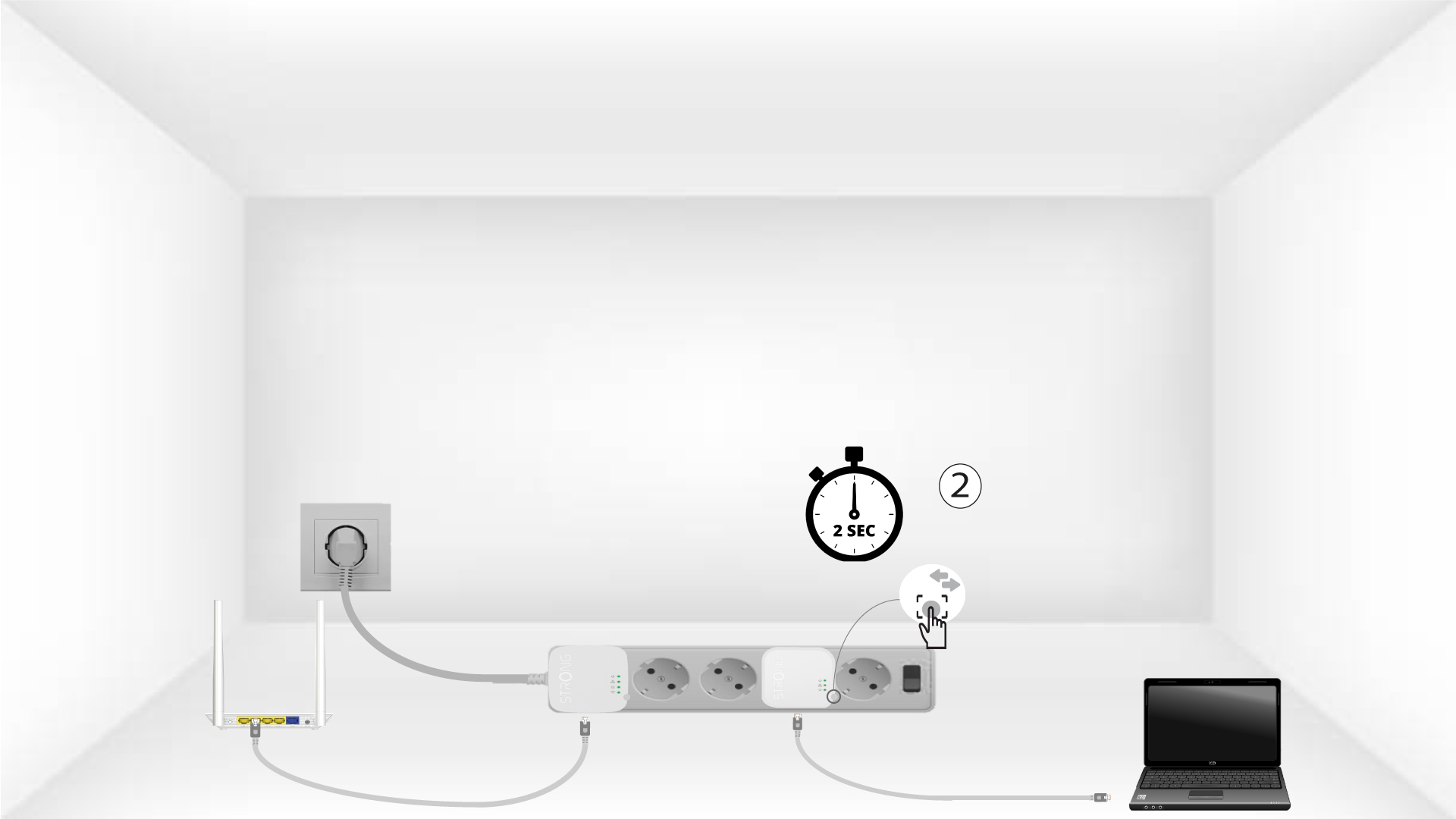
4Tryck påknappen ”Connect & Secure” (andra enheten)
Press the Connect & Secure button on the second device for 2 seconds. You have up to two minutes to do it.
5The home LED blinks
The home LED should blink on both devices.
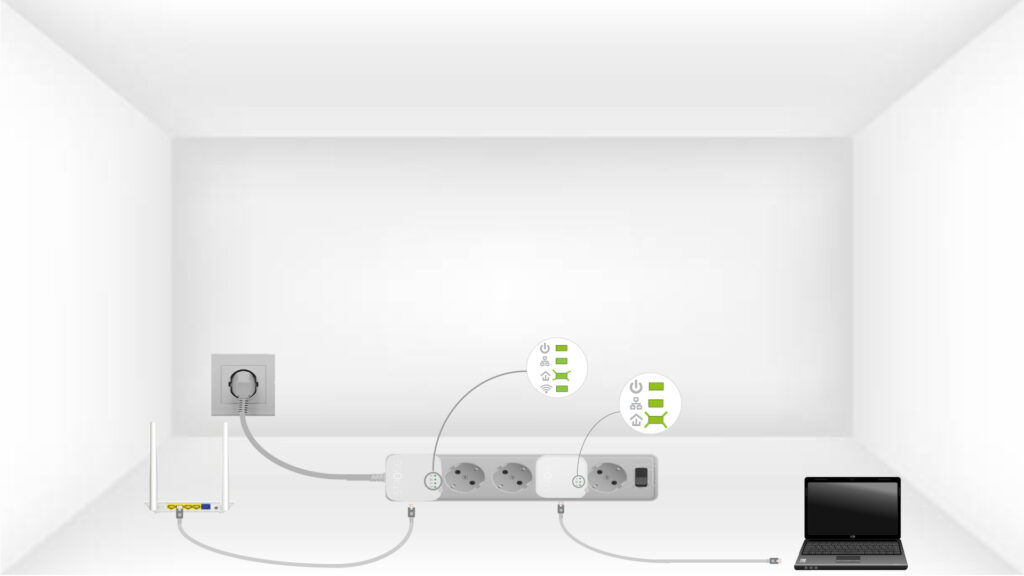
6Krypteringsnyckelnär inställd
Din unika krypteringsnyckel är nu inställd, och alla enheternas lysdioder ska lysa grönt.
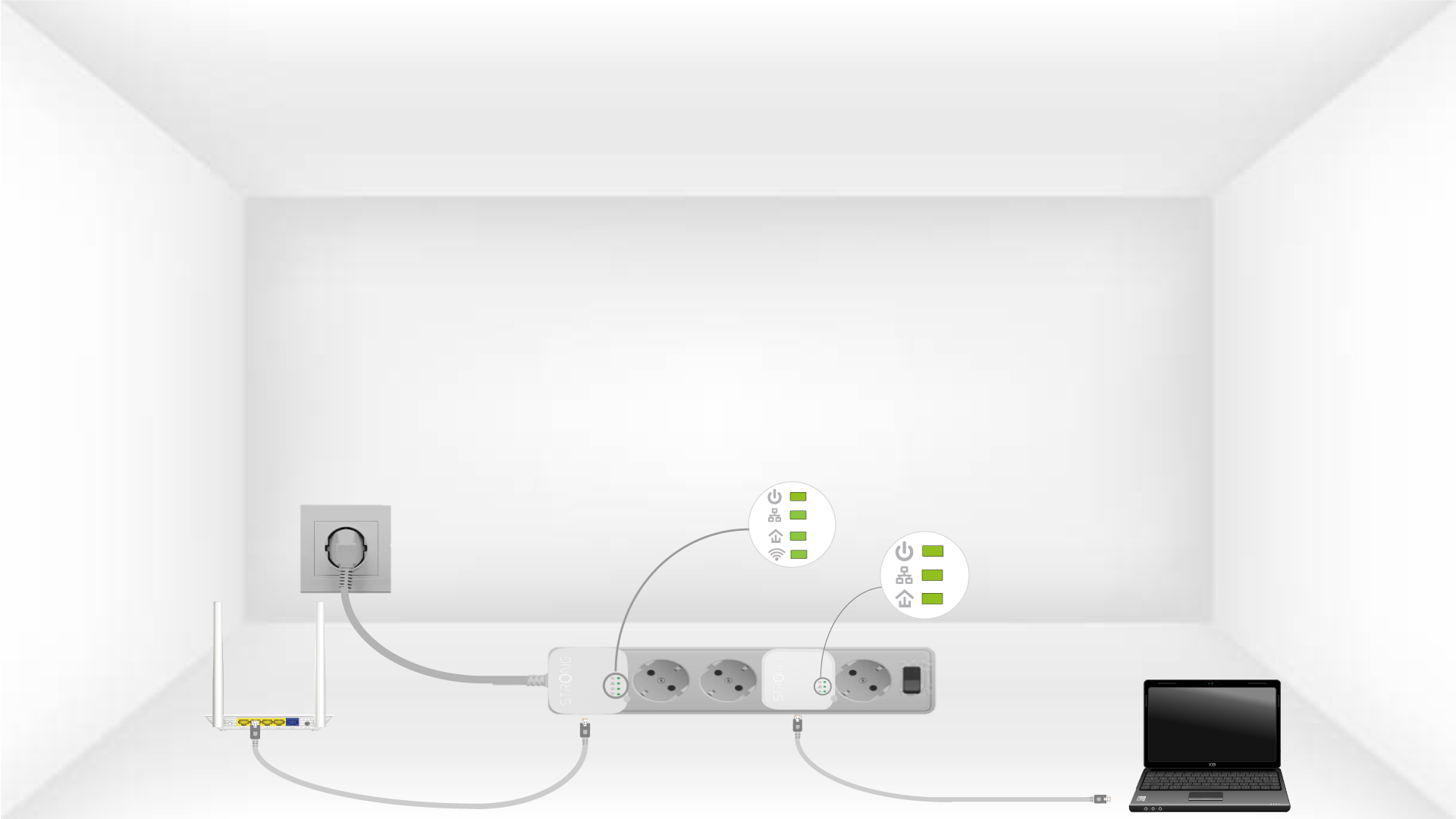
Now, install the adapters in the rooms where you need them. We strongly recommend not plugging the adapters into a power strip.