
4G AIRHOME 300 Mini — маршрутизатор знімними 4G-антенами
Усі питання
4G AIRHOME 300 Mini — маршрутизатор знімними 4G-антенами
Як змінити SSID та пароль? (Швидкі налаштування)
Як змінити SSID та пароль?
У веб-інтерфейсі користувача є два способи зміни SSID та пароля вашого маршрутизатора « маршрутизатор »:
• За допомогою розділу «Швидкі налаштування»
• Або за допомогою розділу «Налаштування Wi-Fi».
1Швидкіналаштування
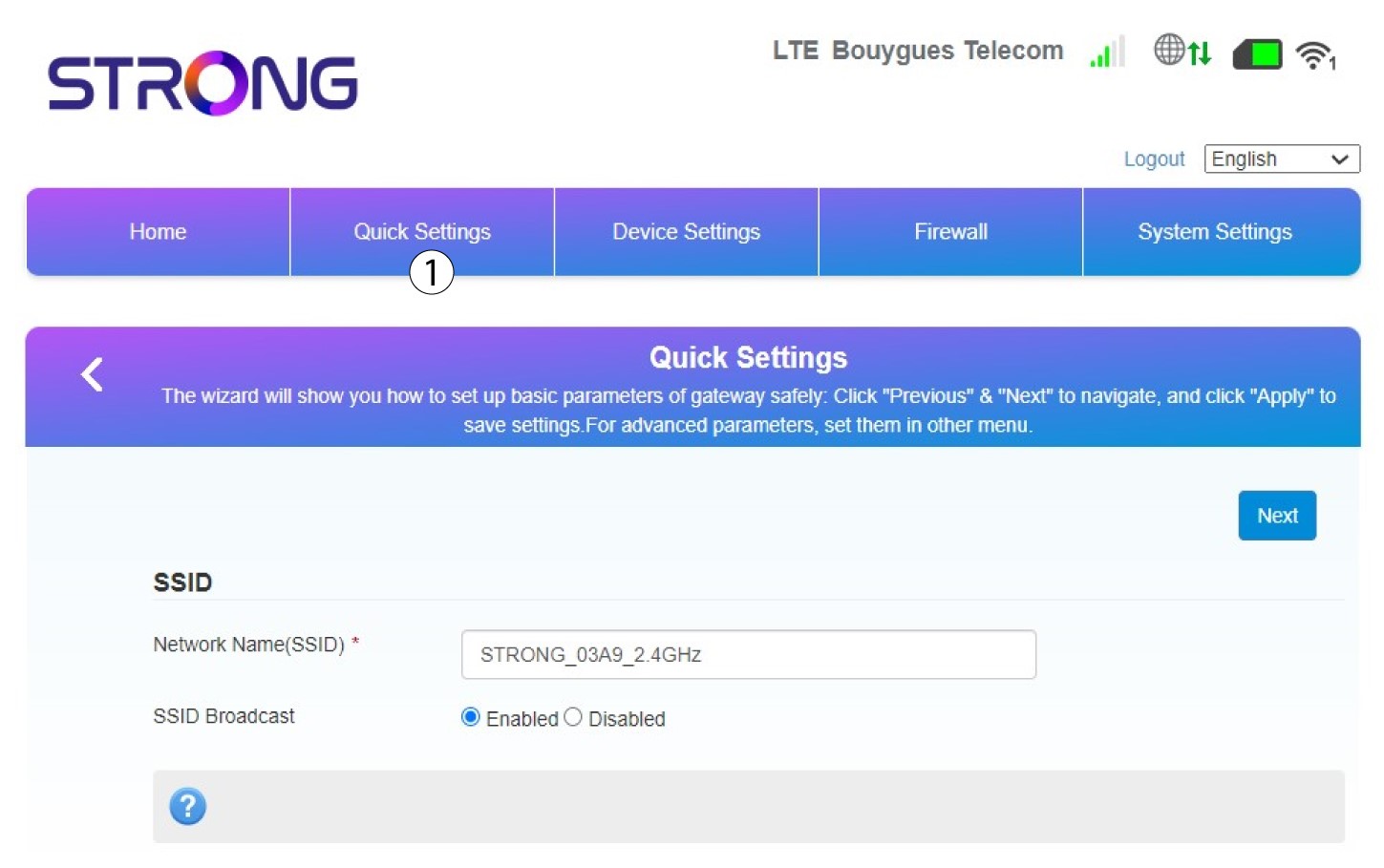
У веб-інтерфейсі користувача за допомогою функції «Швидкі налаштування» ви можете змінити дані вашої мережі: її ім’я та пароль.
Для цього натисніть «Швидкі налаштування » у верхній панелі.
2Введітьнову назву мережі
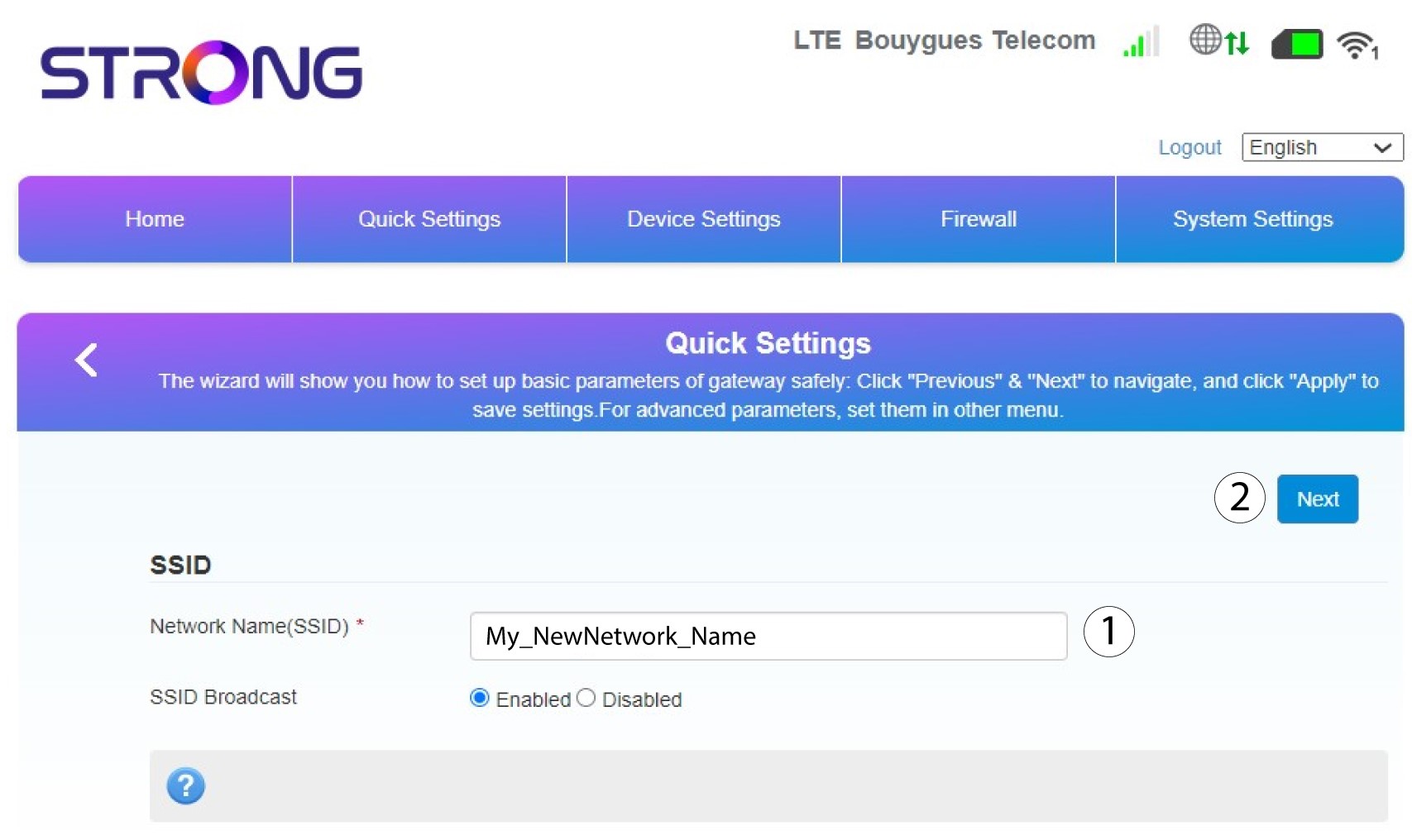
Потім введіть нову назву мережі та натисніть «Далі».
3Показатипароль
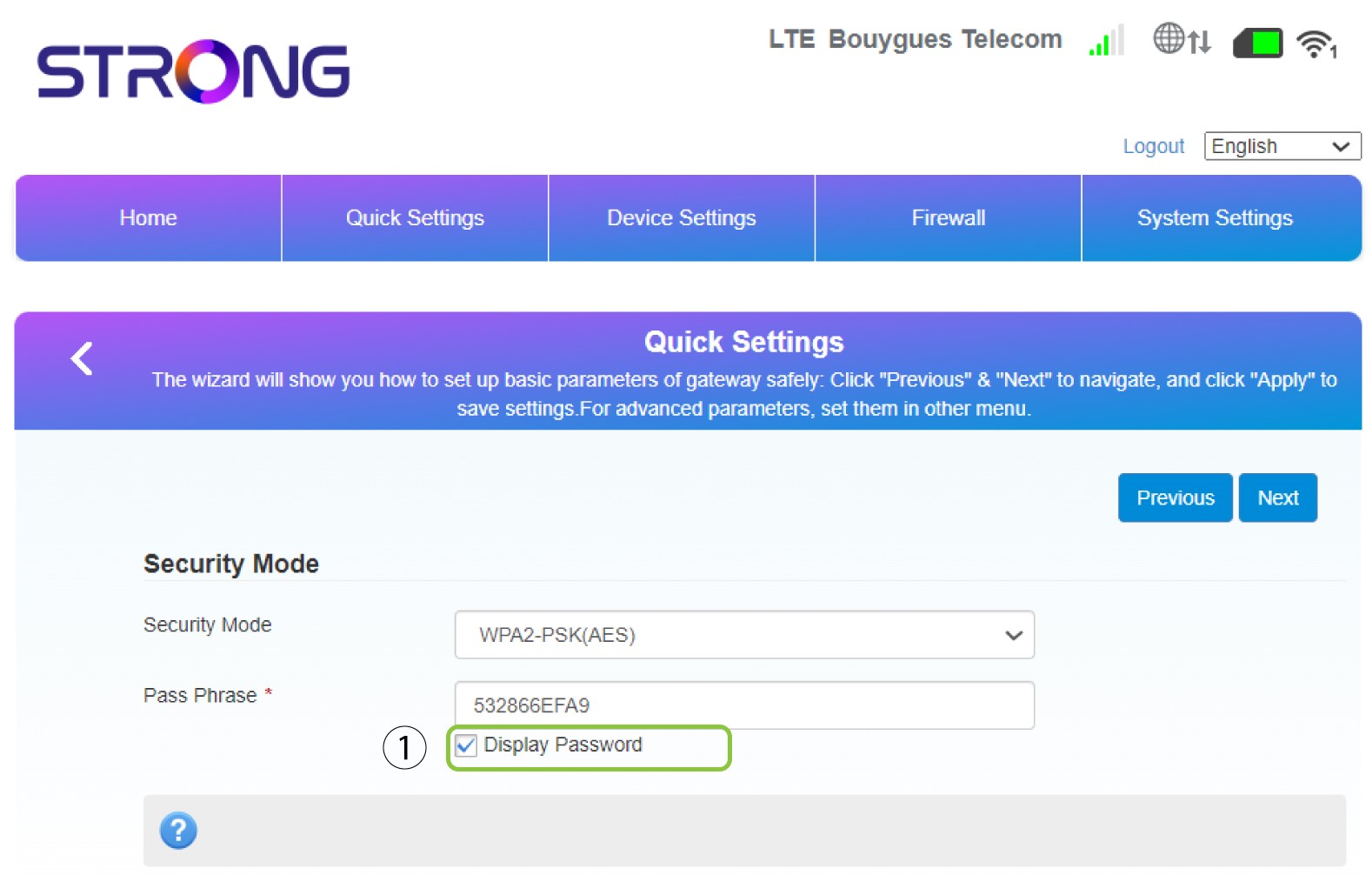
Натисніть «Показати пароль».
4Введітьновий пароль
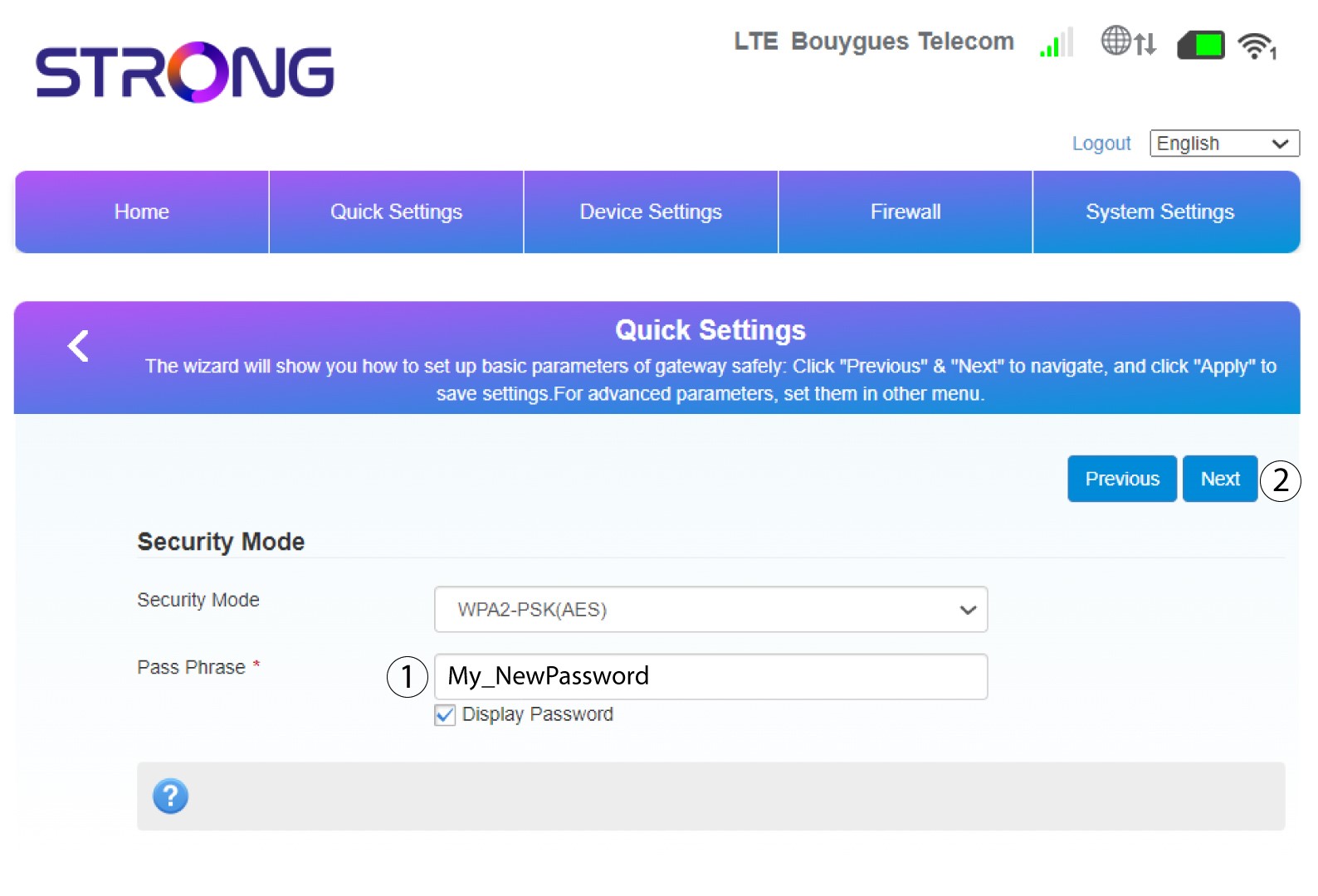
Змініть свій пароль. Потім натисніть «Далі».
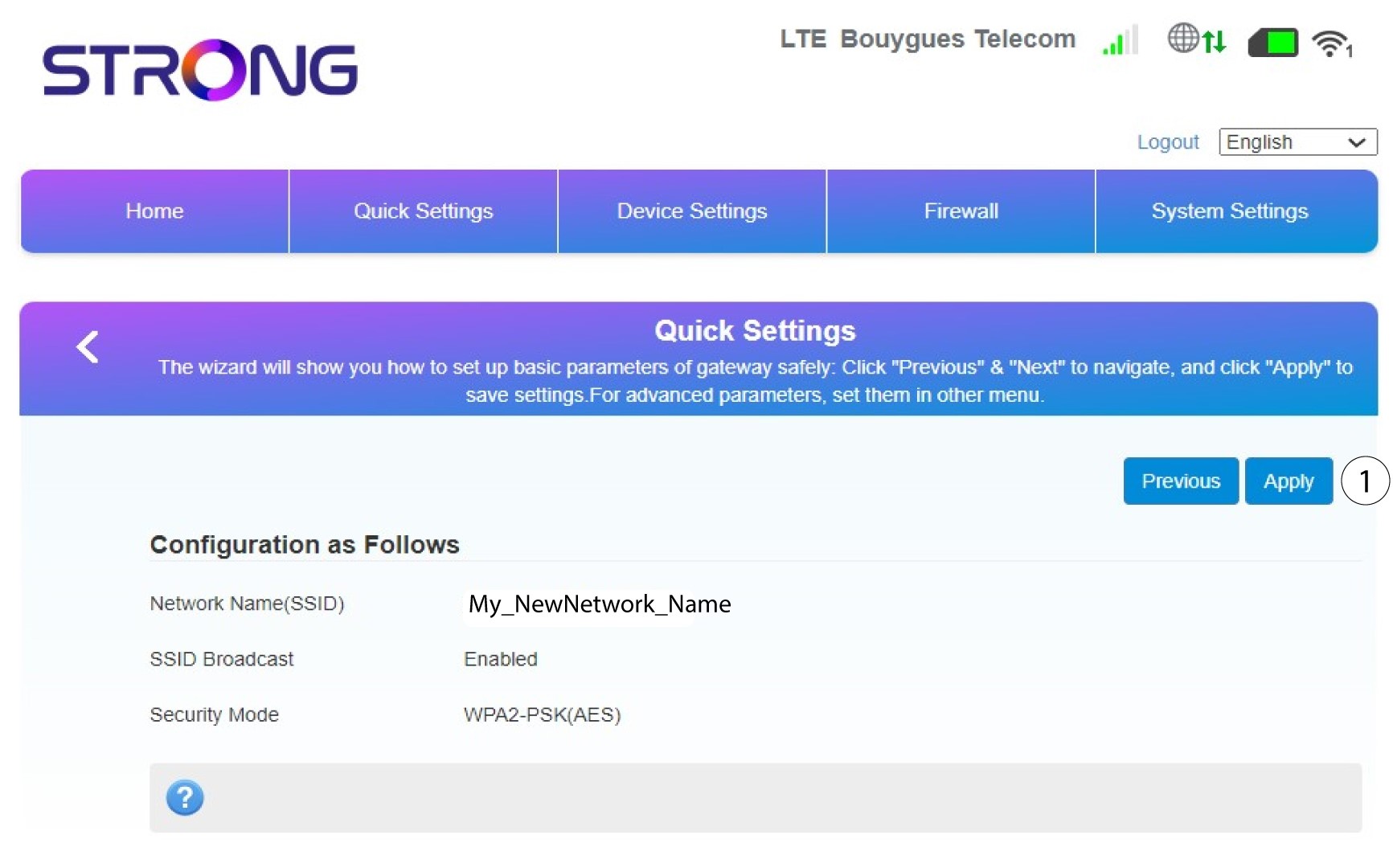
5Перегляньтевнесені зміни
Щоб зберегти зміни, натисніть «Застосувати».
6. Запишітьнову назву мережі та пароль
Будь ласка, запишіть на аркуші паперу новий SSID та пароль, які ви створили.


Після того як ви зміните ім’я мережі та пароль вашого пристрою « маршрутизатор », QR-код перестане працювати, оскільки дані для підключення вашого пристрою « маршрутизатор » будуть іншими.